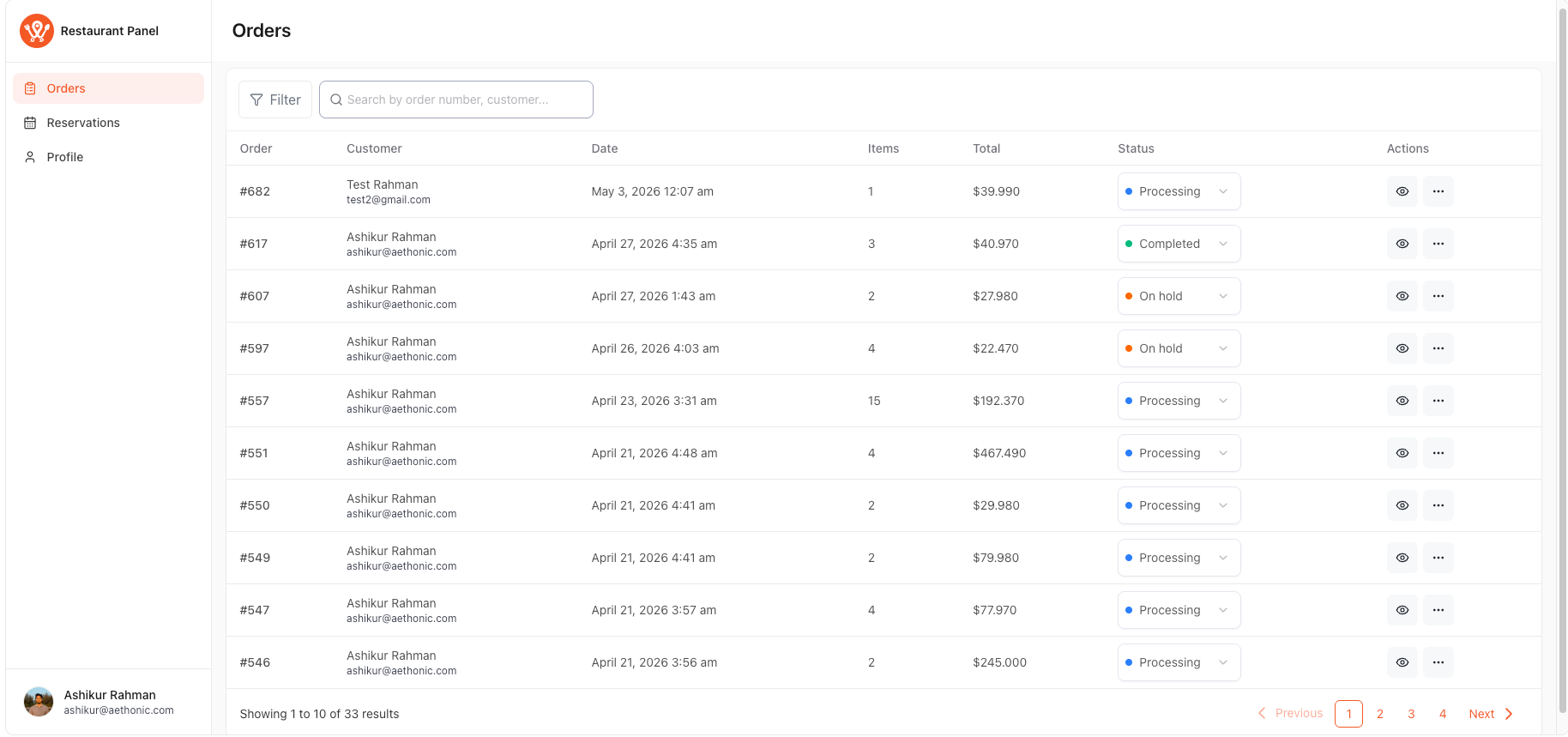
The Restaurant Management Panel is a frontend shortcode feature in WP Cafe that gives restaurant staff, managers, and customers a dedicated dashboard
to view and manage orders and reservations — without needing access to the WordPress admin.
Access is controlled by three built-in roles, each with different capabilities. The panel automatically adjusts the UI based on the logged-in user’s role.
| Prerequisite: Make sure WP Cafe and Woocommerce plugin is installed and activated |
Step 1: Generate the Shortcode #
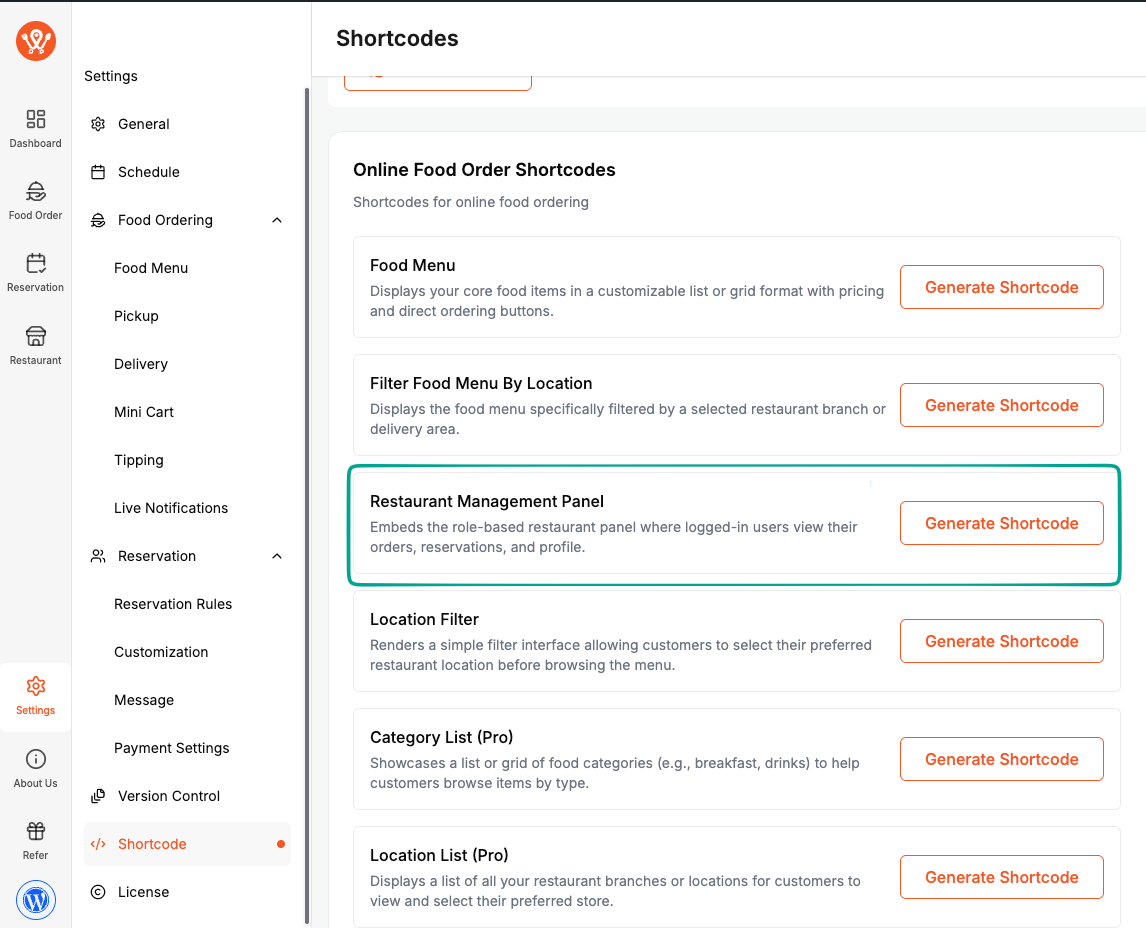
- Go to settings → Shortcode → Food Order Tab → Resturant Management Panel shortcode section and click on Generate Shortcode button.
Step 2: Paste the Shortcode and Publish Page #
- Add a new page (e.g., “Restaurant Panel”) and insert the shortcode and publish and preview it.
- Publish the page.
Step 3: Login and Manage #
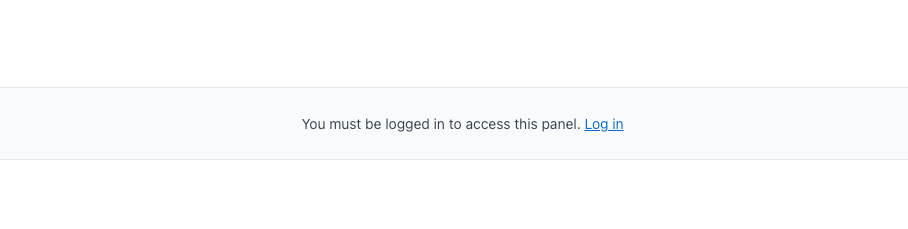
Guests and unauthenticated users will see a login prompt. Only logged-in users with a WP Cafe role (or matching capabilities) can access the panel.
Step 4: Understanding User Roles #
WP Cafe registers three custom roles automatically upon plugin activation:
| Role | What They Can Do |
|---|---|
| WPCafe Customer | View their own orders and reservations |
| WPCafe Staff | View all orders and all reservations |
| WPCafe Manager | View + manage (update status, delete, create) all orders and reservations |
WordPress built-in roles Customer and Subscriber also receive view-own capabilities automatically. |
Assigning a Role #
- Go to Users → All Users in your WordPress admin.
- Click Edit on the user.
- Under Role, select one of the WP Cafe roles.
- Click Update User.
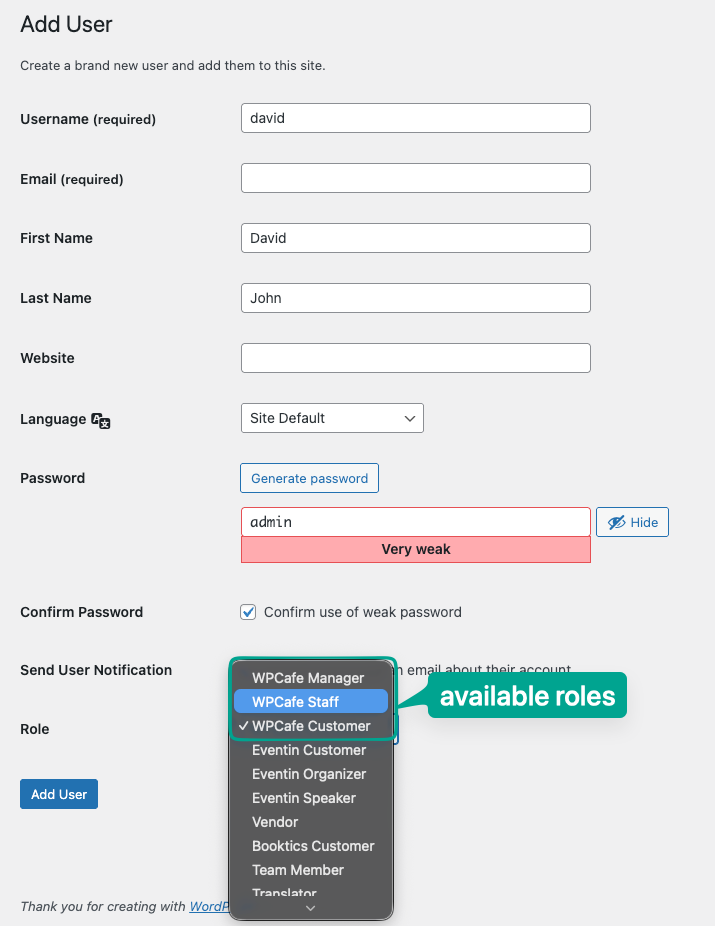
After that when that user loggin it works work based on the logged in user roles permissions
Frequently Asked Questions #
Q1: My staff need to view all orders but should not be able to delete or change status. Which role should I assign?
Assign WPCafe Staff. Staff can view all orders and reservations but cannot update status, delete records, or access WooCommerce order details. Only
the Manager role has those actions.
Q2: Can existing WooCommerce customers access the panel without being assigned a WP Cafe role?
Yes. WordPress roles customer and subscriber automatically receive wpcafe_view_own_orders and wpcafe_view_own_reservations capabilities when WP Cafe is active. They can log in and view their own records — but not other customers’ data.


