
When your attendees register late or face issues joining via the regular process, Eventin Pro lets you seamlessly add them manually. Whether it’s to accommodate last-minute sign-ups or offline registrations, this feature ensures every attendee gets their ticket smoothly and on time.
Notice: You’ll need to install both Eventin and Eventin Pro to leverage this feature.
The manual attendee can be added for both the WooCommerce and Stripe payment systems.
From the WordPress admin:
- Navigate to Eventin → Attendees → Add New Attendee.
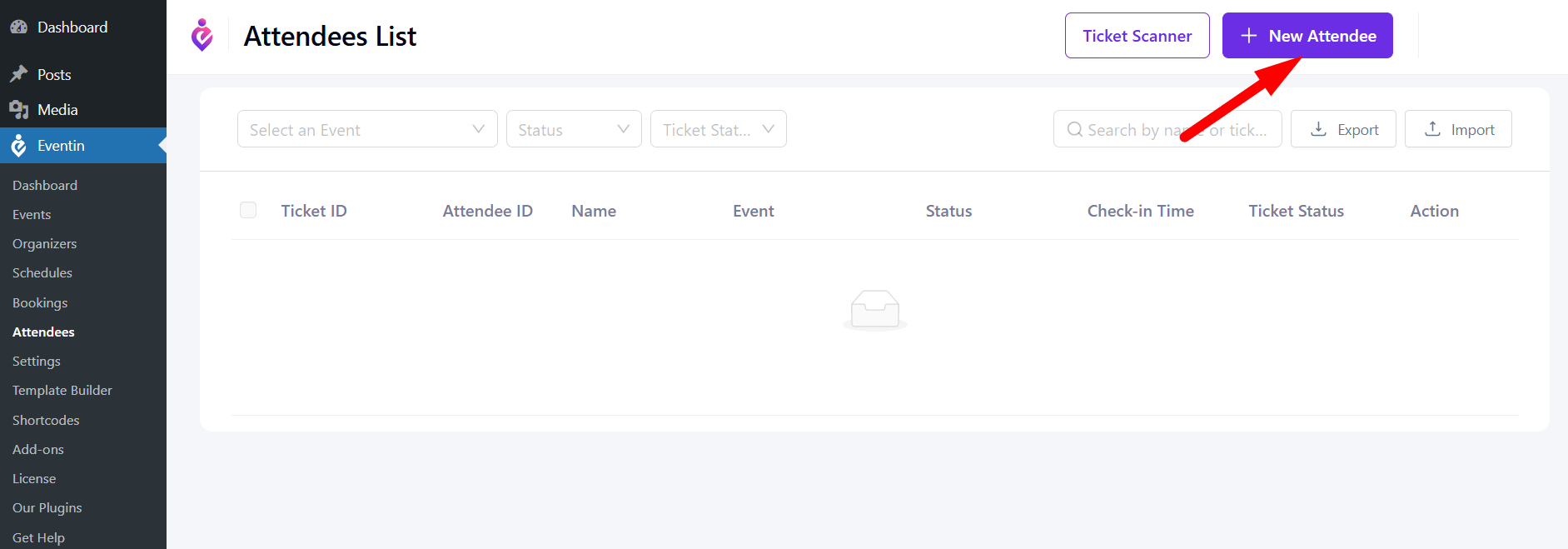
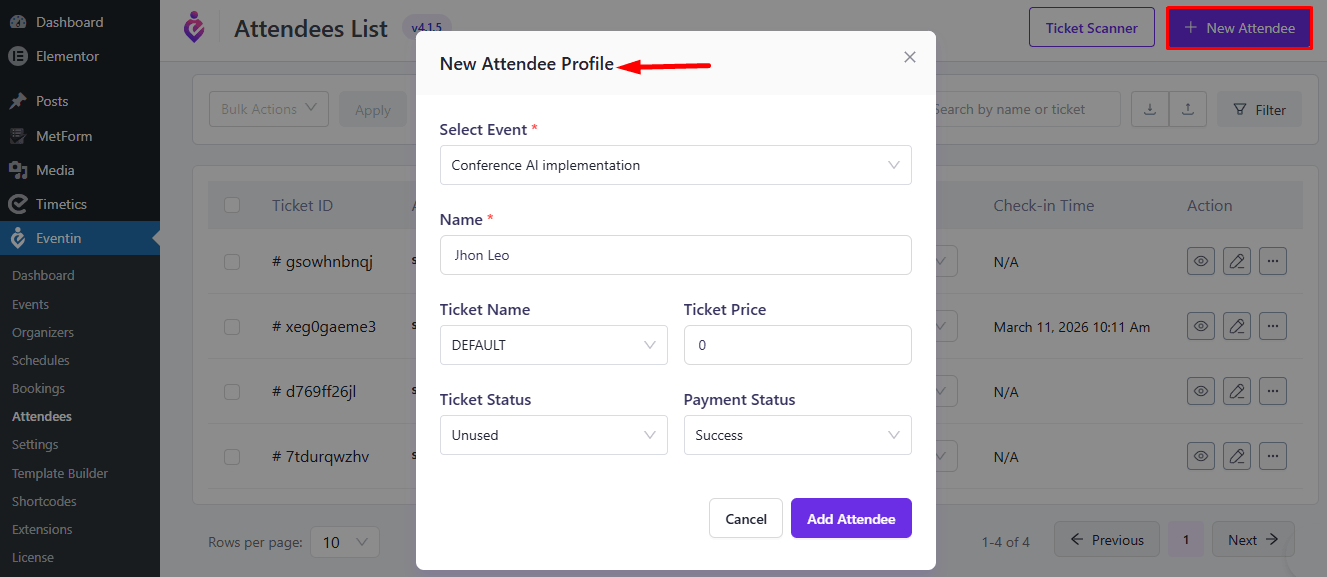
- Fill in the attendee’s details in the provided fields.
- Click “Add Attendee” to confirm the addition.
- The attendee will then appear in Event → Attendees and receive their ticket via email automatically.
FAQ #
1. Do I need Eventin Pro for manual attendee addition?
Yes, both Eventin and Eventin Pro are required.
2. Will tickets be sent automatically?
Yes, tickets are emailed once the attendee is published.
3. Which payment gateways are supported?
WooCommerce and Stripe.
Conclusion #
With Eventin Pro, you can quickly add attendees manually and ensure they receive their tickets instantly, perfect for late or offline registrations.


