
What is Pointics Pro? #
Pointics Pro is a separate plugin that installs alongside the free Pointics plugin and unlocks paid capabilities.
It adds one screen of its own, License, while the rest of its features appear inside the Pointics screens you already use.
Why Do You Need It? #
- Remove free-version limits: Create unlimited VIP levels and unlock rule and reward conditions.
- Unlock additional redemption methods: Percentage Discount, Free Product, and Free Shipping become available.
- Enable automatic updates: An active licence allows Pointics Pro to receive updates automatically.
Prerequisites #
| Requirement | Minimum |
|---|---|
| Pointics Free installed and active | 1.0.0 |
| PHP | 8.1 |
| WordPress | 6.4 |
| Administrator Account | Required |
If any requirement is not met, Pointics Pro displays a notice and does not continue loading its Pro functionality.
- “Pointics Pro requires the Pointics plugin to be installed and active.”
- “Pointics Pro requires Pointics {X} or higher. You are running {Y}.”
- “Pointics Pro requires PHP {X} or higher. You are running {Y}.”
- “Pointics Pro requires WordPress {X} or higher. You are running {Y}.”
Where to Find It #
Go to Pointics → License.
/wp-admin/admin.php?page=pointics#/licenseThe License menu item appears between Integrations and About Us.
Step-by-Step Instructions #
Step 1: Install and Activate Pointics Pro #
Install Pointics Pro alongside the free Pointics plugin. The Pro plugin does not work unless the free Pointics plugin is active.
Step 2: Open the License Screen #
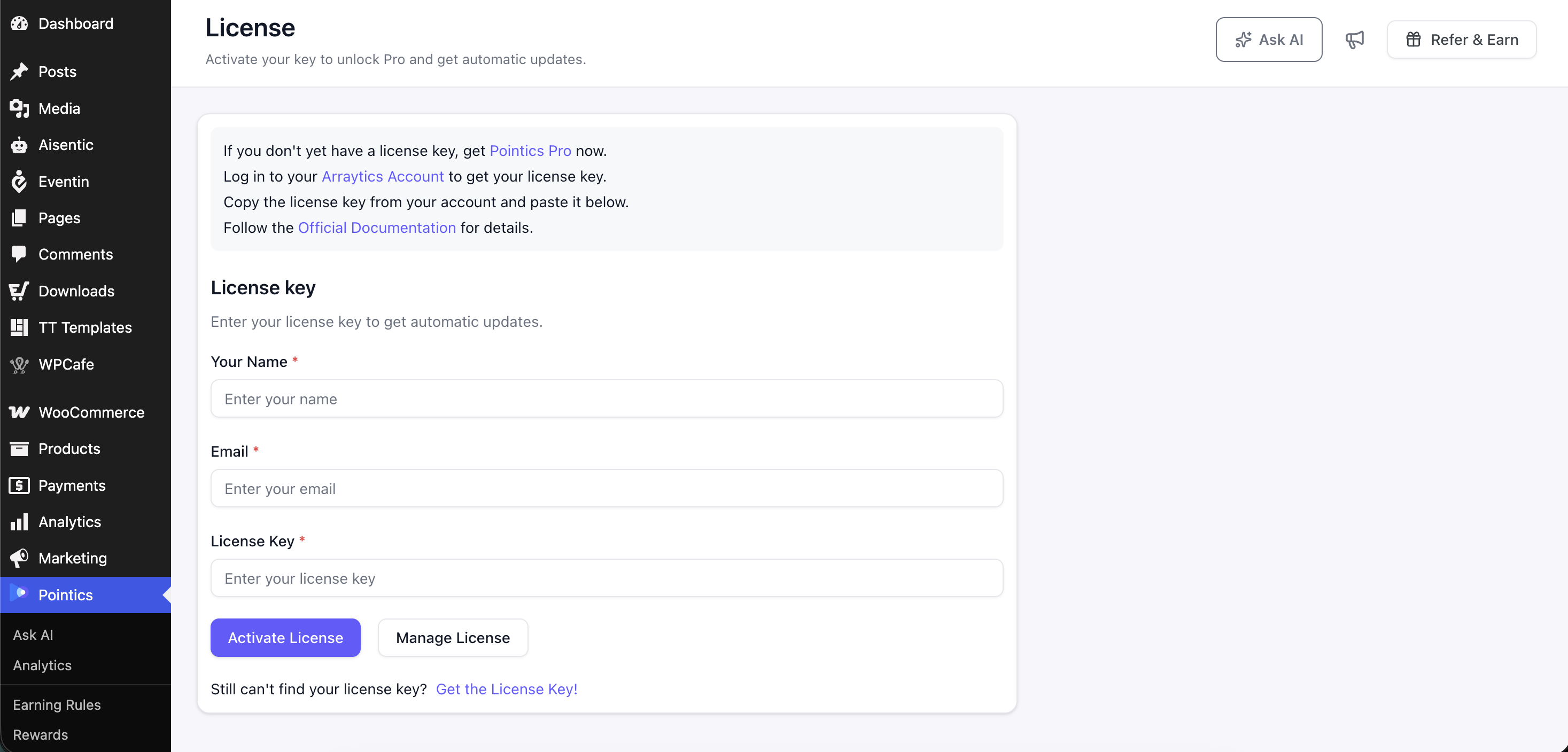
Go to Pointics → License.
Step 3: Fill In Your Details #
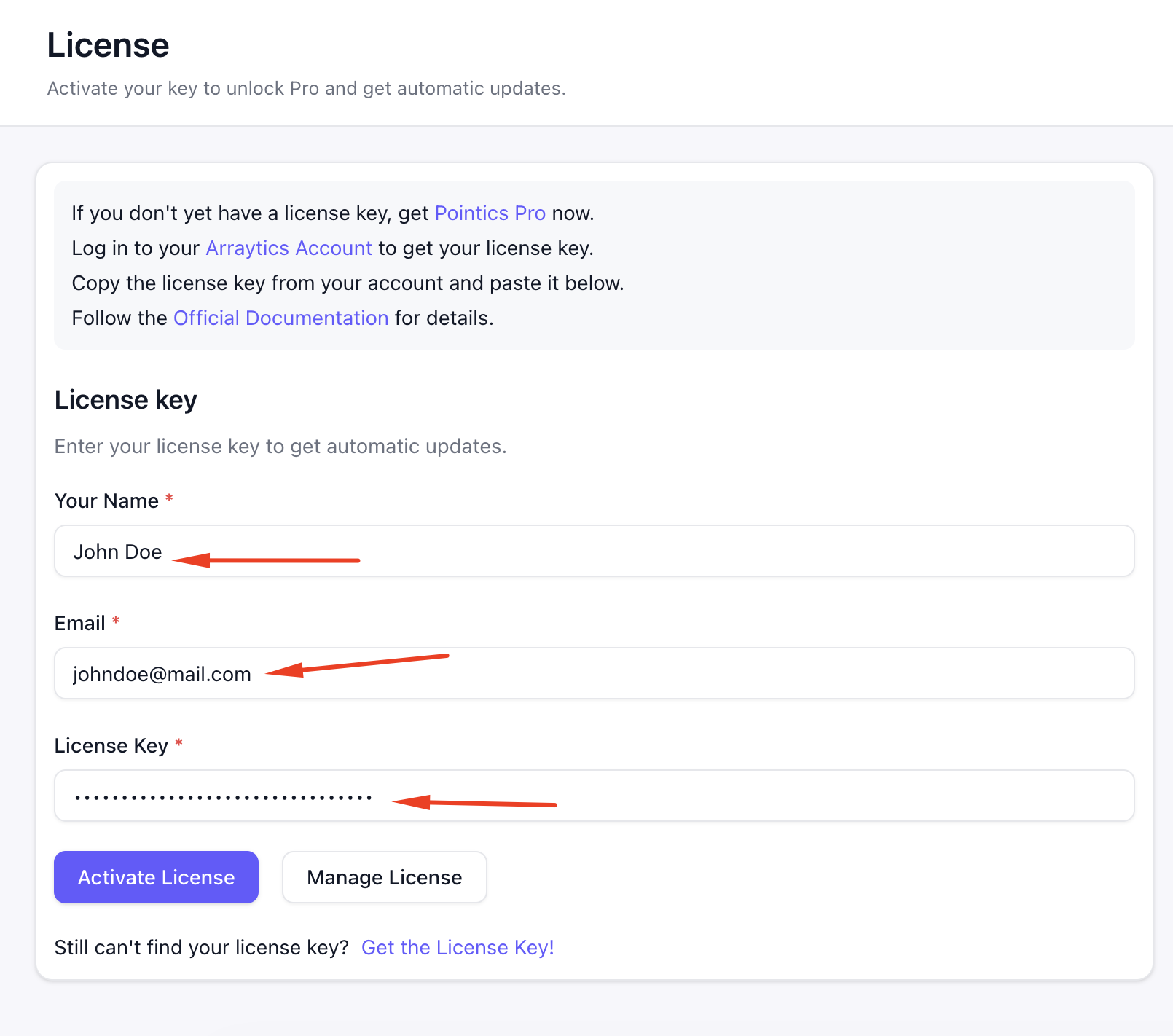
| Field | Placeholder |
|---|---|
| Your Name | Enter your name |
| Enter your email | |
| License Key | Enter your licence key |
The License screen also includes links to purchase Pointics Pro, open your Arraytics Account where your licence key is stored, and view the Official Documentation.
Step 4: Activate the Licence #
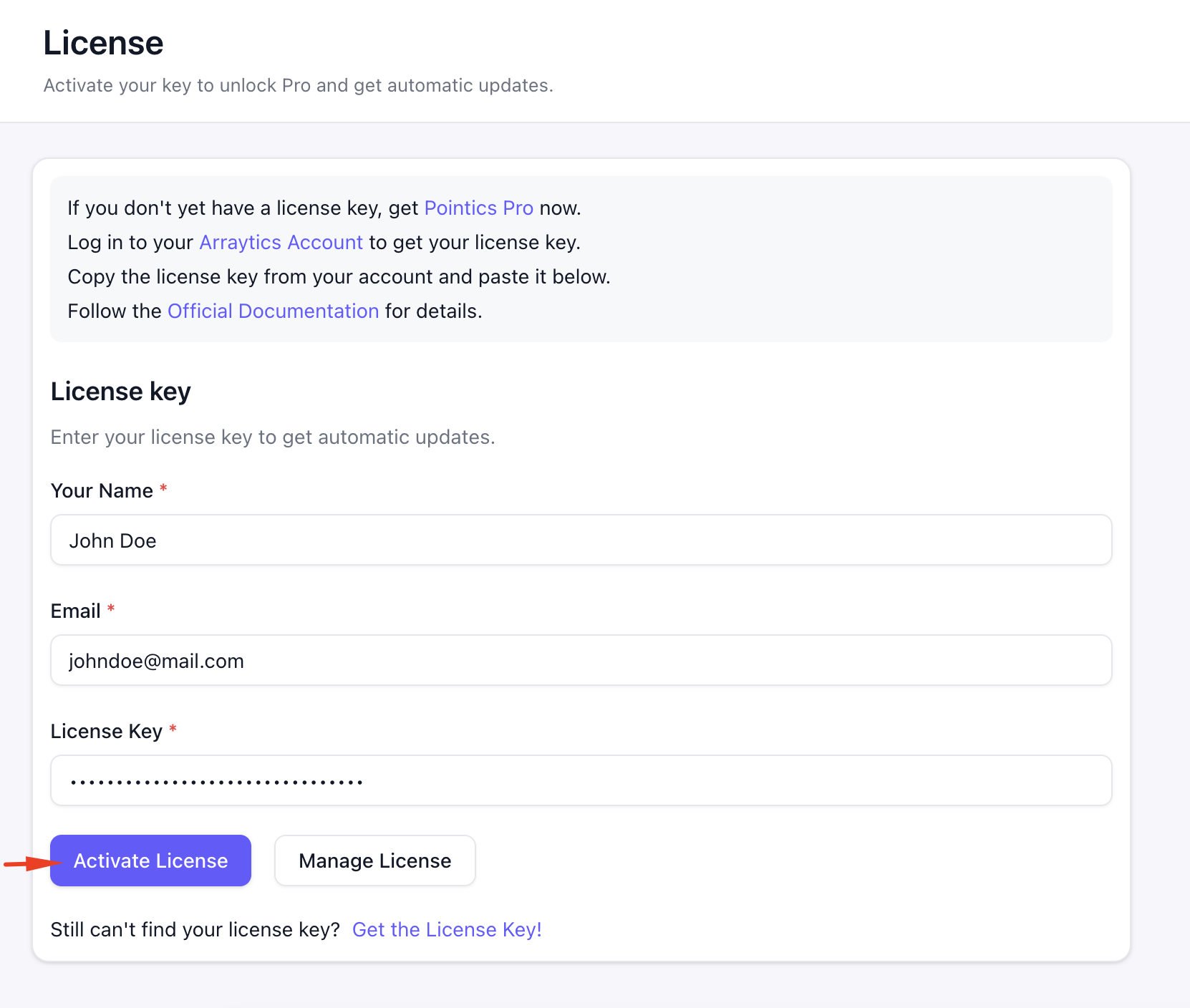
Click Activate License.
After successful activation, Pointics displays:
“Your license has been activated successfully.”
All Pro capabilities become available immediately after activation.
Step 5: Verify the Unlocked Features #
| Capability | Free | Pro |
|---|---|---|
| VIP Levels | One | Unlimited |
| Delete a Level | Only if it is not the last one | Yes |
| Rule Conditions | Visible but locked | Editable |
| Reward Conditions | Visible but locked | Editable |
| Level Benefits | Visible but locked | Editable |
| Percentage Discount Redemption | Marked as Pro | Available |
| Free Product Redemption | Marked as Pro | Available |
| Free Shipping Redemption | Marked as Pro | Available |
| Automatic Plugin Updates | Not available | Yes |
Step 6: Move the Licence to Another Site #
If you need to use the licence on another site, click Manage License, then choose Deactivate License and confirm.
This frees the licence key so it can be activated elsewhere.
Key Functionality #
What the Licence Unlocks #
An active Pointics Pro licence unlocks six feature areas:
| Area | What It Enables |
|---|---|
| Referrals | The referral program |
| Points Expiry | Expiring points |
| Visual Rules | Visual rule building |
| AI | AI capabilities |
| Advanced Rules | Rule and reward conditions |
| Unlimited Levels | Creating more than one VIP level |
Rewards and Levels themselves are core Pointics features. They continue to exist on the free version, although Pro unlocks additional functionality within them.
How Activation Works #
Pointics Pro activation follows this process:
- Install Pointics Pro alongside the free Pointics plugin.
- Pointics Pro checks whether all minimum requirements are met.
- If a requirement is missing, a notice is displayed and Pro functionality does not load.
- If the requirements are met, the License screen appears in the Pointics menu.
- Enter your name, email address, and licence key.
- Click Activate License.
- If the licence key is rejected, Pointics displays the message returned by the licence store.
- If Pointics cannot reach the licence store, a connection error is shown.
- If activation succeeds, the licence becomes active.
- All Pro capabilities become available.
- Automatic updates are enabled.
- If you later deactivate the licence, the licence key is freed and Pro-only functionality returns to the free-state restrictions.
Settings #
Pointics Pro does not add general settings beyond the licence itself.
Your licence status, licence key, and expiry information are stored on your site and displayed on the License screen.
Validation Rules #
- Name is required.
- Email is required and must be a valid email address.
- License Key is required.
- Every licence action is restricted to Administrators.
- Attempting to deactivate when no licence is active is refused.
- If the licence store rejects the key, its returned message is displayed.
- Creating additional VIP levels is validated against the active licence itself, so the free-version limit cannot be bypassed through interface changes.
Possible validation messages include:
- “Name is required!”
- “Email is required!”
- “Please provide a valid email”
- “License key is required!”
- “There is no active license to deactivate.”
- “Unable to activate license.”
Limitations #
- Pointics Pro does not work without the free Pointics plugin.
- The licence unlocks all six Pro areas together. There is no separate purchase for individual Pro features.
- Automatic Pro updates only work while the licence is active.
- Pointics Pro loads after the free plugin. If the free plugin is not working, Pro additions do not appear.
- Deactivating Pointics Pro does not delete loyalty data.
- VIP levels created while Pro was active remain stored, but on a free site only the first level is editable.
- Licence status is refreshed when the licence store reports a change rather than on every WordPress page load.
Troubleshooting #
| Problem | Solution |
|---|---|
| “Pointics Pro requires the Pointics plugin to be installed and active.” | Install and activate the free Pointics plugin first. |
| “Pointics Pro requires Pointics {X} or higher…” | Update the free Pointics plugin. |
| “Pointics Pro requires PHP 8.1 or higher…” | Ask your hosting provider to upgrade PHP. |
| “Pointics Pro requires WordPress 6.4 or higher…” | Update WordPress. |
| “Unable to activate license.” | Check the licence key and confirm that it has not already reached its maximum number of site activations. |
| “There is no active license to deactivate.” | No active licence is currently connected, so there is nothing to deactivate. |
| A configuration error appears during activation | Your Pointics Pro installation may be incomplete. Reinstall the Pro plugin. |
| A connection error appears during activation | The licence store cannot be reached. Check your site’s outbound connection and firewall rules. |
| The licence is active but Pro features are still locked | Reload the WordPress admin. If the issue continues, check the browser console for failed scripts. |
| Add Level is still hidden with an active licence | Hard-refresh the page. If it remains unavailable, contact support. |
| No automatic updates | Automatic updates require an active Pointics Pro licence. |
| Levels were created under Pro but Pro is now inactive | The levels remain stored. Only the first level is editable while the site is using the free version. |
Notes #
- Pointics Pro extends the free Pointics plugin rather than replacing it.
- Your existing rules, rewards, levels, transactions, and customer history remain unchanged when Pro is activated or deactivated.
- Deactivating a licence so it can be moved to another site does not delete anything from the original site. Pro-only capabilities simply become locked again.


