
What are Referrals? #
Referrals let existing customers invite friends and earn points when those friends join. Every customer gets a permanent referral code and a shareable link. When someone arrives through that link and registers, the referrer is credited.
There is no separate referral settings screen. Referrals become active when you create an earning rule using the Referral signs up trigger.
Why Do You Need It? #
- A low-cost acquisition channel: You reward a real signup instead of paying upfront for traffic.
- Rewards bring customers back: Referrers earn loyalty points instead of cash.
- It is self-serve: Customers can copy their own referral link or send their own invites.
Prerequisites #
- An Administrator account to create the earning rule.
- An earning rule using the referral signup trigger. Without it, referrals do not award points.
- Any logged-in customer can refer.
- Any visitor arriving with a valid referral code can be referred.
Where to Find It #
| Audience | Location |
|---|---|
| Setting it up | Pointics → Points Program → New Rule → Referral signs up |
| Customer view | My Account → Points & Rewards → Referrals |
| Reporting | Pointics → Analytics → Referral Funnel |
Step-by-Step Instructions #
Step 1: Create the Referral Earning Rule #
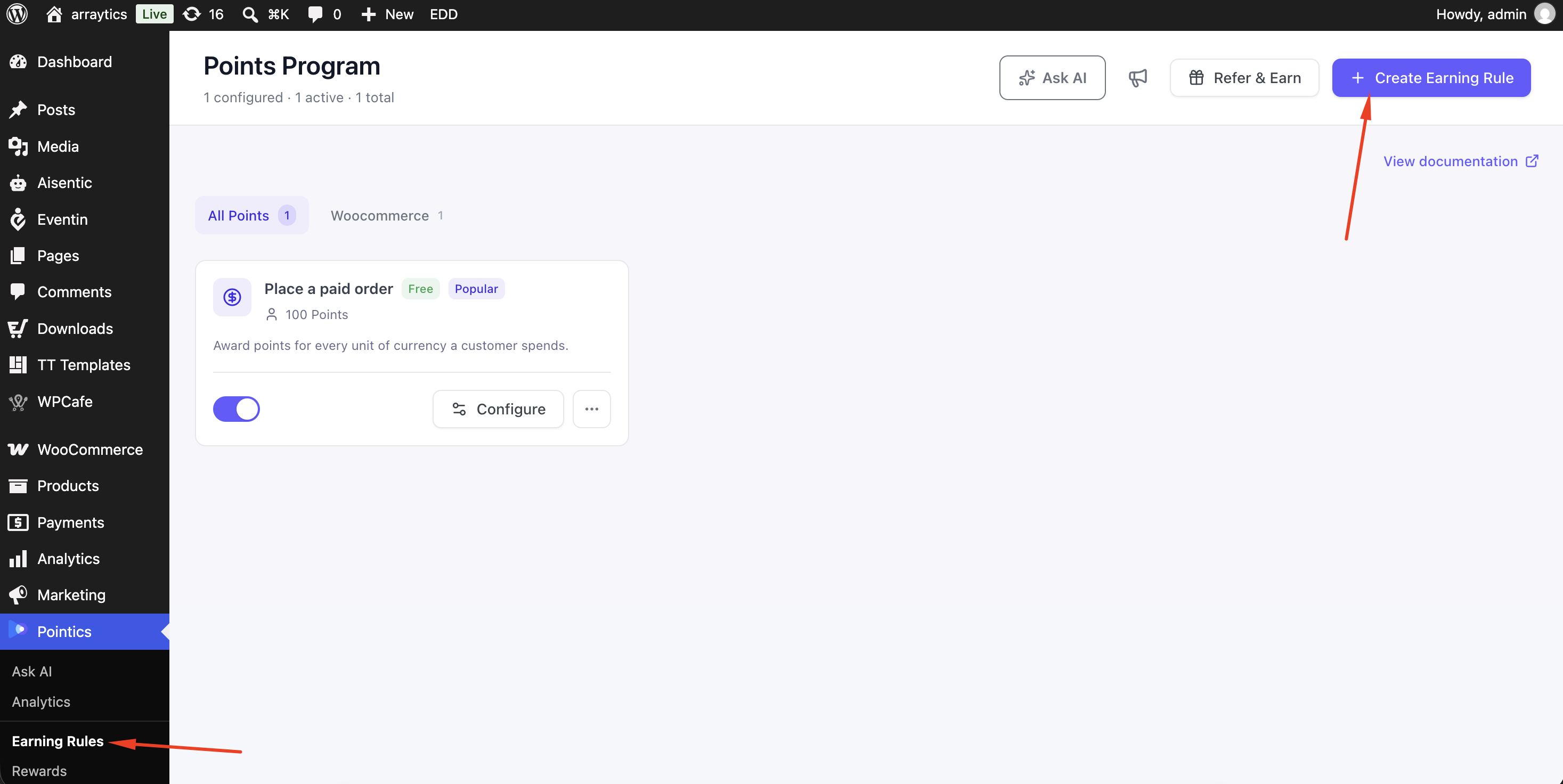
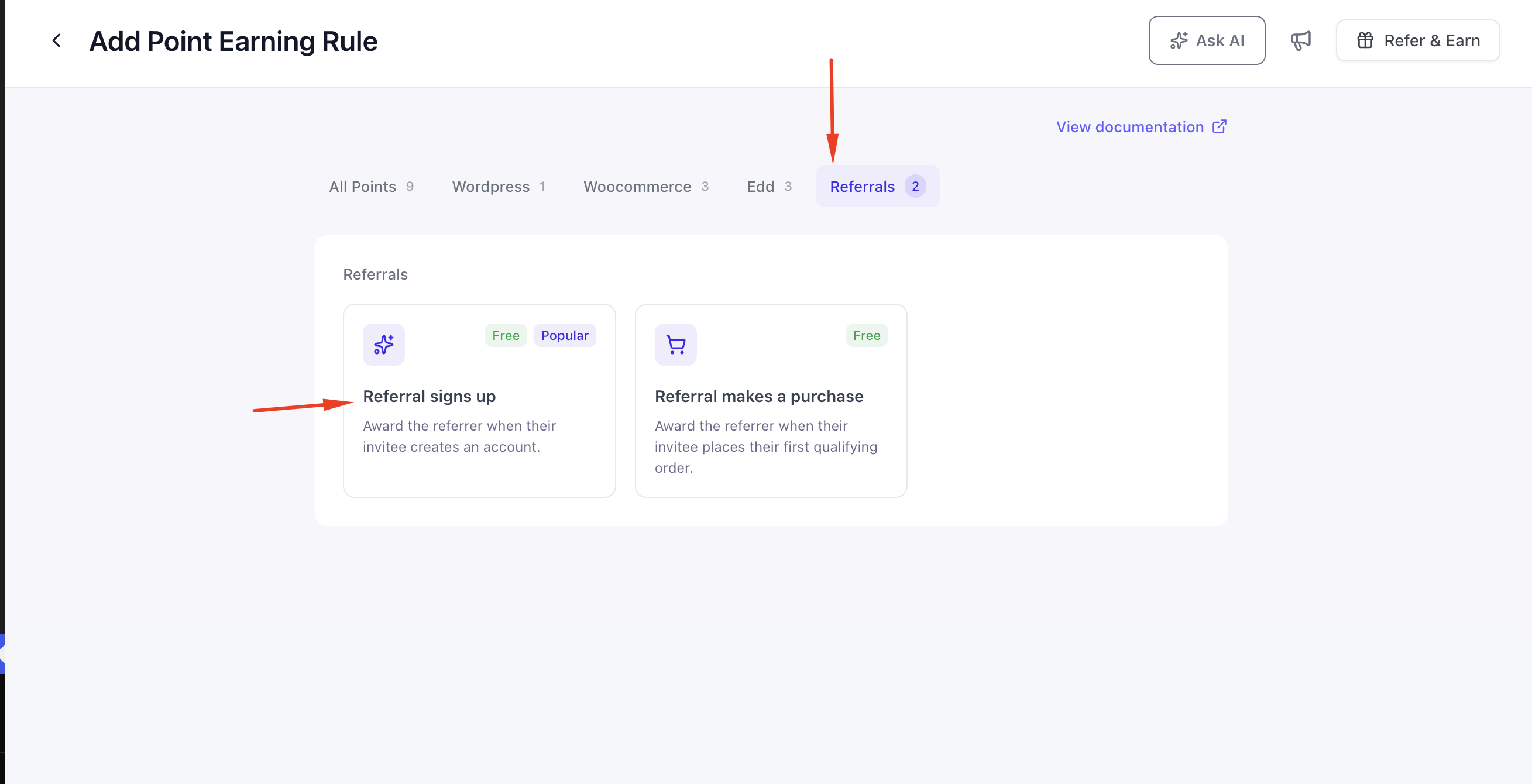
Go to Pointics → Points Program and create a rule with the trigger Referral signs up. The default award is 500 points.
Step 2: Configure the Referral Award #
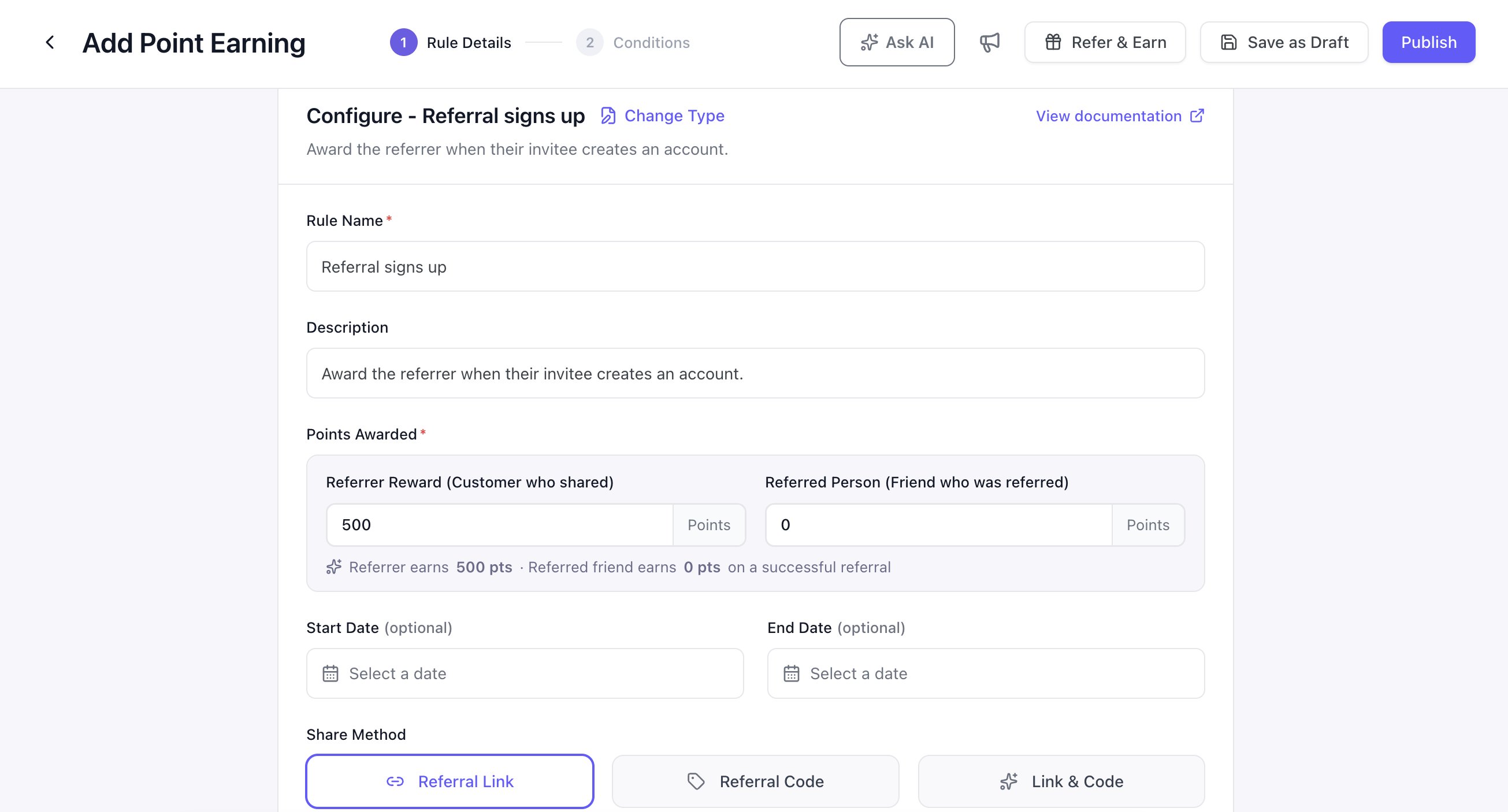
| Field | Purpose |
|---|---|
| Points Awarded — Referrer | What the inviter receives |
| Points Awarded — Referred Person | What the invited person receives |
| Share Method | Referral Link, Referral Code, or Link & Code |
| Referral Link Base URL | For example yourstore.com/ref/ |
| Referral Code | For example SAVE20 |
Step 3: Publish the Rule #
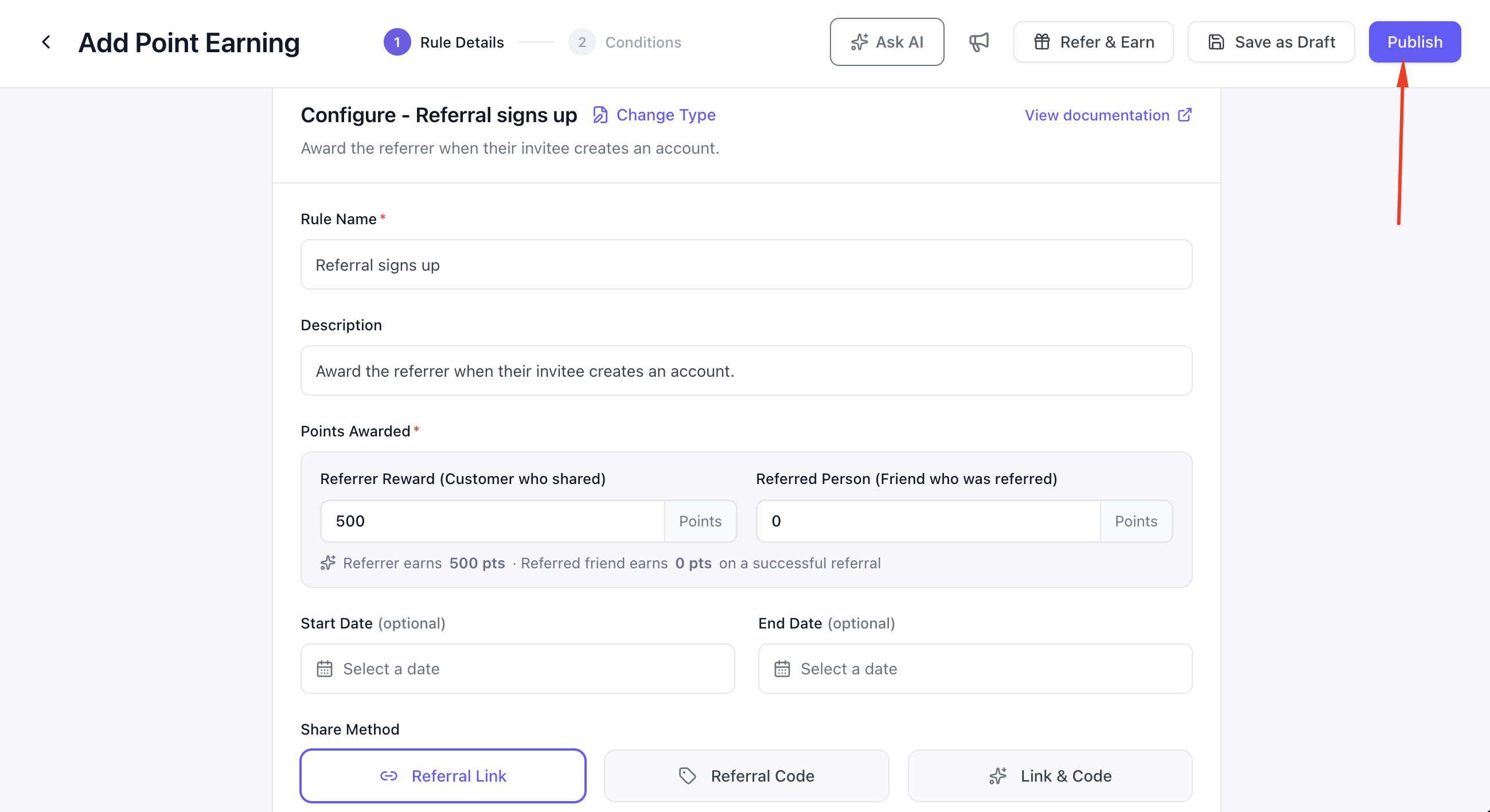
Until the referral rule exists and is published, the customer panel shows no reward figure. This prevents Pointics from promising referral points that your site does not actually award.
Step 4: Point Customers to Their Referrals Tab #
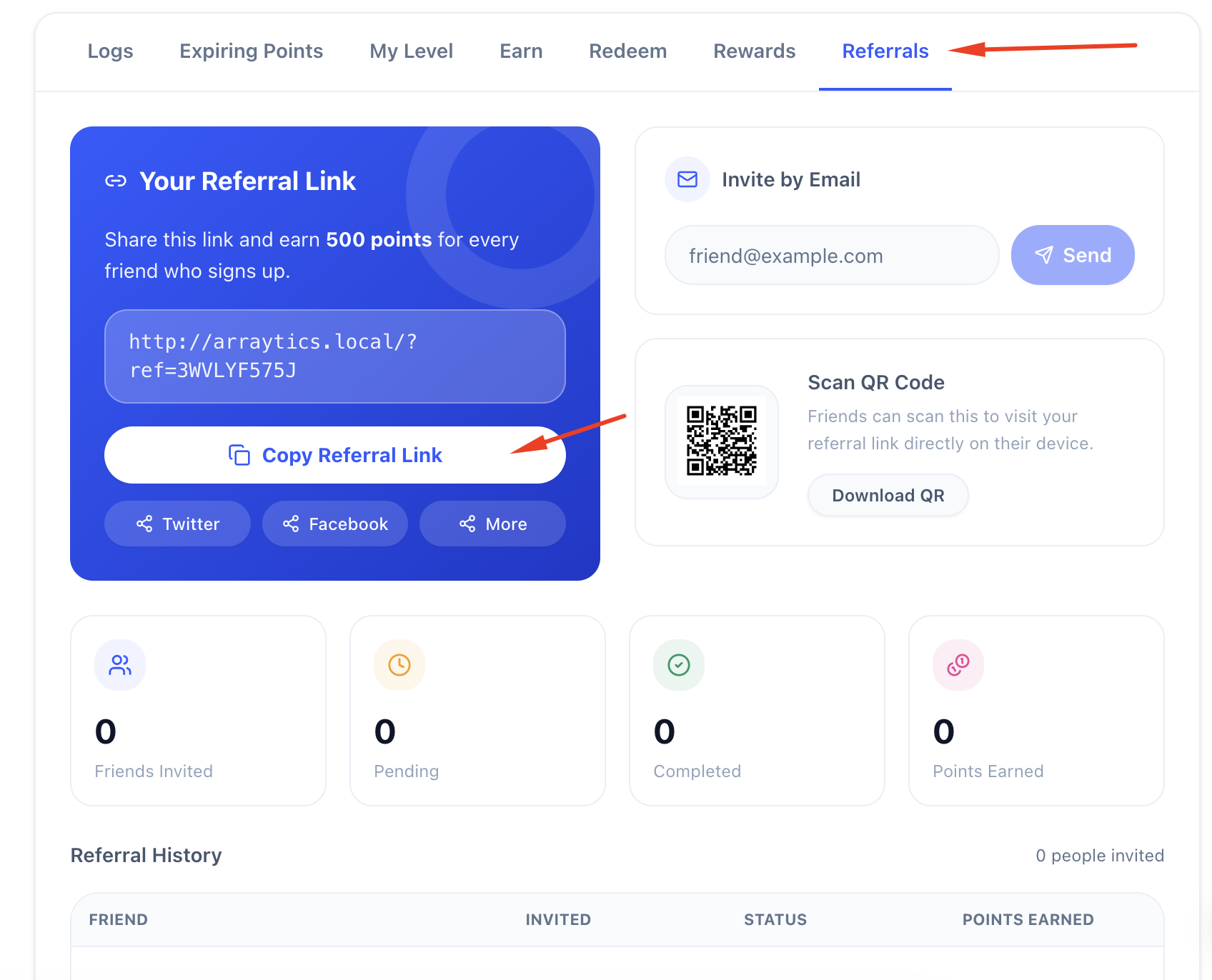
Customers can open My Account → Points & Rewards → Referrals and copy their referral link or code.
An example referral link looks like this:
https://yourstore.com/?ref=ABC12The Referrals panel also displays a QR code for the referral link.
Step 5: Let Customers Send Email Invites #
Customers can enter an email address to send a referral invitation.
| Part | Content |
|---|---|
| Subject | {Your name} invited you to join {Site name} |
| Body | You’ve been invited to join! Sign up here: {link} |
Step 6: Watch the Results #
The Referrals panel displays four stat cards:
- Invited
- Pending
- Completed
- Points Earned
A referral history table also shows each invite’s email address, status, invited date, completed date, and points awarded.
Key Functionality #
What Happens Behind the Scenes #
- A visitor arrives on your site with a referral code.
- Pointics checks whether the code is valid.
- An invalid or modified code is ignored and nothing is stored.
- A valid referral code is remembered in the visitor’s browser for 30 days.
- When the visitor registers, Pointics completes the referral.
- The published referral earning rule awards the configured points.
Referral Statuses #
| Status | Meaning |
|---|---|
| Pending | The person was invited but has not registered yet. |
| Completed | The referred person registered and the referral was completed. |
How a Referral Completes #
A referral follows this process:
- A customer copies their referral link or sends an invitation.
- The friend clicks the referral link.
- Pointics validates the referral code.
- If the code is invalid, nothing is stored.
- If the code is valid, Pointics remembers it for 30 days.
- The friend registers on the site.
- Pointics checks whether the customer is referring themselves.
- Self-referrals are rejected.
- Pointics checks whether the person has already been referred before.
- If they have already been referred, the referral is rejected.
- If they are eligible, the referral is marked as completed.
- The referred person is marked as having used their one allowed referral.
- Pointics checks whether a referral earning rule is published.
- If no published rule exists, no points are awarded.
- If a published rule exists, the configured points are awarded to the referrer.
- The completed referral is recorded in referral history.
Settings #
Referrals have no separate options on the Pointics Settings screen. Their behaviour is fixed.
| Behaviour | Value |
|---|---|
| How long a referral link is remembered | 30 days |
| Invites a customer can send | 10 per hour |
| Referrals a person can be credited for | One, ever |
Validation Rules #
- Invite Email must contain a valid email address.
- Each customer can send a maximum of 10 invites per hour.
- Self-referral is blocked by both account and email address.
- Inviting your own email address is ignored.
- Each person can be referred only once.
- An existing customer can still be eligible for their first referral, but never a second one.
- Re-inviting the same email address resends the existing invitation instead of creating a duplicate record.
- Customers can only view their own referral history.
- Referral history does not expose another customer’s account information.
Limitations #
- Referrals complete only when the friend registers. Rewarding a referral after the friend’s first purchase is not currently supported.
- Referral attribution depends on the visitor’s browser. Clearing browser data, switching devices, or using private browsing can remove the referral attribution.
- The referral attribution window is fixed at 30 days.
- The invitation email is plain text and cannot be styled from Email Automations.
- Referral stat cards read up to 5,000 referrals for a customer. Beyond that, Pending and Points Earned figures can be understated.
- Referral codes are short identifiers. They identify who referred someone but do not provide account access.
- The Referrals tab remains hidden until a referral earning rule exists.
Troubleshooting #
| Problem | Solution |
|---|---|
| “A valid email is required.” | Enter a valid email address. |
| “Too many invites sent. Please try again later.” | The customer reached the 10-per-hour limit. Wait before sending more invitations. |
| “Could not send that invite.” | The invitation address belongs to the customer sending the invite. |
| Referrals tab is missing from the account panel | No referral earning rule exists. Create one in Points Program. |
| The panel shows no reward figure | No published referral earning rule exists, so Pointics has no referral reward to display. |
| A referral completed but no points were awarded | The rule may still be a draft, its conditions may not match, or its frequency limit may already have been reached. |
| A signup did not credit the referrer | The referral may no longer be remembered because browser data was cleared, a different device was used, private browsing was used, or more than 30 days passed. |
| Referring the same person twice did not award points | This is expected. Each person can only be referred once. |
| Referring yourself awarded nothing | Self-referrals are blocked by both account and email address. |
| The Referral Funnel shows zeroes in Analytics | No referral activity occurred during the selected period. This is valid data, not an error. |
| The invitation email was not delivered | Check your site’s mail configuration and test email delivery with an SMTP plugin. |
Notes #
- The referral reward shown to customers comes from the same Ways to Earn data used by the Earn tab, so the wording and eligibility remain consistent.
- The QR code is generated in the customer’s browser, so no QR image is sent from your server.


