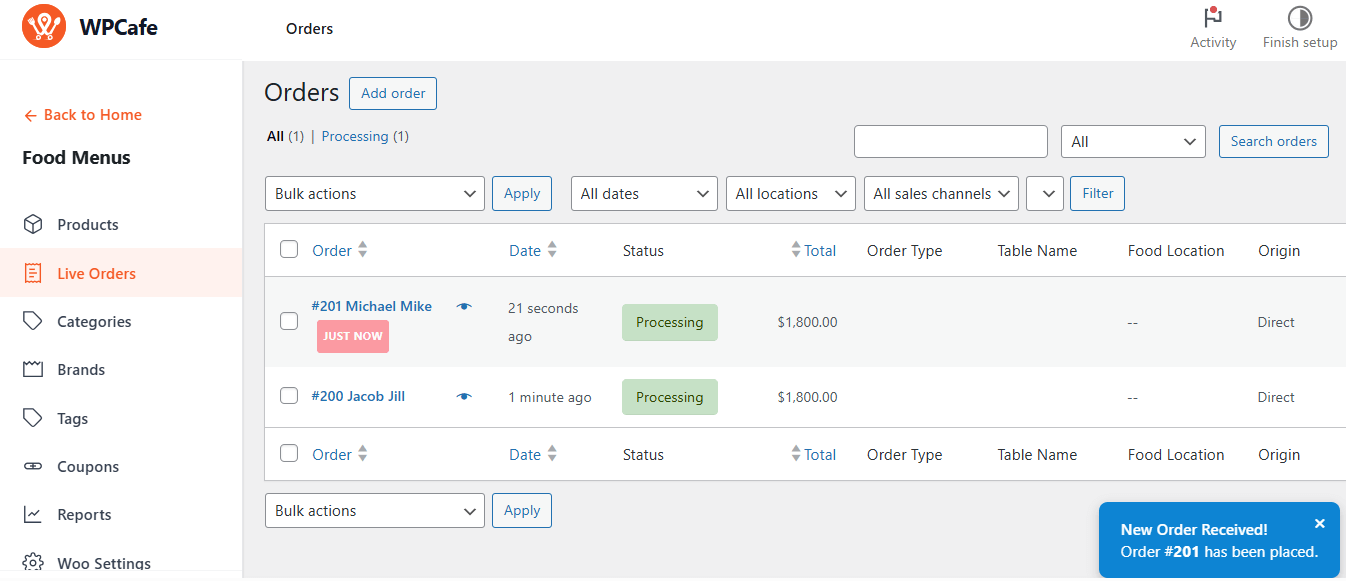
This feature lets you enable and customize audio alerts for important store activities, such as new orders, ensuring you never miss an update.
Watch our step-by-step guide on enabling Sound & Live Order Notifications for your WPCafe restaurant dashboard. Or continue reading the guide below!
How to Enable
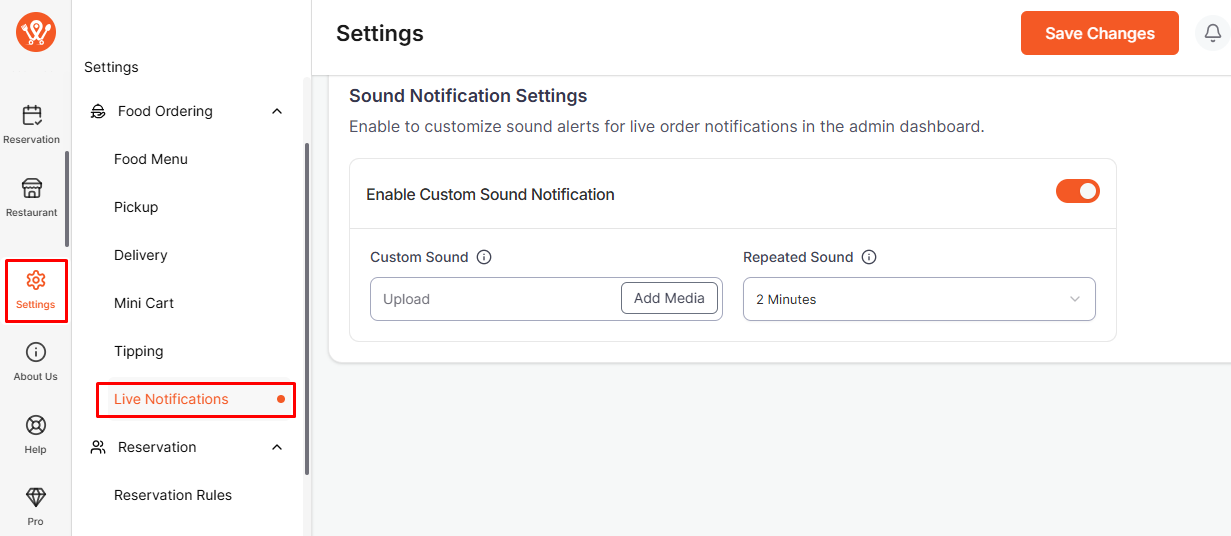
- Go to WPCafe → Settings → Live Notifications.
- Turn on “Enable Custom Sound Notification“.
- Click Upload / Add Media to add your audio file (supports MP3, WAV).
- Select how many times the sound will repeat for each alert, ideal for busy environments.
After a customer places a food order, the admin will receive both a pop-up and a sound notification to stay instantly updated on new orders.