
Overview #
A deposit lets your guest pay a small part of the booking now and the rest at the restaurant. Guests book more easily, and fewer people skip their booking. WPCafe takes the deposit amount from the free Deposits & Partial Payments for WooCommerce – Deposet plugin.
Requirements #
- The free Deposet plugin, installed and active.
- WooCommerce payments for bookings. The deposit is only taken for online payment, not when the guest pays at the restaurant.
- A Booking Amount above 0 in Reservation Rules.
Step 1: Activate the Deposet Plugin #
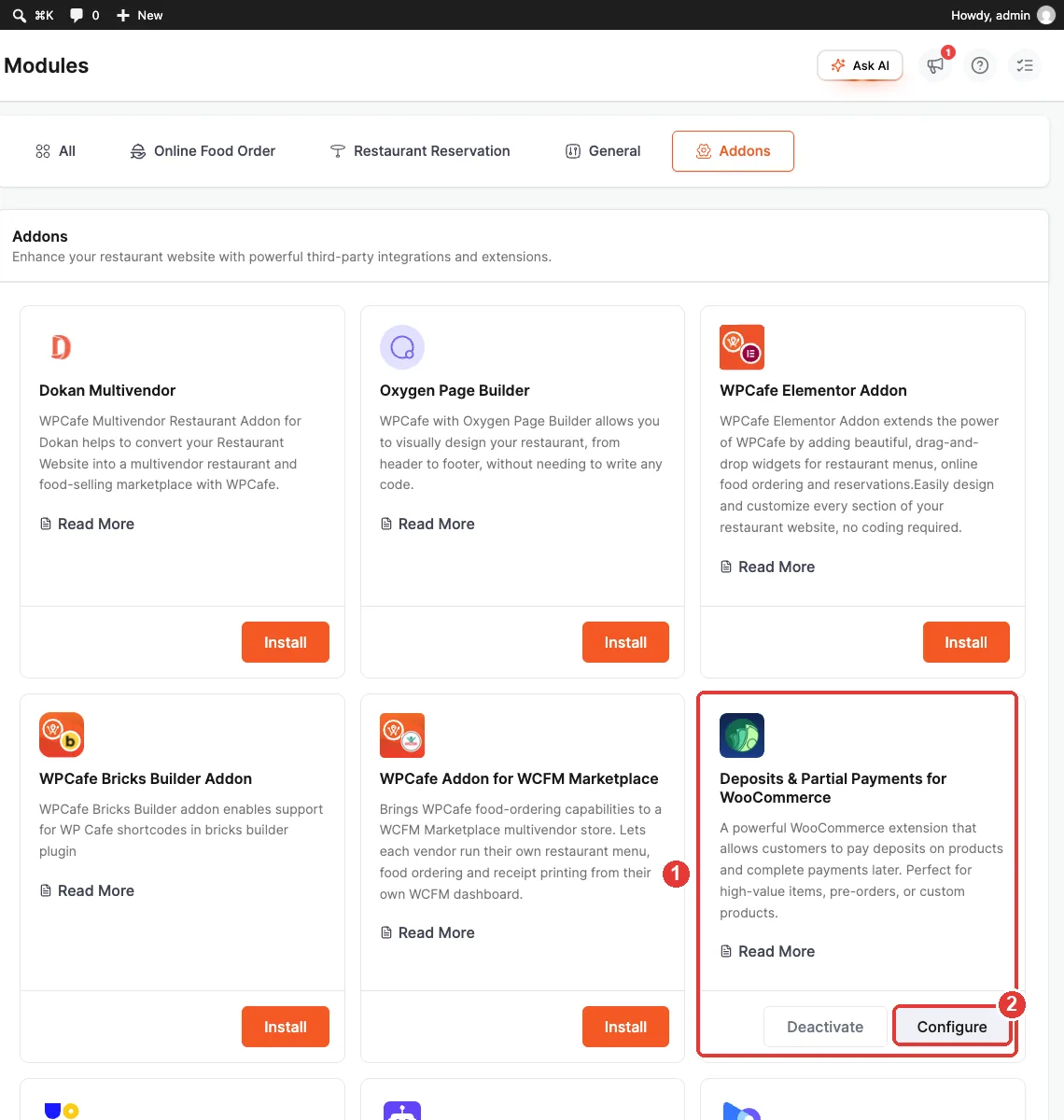
- Go to WPCafe > Settings > Modules and open the Addons tab.
- Find Deposits & Partial Payments for WooCommerce (1) and install and activate it.
- When it is active, you see Deactivate and Configure (2).
Step 2: Turn On Deposit at Booking #
- Go to WPCafe > Reservations > Reservation Rules.
- Find the Deposit at Booking card (1) and switch it on.
- Click Save Changes.
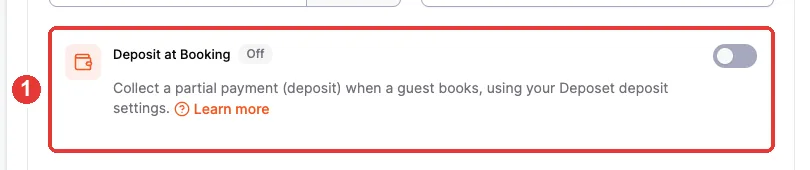
The small label next to the title shows the state:
| Label | Meaning |
|---|---|
| Requires Deposet | Deposet is not active. Click Activate Deposet first. |
| Off | Deposet is active, but deposits are off. |
| On | Deposits are on. |
Step 3: Set the Deposit Amount in Deposet #
- Click Configure deposit amount on the Deposit at Booking card, or go to Deposet > Rules.
- Add an enabled rule for All products.
- Choose Percentage or Fixed and enter the amount. Example: 50 with Percentage = a 50% deposit.
- Save the rule.
| Note: If there is no enabled “All products” rule, WPCafe shows: “No deposit is taken yet”. Add the rule to fix it. |
Example: a $10 booking with a 50% deposit. The guest pays $5 now and $5 at the restaurant.
Step 4: What the Guest Sees #
- The guest fills in the booking form and chooses WooCommerce as the payment method.
- They choose Pay full amount or Pay deposit now.
- The form shows Pay Today (Deposit) and the Balance due at the restaurant.
- Checkout and the order page show the same split.
Frequently Asked Questions (FAQ) #
| Q1: My guest chose Local payment. Why is there no deposit? Deposits only work with online (WooCommerce) payment. Local payment is always the full amount. |
| Q2: I set a fixed deposit larger than the booking total. What is charged? The deposit is capped at the booking total. The guest pays the full amount, and no balance is left. |
| Q3: I turned off Deposet after a guest paid a deposit. Is that booking affected? No. The deposit and balance are saved on the order. New bookings charge the full amount until Deposet is active again. |
Conclusion #
Activate Deposet, add an All products rule, and switch on Deposit at Booking. Guests then pay a small deposit now and the rest at the restaurant.


