
Overview #
Guests can order food while they book a table. The food is ready when they arrive. This now works inside the normal booking form, with the Select Food Item field. You do not need a separate shortcode.
Requirements #
- WPCafe and WPCafe Pro with an active license.
- WooCommerce, with your food items added.
- The Food Ordering and Reservation modules turned on.
Step 1: Turn On the Select Food Item Field #
- Go to WPCafe > Reservations > Customization.
- Find Select Food Item (1) and switch on Visible (2).
- Click Save Changes.

Step 2: Choose How the Food Menu Looks #
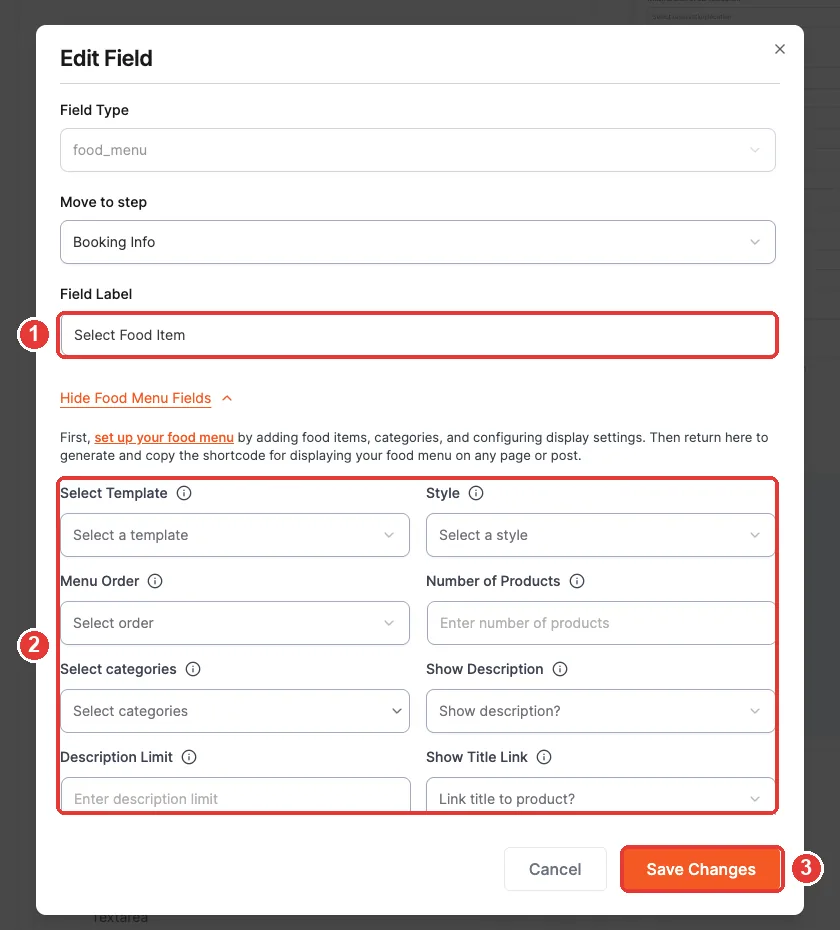
- Click the pencil on Select Food Item.
- Change the Field Label (1) if you want.
- Click Show Food Menu Fields. Choose the template, style, menu order, number of products, categories, and what to show (description, title link, item status, thumbnail, cart button) (2).
- Click Save Changes (3).
Step 3: Add the Booking Form to a Page #
Use the normal booking form shortcode [wpc_reservation_form]. The food menu now shows inside the form.
How Guests Order Food With a Booking #
- The guest fills in the booking details.
- They add food from the menu in the form.
- They see the booking amount, the food price and the total.
- They choose how to pay. Food does not force online payment. They can still pay at the restaurant if Local Payment is on.
- If they pay online, they go to WooCommerce checkout. The booking is made after checkout is done.
See Food Orders on Bookings #
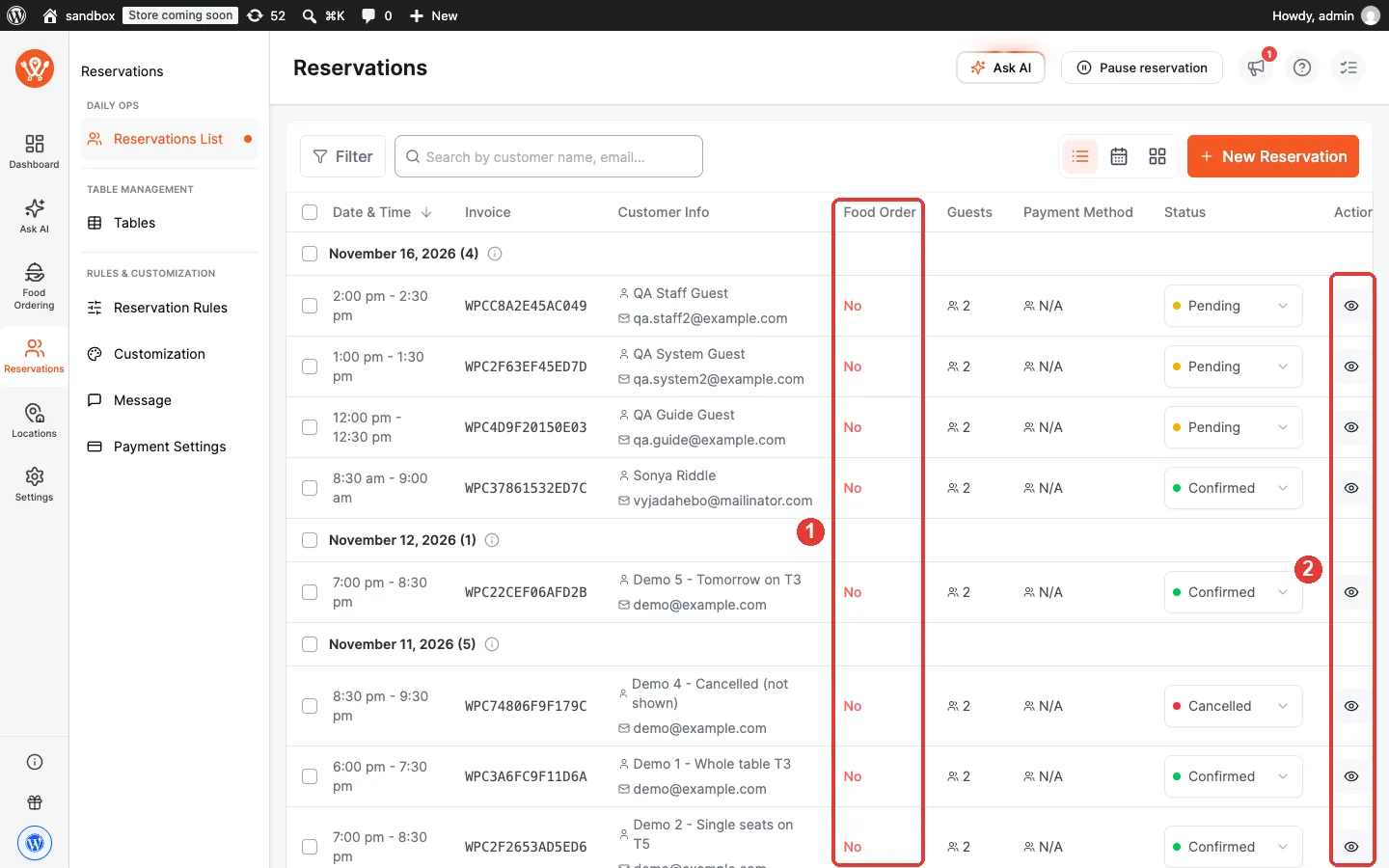
Go to Reservations > Reservations List. The Food Order column (1) shows Yes when a booking has food. Click the eye icon (2) to see the food in the booking details.
When the guest pays online, the booking status follows the WooCommerce order:
| WooCommerce order status | Booking status |
|---|---|
| On hold, Processing | Pending |
| Completed | Confirmed |
| Failed, Refunded | Cancelled |
Frequently Asked Questions (FAQ) #
| Q1: Do I still need the “Reservation with Food Order” shortcode? No. Turn on the Select Food Item field and use the normal booking form. |
| Q2: Can a guest book without ordering food? Yes. Food is optional. With no food, the booking works like a normal booking. |
Conclusion #
Turn on Select Food Item, choose how the menu looks, and guests can book a table and order food in one form.


