
What Is It? #
With Pointics and Tutor LMS, students earn points for more than buying. They earn when they complete a course, when they review a course, and when a friend they refer buys a course.
Why Do You Need It? #
- More finished courses: A reward at the end gives students a reason to complete what they started.
- More reviews: Honest ratings help new students choose your courses.
- New students from old ones: Students share your courses because they earn when a friend buys.
Prerequisites #
- Tutor LMS active and connected under Pointics → Integrations
- Pointics Pro for referral points
- For referral points: Tutor LMS selling courses with its own checkout (Tutor LMS → Settings → Monetization → Native)
Step-by-Step Instructions #
Step 1: Create the Completion and Review Rules #
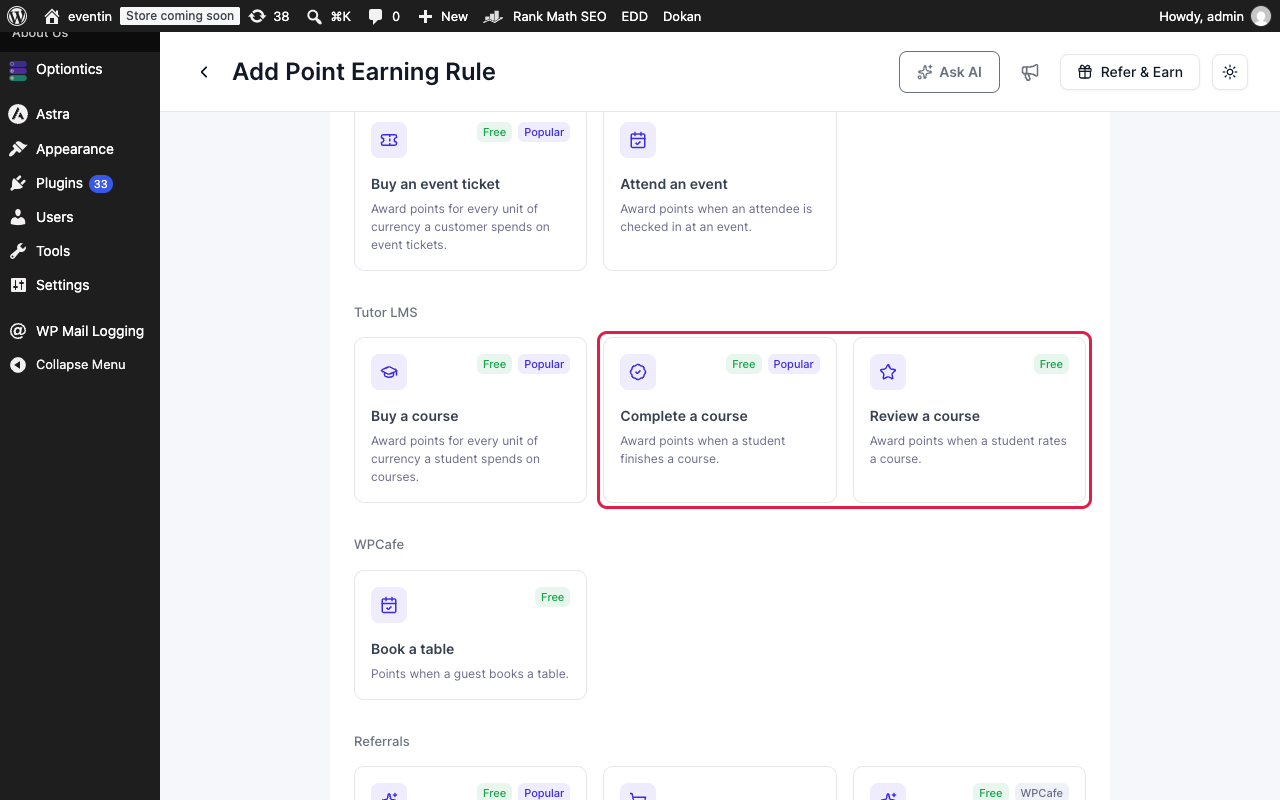
Go to Pointics → Points Program, click Create Earning Rule and open the Tutor LMS tab. Choose Complete a course.
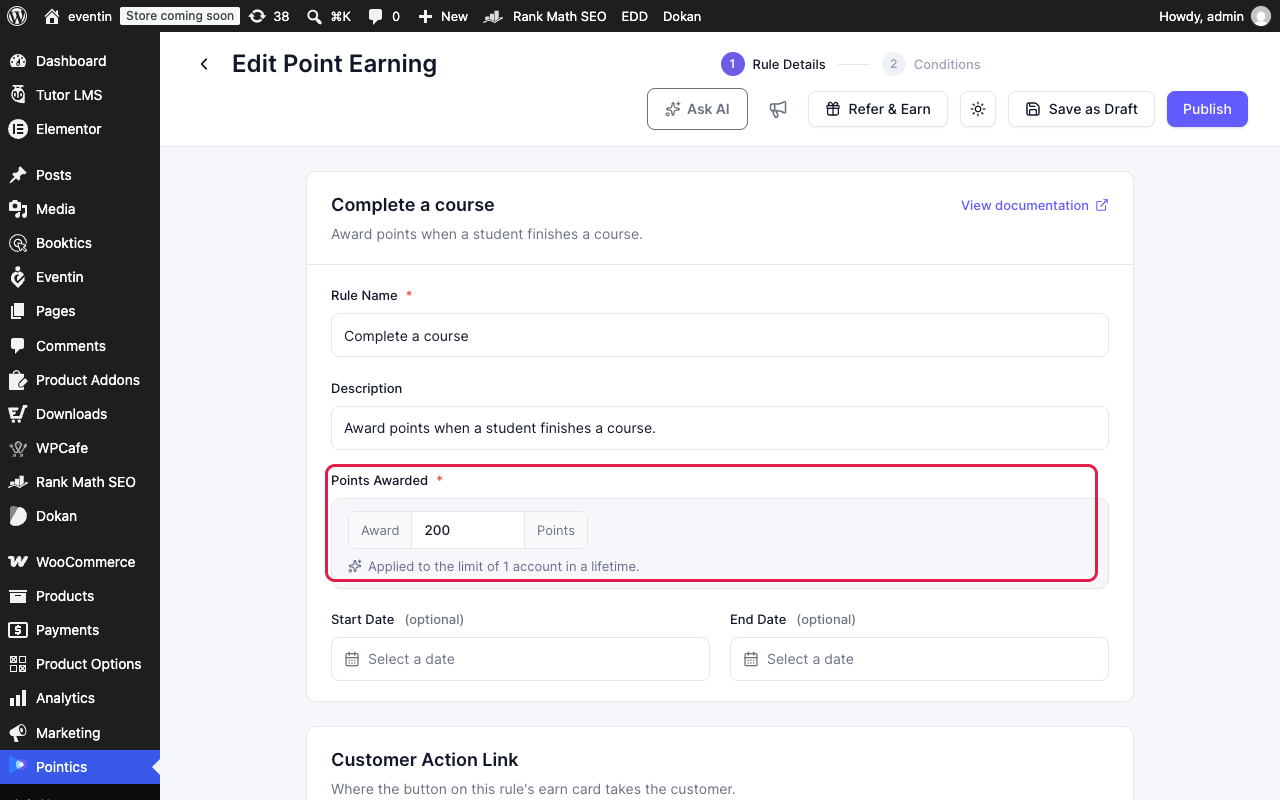
Set Points Awarded and click Publish. Then do the same for Review a course.
| Rule | Pays When | Default |
|---|---|---|
| Complete a course | A student completes a course | 200 points |
| Review a course | A student rates a course | 30 points |
Step 2: Create the Referral Rule #
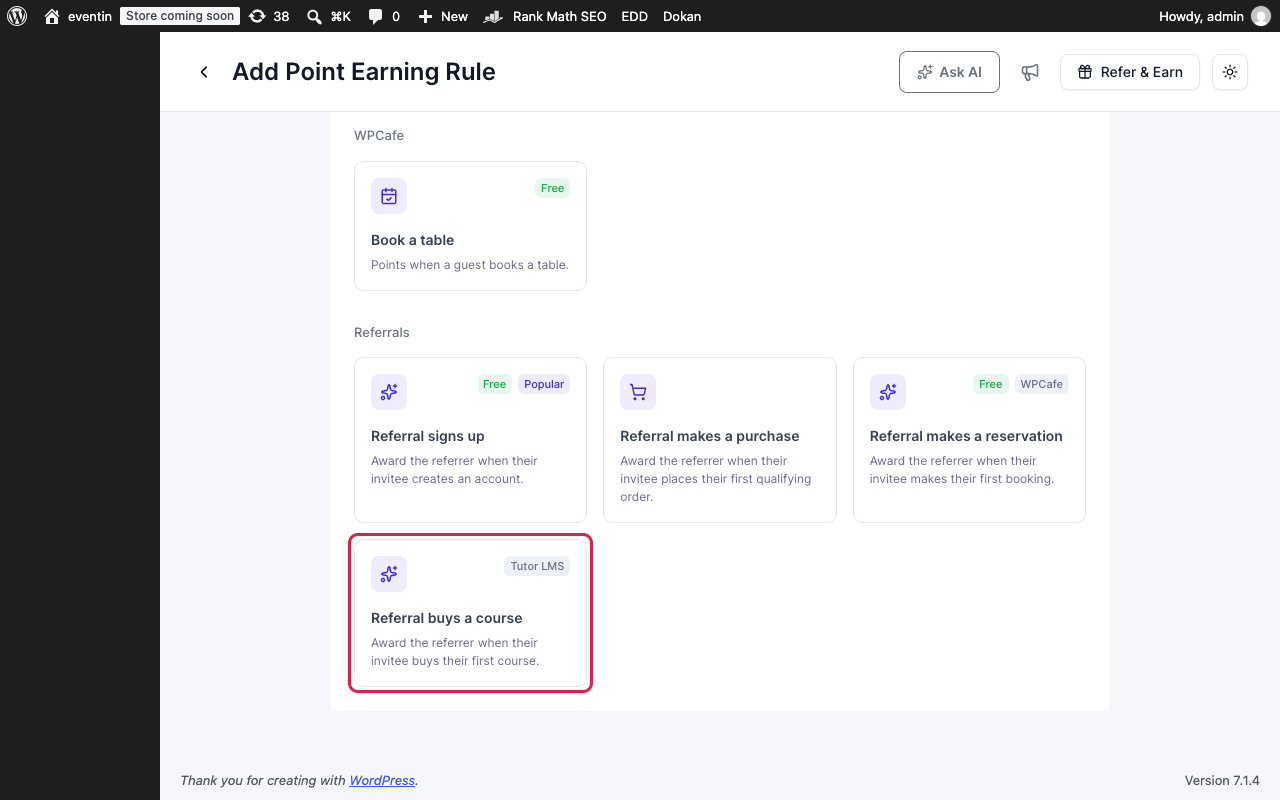
Click Create Earning Rule again, open the Referrals tab and choose Referral buys a course.
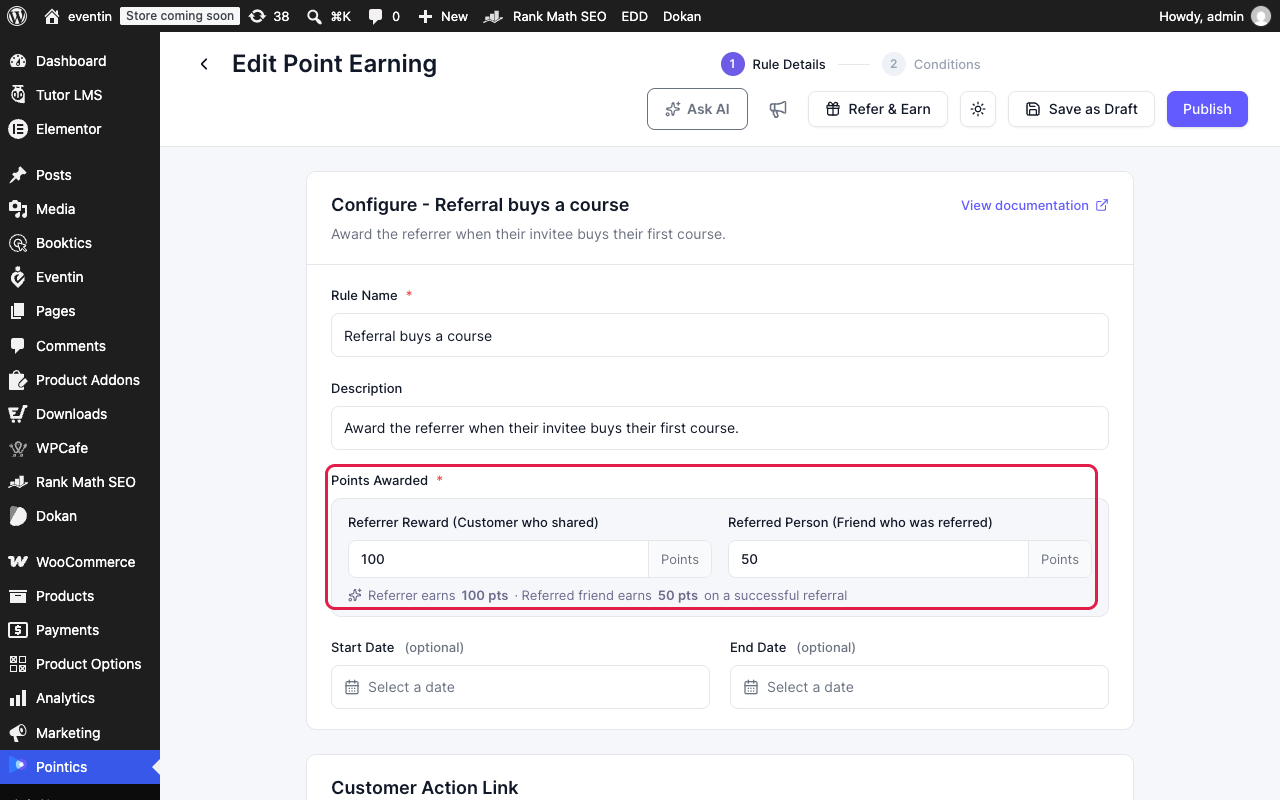
Set the points for both people, then click Publish.
| Field | Who Gets It | Example |
|---|---|---|
| Referrer Reward | The student who shared the link | 100 points |
| Referred Person | The friend who bought. Leave it at 0 to skip | 50 points |
Step 3: Students Earn by Completing a Course #
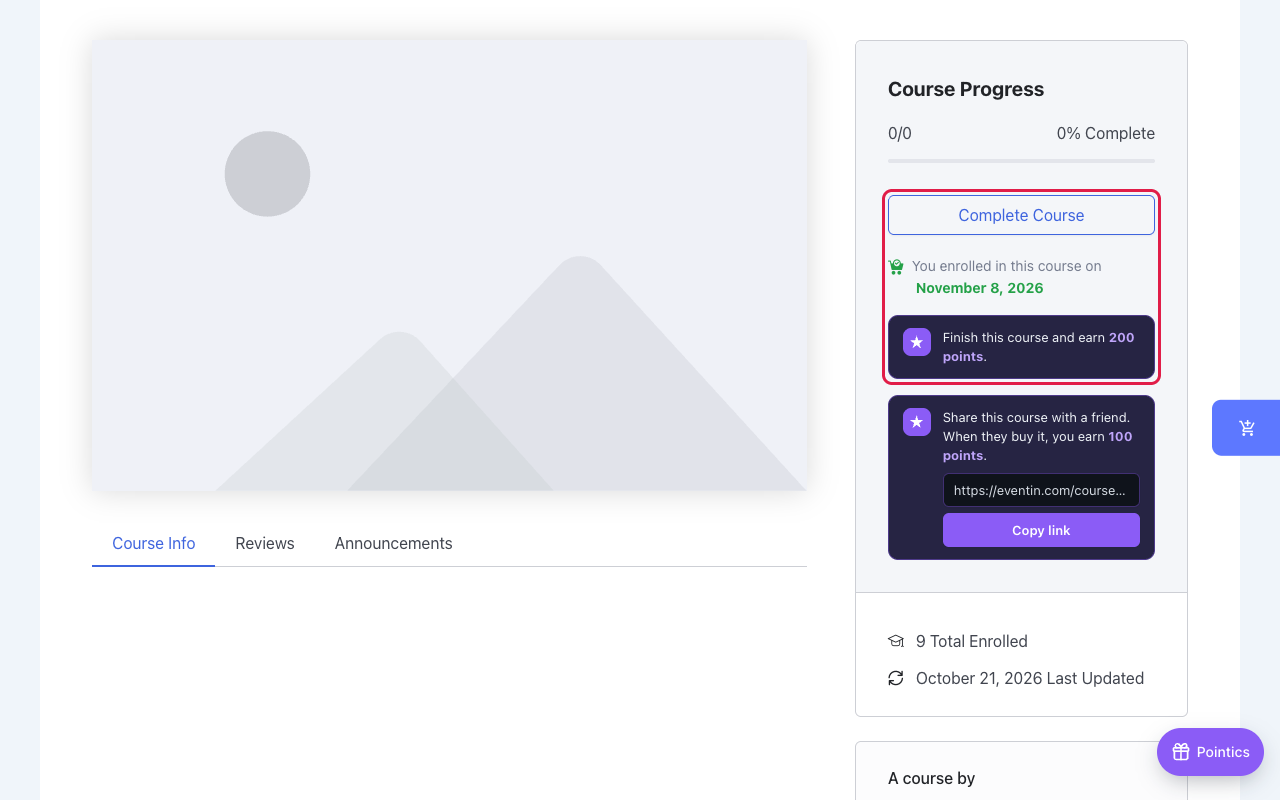
An enrolled student sees “Finish this course and earn 200 points.” on the course page. Points land as soon as Tutor LMS marks the course complete, for example when the student clicks Complete Course.
Step 4: Students Earn by Reviewing a Course #
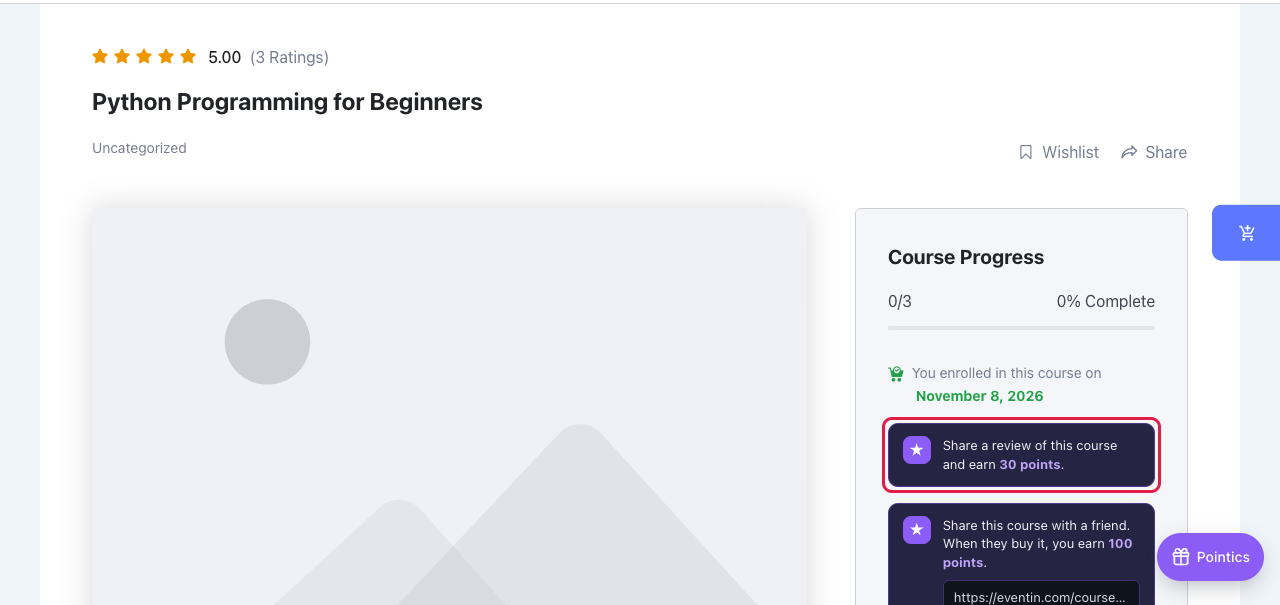
Once the course is complete, the card changes to “Share a review of this course and earn 30 points.”
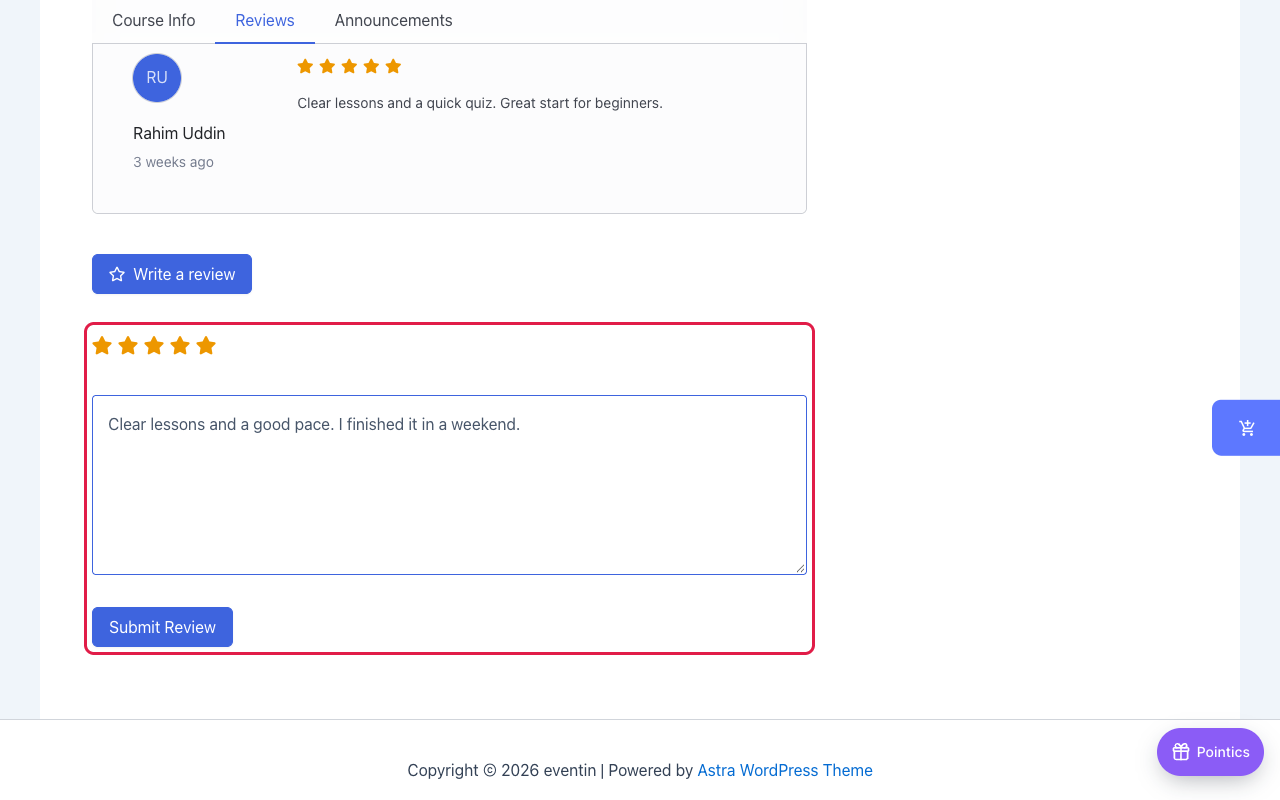
The student opens the Reviews tab, clicks Write a review, picks a rating and clicks Submit Review. The points land right away.
Step 5: Students Earn by Referring a Friend #
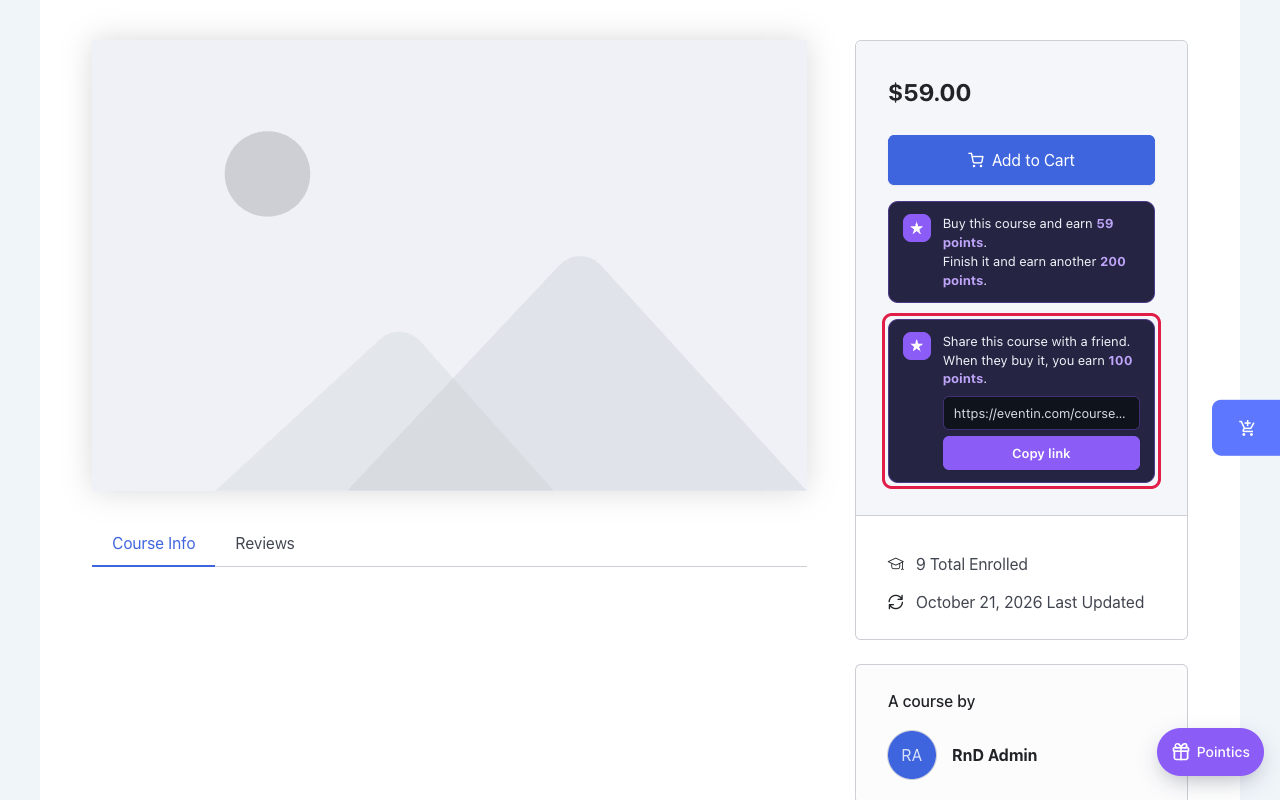
On any course page, a signed-in student sees a share box with their own link. They click Copy link and send it to a friend.
The friend opens the link, signs in with their own account and buys a course. When the order is marked paid, the student earns the referrer points and the friend earns the friend bonus.
Step 6: Check the Points #
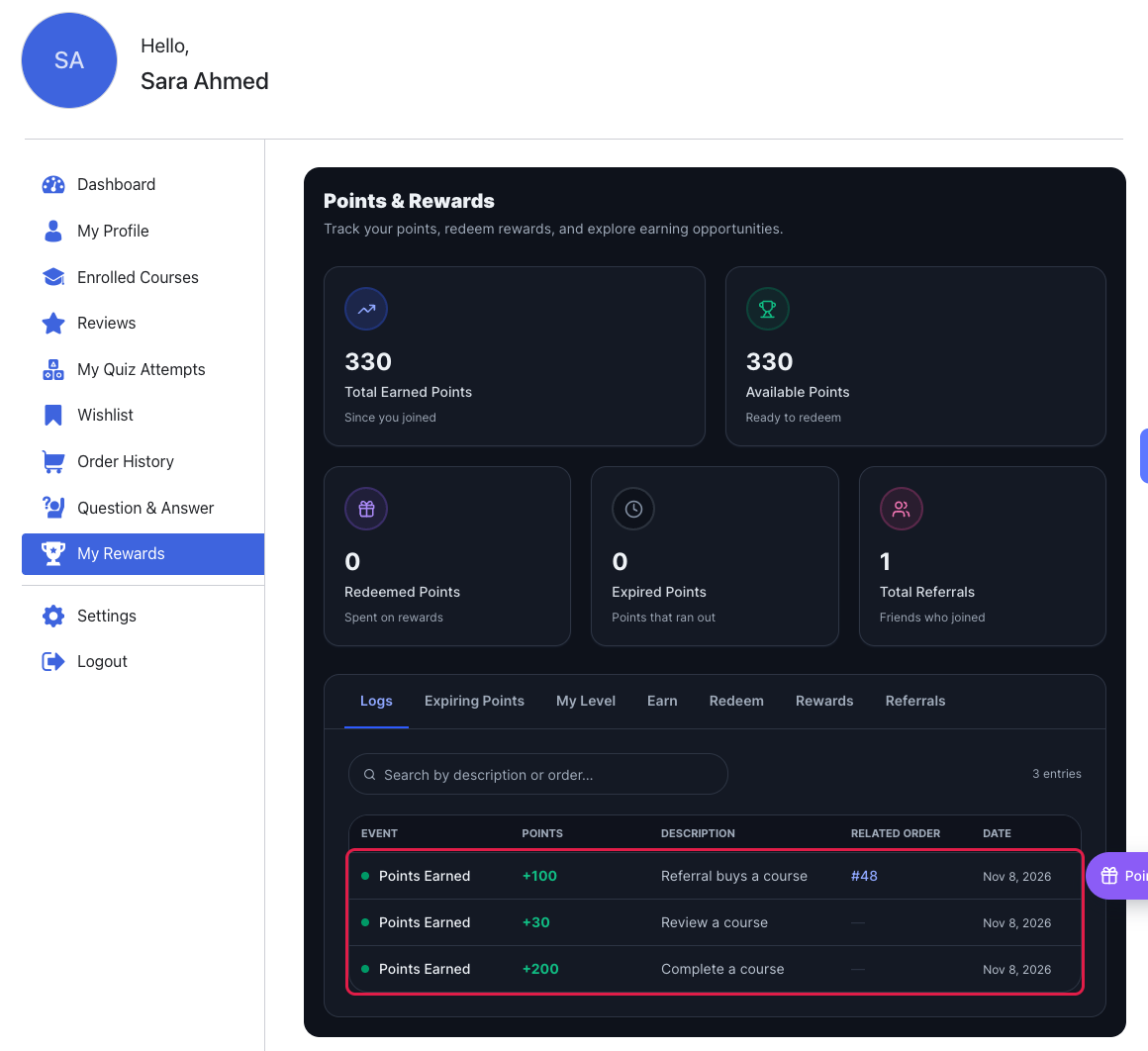
Students see every award under Dashboard → My Rewards → Logs.
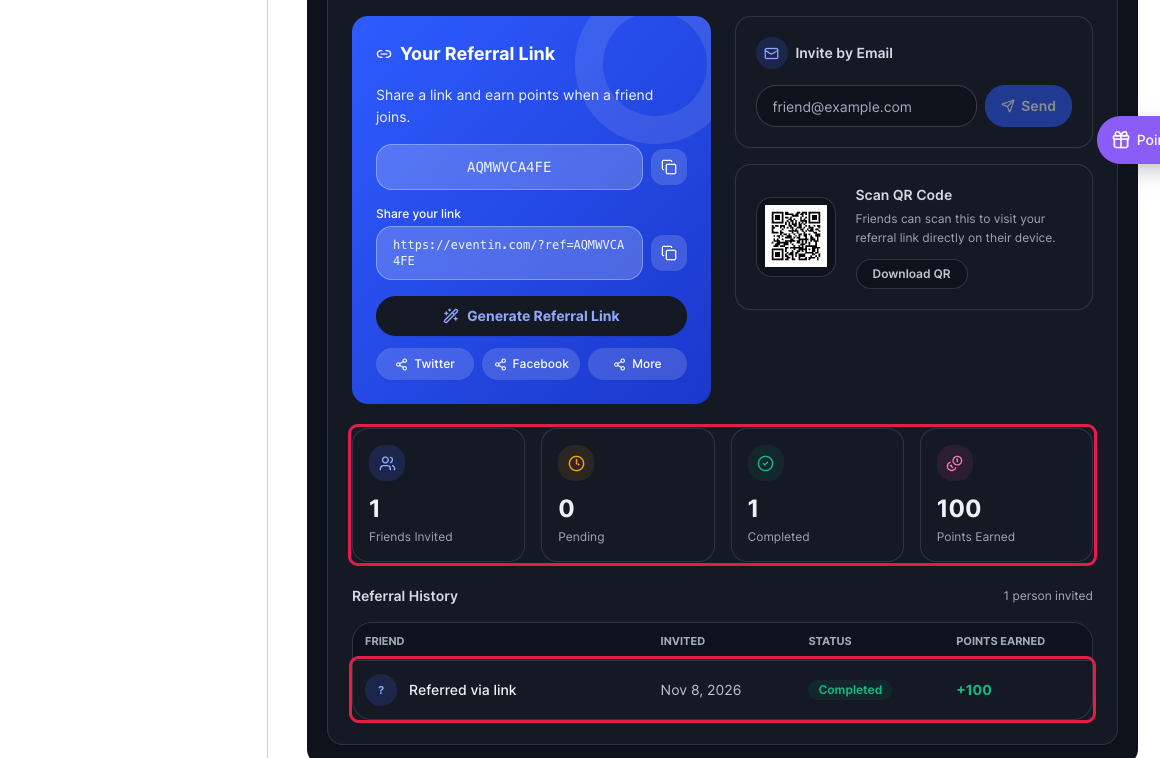
The Referrals tab shows how many friends joined and the points each one paid.
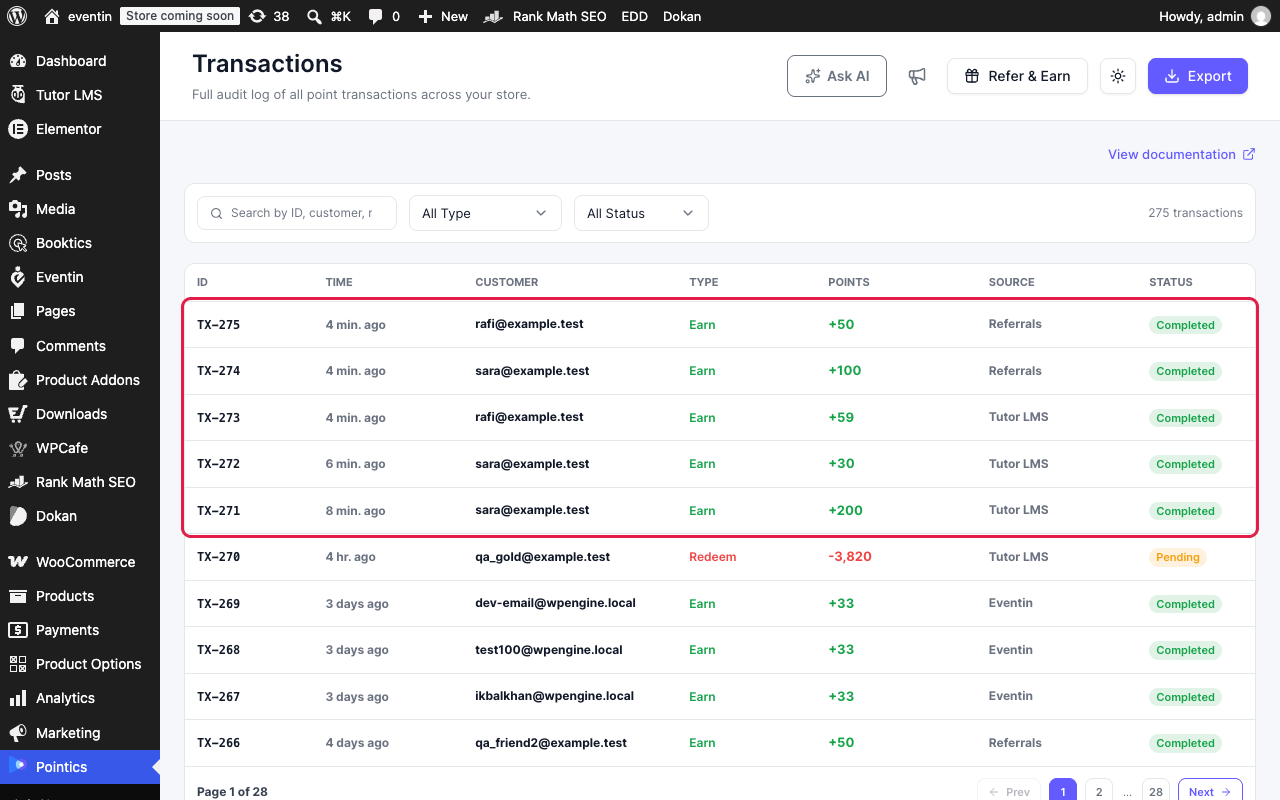
As an admin, open Pointics → Transactions to see the same awards for every student.
Limitations #
- Completion points are paid once per course for each student.
- Review points are paid for a new rating. Editing a rating pays nothing.
- A referral pays only on the friend’s first paid course order.
- The friend must buy within 30 days of opening the link (the default).
- Students cannot refer themselves, and a friend stays with the first student who referred them.
Troubleshooting #
| Problem | Solution |
|---|---|
| No earn card on the course page | Check that the rule is published and the student is signed in and enrolled. Instructors and admins see no earn card. |
| No share box on the course page | Check that Pointics Pro is active, the Referral buys a course rule is published, and Tutor LMS uses the Native engine. |
| Review points did not arrive | If reviews need approval, the points arrive when you approve the review. |
| The referrer was not paid | Check that the friend’s order is marked paid, it is their first paid order, and they opened the link in the same browser before buying. |
FAQ #
Do free courses pay completion and review points? #
Yes. Neither rule needs a paid order.
Does the friend have to buy the same course? #
No. Any first paid course counts, whichever course page the link came from.
What happens if the friend’s order is refunded? #
The referrer’s points for that referral are taken back.
Can I give points to the referrer only? #
Yes. Set Referred Person to 0.


