
What is the Tutor LMS Integration? #
It connects Pointics to Tutor LMS. Students earn points for buying, finishing and reviewing courses, then spend those points as a discount at course checkout.
Why Do You Need It? #
- Reward learning: Points push students to finish what they bought and to leave a review.
- Bring students back: Points turn into a discount on their next course.
- Grow by word of mouth: With Pointics Pro, students earn when a friend buys through their link.
Prerequisites #
- Tutor LMS installed and active
- The loyalty program switched on under Pointics → Settings → General
- Pointics Pro, only for referral points
Step-by-Step Instructions #
Step 1: Activate Tutor LMS #
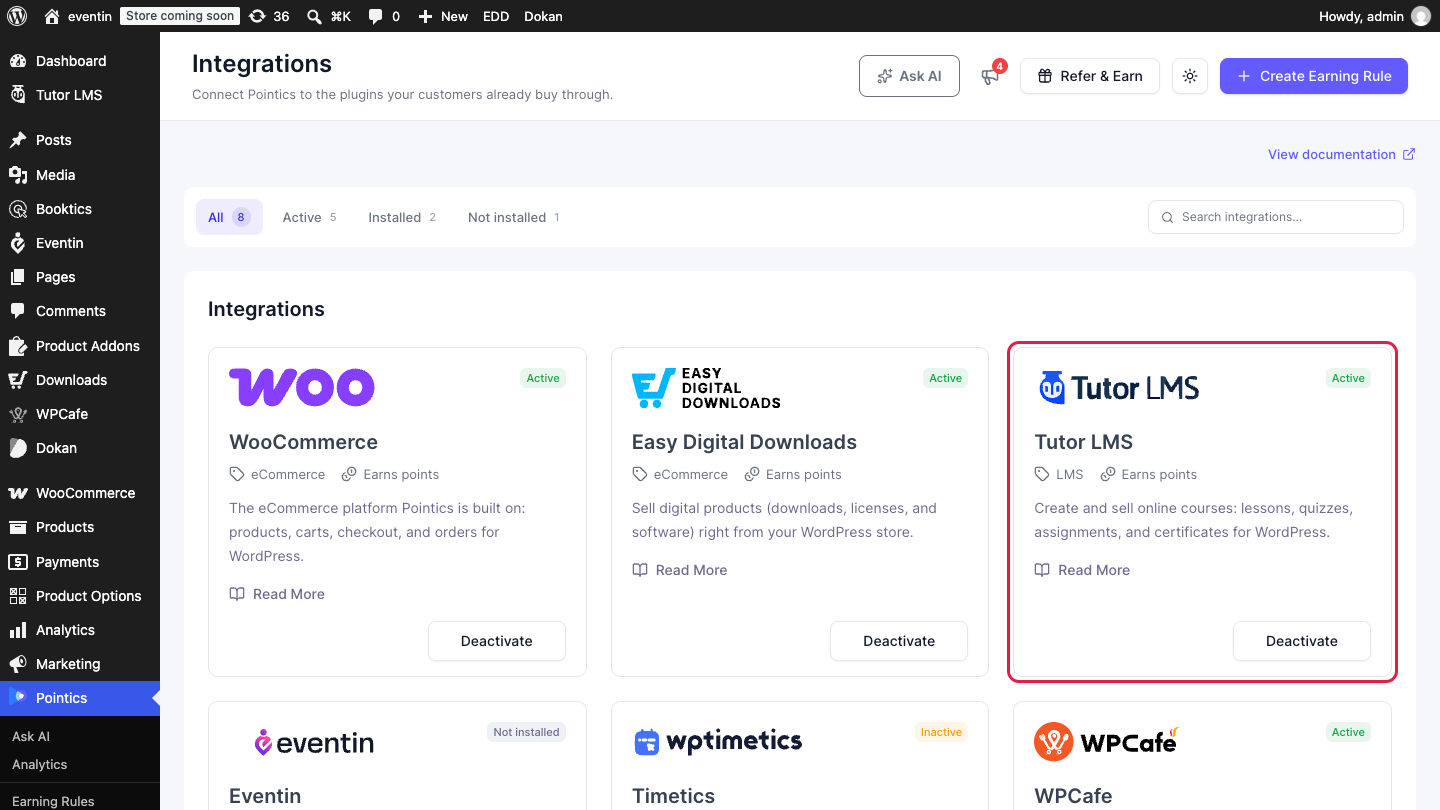
Go to Pointics → Integrations, then install and activate Tutor LMS.
Step 2: Set Up Tutor LMS Checkout #
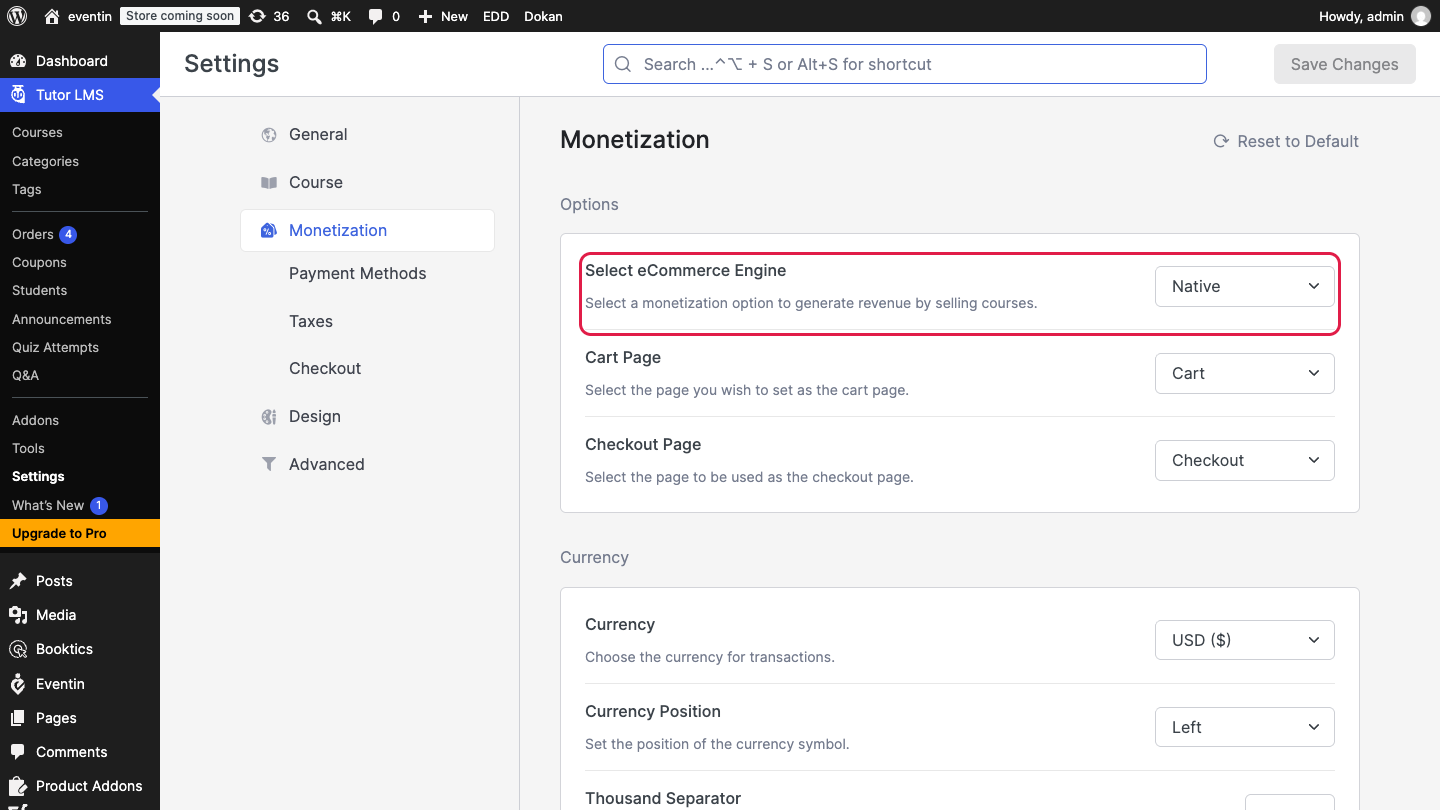
Go to Tutor LMS → Settings → Monetization and set Select eCommerce Engine to Native.
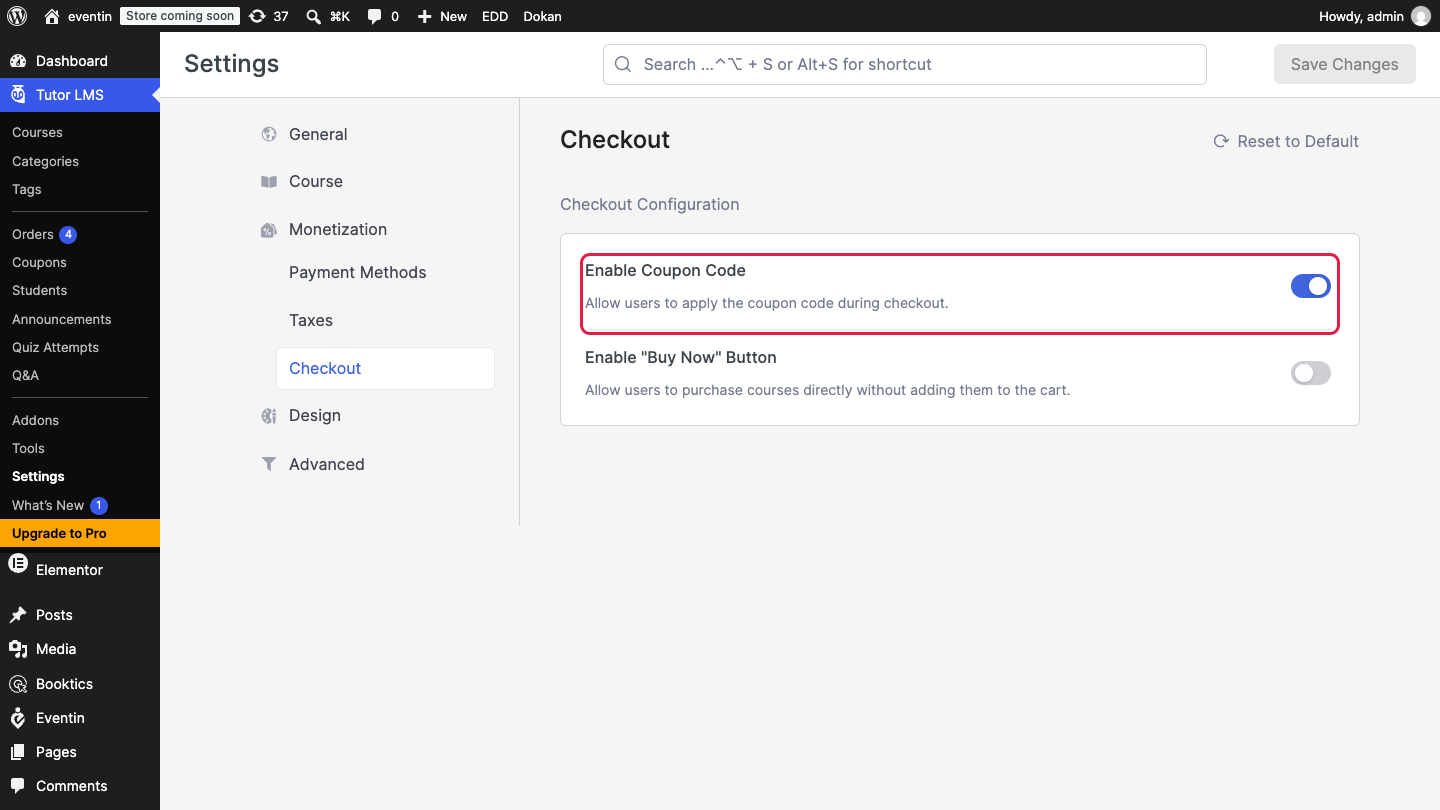
Open Checkout under Monetization and switch on Enable Coupon Code. Students redeem points as a coupon, so this must stay on.
Step 3: Create Earning Rules #
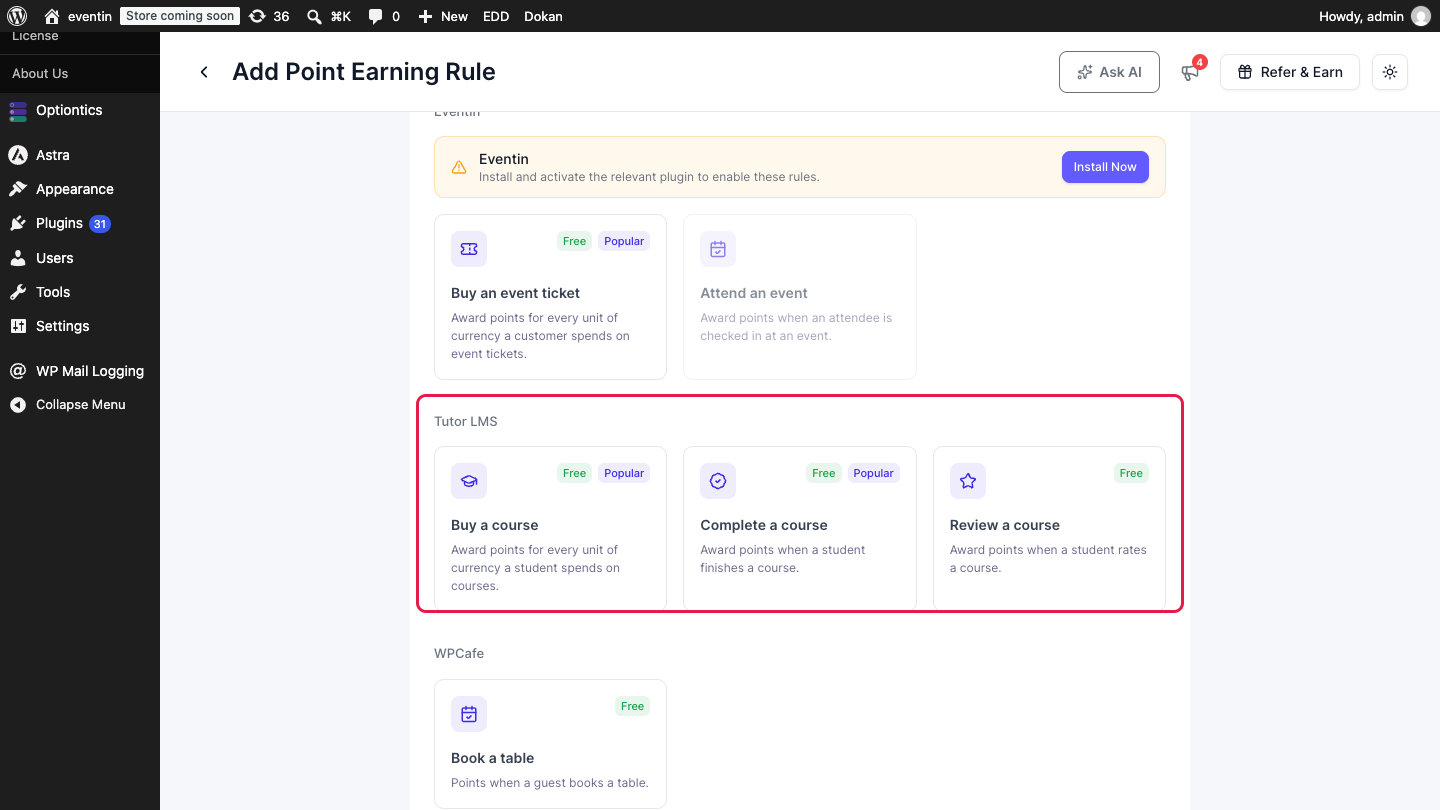
Go to Pointics → Points Program, click Create Earning Rule and open the Tutor LMS tab.
| Trigger | Fires When | Default |
|---|---|---|
| Buy a course | A course order is marked paid | 1 point per 100 spent |
| Complete a course | A student completes a course | 200 points |
| Review a course | A student rates a course | 30 points |
| Referral buys a course (Pro) | A referred friend pays for their first course | 100 points |
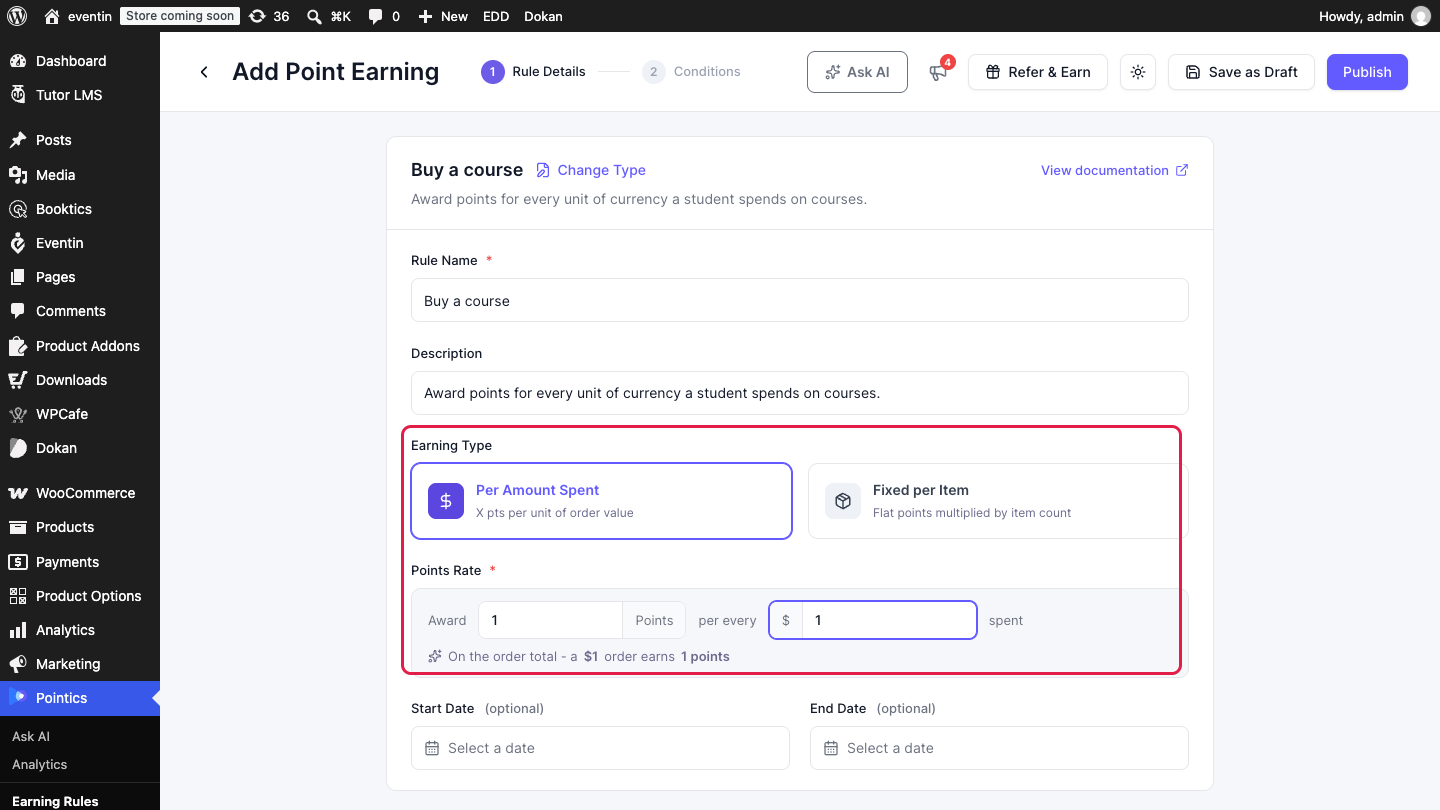
Set the points, then click Publish. Referral buys a course is listed under the Referrals tab.
Step 4: Create the Reward #
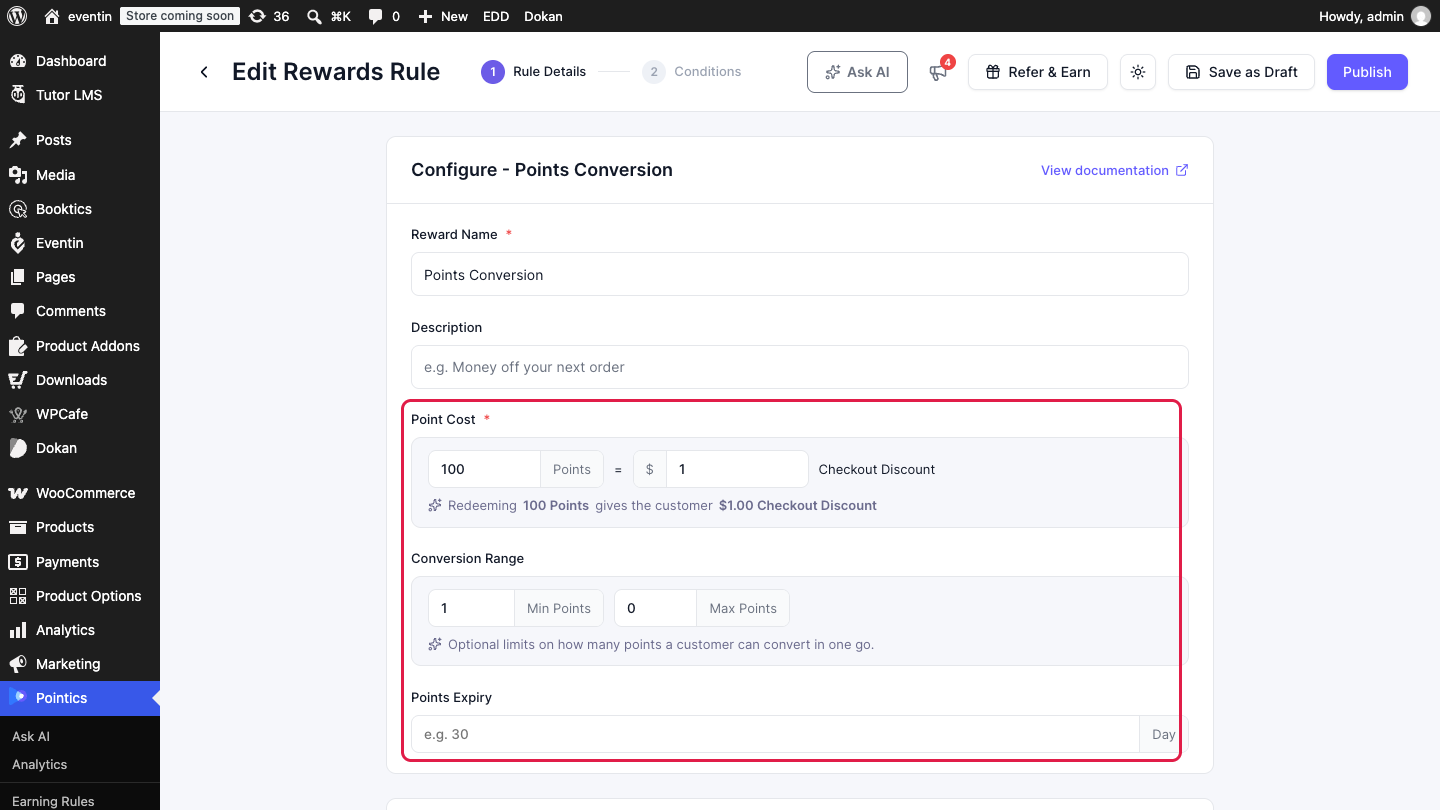
Go to Pointics → Rewards, add a reward, open the Tutor LMS tab and choose Points Conversion.
| Option | Description | Default |
|---|---|---|
| Point Cost | How many points equal how much discount | 100 points = 1 |
| Conversion Range | Minimum and maximum points per conversion. Max 0 means no limit | Min 1, Max 0 |
| Points Expiry | Days until an unused coupon expires. Empty means 30 days, 0 means never | 30 days |
Click Publish to make the reward live.
Step 5: Choose Where Students See Points #
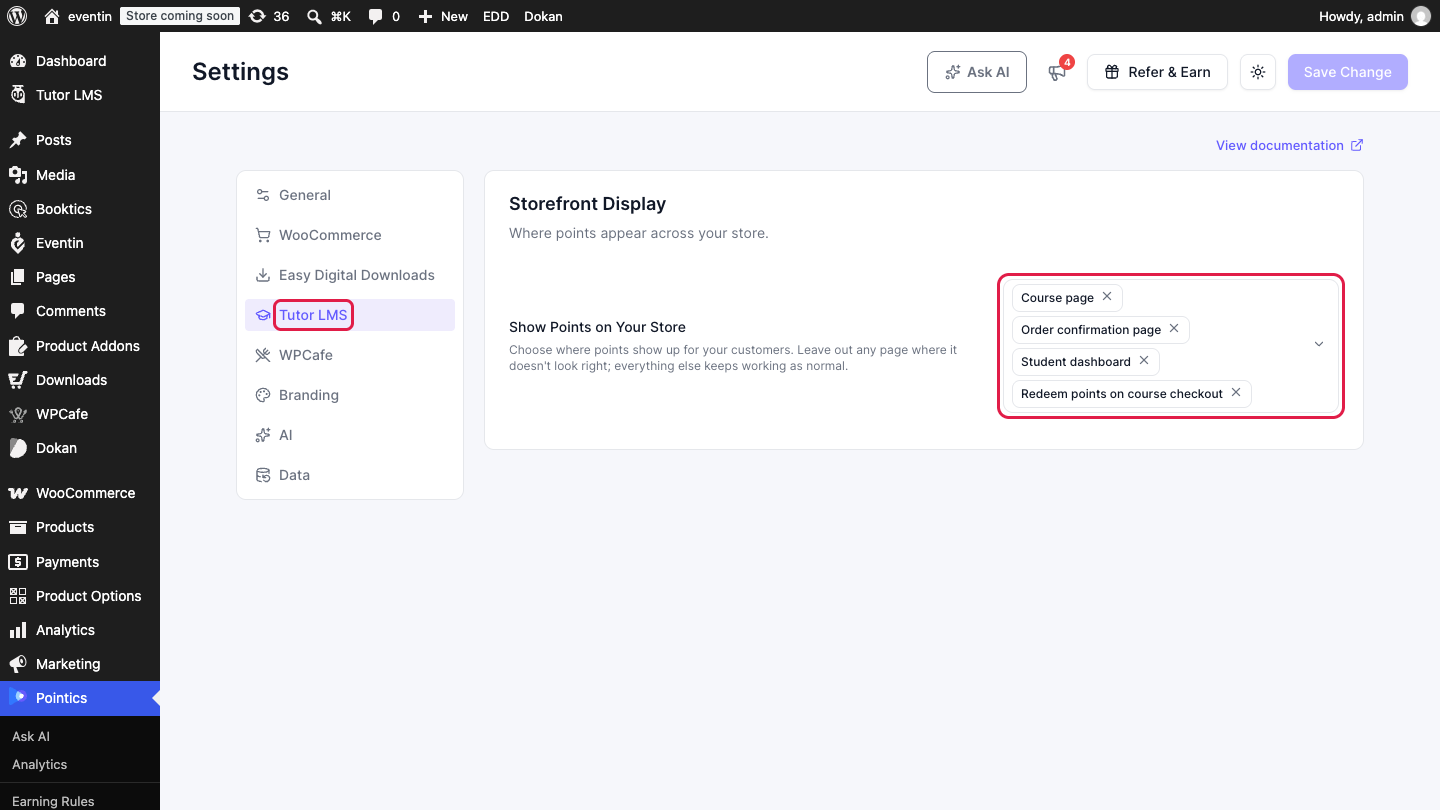
Go to Pointics → Settings → Tutor LMS. Under Show Points on Your Store, keep the placements you want: course page, order confirmation page, student dashboard and course checkout. All four are on by default.
Step 6: Check What Students See #
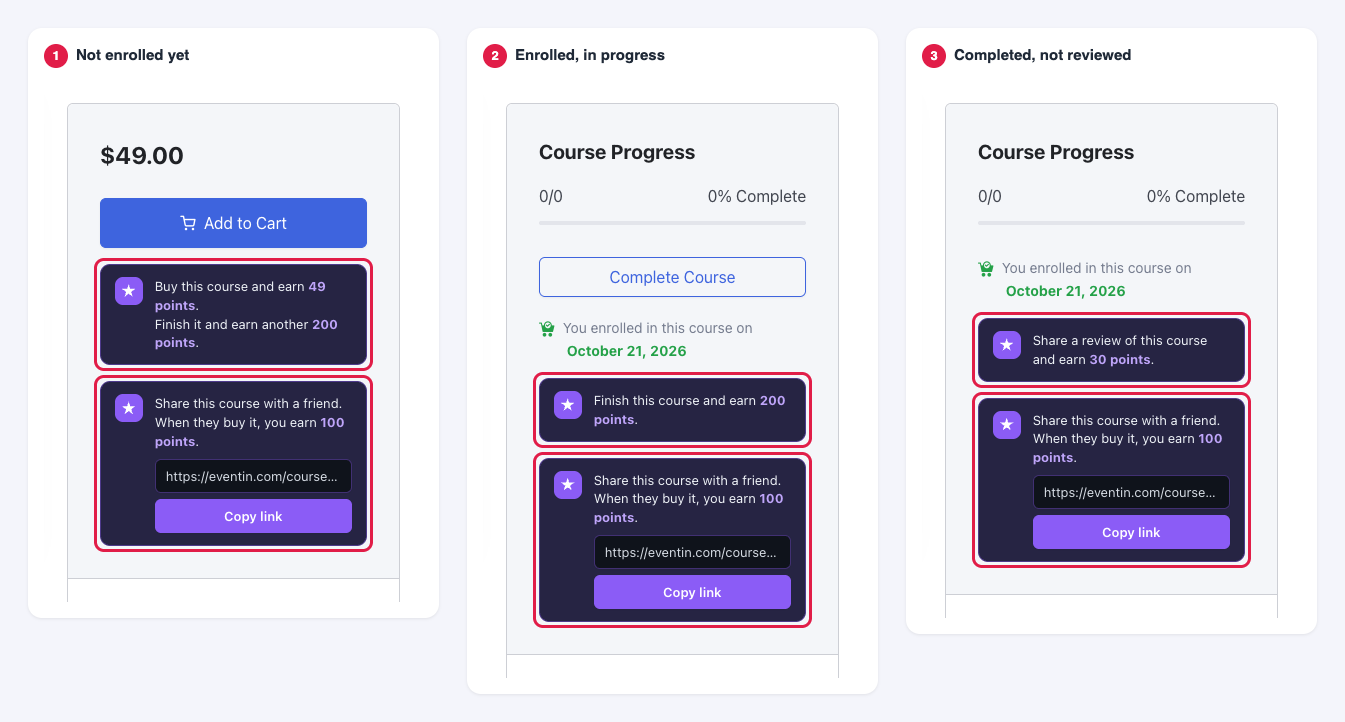
Course page: A sidebar card shows the next step that pays, based on the student’s progress.
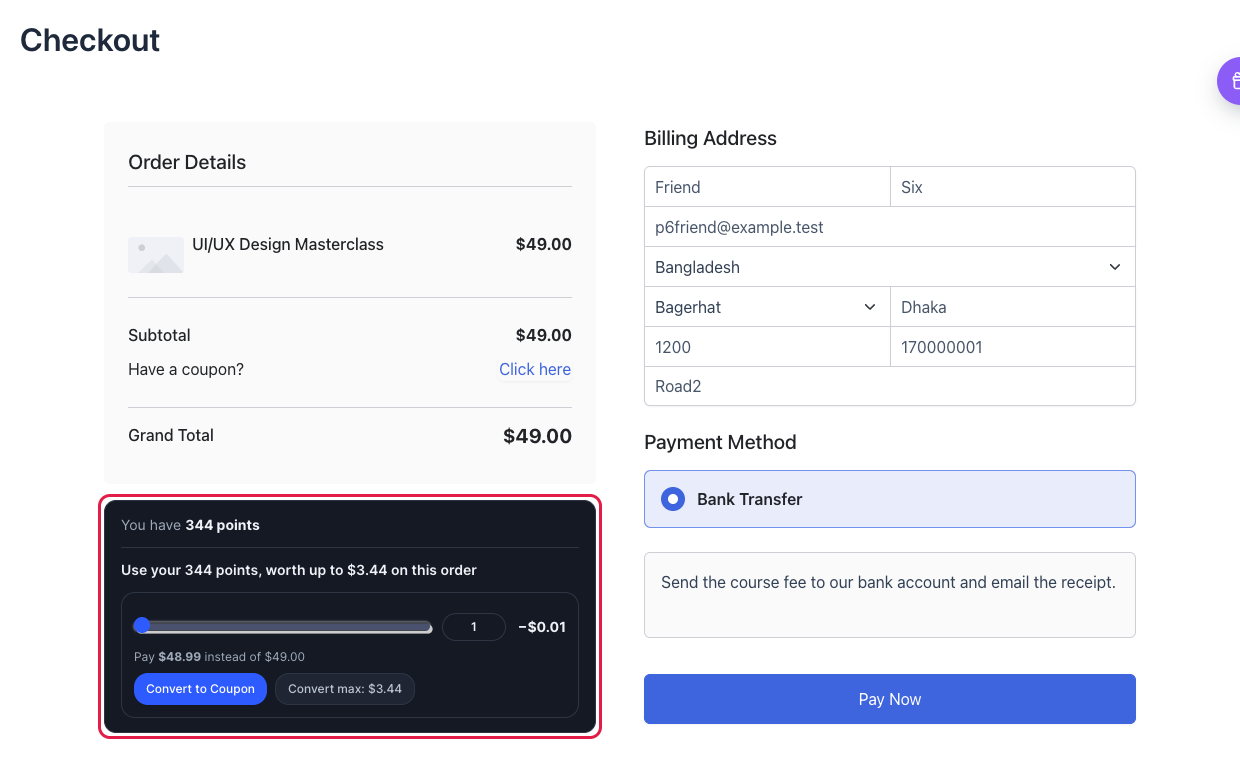
Checkout: Students pick an amount with the slider and click Convert to Coupon.
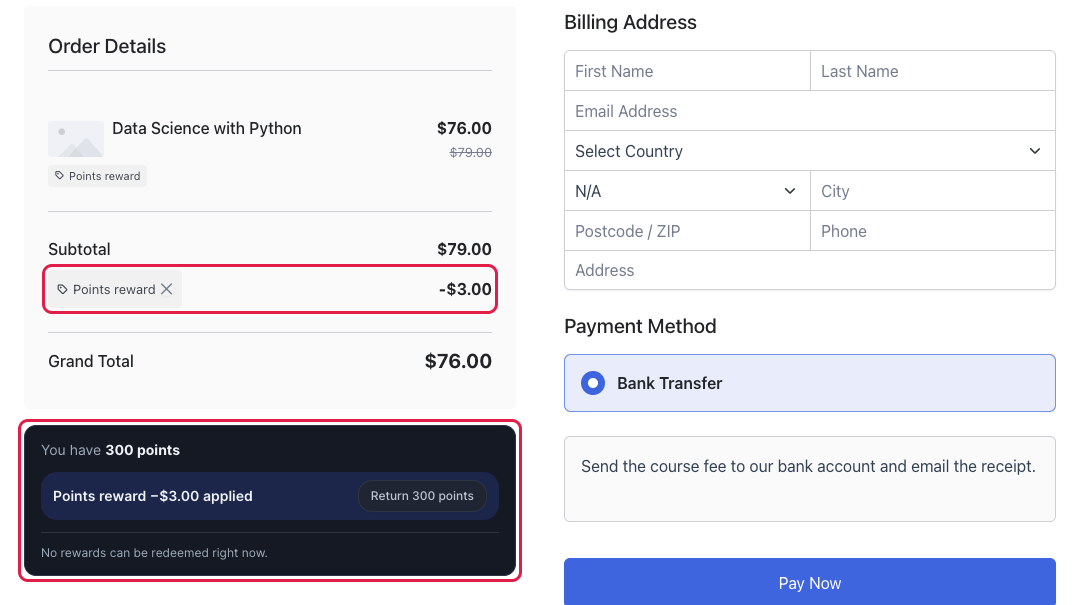
The discount is applied to the order. Return points removes it and gives the points back.
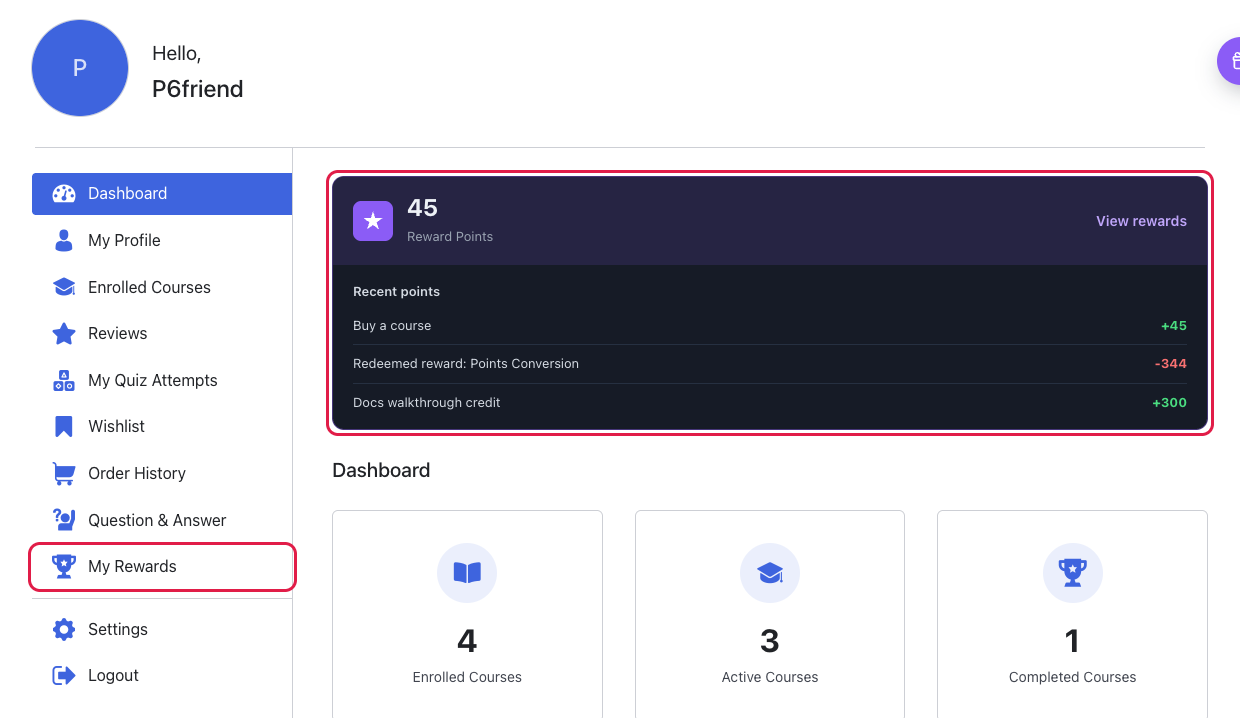
Dashboard: A card shows the balance and latest activity, and My Rewards is added to the menu.
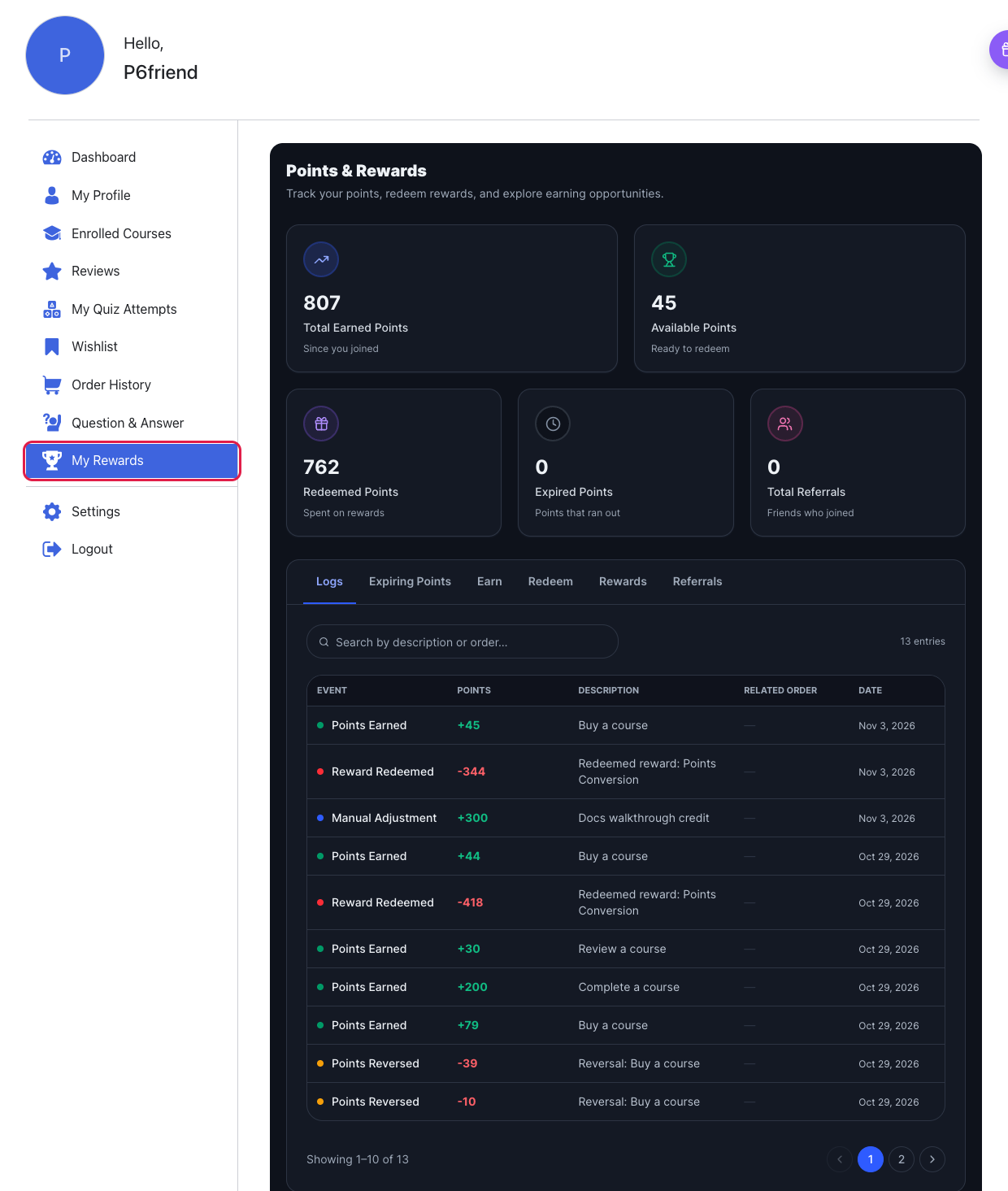
My Rewards: The full view of totals, history, ways to earn and rewards.
Step 7: Confirm the Points #
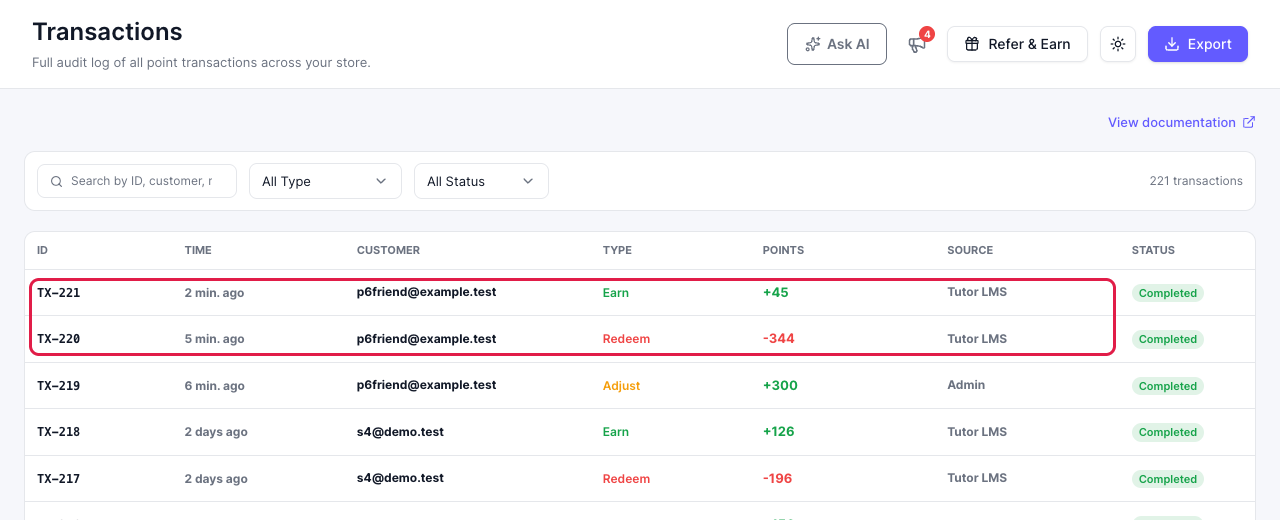
Place a test order and mark it paid in Tutor LMS → Orders. Then open Pointics → Transactions to see the earn and redeem rows.
Limitations #
- Purchase points, referral points and redemption need the Native engine.
- Subscription and membership orders do not earn purchase points.
- Tutor LMS allows one coupon per order, so redeeming points replaces any other coupon.
- Students redeem on the checkout page. The cart page has no points card.
Troubleshooting #
| Problem | Solution |
|---|---|
| The Tutor LMS reward is missing in Rewards | Use the Native engine and switch on Enable Coupon Code. |
| An order earned no points | Points arrive when the order is marked paid. Check that the student was signed in. |
| No points card on the course page or checkout | Check the placement under Pointics → Settings → Tutor LMS and that the student is signed in. Instructors and admins see no earn card on a course page. |
| Checkout shows the wrong currency symbol | Set Pointics → Settings → General → Currency to your Tutor LMS currency. |
| Points did not return after a coupon expired | This runs in a daily task. Confirm WordPress scheduled tasks are running. |
FAQ #
Do points come back after a refund? #
Yes. A partial refund takes back the same share of points. Moving an order to refunded or cancelled takes back all of them.
Can I use this if WooCommerce or EDD sells my courses? #
Partly. Completion and review points still work. Purchase points and redemption come from that store’s own rules and rewards.
Do free courses earn points? #
Yes, for completing and reviewing them. Only Buy a course needs a paid order.
What happens to points on an unpaid order? #
They stay held. They are spent when the order is paid, and returned if it fails or is cancelled.
Can a student share their coupon? #
No. A points coupon works only for the student who redeemed it, and only once.
What happens if I deactivate Tutor LMS? #
Nothing is lost. Balances stay, and the rules start again when you reactivate it.


