The Ultimate WordPress Plugin Marketing Guide to Grow and Scale Your Plugin


There are over 60,000 plugins on WordPress.org, but most never grow.
Many struggle to reach even 10,000 active installs. Not because the product is bad, but because people never discover it.
Building a plugin is only the first step. If users don’t find it, understand it, or trust it, it won’t grow.
That’s where a clear marketing system matters.
In this guide, you’ll learn how to build a complete WordPress plugin marketing strategy from getting your first users to scaling installs with proven methods.
Let’s get started!
Ready to run smoother events?
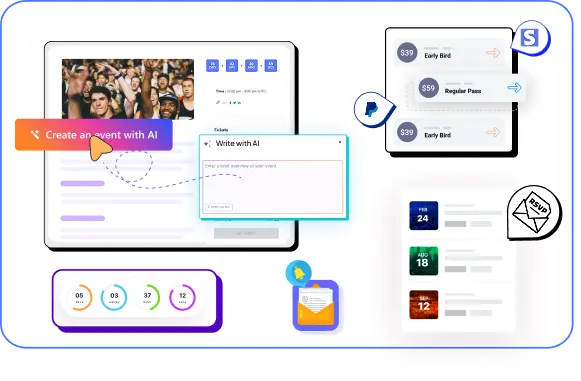
Create & manage events easily with Eventin event manager.
- ✅ Sell tickets
- ✅ Track attendees
- ✅ Automate reminders
Quick Overview
Table of Contents
This guide shows you how to build a complete WordPress plugin marketing strategy that actually drives installs and growth. You’ll learn proven methods to attract users, improve visibility, and turn traffic into active users—along with real insights inspired by plugins like Eventin.
- Why most WordPress plugins fail to grow
- Core strategies to increase plugin installs and visibility
- How to position your plugin for better conversions
- Content, SEO, and distribution tactics that work
- Common mistakes to avoid in plugin marketing
- Real examples and insights from successful plugins like Eventin

10 steps to master the WordPress product marketing game
Let’s face it, you have a great product. You are only halfway through the battle. If you want real traction, you need a repeatable, proven strategy to turn visitors into loyal customers.
That’s where this guide comes in.
These 10 steps are battle-tested from the trenches of WordPress product launches, designed to help you:
- Drive consistent traffic
- Build trust at every stage of the funnel
- Convert free users into raving fans
- And scale your plugin without burning cash
Let’s break it down step by step.
Step 1: Nail your product-market fit and brand messaging
Let’s get something straight: Marketing can’t save a bad plugin.
Before you ground work with SEO, content, or social media, you need to answer the most critical question:
“Is my plugin solving a real problem for a specific group of people?”
Because here’s the thing: most plugins fail not because of bad features, but because they try to solve problems that don’t really exist or try to solve them for everyone. And when you market to everyone, you convert no one.
For example, plugins like Eventin don’t just list features like event creation or ticketing. They clearly show how users can manage events, sell tickets, and run entire event systems from one place.
Before you start, ask yourself these questions:
- Does it solve a real user problem? If no one’s complaining about it in Facebook groups, Reddit threads, or support forums, you might be fixing the wrong thing.
- How is it different (or better) than competitors? Saying “we do the same thing, but cleaner” doesn’t cut it. You need a sharp edge, better UI, better onboarding, more integrations, fewer limitations. Real differentiation.
- Can you explain what makes your plugin valuable in one sentence? If you can’t, your potential customers won’t be able to either.
Here is a quick but powerful framework for all plugin positioning:
[Persona] + [Pain] + [Benefit] = Winning Messaging
Here’s what that looks like in action:
- “Event organisers tired of clunky ticketing systems can use our plugin to launch beautiful, conversion-optimised event pages in minutes.”
- “Busy restaurant owners who hate slow reservation tools can automate bookings, menus, and QR orders with one plugin — and no dev help.”
Visualize Your Product-Market Fit
This formula doesn’t just help you craft your tagline. It shapes everything: your homepage, your product demo, your WordPress.org description, and your cold emails.
Step 2: Build high-converting plugin assets
If your plugin is the product, then your plugin assets are the storefront. And just like a great product won’t sell in a messy shop, your plugin won’t convert without the right assets in place.
This is where 90% of plugin developers go wrong. They spend months coding, debugging, and obsessing over features…
- But their landing page? A single column of text.
- Their demo? Non-existent.
- Support info? Buried in some random tab, or worse—missing.
Let’s change that.
Create a landing page that sells
Your landing page isn’t just a place to describe your plugin; it’s where visitors decide whether to trust you or bounce forever. If you look at Eventin’s landing page, you’ll notice it highlights key use cases clearly: event creation, ticket selling, and attendee management, so users instantly understand what they can do.
Here’s what a conversion-ready plugin page must include:
- Provide clear screenshots to show what your plugin can do exactly. Provide both front-end and back-end, settings panel, and real-world usage. No stock photos, no fluff.
- Prepare a short video demo (2–3 min max) to give a walkthrough about the core benefit. Don’t explain every setting — just show what problem it solves, how fast, and how clean the UX is.
- Keep a fresh and clear FAQ section to help users untie their doubts, like: “Will it work with WooCommerce?”, “Does it support Elementor?”, “What’s the refund policy?”
- Provide a fresh and simple comparison table like Eventin to position your plugin vs competitors. Highlight what only you offer. This builds instant trust and handles “But can’t I just use X?” objections.
- Provide real testimonials with faces. Use names. Highlight metrics (“reduced support tickets by 40%”, “saved 10+ hours/week”)—bonus points for short video reviews.
- Support and documentation links: Don’t hide them. Make it easy to find docs, ticket support, and refund terms. Transparency = trust.
- Write a Readme.txt file for WordPress.org with a compelling short description, feature list, screenshots, installation steps, FAQ, and an active support link. Here is the link for the perfect README file.
- Do make sure you have a clear refund Policy to build trust. Be upfront. A no-BS 14- or 30-day refund window builds confidence.
From Visitor to Customer: Conversion Funnel
👀 Visitors Land on Page
Start with clear value props, visual hooks, and a fast-loading layout. (100%)
🖼️ Screenshots & Demos Hook Them
Visual proof builds trust. Highlight your UI, not just features. (65%)
🧠 Comparisons & Reviews Drive Decisions
Users compare. Show why your plugin wins. Social proof helps. (35%)
🛒 CTAs & Offers Convert
Conversion-optimized CTAs, pricing clarity, and trial options seal the deal. (15%)
🎉 User Becomes Customer
With the right flow, expect 8–10% conversion from targeted traffic.
📦 Must-Have Plugin Assets
- ✅ SEO-Optimized Product Page
- ✅ Clean UI Screenshots & Video Demo
- ✅ FAQ Section to Reduce Friction
- ✅ Feature Comparison Table
- ✅ Real Testimonials from Customers
- ✅
readme.txtfor WordPress.org - ✅ Press Kit & Brand Assets
- ✅ Support Channels and Refund Policy
- ✅ Polished Readme Txt File
Remember: people don’t buy what they don’t understand or trust. Your plugin assets close that gap.
Step 3: Make sure your plugin functions (at least serves the minimum purpose)
Before you spend a single dollar on ads, before you email that blogger for a backlink, before you write your 2,000-word comparison post…
Polish the core experience. Then market it.
Nothing kills growth like a broken product — and nothing accelerates it like a reliable one.
We’re not saying it has to be perfect. We’re not saying it has to support 13 different third-party integrations out of the gate.
But at the very least, it needs to:
- Install without errors
- Do what it claims on the tin
- Do not break the site or throw fatal errors
- Pass basic use-case scenarios (from both admin and frontend)
Let’s face it — WordPress.org is ruthless.
One broken function and boom, your review section fills with 1-star horror stories, support tickets start piling up, and your download chart looks like a reverse rocket.
So perform these very carefully;
- Test the install and uninstall process
- Test plugin activation and deactivation
- Check the feature toggle switches
- Verify mobile responsiveness (It’s vital)
- Validate email notifications/API hooks
- Check compatibility with the most common themes and plugins
And if you’re building or promoting an event-related plugin, tools like Eventin show how strong positioning, feature clarity, and real use-case content can help turn traffic into actual users.
Step 4: Be ready for the soft release and feed the search engines (AIO, AEO, and GEO)
If you’re not optimising for AI-first search, you’re leaving traffic and users — on the table.
In 2025, Google’s AI Overviews aren’t a “future update”; they’re already reshaping how people discover, evaluate, and buy WordPress plugins.
And it’s not just Google. Bing Copilot, ChatGPT’s browsing mode, and Gemini or Siri voice results are all influencing decisions before users even click a link.
Stat Check: A 2025 Semrush report found that over 34% of high-intent traffic now flows to AI-generated answers, not traditional search listings.
That means your plugin marketing strategy must evolve beyond traditional SEO. AIO (AI Optimization), AEO (Answer Engine Optimization), and GEO (Generative Engine Optimization) are now essential pillars for growth.
AIO, AEO, and AEO in action in terms of WordPress product marketing:
- AIO: AI Optimization (AIO) is the process of making your plugin’s content easily digestible by generative AI engines. These platforms now deliver answers directly — often before searchers see any traditional results.
- AEO and GEO: Answer Engine Optimization (AEO) and Generative Engine Optimization (GEO) focus on content structure and entity understanding.
Here’s how to win in these search formats:
- Use Schema Markup — FAQ, How-To, Product
- Semantic HTML: <section>, <article>, <summary>
- Embed FAQ blocks at the end of blogs or docs
- Add breadcrumbs, internal links, and contextual anchor text
- Use entity-rich phrasing (e.g., “best WordPress event plugin for WooCommerce users”)
Think Like an AI, Write Like a Human
AI engines map entities and relationships, not just keywords. That’s why context-rich, specific language helps your plugin appear in AI-generated results.
❌ Weak Example:
“Eventin is an event management plugin for WordPress.”
✅ Optimized Example:
“Eventin is a WordPress event management plugin designed for organizers running virtual, in-person, or hybrid events. It supports Zoom and Google Meet integration, ticketing with WooCommerce, RSVP management, and automated email reminders — making event planning effortless from start to finish.”
Step 4: Show how your plugin saves money in the free version
Most plugin buyers don’t swipe their card on Day 1. They explore. They compare. They test.
And that’s where your free version becomes your strongest weapon if you use it right.
Instead of hiding all your value behind a paywall, give users a real reason to trust you by offering high-utility features for free that others charge for.
Want a proof of it?
Our team put this to the test and wrote a full breakdown showing how Eventin’s free version can save you over $1000 — by offering powerful features you’d normally pay for elsewhere.
From RSVP forms and email notifications to WooCommerce integration — see exactly what makes Eventin the best free WordPress event plugin in 2025.
Why This Works (and Converts). People don’t just want cheap — they want smart value.
When they see that your plugin does something powerful without asking for their credit card, it triggers an emotional win: “If this is what I get for free… what does the Pro version unlock?”
It builds trust, increases word-of-mouth, and reduces churn.
More importantly, it gives your plugin a fighting chance against premium-first competitors. Other than that, you can also include the following tasks in your pipeline, like:
- Offer a free version with limited but functional features
- Embed upgrade prompts (tooltips, locked settings, admin notices)
- Link to Pro version from plugin dashboard & readme.txt
- Request reviews after key milestones (activation, first use)
Step 5: Keep your pricing transparent, fair, and easy to choose
You’ve built a great plugin, polished your free version, and nailed the messaging. Now it’s time to put a price tag on it, and this is where many WordPress product makers go wrong.
💡 The truth? Confusing or overpriced plans push people away. But transparent and fair pricing? It builds trust and drives conversions.
Don’t provide so many options. Most top plugins follow the multi-tier pricing model in general:
- Basic – for solo users or small projects
- Pro – for growing businesses or teams
- Agency – for freelancers and developers with multiple sites
This format works because it’s easy to scan and easy to decide. If you offer 5+ plans with vague feature differences, people won’t even bother choosing.
For example, Eventin offers the best free event management solution that saves users ~$1000/year by including features most other plugins only offer in premium plans. Then the Pro version builds on that value with powerful automation, integrations, and advanced options.
That’s a pricing strategy based on logic, not guesswork.
A lot of companies choose pricing randomly or by just looking at competitors. But pricing should be approached with the same thoughtfulness and systematic thinking that we do for product strategy, business model, and other elements of our business – Brian Balfour (Founder, Reforge; Former VP of Growth)
Step 6: Let’s win organically and build a funnel from scratch (TOFU–MOFU–BOFU)
You’ve built a solid product, set up your landing page, and got all the essentials in place — now it’s time to grow organically by building strong topical authority.”
What is topical authority, and how does it connect to the funnel?
Topical authority means becoming a trusted, go-to source on a specific subject. Search engines (like Google, Bing, and LLMS) recognize your site as an expert when you consistently publish high-quality, in-depth content around one main topic and its subtopics.
How does it connect to the funnel (ToFu, MoFu, BoFu)? Topical authority is built across the entire funnel:
| Funnel Stage | Content Type | Purpose | Builds Authority By… |
|---|---|---|---|
| ToFu (Top of Funnel) | Educational blogs, guides, awareness posts | Attracting new visitors | Covering broad, beginner-friendly topics |
| MoFu (Middle of Funnel) | Comparison posts, tutorials, use cases | Helping users evaluate options | Demonstrating expertise and practical value |
| BoFu (Bottom of Funnel) | Product pages, case studies, testimonials | Driving action (trial/purchase) | Proving credibility and trust in the product |
Once you’ve fixed the foundation, here’s what to do next to start growing your traffic organically:
- Identify 8–10 pillar topics like broad, high-level topics your ideal users care about (e.g., “SaaS booking plugins” or “event management for WordPress”).
- Analyze competitor content in your niche. See what topics they’re targeting and how deep their coverage goes.
- Categorize their posts by funnel stage into ToFu (awareness), MoFu (consideration), and BoFu (decision) categories to find content gaps and opportunities.
- Count topic coverage to check how many blogs they have under each main topic.
- Draft your funnel-based plan with a mix of ToFu → MoFu → BoFu posts under each pillar topic. Ensure there’s a natural progression for the user journey.
- Start with ToFu (Broad Awareness), begin with broad, educational articles like:
- “What is SaaS eCommerce?”
- “SaaS vs WordPress Ticketing: What Should You Choose?”
- Write 10–12 quality posts before product-focused topics after building authority first, and then gradually introduce your product in tutorials, comparison posts, and use cases.
- Link blog → product → demo page to make sure your content guides users toward action.
- Update & improve Monitor GSC data and refine existing content based on rankings, CTR, and user intent shifts.
Step 7: Implement the AARRR method
If you’re serious about sustainable growth, it’s time to go beyond installs and pageviews.
The AARRR Framework (popularly called the Pirate Funnel) is a proven growth model used by successful startups to systematically acquire users, activate them, generate revenue, encourage referrals, and retain customers and it works beautifully for WordPress plugins.
“Growth doesn’t happen by luck. It’s the result of structured effort across Acquisition, Activation, Revenue, Referral, and Retention — not just focusing on installs, but on engagement, conversion, and loyalty.”
— Nizam Uddin, Co-founder & CEO atweDevs
Let’s break down how each stage applies to your plugin marketing:
🚀 The AARRR Method at a Glance
- 🧲 Acquisition: Bring in users through blog outreach, affiliate programs, influencers, and lead magnets.
- 🎯 Activation: Engage users with great onboarding, educational content, and community excitement.
- 💰 Revenue: Convert free users into paying customers through trials, pricing offers, and upsells.
- 🔁 Referral: Encourage happy users to refer others via affiliate programs and social proof.
- 🔒 Retention: Retain users with consistent value, email nurturing, product updates, and excellent support.
Stage one: Acquisition. Get the right people in
You need to be where your ideal users are. Not just attracting random traffic, but qualified leads who are actually interested in your plugin.
What you can follow in this stage:
- Launch guest posts and PR campaigns
- Collaborate with niche YouTubers and SlideShare creators
- Build affiliate & influencer programs
- Publish lead magnets (free tools, templates, etc.)
- Run Reddit & Quora engagement campaigns
- Analyze competitors with tools like Semrush
- Partner with agencies, instructors, theme/plugin owners
- Get listed in marketplaces and deal sites
Stage two: Activation — create a “WOW” moment
Once users land, make the first experience delightful. That’s how you turn trial users into potential customers.
Ideas that work:
- Offer free onboarding sessions
- Use quizzes, giveaways, and gamified content
- Share product tours, tutorials, and quick-start guides
- Translate your plugin landing page into high-traffic languages
- Nurture email leads with welcome sequences
- Ask for reviews during key “aha” moments
Stage three: Revenue — convert free users into paid users
Don’t just ask for money — earn it with value.
How to drive conversions:
- Run A/B tests for pricing and CTA buttons
- Set up abandoned cart recovery emails
- Trigger special offers after user milestones
- Offer feature comparison popups between Free vs Pro
- Focus on value stacking: what users get vs what they pay
Stage four: Referral — let users bring users
Happy customers = Your best marketers.
Tactics to implement:
- Add referral links inside the plugin dashboard
- Build an affiliate program with resources (images, copy, UTM links)
- Run invite-a-friend campaigns
- Get power users to post about you in niche Facebook groups
- Offer shoutouts or freebies for public testimonials
Stage five: Retention — Keep Them Coming Back
A one-time buyer isn’t growth. A retained, paying customer is.
How to improve retention:
- Send regular product update emails (showing you’re improving)
- Keep your plugin bug-free and lightweight
- Invest in fast, helpful support (response under 12 hrs)
- Use behavioral emails (reminders, renewals, upsells)
- Educate with webinars, use case blogs, and customer stories
Step 8: Activate your affiliate, influencer, and community engines
Once your plugin is ready and optimized, it’s time to supercharge growth — not just through search or paid ads, but through people who already have your audience.
By diving into the affiliates, influencers, and communities, you get faster exposure, social proof, and word-of-mouth marketing — all without burning through your ad budget.
Here’s how to do it:
- Start an affiliate program and make sure your affiliate program’s page is well-designed and updated.
- Reach out to the influencer, like popular bloggers, YouTubers, or newsletters)
- Submit your plugins to different directorists’ “Best Plugin” Blogs
- Join other WordPress communities like WordPressian, Reddit or forums
Think of affiliates, influencers, and communities as your extended growth team. The more you empower them with great tools, assets, and support, the more they’ll champion your plugin to the right people.
Step 9: Boost trust through support, reviews, and retention loops
Trust isn’t optional — it’s the foundation of growth. If users don’t believe in your product, they won’t upgrade, refer, or stick around. Great support + solid feedback loops = powerful social proof + improved retention.
Let’s dive in.
Support + genuine reviews = create a great momentum
- Users are 60–70% more likely to buy when they see authentic reviews and testimonials.
- Tools like UserFeedback show that NPS surveys directly predict growth — companies with high Net Promoter Scores tend to double their growth compared to competitors.
- Example: YITH, a major WooCommerce plugin maker, reported 98% ticket satisfaction rate with fast, consistent support and response. That kind of trust builds word-of-mouth and keeps churn low.
Here is how you can build trust using support, reviews, and retention loops:
| Tactic | What to Do / Why It Works |
|---|---|
| Onboarding checklists and tooltips | Guide new users so they hit “aha moments” quickly — this reduces confusion and increases early engagement. A polished onboarding reduces drop-off. |
| Automated review requests | Set triggers like “after first successful use” or “after 7 days of use” to prompt reviews — fast support + thoughtful timing = more positive feedback. |
| NPS surveys and feedback | Use tools like UserFeedback to run Net Promoter Score surveys in WordPress. Capture both the score and open feedback so you know what’s working and what needs fixing. |
| Showcase real users | Case studies, video testimonials, before/after stories—they humanize your plugin, show real-world results, and reduce perceived risk. |
| Deliver fast, helpful support | If you respond quickly and solve problems—not just patching, but understanding the user’s context—people remember that. This leads to glowing reviews and referrals. Example: YITH’s 98% satisfaction, quick response times. |
Step 10: Track what works and prioritize using data
Gut feelings are good. But growth happens when data leads the way.
You’ve built the product, nailed the pitch, launched the plugin, and started gaining traction. Now comes the part most plugins skip (and pay the price for): relentless tracking and prioritization.
If you don’t measure what’s working, how will you know what to double down on?
What should you track? Here is how we used to work by breaking down each section for better outcomes.
| Tool | What to Track |
|---|---|
| WordPress.org plugin page | Active install growth, support feedback, average rating trends, resolved/unresolved tickets |
| Freemius | Activation rate, churn rate, upgrade triggers, user cohorts |
| GA4 (Google Analytics 4) | High-converting blog posts, bounce rate, funnel drop-offs, conversion events |
| Microsoft Clarity / Plerdy | Click heatmaps, scroll depth, session recordings, dead/rage clicks. |
| WP Metrics (used by ThemeWinter) | Keyword rankings, plugin downloads, competitor positioning |
| Plugin Tracker | Marketplace insights, download trends, listing opportunities |
A Word from the Co-Founder
Parvez Akther, Co-founder of ThriveDesk
Don’t try to fix everything at once. At ThriveDesk, we prioritize using two simple yet powerful frameworks:
- 🟨 Eisenhower Matrix – Focus on what’s truly urgent and important.
- 🔺 Impact vs Effort Chart – Double down on high-impact, low-effort tasks.
“Focus beats frenzy. Align your efforts with what actually drives growth.”
Key takeaway
Don’t just track metrics for fun. Let the data prioritize your next move. When you combine real behavior insights + clear prioritization, you’ll be able to:
- Reduce churn
- Improve user experience
- Grow your plugin faster, smarter, and sustainably
Is there anything left? Yes, there are some quick tactics that you can follow as part of additional promotional strategies. But you have to make sure you have followed the above 10 stages successfully. Once you are in a stable position, you have the next move to take.
For example:
- Go for the product hunt submission
- Make the best use of Reddit (r/WordPressPlugins) for building authority and subtle promotions
- As a part of outreach, you can use the HARO technique or Help a B2B Writer to get backlinks
Now, you’ve got the blueprint — not just for building a WordPress plugin, but for growing it intentionally. From product-market fit to pricing, from AIO optimization to activating your community — it all adds up to one thing:
👉 Creating a plugin people love, use, and share.
But here’s the truth: Plugins don’t grow by accident. They thrive when you guide every part of the journey — from first impression to loyal user.
Mistakes are common while buidling good things — but you can revive
Many plugins fail not because of bad ideas, but because of avoidable mistakes. If you’ve already launched and things feel stuck, here are ways to bounce back:
- Launching without product validation: Always test demand before building too far.
- Not offering a freemium version: Make it easier for users to try before they buy.
- Poor documentation or onboarding: Confused users don’t convert — guide them.
- No content strategy = no visibility: You need blogs, videos, and comparisons to grow.
- Ignoring SEO or plugin directory rules: These are non-negotiable for discovery.
- Focusing only on features, not outcomes: Sell the benefit, not just the tool.
It’s never too late to fix — just start with one thing at a time and track what improves user growth.
What experts say about product marketing
Finding the right marketing channel is one of the most important (and most challenging) parts of WordPress product growth.
It’s not about doing everything — it’s about doing what works without burning cash. As many founders and strategists point out, sustainable acquisition often starts with low-cost, high-trust channels like organic search and referrals.
Here’s how Sheikh Shourav, founder of Apployee, breaks it down:
“For me, the biggest challenge isn’t just ‘marketing’ in general, but figuring out which acquisition channel scales best without burning cash.”
Curious – what’s been your most successful customer acquisition channel so far?
- Word of mouth
- Paid Ads – Facebook
- Paid Ads – Google
- Organic search
- Outbound
- App Stores (mobile, Shopify, WordPress, etc.)
For us, the top drivers have been organic search and word of mouth. We’re actively experimenting with Facebook/Google ads and outbound to see what sticks.
— Sheikh Shourav, Founder of Apployee
Marketing a WordPress product goes far beyond writing blogs or running paid ads. It’s about understanding the complete buyer journey — from the first moment of awareness to long-term trust. Without truly grasping your audience’s needs, intent, and decision-making process, your efforts are based on hope, not strategy.
That’s precisely what Abu Taher Sumon, a leading WordPress growth strategist, emphasizes:
“WordPress product marketing isn’t just about publishing content or running ads. It’s about mapping the full buyer journey — from awareness to trust — and building funnels that turn curiosity into conversions.
If you don’t deeply understand your user’s intent, needs, and decision triggers, you’re not marketing — you’re guessing.”
— Abu Taher Sumon, WordPress Growth Strategist & Funnel Expert
Frequently asked questions regarding the WordPress product marketing
What is the best way to market a new WordPress plugin in 2025?
Marketing a WordPress plugin in 2025 requires combining traditional SEO with AI Optimization (AIO), plugin directory exposure (like WordPress.org), funnel-specific content, video demos, and community-driven outreach like Reddit, Product Hunt, and newsletters.
How do I get my WordPress plugin featured in Google’s AI Overview?
To appear in Google’s AI Overview (SGE), use structured data (Product, FAQ, How-to schemas), answer intent-rich questions in your content, and optimize for AEO (Answer Engine Optimization) with concise, helpful summaries that match natural language queries.
Should I list a free version of my plugin on WordPress.org?
Yes. The freemium model is proven to boost visibility and conversions. Listing a free version on WordPress.org not only drives organic traffic but also builds trust, lets users test before buying, and helps improve your plugin’s SEO authority.
How do I write a README.txt file that helps my plugin rank?
Use targeted keywords in the first 220 characters of your readme.txt short description, write a benefits-focused full description, and structure it with headings, FAQs, and changelog updates. Also, link to your site and video demos to improve engagement.
What channels are most effective for promoting premium WordPress plugins?
These are the channels that are currently on top:
1. WordPress.org (for free versions)
2. Your product website (SEO-optimized)
3. Email sequences (onboarding, upgrades)
4. Social groups (Facebook, Reddit, Slack)
5. Influencer outreach (affiliates, plugin reviewers)
6. Platforms like ProductHunt, AppSumoHow long does it take to rank a plugin-focused blog post?
It typically takes 1–3 months to rank for medium-competition keywords if your blog is well-optimized (AIO + SEO), linked internally, and promoted. Results may be faster with existing domain authority or strong external backlinks.
Conclusion: marketing a WordPress plugin is a system, not a shot in the dark
Marketing a WordPress plugin is a system, not a shot in the dark. If you’ve made it this far, one thing should be clear:
Success doesn’t come from luck. It comes from building a value-driven plugin and backing it with modern marketing systems that are proven to work.
From product-market fit and AIO strategies to affiliate outreach and retention loops — you now have a complete plugin growth engine that’s actually built to scale.
Whether you’re just starting or revamping an existing plugin, focus on solving a clear problem and presenting it well. Tools like Eventin show how combining product clarity with the right marketing approach can lead to real growth.
🚀 Ready to Put These Strategies Into Action?
These aren’t just random tips — they’re a proven growth framework used by successful WordPress plugins. Start slow, go strategic, and scale confidently.
Want personalized help or feedback on your strategy?