Eventin Free Features: What Can You Do for $0?


Table of Contents
Eventin Free is a WordPress event plugin that includes event creation, attendee registration, recurring schedules, WooCommerce ticketing, calendar displays, Zoom integration, and email automation without requiring an Eventin Pro license.
It is designed for organizers running workshops, webinars, community programs, classes, tours, and small to medium-sized events. However, certain advanced capabilities, such as visual seat planning, direct payment gateways, AI tools, and greater design control, require Eventin Pro.
This guide explains exactly what Eventin Free includes, how its features support different event workflows, its current limitations, and when upgrading may be necessary.
Grow Your Events Faster
Plan, manage, and grow your events with Eventin event manager.
- 🟣 Attendee registrations
- 🟣 Virtual events with Zoom
- 🟣 Smart email reminders
- 🟣 Secure ticket sales with Woo
Want to Compare Eventin Free with Other Free Event Plugins?
Eventin Free is one of several free event plugins available for WordPress. The right choice depends on whether you need ticketing, attendee registration, recurring events, calendar views, frontend event submissions, virtual-event support, or venue management.
For a balanced comparison of free features, limitations, and paid upgrade requirements, review the best free WordPress event management plugins before choosing an option for your website.
How Do You Get Started with Eventin Free?
You can install Eventin Free from the WordPress plugin directory and manage its settings from the Eventin dashboard. After completing the initial setup, you can create an event, configure its date and schedule, add registration or ticketing options, and publish it on your website.
The following video demonstrates how to install Eventin Free and create your first WordPress event.
🎥 Watch: How to Get Started with Eventin in Minutes | Event Creation WordPress
Who is Eventin’s free plan for?
Eventin Free is best suited to organizers who need more than a basic event calendar. It supports essential workflows such as event creation, attendee registration, recurring schedules, speaker management, WooCommerce ticketing, and online-event organization.
It can be a suitable option for:
- Small and medium-sized event organizers: Create events, manage attendees, publish schedules, and monitor bookings from one dashboard.
- Community groups and meetup hosts: Organize one-time or recurring meetups, collect registrations, display event schedules, and manage attendee information.
- Tutors, coaches, and workshop instructors: Create classes or workshops, collect attendee details, manage schedules, and communicate essential event information.
- Webinar and virtual-event hosts: Organize online or hybrid events using features such as Zoom integration, time-zone support, and automated event emails.
- Tour and activity operators: Publish recurring tours or activities, offer multiple ticket types, and manage bookings through WordPress.
- Freelancers and WordPress agencies: Build event websites for clients that require calendars, registration, ticketing, speaker profiles, or recurring-event functionality.
- Theme and template developers: Include functional event layouts, schedules, calendars, and speaker sections in WordPress themes or demonstration websites.
Eventin Free may cover the essential requirements of these users, but advanced automation, direct payment gateways, visual seat planning, AI-assisted tools, additional integrations, or greater design control may require Eventin Pro.
When Should You Upgrade from Eventin Free to Pro?
Eventin Free supports essential workflows for creating events, registering attendees, managing schedules, selling tickets through WooCommerce, and running online or hybrid events.
Consider upgrading to Eventin Pro when your events require advanced automation, direct payment gateways, visual seat planning, AI-assisted tools, premium integrations, or greater control over event design and operations.
Before upgrading, compare your required features with the current Free and Pro plans to confirm which version supports your complete workflow.
👉 Need More Power for Large-Scale Events?
If you’re organizing enterprise-level events, upgrade to Eventin Pro.
Get access to
🤖 AI-powered tools,
📆 advanced scheduling,
🎟️ Stripe & PayPal support,
💺 visual seat planning,
and more all designed to handle complex event needs with ease.
What Is Included in Eventin Free?
Eventin Free includes tools for creating events, collecting registrations, managing attendees, selling tickets through WooCommerce, organizing speakers and schedules, and supporting online or hybrid events.
Its free features cover several parts of the event-management process:
- Event creation and scheduling: Create one-time or recurring events, organize sessions, and display upcoming or expired events.
- Registration and attendee management: Collect attendee details, manage bookings, add attendees manually, and monitor registration numbers.
- Ticketing and WooCommerce payments: Create multiple ticket types, apply WooCommerce coupons, and process payments through the gateways configured in WooCommerce.
- Speaker and organizer management: Create speaker and organizer profiles, assign them to events, and organize them into relevant categories.
- Online and hybrid events: Connect online-event information, use Zoom-related functionality, manage time zones, and support virtual or hybrid event formats.
- Event display options: Present events using calendar views, templates, shortcodes, categories, tags, search options, and social-sharing tools.
- Page-builder compatibility: Build and display event content using supported WordPress editors and page builders.
- Email and marketing tools: Manage event-related emails, share events, and monitor available event-performance information.
The following sections explain these feature groups in more detail, including how organizers can use them and where free-version limitations may apply.
🎁 Free Users Get First Access!
We also give exclusive offers to our free users first. That means early access to discounts, feature releases, and special deals — sent directly to your email inbox.
👉 Want in? Subscribe our newsletter and be the first to get these exclusive offers.
Eventin free features that save your time & money
Eventin Free gives you everything you need to manage and promote events—without paying for a premium plan. It covers every stage of the event process, from creating and scheduling events to managing bookings and tickets, and promoting your event online.
These features are built to save you time, reduce manual work, and help you run smooth, professional events directly from your WordPress site.
Below, we’ve grouped all the free features into categories so you can quickly see what’s included and how each part helps you get more done—with less effort.
Event creation & scheduling
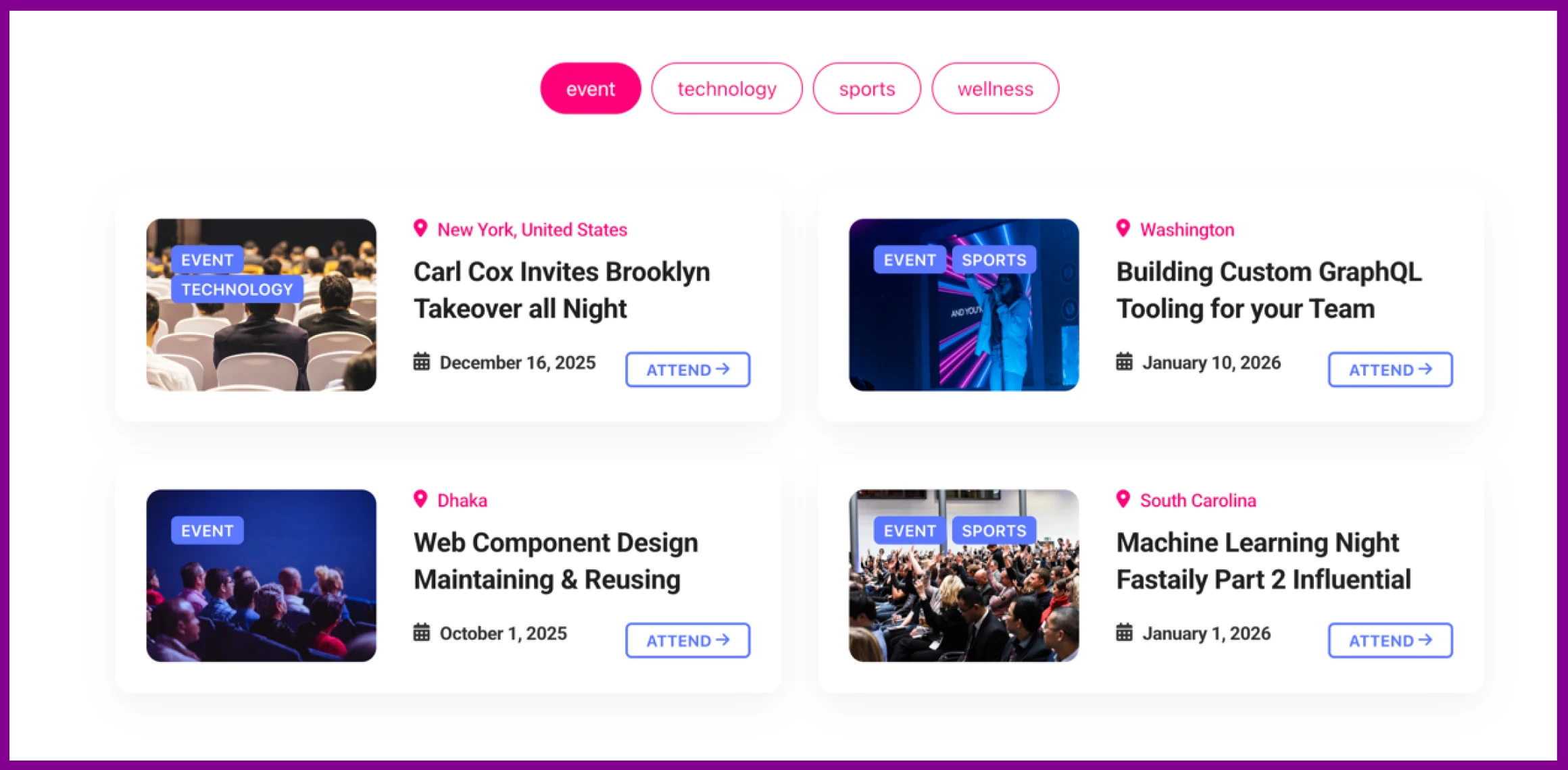
Eventin Free lets you create unlimited one-time or recurring events and manage their schedules from WordPress.
Key features include:
- One-time and recurring events
- Daily, weekly, monthly, or custom schedules
- Session and agenda management
- Upcoming and expired event organization
- Central event dashboard
These tools work well for workshops, classes, webinars, tours, and community events.
🚀 Eventin is recommended by Kinsta for better event management– Read more
Speaker & organizer management
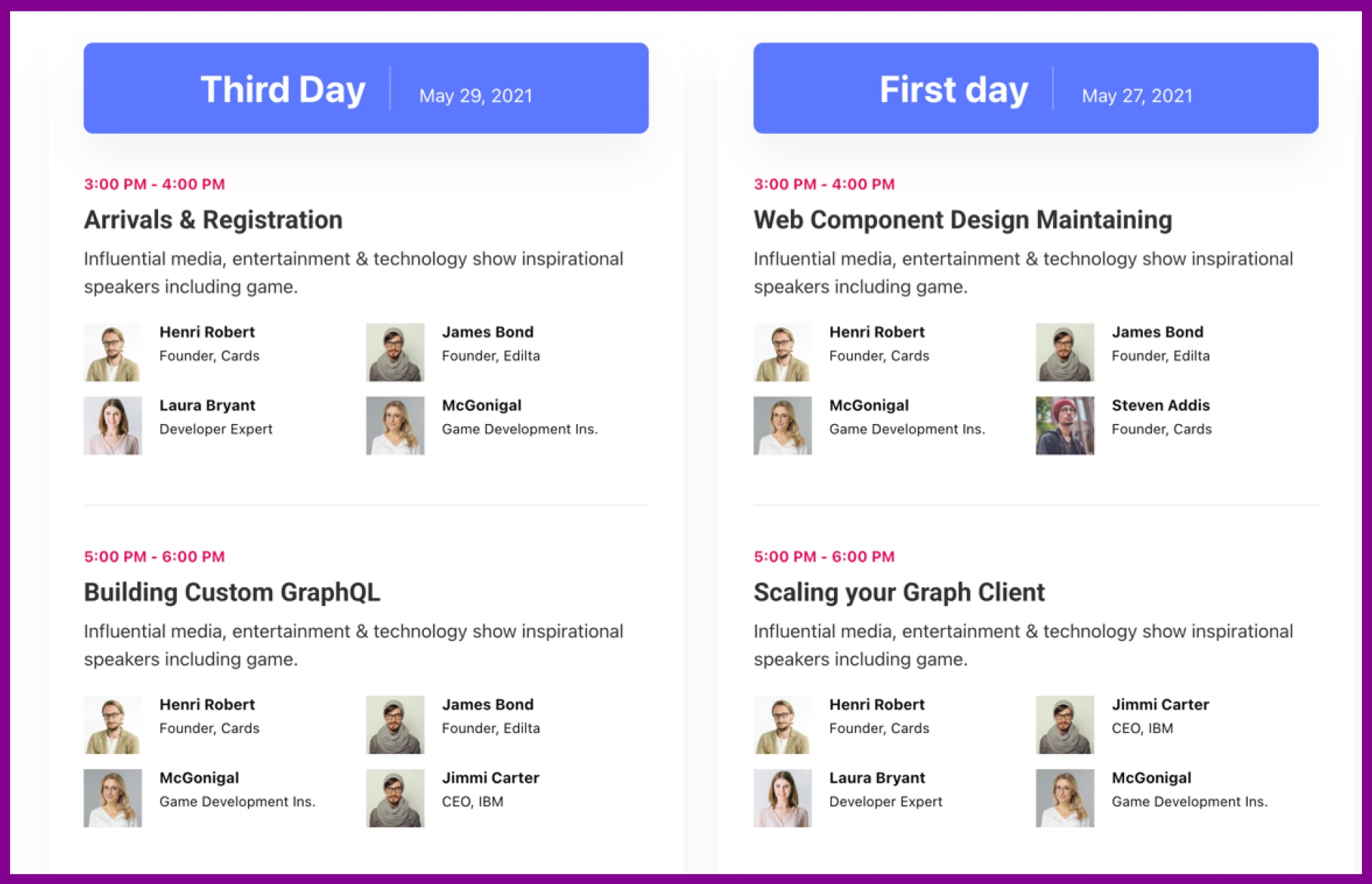
Eventin Free lets you create and display speaker and organizer profiles without installing a separate speaker-management plugin.
Key features include:
- Speaker and organizer profiles
- Bios, images, and social links
- Speaker categories
- Ready-made profile templates
- Speaker assignment to events and schedules
These features are useful for conferences, webinars, workshops, and multi-session events.
🎥 Host Virtual Events for Free with Zoom + Eventin
Most plugins charge extra but Eventin gives you built-in Zoom support and WooCommerce payment integration, so you can accept payments through PayPal, Stripe, and many more methods absolutely free.
Event booking & attendees registration
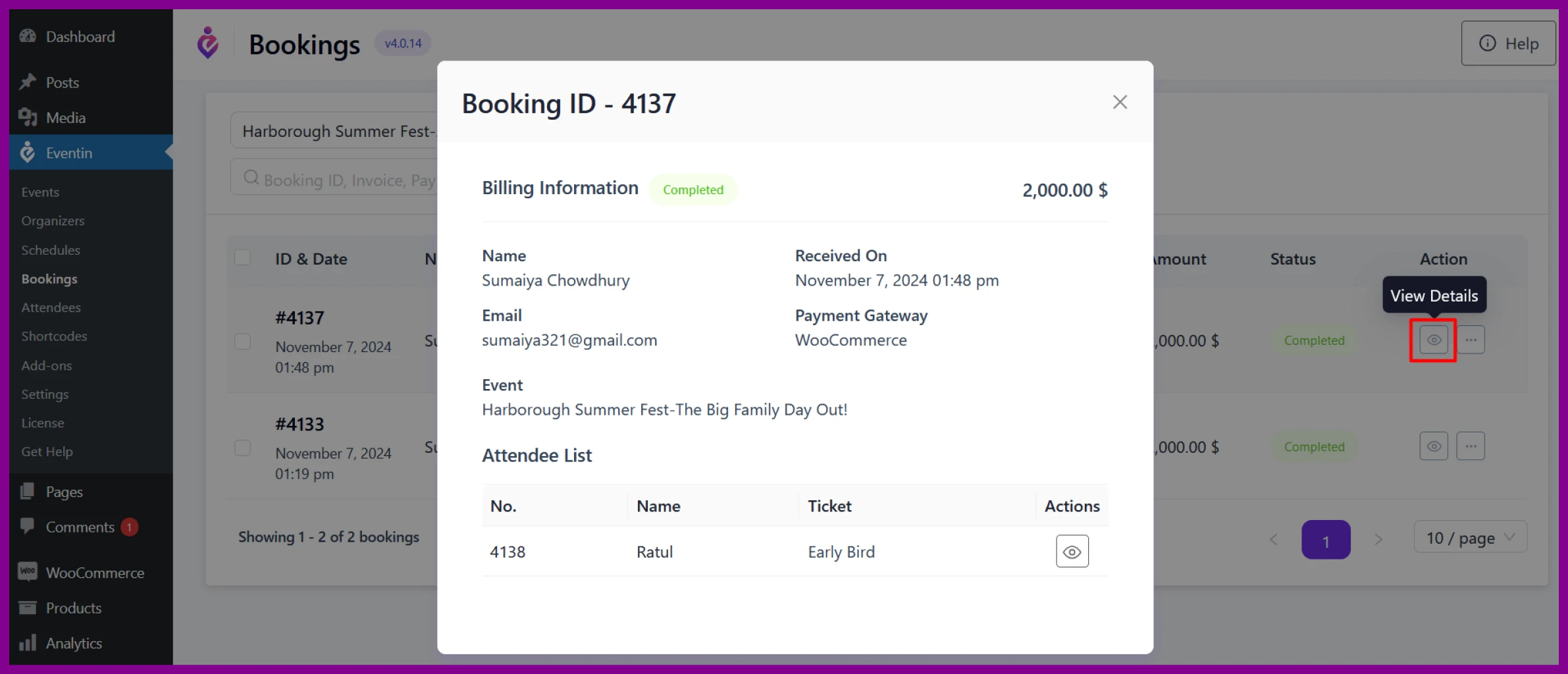
Eventin Free lets you collect attendee details and manage event registrations from the WordPress dashboard.
Key features include:
- Registration forms
- Booking management
- Manual and bulk attendee registration
- Attendee counts
- Additional attendee information fields
These tools are useful for workshops, webinars, classes, conferences, and other registration-based events.
Ticketing & Payments
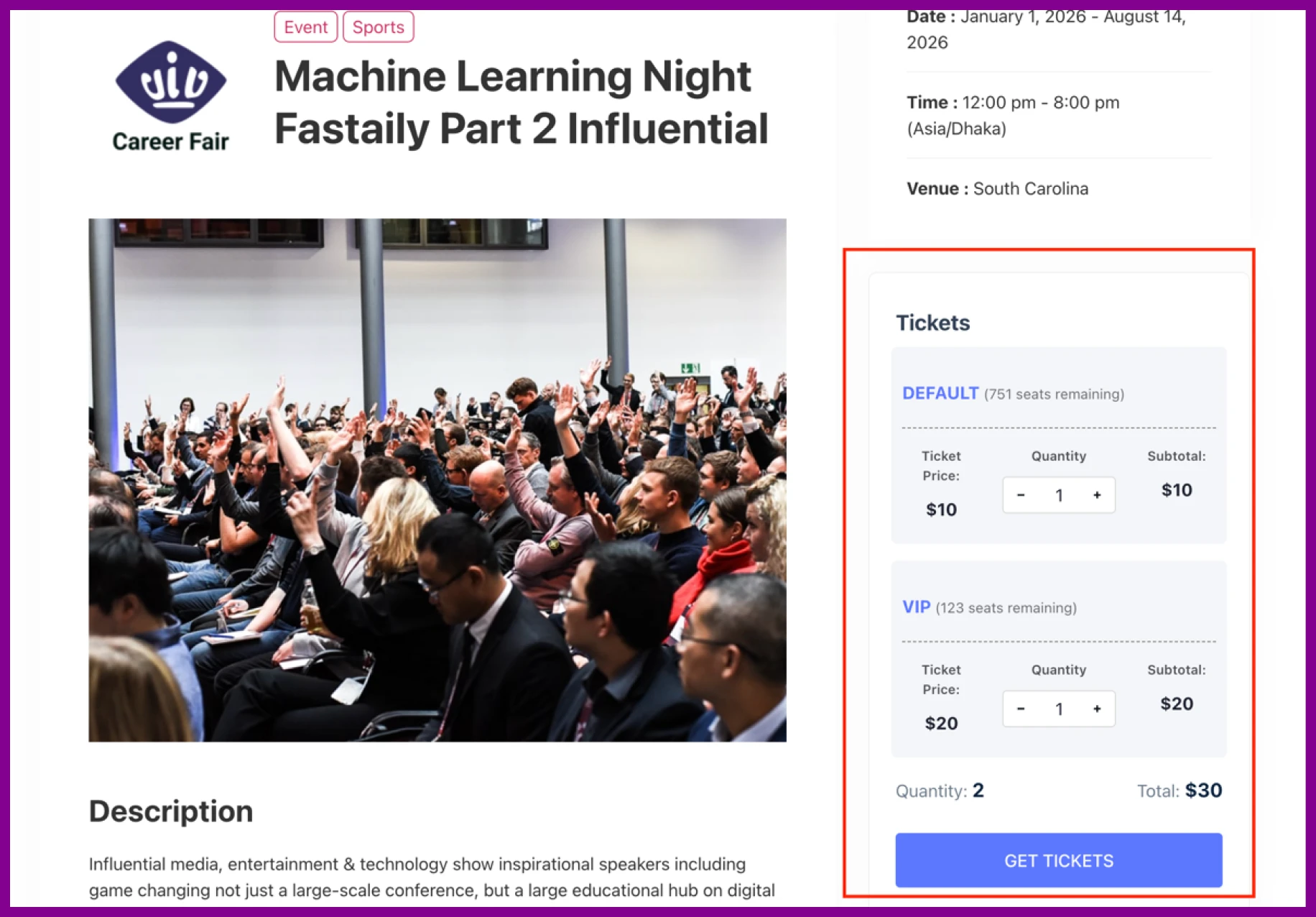
Eventin Free connects with WooCommerce so you can sell tickets and process payments from your WordPress website.
Key features include:
- Multiple ticket types
- WooCommerce checkout
- WooCommerce coupons
- Currency settings
- Ticket and purchase confirmation emails
Available payment methods depend on the gateways enabled in your WooCommerce setup.
Online & hybrid event support
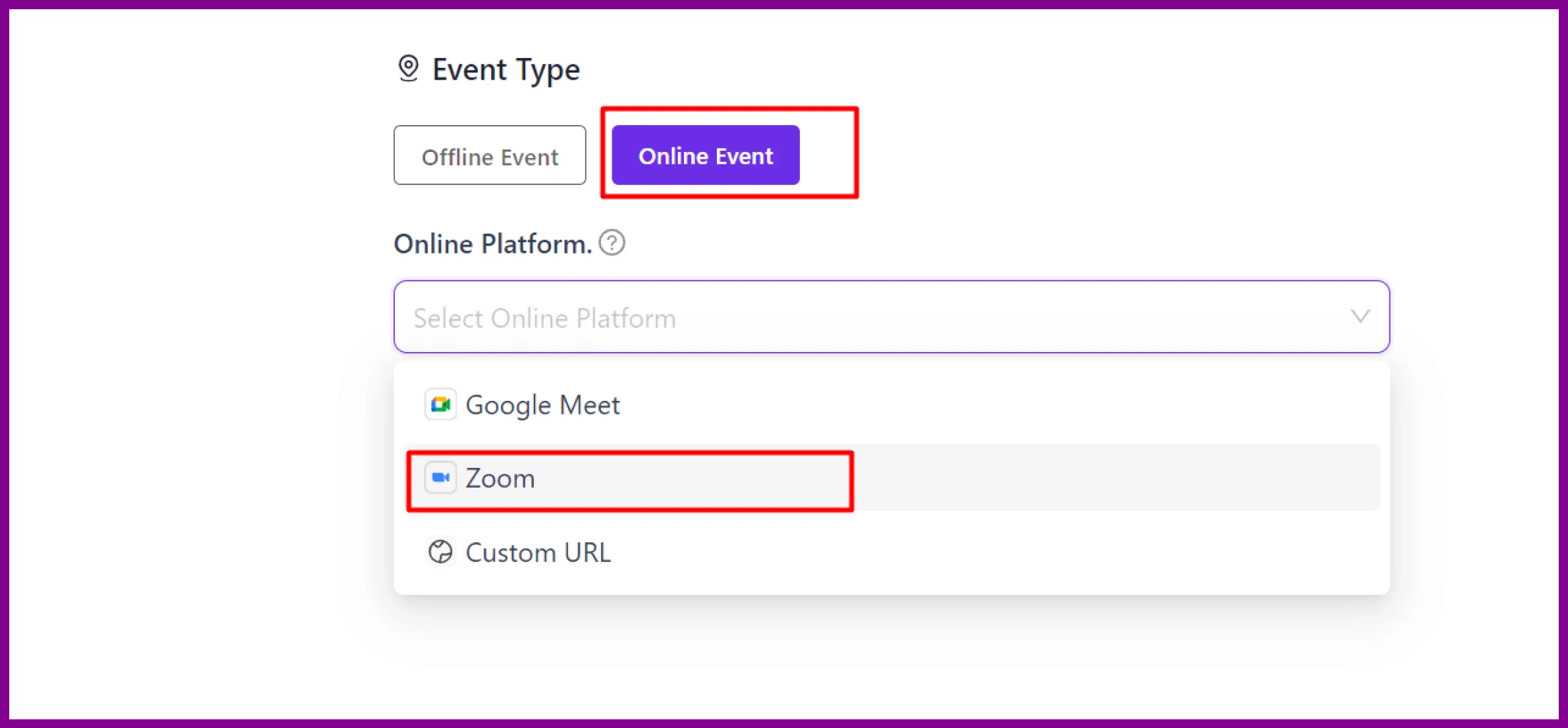
Eventin Free supports online, in-person, and hybrid events from your WordPress website.
Key features include:
- Zoom integration
- Online and offline event options
- Time-zone support
- Google Calendar and Outlook synchronization
These features are useful for webinars, virtual workshops, online classes, and hybrid conferences.
Event display & user experience
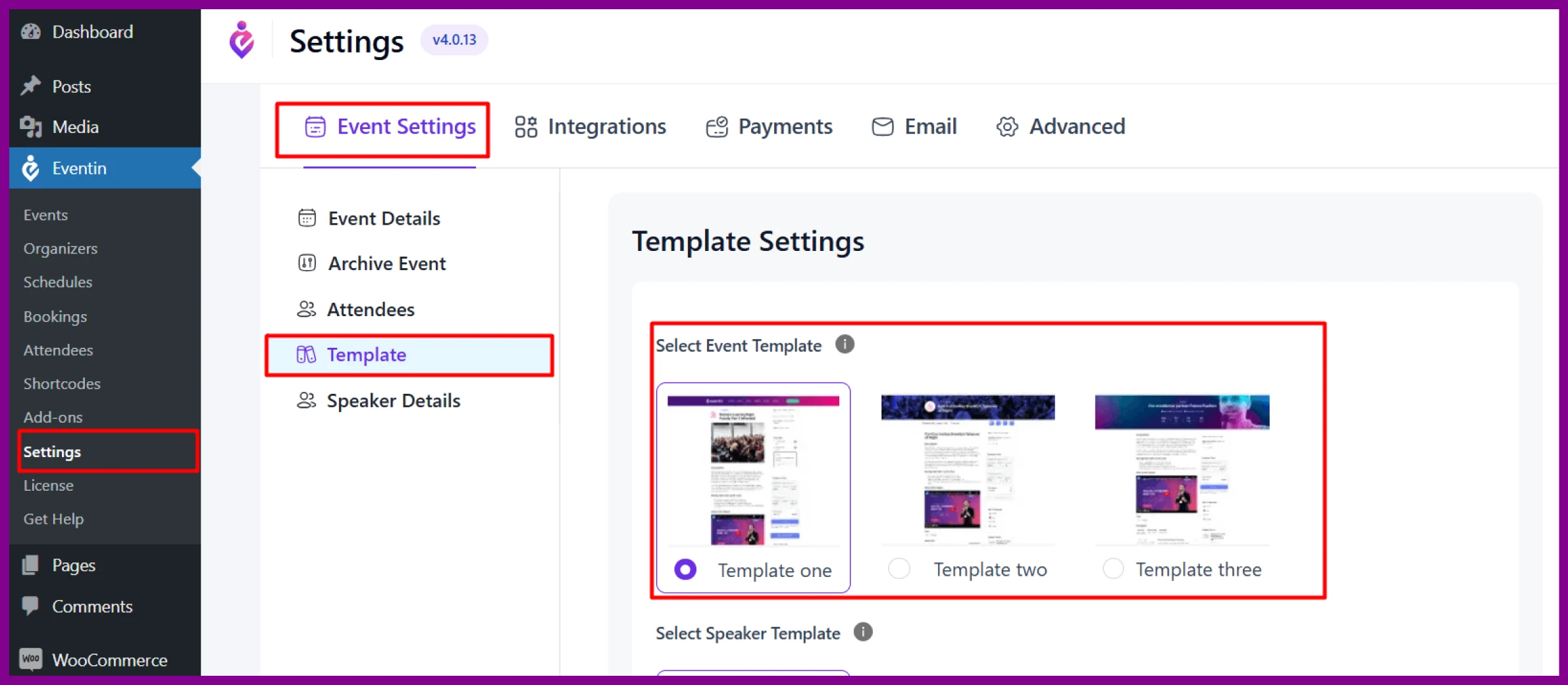
Eventin Free provides several ways to organize and display events on your WordPress website.
Key features include:
- Event page templates
- Calendar views
- Search and filtering
- Categories and tags
- Shortcodes
- Social sharing
- FAQ sections
- Translation and RTL support
These options help visitors find events and view important information across desktop and mobile devices.
Page builder & design support
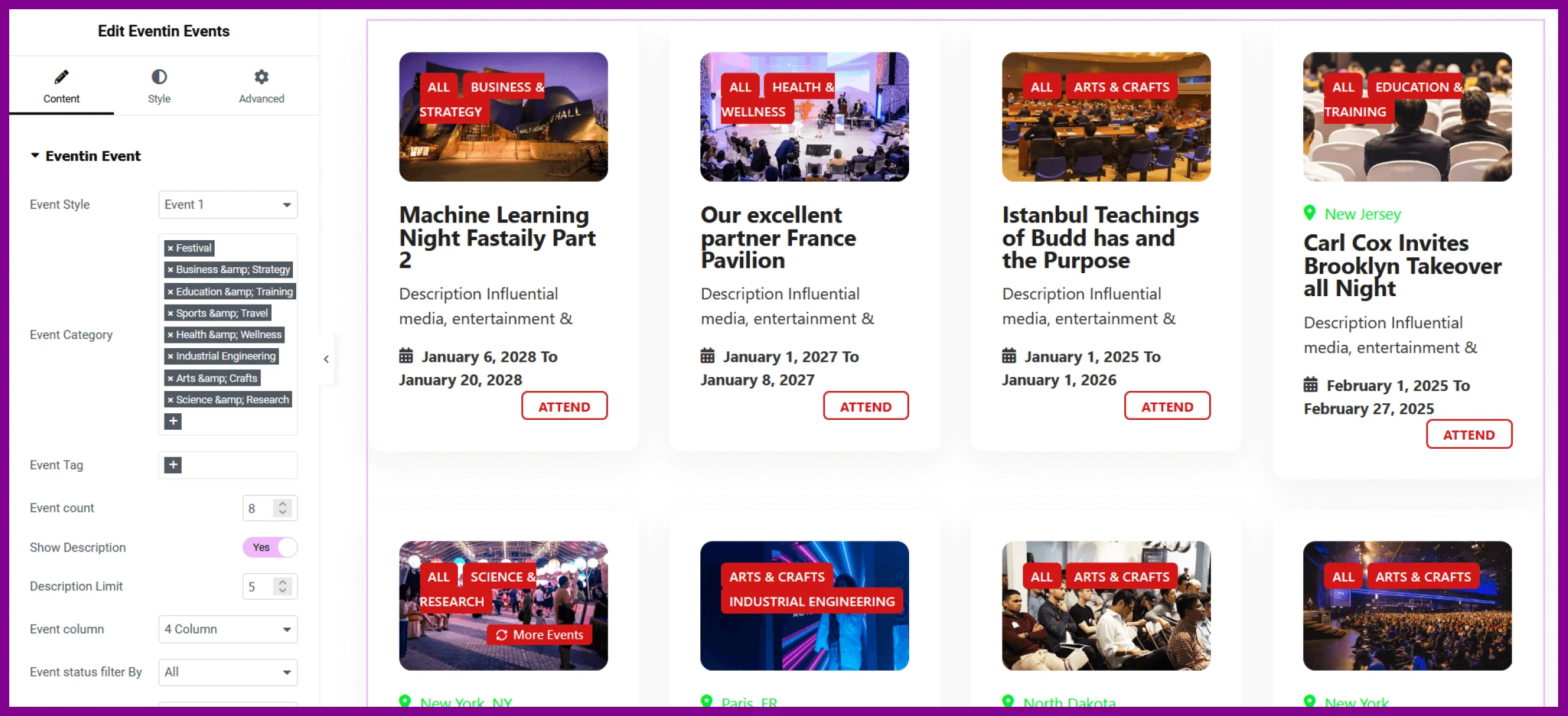
Eventin Free works with popular WordPress editors and page builders, helping you display event content without custom coding.
Supported builders include:
- Gutenberg
- Elementor
- Divi
- Beaver Builder
Some widgets, modules, or design controls may require Eventin Pro. Check the current integration details before choosing a builder.
Marketing & analytics
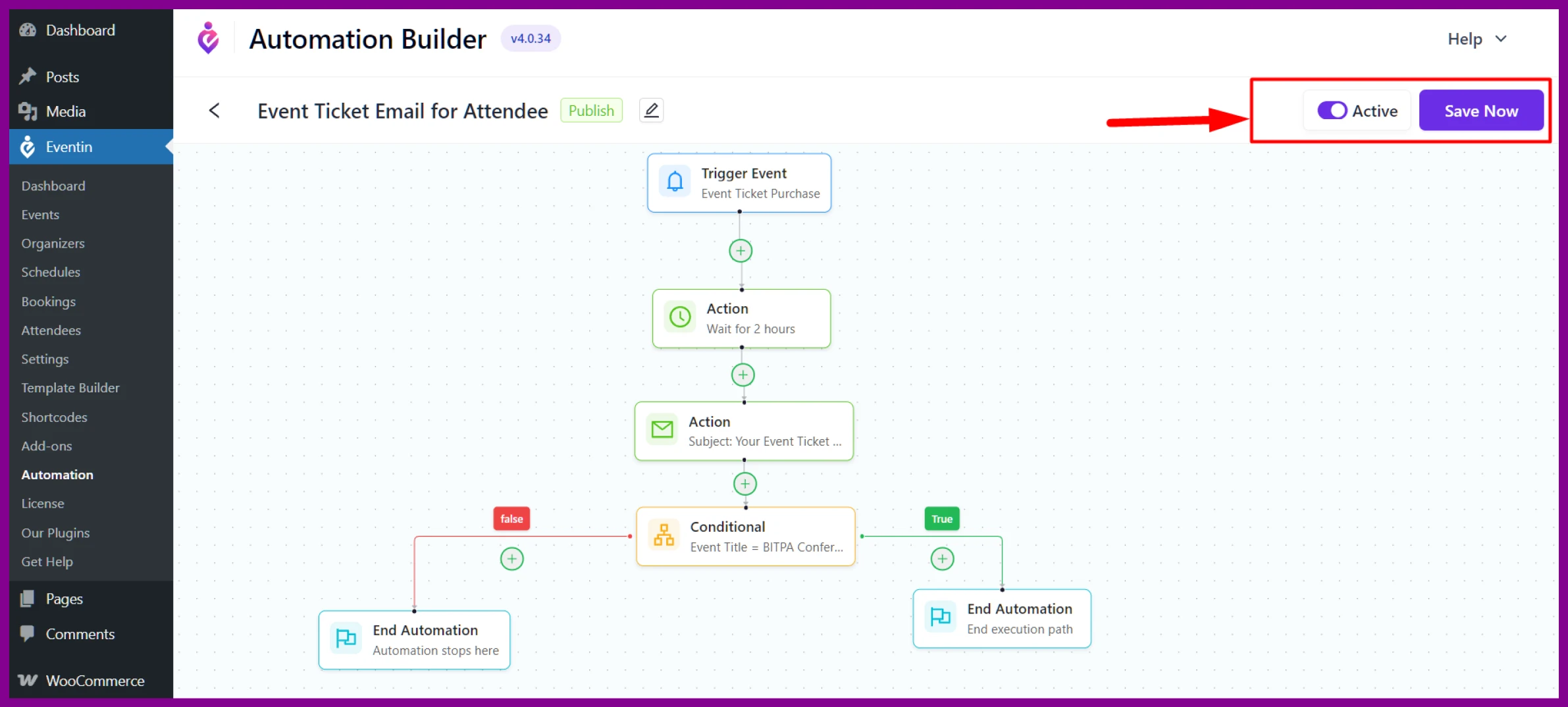
Eventin Free includes tools to communicate with attendees, promote events, and monitor basic event activity.
Key features include:
- Automated event emails
- Confirmation and reminder messages
- Event analytics dashboard
- Social sharing options
- Search-friendly event information
Search visibility depends on your content quality, structured data, technical SEO, website authority, and competition.
🚀 The Elegant Theme rated Eventin as one of the best WordPress event calendar plugins – Read more
What Are the Limitations of Eventin Free?
Eventin Free covers essential event creation, registration, ticketing, attendee management, and scheduling. However, advanced event requirements may need Eventin Pro.
Pro may be required for:
- Visual seat planning
- Direct payment gateways
- Advanced automation
- AI-assisted tools
- Premium integrations
- Greater design control
Compare the current Free and Pro features before choosing a plan.
How Are Organizations Using Eventin Free?
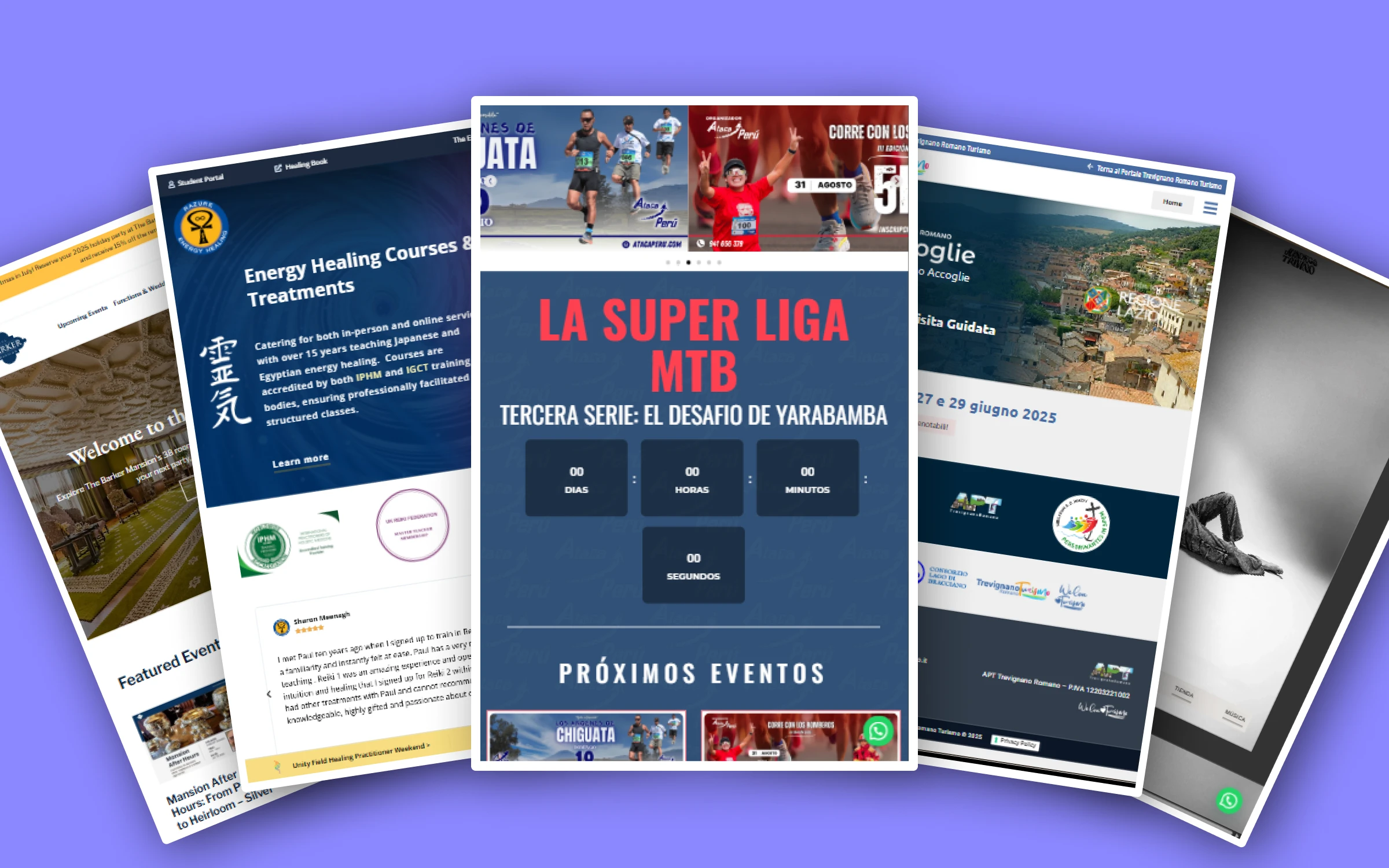
Organizations use Eventin Free to manage tours, workshops, classes, webinars, and community events from WordPress.
The following examples show how different event organizers use features such as recurring events, registration, WooCommerce ticketing, schedules, and online-event support. Results vary by website and workflow. Keep only claims that can be verified from the organization or its live event setup.
Prenota Trevignano Romano
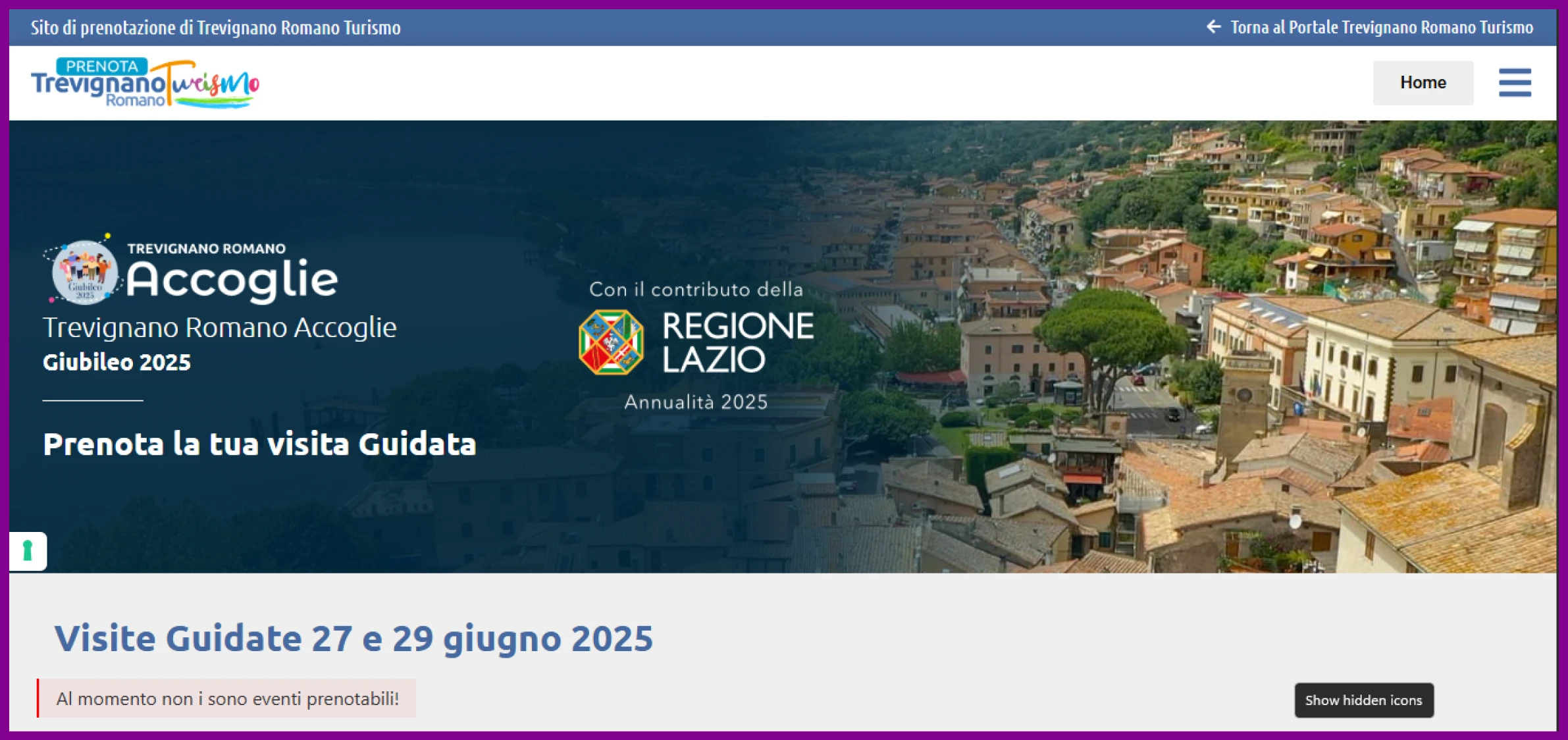
This tourism website publishes local tours, festivals, and cultural events.
Eventin can help it:
- Create multiple seasonal events
- Collect attendee registrations
- Manage event information from one dashboard
Juan Diego Trivio – Artist & workshop host

As an artist and workshop host, Juan Diego organizes exhibitions, classes, and seminars.
Eventin can help him:
- Display speaker and session information
- Sell tickets through WooCommerce
- Manage registrations and confirmation emails
Barker Mansion – Historic tours & events
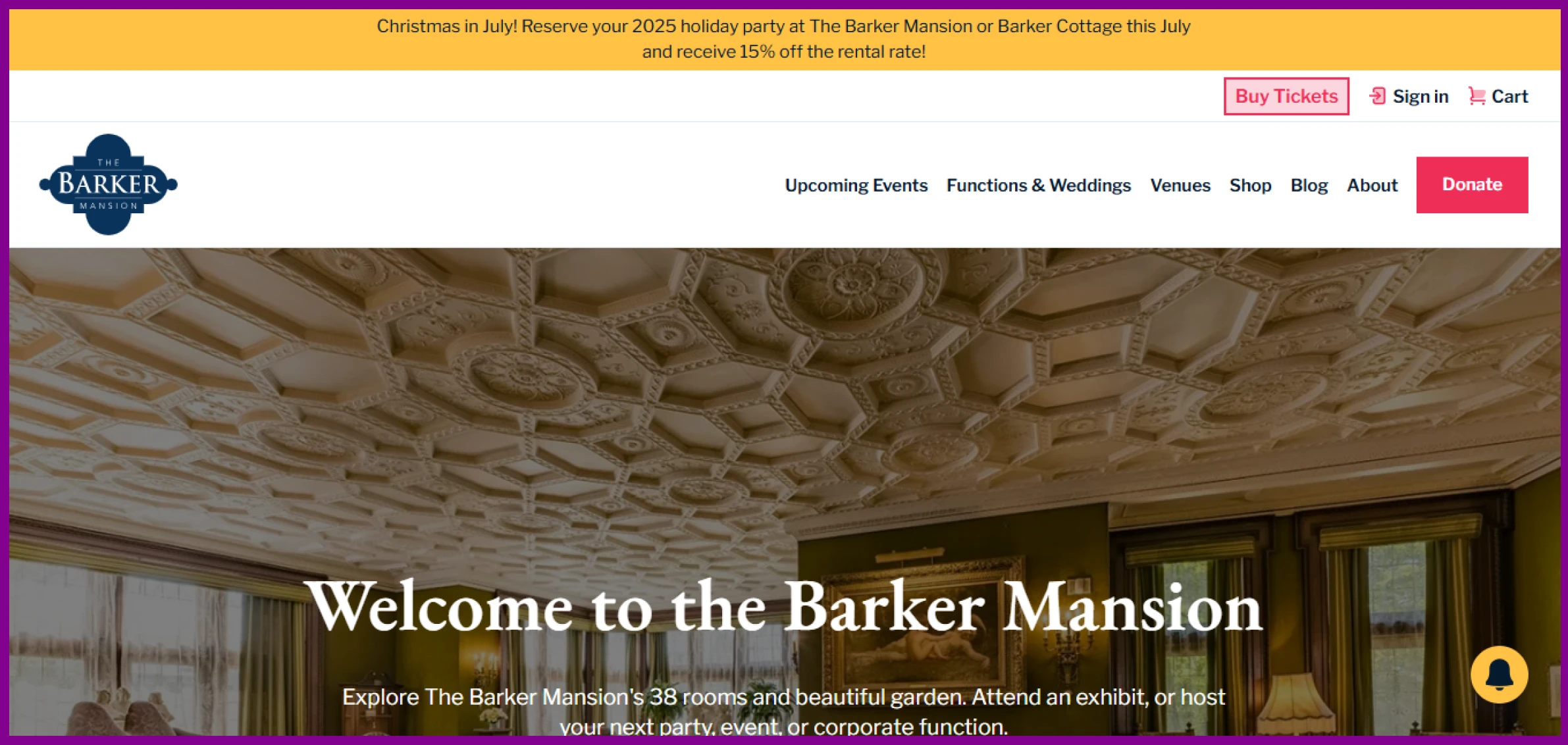
Barker Mansion hosts public tours, historical programs, and seasonal events.
Eventin can help it:
- Create recurring tours
- Publish event schedules
- Manage ticket sales and registrations
Razure Energy Healing – Wellness & online sessions
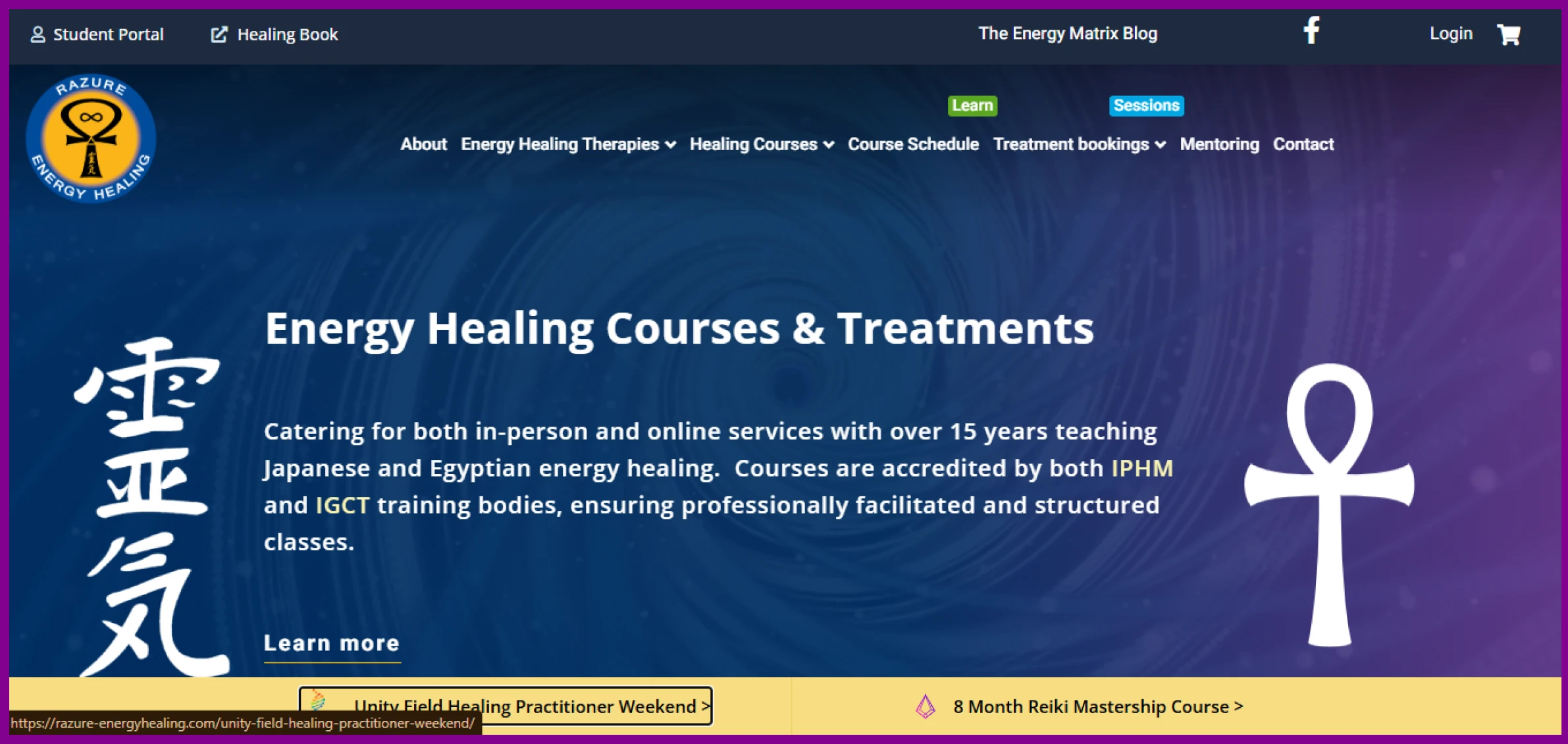
Razure Energy Healing runs in-person and online wellness sessions.
Eventin can help it:
- Create recurring events
- Collect attendee information
- Support online sessions through Zoom
ATACA Peru – Cultural & adventure travel

ATACA Peru publishes travel experiences and cultural events.
Eventin can help it:
- Display events in a calendar
- Organize events by date or category
- Track registrations and attendee information
These examples show how Eventin Free can support different event workflows. Available features and results depend on each website’s configuration and requirements.
Is Eventin Free Right for Your Events?
Eventin Free is suitable for workshops, webinars, classes, tours, community events, and small to medium-sized conferences.
Choose it if you need:
- Event creation and scheduling
- Registration and attendee management
- WooCommerce ticketing
- Recurring events
- Speaker and organizer profiles
- Online or hybrid event support
For visual seat planning, direct payment gateways, advanced automation, AI tools, or greater customization, you may need Eventin Pro.
Need a more complete solution? Explore Eventin’s WordPress event management plugin capabilities.ce the difference for yourself.
Frequently asked questions (FAQs)
Q1: Is Eventin Free enough for managing professional events?
Yes, absolutely. Eventin is the best free event management plugin used by real businesses around the world. It offers everything you need to run professional events, including unlimited event creation, RSVP forms, speaker profiles, calendar views, recurring scheduling, and even Zoom integration all without requiring a paid plan. Many users rely solely on the free version to manage tours, workshops, webinars, and more.
Q2: Is it easy to set up Eventin Free on my WordPress website?
Yes. Eventin free event management plugin is designed for ease of use. You can install it directly from the WordPress plugin directory and start creating events right away. There’s no need for complex configuration or coding knowledge. Plus, if you’re using WooCommerce, Eventin integrates seamlessly with your existing checkout system.
Q3: Can I sell event tickets in WordPress for Free with Eventin?
Yes, you can. Eventin Free integrates directly with WooCommerce, allowing you to sell event tickets for your events without needing any premium add-ons. This means you can take payments, manage inventory, and deliver digital tickets—all from your WordPress dashboard. There are no platform fees or hidden commissions involved.
Q4: What types of events can I manage using Eventin Free?
Eventin Free is flexible enough to handle a wide variety of events. Users have used it for cultural festivals, city tours, art exhibitions, educational workshops, healing sessions, adventure travel, and more. Whether your events are in-person, online, or hybrid, Eventin Free provides the scheduling, ticketing, and attendee tools you need to manage them smoothly.
Q5: Does Eventin Free support online events or virtual meetings?
Yes. One of the most powerful features of Eventin Free is itsZoom integration. You can link your Zoom account and automatically generate meeting links for virtual events, workshops, or sessions. This is especially helpful for coaches, educators, or businesses running remote events without needing a separate webinar tool.
Q6: How much time can I save using Eventin Free?
A lot. With built-in features like recurring event creation, automated email confirmations, centralized attendee dashboards, and ready-to-use layouts, Eventin Free eliminates the need for repetitive setup, manual bookings, or constant communication. Users often report saving several hours per week—time they would otherwise spend coordinating registrations or managing spreadsheets.
Q7: Can I create recurring events using the free version?
Yes, you can. Eventin Free allows you to schedule recurring events—whether weekly, monthly, or custom intervals. This is perfect for businesses that host regular classes, tours, or meetups. You set it up once, and Eventin handles the rest—saving you hours of repetitive work.
Q8: Does Eventin Free provide attendee tracking or reporting?
Yes. The plugin features a simple attendee management system that allows you to view registrations, attendee details, and event participation all in one place. Some users, such as ATACA Peru, even utilize this to optimize event size and manage capacity more effectively, all without incurring the cost of additional analytics tools.
Q9: Is Eventin Free mobile-friendly and compatible with my theme?
Yes. Eventin Free is fully responsive and works well with most modern WordPress themes. Your event pages, calendars, and booking forms will look great on mobile devices, tablets, and desktops—ensuring a seamless experience for your attendees, regardless of how they access your site.