Event Website Marketing: 6 Strategies to Attract More Attendees


Table of Contents
Your event website is more than a page with the date and ticket link. It is where people discover the event, review the details, decide whether it is worth attending, and register. This guide covers six event website marketing strategies, including search visibility, page structure, design, email, social media, content, and trust. For the complete awareness-to-loyalty process, read our event marketing funnel guide.
Here’s what you’ll learn in this guide:
- Why your website is the most important channel for event marketing
- Proven strategies to get more visibility (SEO, design, content, and integrations)
- How to build trust and credibility so attendees feel confident registering
- Real-world tips to optimize your event site for higher conversions
Whether you’re planning a workshop, a festival, or a global conference, these tactics will help you attract more attendees and turn your website into an actual marketing machine.
Let’s get started:
Why Event Website Marketing Matters
If you rely only on flyers, emails, or social posts to promote your event, you’re leaving results on the table. Social platforms change algorithms, inboxes get crowded, and ads can burn through your budget fast.
Your website, on the other hand, is the one place you fully control. It’s where every potential attendee can find clear information, explore what your event offers, and decide whether to register.
Think of it as your event’s “home base” — everything else (social, email, ads) should point people back here.
Why your event website matters most
Conversions
Unlike social posts, your website can guide visitors through a simple journey: discover → learn → register.
Credibility
A polished website signals professionalism. It shows your event is real, organized, and worth their time.
Discoverability
With proper SEO, your event site shows up in Google searches when people look for events like yours.
Control
You decide how your event is presented — no word limits, no competing distractions.
In short, your website isn’t just an information board. It’s your most powerful tool for attracting, convincing, and converting attendees.
6 Event Website Marketing Strategies
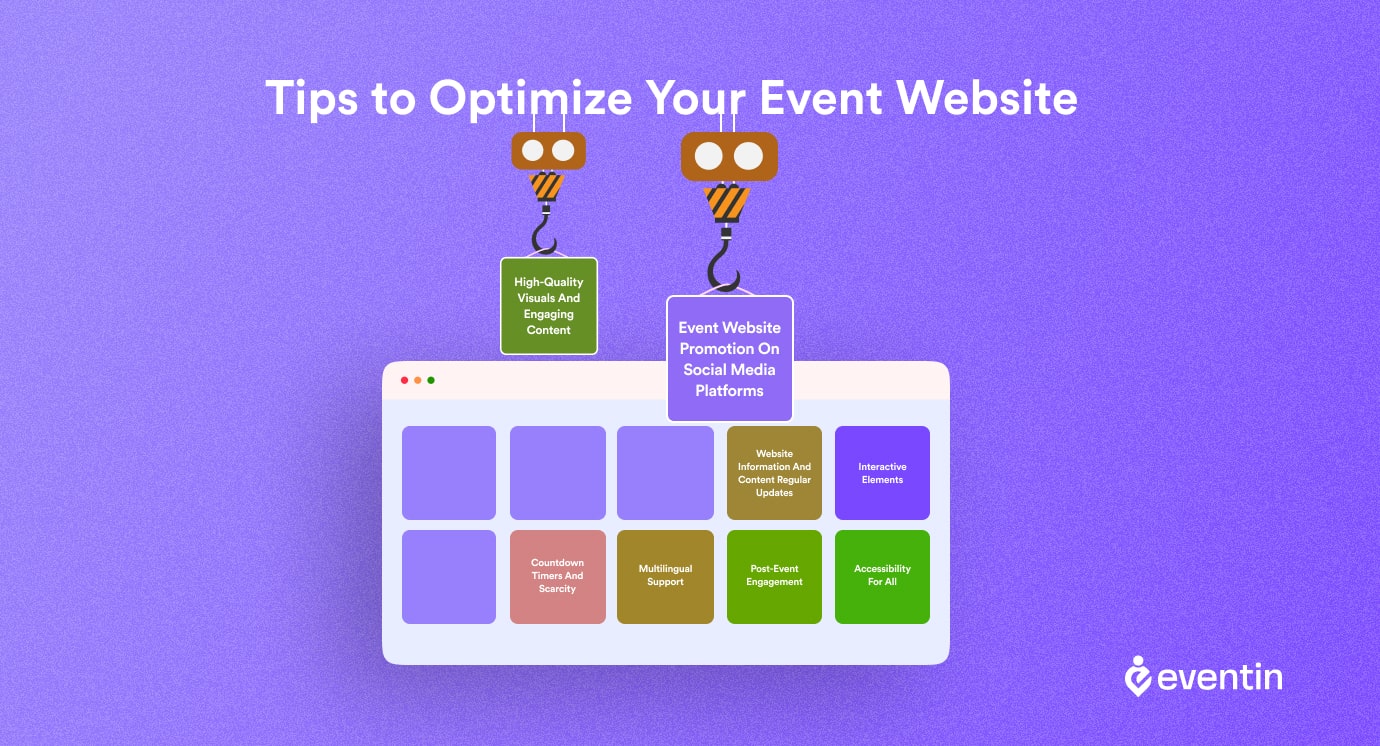
Most event websites do a decent listing of dates, speakers, and ticket prices.
But here’s the truth: information alone doesn’t sell tickets. What fills seats is a website that’s built to attract visitors, convince them your event is worth it, and guide them straight to registration.
The following strategies show you how to transform your event website from a static info page into a powerful marketing engine — one that brings in traffic, builds trust, and converts curious visitors into paying attendees.
1. Optimize Your Event Website for Search
If people can’t find your event online, they can’t attend. Most attendees begin with a Google search, and AI Overviews now dominate the results. A website that’s invisible in search means lost ticket sales.
- Research keywords with attendee intent: [event type] + [topic] + [city/year].
- Optimize titles, URLs, and meta descriptions with those phrases.
- Add Event schema (JSON-LD) so search engines understand your dates, venue, and tickets.
- Use FAQs marked up with the FAQPage schema to capture AI Overview answers.
- Internally link blogs, speaker interviews, and guides to your main registration page.
2. Make Essential Event Details Easy to Find
Visitors shouldn’t have to search three different pages to figure out who’s speaking, what it costs, and where it’s happening. Missing details = hesitation, and hesitation kills conversions.
- Add essentials: agenda, speaker bios, ticket tiers, venue maps, and refund policies.
- Use visuals: speaker headshots, past event photos, sponsor logos.
- Create a dedicated FAQ page that answers the top 10 pre-registration questions.
- Keep registration forms short (name, email, payment). Extra fields = drop-offs.
3. Design the Website Around Registration
A website isn’t just a digital poster. It’s where visitors decide if your event feels worth their time. Poor design makes people bounce — great design makes them register.
- Go mobile-first: design for small screens before desktop.
- Use a clear hero section: event value + date + CTA button.
- Place CTAs throughout the site (“Register Now” after agenda, speakers, pricing).
- Make pages fast: compress images, lazy-load videos, serve WebP files.
- Ensure accessibility: alt text, keyboard nav, proper color contrast.
4. Use Email and Social Media to Drive Website Visits
Your website is the hub, but social and email are the highways that drive people there. If these channels aren’t integrated, you lose momentum and potential reach.
- Add share buttons on agenda and speaker pages with Open Graph tags for clean previews.
- Capture emails with simple forms (“Get the agenda + updates”).
- Deliver instant value: free agenda PDF or speaker guide for new signups.
- Nurture with an email sequence: reminders at T-30, T-14, T-7, and T-1 days.
- Encourage attendees to add the event to Google/Apple Calendar directly.
5. Publish Content That Supports Event Discovery
Event promotion doesn’t stop at “Buy Tickets.” Content builds anticipation before the event, helps with SEO, and keeps people engaged long after it’s over.
- Publish pre-event content: speaker interviews, “who should attend” guides, behind-the-scenes posts.
- Create decision helpers: ROI calculators, “convince your boss” letters.
- Repurpose every blog into emails and social snippets that link back to registration.
- Post-event, share recaps, videos, and slides to extend the event’s shelf life.
- Add schema to video recordings and recaps for long-term SEO traffic.
6. Add Trust Signals Before the Registration CTA
Even the best agenda won’t sell if people don’t trust your event. Attendees need proof that your event is real, valuable, and worth the ticket price.
- Add testimonials with names, photos, and outcomes (“I closed 3 new clients at this event”).
- Display sponsor, partner, and media logos.
- Be transparent: refund policies, transfer options, accessibility support.
- Show the faces behind the event: organizer bios, contact email, live chat.
- Use secure checkout (HTTPS + Stripe/PayPal). Show trust signals people recognize.
Event Website Examples That Encourage Registration
Looking at real-world event websites is the fastest way to see what works. The best ones don’t just look good — they convince, guide, and convert.
Here are a few examples that show how design, trust, and clear calls-to-action come together to fill seats.
1. Conference website: SaaStr Annual
It’s a clear value proposition in the hero section (“The #1 SaaS conference in the world”), strong branding, and immediate CTAs to buy tickets.
Agenda, speakers, and ticket options are one click away. Pricing tiers are transparent, and deadlines create urgency.
2. Festival website: Coachella
Bold visuals and immersive design that match the vibe of the event. The lineup is showcased front and centre, with videos and social integrations to build excitement.
Ticketing is seamless, with tiered packages and payment plans. The site is fully mobile-first, making it easy to register on the go.
3. Online summit website: Adobe MAX
Their event combines professional branding with a simple structure. Speaker highlights, session previews, and replays make the value crystal clear.
Multiple CTAs to register, backed by trust elements like sponsor logos and community stats.
Why did we pick these events as examples?
- Design clarity: Visitors instantly know the value and who the event is for.
- Trust signals: Testimonials, sponsor logos, and media mentions reinforce credibility.
- Conversion focus: Every page points to the main action — registering.
How to replicate this with WordPress+Eventin?
You don’t need a custom dev team to get the same results. With Exhibz, you can launch a polished, professional event website that looks like the big players.
And with Eventin, you get built-in tools like event calendars, ticketing, and attendee management — the same features that make these world-class websites so effective. The challenge is bringing all of that together without juggling five different tools.
What’s more with Eventin?
- Event calendar that works like a roadmap – List multiple sessions, tracks, or recurring events in a clean layout that’s easy for attendees to scan.
- Built-in ticketing system – Sell tickets directly on your site with no third-party checkout. Add tiers, discount codes, and manage capacity in one place.
- Mobile-ready design – Every page adapts seamlessly to smartphones and tablets, so attendees can register wherever they are.
- Analytics and insights – Track registrations, ticket sales, and attendee engagement to see what’s working (and what’s not).
Instead of adding more tools to your stack, Eventin turns your WordPress website into a complete event marketing engine. Also, check out the on-the-go video to get a quick start.
🔗 Learn How to Manage Event Attendees with WordPress | Read more
Want to take your event attendee management to the next level?
Check out our step-by-step guide on how to manage event attendees effectively and create smoother, stress-free experiences for both you and your guests.
Read the full guide →Event Website Marketing FAQs
What makes a good event website?
A good event website is clear, mobile-friendly, and focused on conversions. It should include the agenda, speaker bios, ticket options, venue details, and clear CTAs to register.
How do I promote an event website?
Use SEO, social media, email, and shareable event content to bring relevant visitors to your website. Include clear event details, trust signals, and a strong registration CTA to turn those visitors into attendees.
Do I need a website if I already use social media?
Yes. Social media is great for awareness, but a website is where you control the full experience. It’s the central hub for information, credibility, and registrations.
What are the best tools for event website marketing?
Tools like Eventin (for event management and ticketing), Exhibz (for event website themes), and email automation platforms (like Mailchimp or FluentCRM) help streamline promotion and registration.
How can I make my event website trustworthy?
Show testimonials, partner logos, clear refund policies, and organizer contact details. Use HTTPS security and recognized payment processors. Transparency builds confidence.
How do I keep people engaged after the event ends?
Share recap posts, highlight reels, and session recordings on your website. Offer early-bird signups for your next event to keep the momentum going.
How to Turn Your Event Website Into a Registration Hub
At the end of the day, your website isn’t just an event flyer. It’s the single most powerful asset in your marketing stack. It drives discoverability, builds trust, and converts visitors into attendees.
With the proper setup, your site becomes more than a place to share details — it becomes a machine that fills seats.
Ready to build yours? Use Eventin for seamless ticketing and attendee management, or launch a professional-looking site in minutes with the Exhibz theme.
Together, they give you everything you need to market your event and make it a success.
Quick checklist: optimizing your event website
- ✔️ Do keyword research and add Event schema so your event is discoverable in Google + AI Overviews.
- ✔️ Include essentials: agenda, speakers, ticket options, venue info, FAQ, and testimonials.
- ✔️ Design mobile-first, with fast-loading visuals and repeated CTAs.
- ✔️ Connect your site with social sharing and email signups to extend reach.
- ✔️ Publish content before, during, and after the event (interviews, updates, recaps).
- ✔️ Build trust with sponsor logos, media mentions, refund policies, and real contact info.
- ✔️ Track everything with analytics to see which pages and channels drive registrations.
If you cover these basics, your website won’t just inform — it will attract, convince, and convert.