Stop Hosting Events the Hard Way! Here’s What Successful Organizers Do Differently


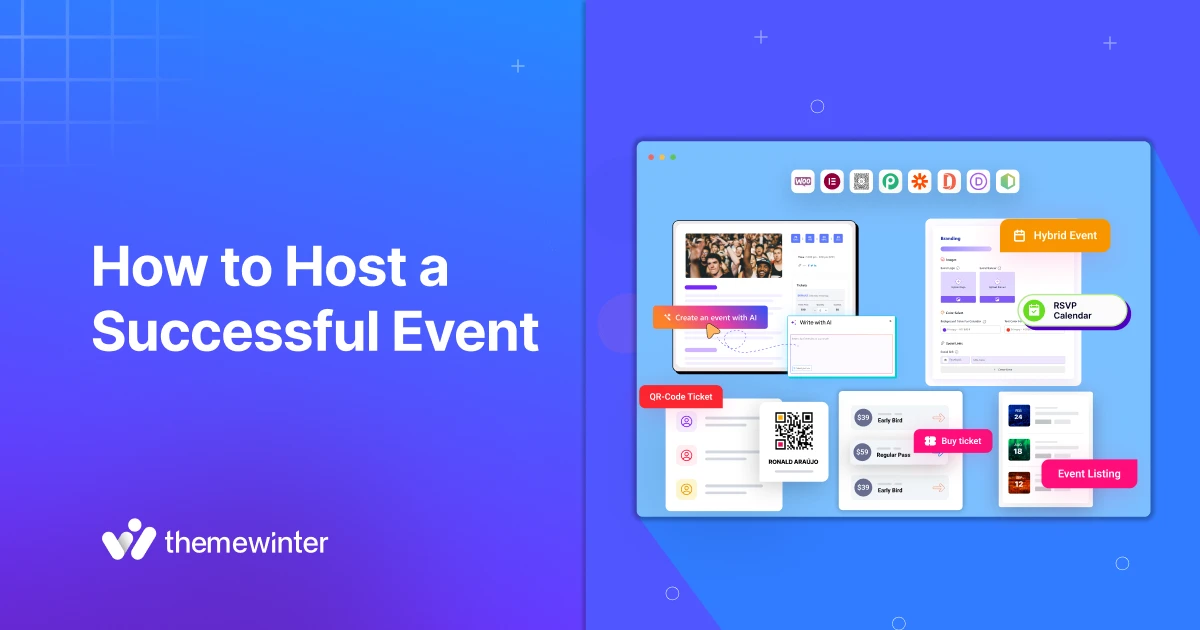
Table of Contents
If you have been planning events for a while, you already know how tiring it can get. Whether it’s a small workshop or a multi-day conference, organizers often find themselves buried in spreadsheets, juggling multiple tools, and making last-minute changes.
If this sounds familiar, you’re not alone. Many event planners follow the same process simply because it’s what they’ve always done. But just because something works doesn’t mean it’s working well.
If you want to learn how to host a successful event, you need to stop hosting events the hard way.
In this guide, we’ll take a closer look at what’s making event planning harder than it needs to be, and more importantly, how successful event organizers approach things differently.
Ready to run smoother events?
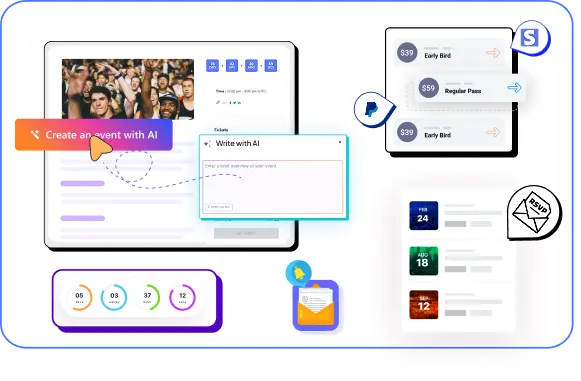
Create & manage events easily with Eventin event manager.
- ✅ Sell tickets
- ✅ Track attendees
- ✅ Automate reminders
Quick Overview
This guide explains how to host a successful event without relying on spreadsheets, disconnected tools, or manual workflows. You’ll learn why most organizers struggle, what successful planners do differently, and how Eventin helps you manage events the smart way inside WordPress.
- Why hosting events the “hard way” creates stress and confusion
- Common mistakes event organizers still make with tools and workflows
- What successful event organizers do differently
- How automation and centralization improve event planning
- How Eventin simplifies ticketing, scheduling, and check-ins
- Real-world success example from a cinema event organizer

Why most event organizers struggle
Many organizers work hard, but they still feel behind. The reason is not a lack of effort. The real issue is the way the work gets done. Most event planners rely on disconnected tools, manual tasks, and systems that don’t scale.
When events are managed this way, even simple tasks become frustrating. A change in the schedule turns into a series of updates across email threads, spreadsheets, and messaging apps. Tracking ticket sales or attendee behavior requires switching between platforms, each with its own login, layout, and limitations.
This kind of setup might work for a one-time event with a small group, but not for multiple events. As the event grows, so does the confusion. Without a streamlined process, it becomes harder to stay organized, respond to changes, or improve event success.
The hard way most organizers still follow
As we said earlier, most planners do not struggle because the event is complex. They struggle because the workflow is complex. You might recognize some of these problems in your own process.
Here are the habits that usually create the confusion.
Using multiple tools that do not integrate
It starts with good intentions. You use one tool for tickets, another for the schedule, another for email, and maybe a few more for check-ins and forms. None of them talks to each other. This leads to mistakes, missing data, and extra work every time you update something.
Tracking guests with sheets and messages
Many organizers still track attendees in spreadsheets or chat threads. It feels quick at first, but it becomes hard to manage once the event grows with attendees. You lose track of replies, payment info, and changes in attendance.
Manual updates for schedule, speakers, and changes
If a speaker changes time or a session moves, you have to fix it in several places. Website. PDF. Email. Social. This kills time and often leads to mismatched information.
Zero automation
Reminders, follow-ups, confirmations, and calendar syncs are all handled manually. That might work for five attendees, but it doesn’t scale well beyond that. Without event automation, the planner becomes the entire system. This creates pressure and increases the chance of errors.
No real insight into attendee behavior
Without analytics, it’s hard to know what’s working. You can’t see which sessions had the most engagement or how ticket sales performed across different channels. Decisions become guesswork instead of being data-informed.
Stress before and during the event
With so much manual work, most of the energy goes into keeping everything from falling apart. That leaves less time to focus on creating a meaningful experience for attendees.
How to Write Event Announcements That Actually Get Registrations
What successful event organizers do differently
Successful organizers do not work harder. Their secret is not luck or a bigger team. It is a clean setup that supports every step of the event. When you look closely, you see the same habits again and again.
Centralize everything in one dashboard
Instead of switching between several apps, they run tickets, schedules, attendee lists, check-ins, and communication from one place. This cuts mistakes and keeps everything updated at the same time.
Make ticketing and registration simple
Clear ticket options and a fast checkout flow help attendees sign up without confusion. Successful planners keep the process short and mobile-friendly. They also use simple forms that guide the user rather than overwhelm them.
Use automation to eliminate repetitive tasks
They set up automatic reminders, ticket emails, confirmations, and updates. This removes a lot of manual work and ensures every attendee gets the right information at the right time.
Prioritize user experience for attendees
They focus on how the attendee will move through the event. Schedules are easy to read. Speaker details are clear. Joining links are accessible. Maps and directions are simple. The goal is to remove friction for guests.
Make decisions based on data
They watch trends instead of guessing. Which sessions get more interest? Which ticket types sell faster? When people drop off, this helps improve the next event without starting from zero.
Prepare for the unexpected
Whether it’s a speaker cancellation or a last-minute schedule change, successful planners can make updates quickly. Because they’re using integrated tools, those updates are reflected instantly across the event site, emails, and attendee dashboards.
Use tools that scale with their event
They don’t switch tools every time the event grows. They choose a event management system that works for small workshops and large conferences. This keeps their workflow stable over time.
How Eventin helps you host events the smart way
If you’re looking for a simpler way to manage events inside WordPress, Eventin brings everything into one place. It’s built to support your entire event planning workflow from ticketing to check-ins without needing to switch between multiple tools.
Here’s how Eventin helps you move from manual tasks to a more efficient system:
All-in-one event management for WordPress
Eventin is the best event management plugin for WordPress that lets you create and manage your entire event right from the WordPress dashboard. Whether it’s a one-time webinar or a multi-day conference, everything stays under one roof.
- Set up events, schedules, and speakers
- Manage attendees from the backend
- Customize your event page using Elementor or Gutenberg
Flexible ticketing and registration system
Eventin makes it easy to offer different types of tickets based on your event needs.
- Sell single, group, or recurring event tickets
- Add discounts and coupon codes
- Customize registration forms for better attendee data
Seamless integrations
You can connect Eventin with the tools you already use. This keeps your existing workflows in place while simplifying event-specific tasks.
- Payment gateways: Stripe, PayPal, offline payments
- Meeting tools: Zoom, Google Meet
- E-commerce: Fully supports WooCommerce
Automation that saves hours
Save time with built-in automation that handles repetitive tasks, so you don’t have to.
- Automatically send tickets with QR codes
- Schedule email reminders for attendees
- Sync events with attendee calendars
🎥 How to Build Automated Event Emails for Attendees in WordPress
Analytics for smarter decisions
Track key event metrics without needing another tool. This helps you understand performance and improve future events.
- Ticket sales and earnings breakdown
- Check-in data and attendee trends
With these features, Eventin gives you a practical way to apply event management best practices directly inside WordPress. No need for outside platforms or complex setups.
What success looks like with Eventin
A lot of Eventin users switched from spreadsheets and now run events with less stress and more control.
Example use cases: Local movie theaters & cinema organizers
Menos1 Cine replaced manual ticket sales, long entry lines, and repeated event setups with online booking, QR check-ins, and recurring events using Eventin. The result: smoother operations, faster entry, and a better visitor experience.
Step-by-step: How to switch from “hard way” to “smart way”
If you want to stop hosting events the hard way, you need a setup that is easy to manage. Here is a clear path you can follow to start using Eventin and improve your event planning workflow.
Here’s a step-by-step look at how to get started:
- Step 1: Install Eventin
- Step 2: Set up your event details
- Step 3: Configure tickets & payments
- Step 4: Add schedules, speakers & sessions
- Step 5: Publish your event landing page
- Step 6: Automate reminders
- Step 7: Track results with analytics
👉 For a Full Guide, Start Here:
- How to Create an Event Landing Page – Learn how to build a high-converting landing page for your event in WordPress.
- Elementor Event Page Setup with Eventin – A step-by-step tutorial for designing your event layout using Elementor and Eventin.
🎥 Watch the full video tutorial:
Final thoughts: Now is the time to upgrade your event management stack
If planning your events still feels like juggling spreadsheets, tools, and reminders, it may be time to rethink your approach. The challenges organizers face today, limited time, high expectations, and increasing complexity, can’t be solved with manual workflows.
The good news is that you don’t need a large team or a custom-built platform to host a successful event. With the right tools in place, you can simplify the process, reduce the pressure, and deliver a better experience for your attendees.
Eventin helps you manage events smarter by bringing everything into one dashboard, automating repetitive tasks, and giving you the insights you need to improve.
If you’re ready to stop hosting events the hard way, now’s the time to take that first step.
Take the next event off your shoulders. Try Eventin and plan the smart way.
Get Started with Eventin🔗 Read also:
1.
Common Event Management Challenges and Solutions for Event Planners
2.
Proven Ways to Increase Event Revenue with Eventin Features
3.
Best WordPress Plugins for Your Website
4.
Best WooCommerce Plugins to Increase Sales