How to Run an Event Planning Business From Home


Table of Contents
Starting an event planning business from home lets you avoid office rent while managing client meetings, vendors, bookings, and event operations remotely. This guide focuses specifically on setting up a professional home workspace, choosing the tools you need, managing clients without a physical office, keeping startup costs low, and knowing when your business is ready to expand beyond your home.
If you are looking for instructions on planning one specific event, read our guide on how to plan an event.
Manage Events Like a Pro
Try the easiest way to create, manage, and promote events with Eventin.
- 🟣 AI event generation
- 🟣 Ticket & Certificate builder
- 🟣 Secure ticket sales
- 🟣 Event analytics & report

Why Start an Event Planning Business from Home?
A home-based event planning business can help you begin with fewer fixed expenses and more control over your schedule. You can start as a solo planner, work with local clients, or serve customers through virtual meetings.
- Lower startup costs: Working from home removes the need for expensive office space and maintenance. You can invest more into essentials like marketing, event tools, and client acquisition instead of paying rent.
- Flexible work environment: No daily commute means you save time and energy. You can adjust your schedule to meet client needs, whether that’s early morning calls with corporate clients or late-night planning for international events.
- Broader client reach: With virtual meeting platforms and WordPress event management plugins, you can work with clients anywhere in the world. This opens up opportunities beyond your local market and allows you to diversify your event portfolio.
- Professional client experience from anywhere: Contrary to the myth that home-based businesses lack professionalism, modern planners can host video calls, share detailed proposals, and manage bookings seamlessly with online event registration tools. A well-organized home office setup can feel just as professional as a corporate meeting room.
- Scalability on your terms: As your client base grows, you can expand your services — from solo projects to a small remote team. Tools like Eventin make it easier to manage events, handle ticket sales, and track attendee data without increasing your workload significantly.
Run Your Event Business Smarter
Managing events from home is easier with the right tools. Eventin helps you create event pages, manage bookings, and sell tickets — all from your WordPress site.
Explore EventinHome-Business Costs People Overlook
Working from home removes the biggest fixed cost, office rent, but it doesn’t make the business free to run. For the full list of startup costs, like registration, licenses, equipment and your website, see the cost breakdown in our guide to starting an event planning business. The costs below are the ones that come specifically from running the business at home, and they’re easy to miss when you budget.
- Faster, more reliable internet: A plan that’s fine for streaming can struggle with back-to-back video calls and large file uploads. Budget for an upgrade, and consider a mobile hotspot as backup so a dropped connection doesn’t cut off a client consultation.
- Home-business insurance: Homeowner and renter policies often exclude business activity, including equipment and client visits. A home-business add-on or separate liability policy covers the gap.
- A virtual business address: A virtual address or P.O. box keeps your home address off contracts, invoices and your website. It’s a small monthly fee that protects your privacy and looks more professional.
- Coworking day passes or meeting rooms: Some clients will want to meet in person, and your living room isn’t the right setting. Paying for a meeting room or coworking pass only when you need one is far cheaper than a full-time lease.
- Storage for event supplies: Décor, signage, linens and equipment pile up quickly. As your inventory grows, you may need shelving, a garage setup or a small storage unit.
Plan for these from the start rather than discovering them after your first few events.
Working from home lowers your overhead, but it shouldn’t lower your prices. Use the savings to improve your margins, not to undercut competitors.
4 Steps to Run Your Event Planning Business From Home
These steps assume you’ve already chosen your niche and services. If you haven’t, start with our guide on how to start an event planning business, then come back here to set up your home operation.
1. Set Up Your Home Workspace and Admin
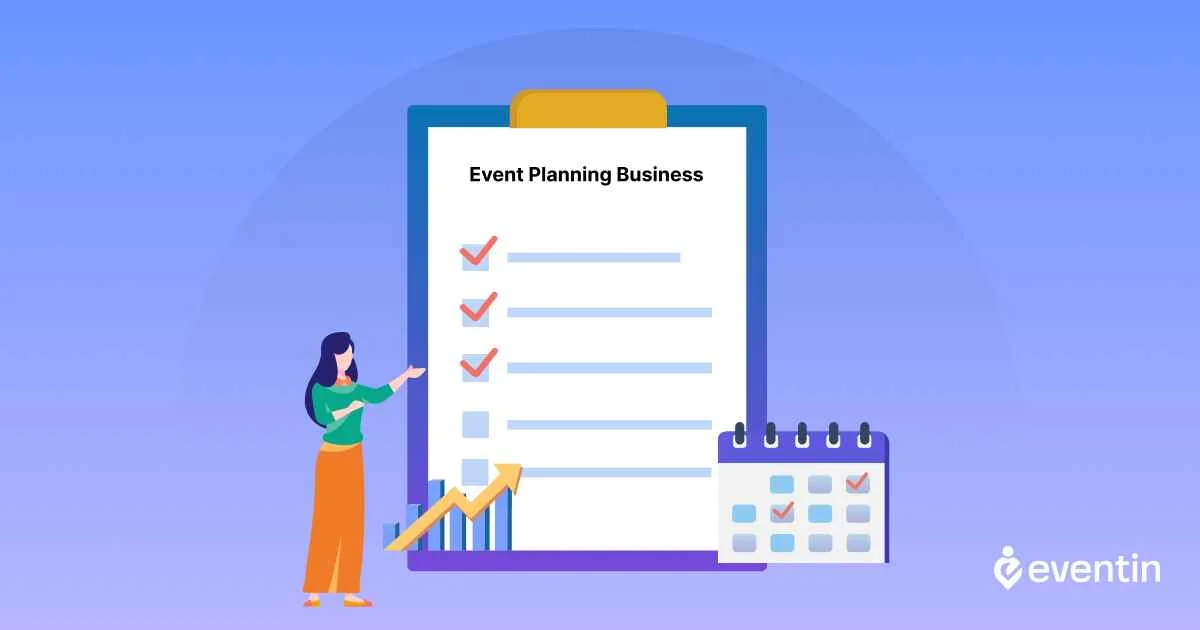
You don’t need a commercial office, but you do need a space where you can take client calls and plan without distractions. A basic setup includes a reliable computer, a strong internet connection, a headset, cloud storage, and a clean background for video meetings. Keep contracts, proposals, and invoices organized digitally so you can reach them from anywhere.
Before you take your first client, sort out the admin side of working from home:
- Permits and zoning: Some areas require a home occupation permit, and HOAs may limit business activity. Check your local rules.
- Business address: Use a virtual address or P.O. box on contracts and your website instead of your home address.
- Insurance: Standard homeowner policies often exclude business use, so ask about a home-business add-on or separate liability cover.
- Separation: Use a dedicated business phone number, bank account, and calendar so work doesn’t blur into home life.
2. Decide How You’ll Serve Clients: Local, Remote, or Hybrid

A home-based planner can work with local clients, remote clients, or both. Local clients may need venue visits, vendor meetings, rehearsals, and onsite coordination. Remote clients can usually be managed through video calls, shared documents, and online planning tools.
Most home-based planners use a hybrid approach: plan from home, and travel only when in-person support matters. For local meetings without an office, meet at the venue, the client’s location, or a bookable coworking room. Build travel time into your schedule from the start.
3. Build Your Home-Based Event Planning Tech Stack

Without a physical office, your tools and website do the work a front desk would. You’ll typically need:
- Video meeting software for consultations
- Scheduling software so clients can book calls themselves
- Project management and cloud storage for timelines and event files
- Proposal, invoicing, and e-signature tools
Treat your website as your virtual office. Make sure clients can see your services and portfolio, book a consultation, and contact you without needing to visit you anywhere. If your events involve registrations or ticket sales, an event management plugin like Eventin lets you run event pages, tickets, and attendee lists from the same site.
4. Manage Clients, Vendors, and Events Professionally
A clear digital workflow keeps everyone aligned when no one shares a room.
For clients:
Inquiry → Consultation → Proposal → Contract → Payment → Planning → Approval → Event
For vendors:
Shortlist → Quote → Client Approval → Booking → Deadline Tracking → Event-Day Coordination
Use shared calendars, cloud documents, and scheduled check-ins to keep communication clear. Strong vendor relationships also help you win work: venues, photographers, and caterers often refer clients to planners they trust.
Event Planning Niches You Can Run From Home

Many event planning niches can be managed from a home office because most planning happens through calls, emails, and digital tools.
Suitable options include:
- Wedding planning
- Corporate events
- Virtual events
- Workshops and webinars
- Private events
- Nonprofit and community events
For example, a wedding planner can manage budgets, timelines, vendors, and client communication from home while visiting venues or attending the event when required.
The best niche is one that allows most of the planning process to be handled remotely without affecting the client experience.
Here are some of the industries that gain the most from having a dedicated event management website:
1. Wedding and social event planners
Weddings, engagement parties, and milestone celebrations require precise coordination. An event website can display service packages, showcase past events, and allow couples to book consultations online.
If you specialize in weddings, explore how to create a Customized Ticket with Eventin for personalized RSVP and guest management features.
2. Corporate Event Management Companies
From annual conferences to product launches, corporate events demand professionalism and seamless organization. A website with an integrated event registration system helps businesses manage attendees, send automated reminders, and provide virtual access for remote participants.
Related read: How to Manage Multiple Events in WordPress, perfect for agencies handling simultaneous corporate functions.
3. Event Venues and Rental Spaces
Venues benefit from event websites by offering an online booking calendar, displaying capacity and amenities, and selling tickets for in-house events. Partnering with event planners via the same platform can also increase venue utilization.
Check out Choosing a Venue for an Event for tips on optimizing venue presentation.
4. Nonprofit Organizations and Charities
Nonprofits often host galas, fundraisers, and awareness campaigns. A centralized event website allows them to sell tickets, accept donations, and share event impact stories all in one place.
Learn how to attract sponsors with our guide on how to get sponsorships for an event.
5. Professional Speakers and Trainers
Keynote speakers, workshop hosts, and industry trainers can use event websites to manage speaking engagements, sell workshop tickets, and share educational resources. Integrated email tools can keep attendees engaged before and after events.
6. Community Groups and Associations
Local clubs, cultural associations, and community organizations can streamline event announcements, sign-ups, and ticketing through a central event site. This makes managing recurring activities much easier.
7. Entertainment and festival organizers
Concerts, food festivals, and art exhibitions often require large-scale ticketing and promotion. An event website can handle everything from tiered ticket pricing to visual seat plans for attendees.
When Should You Move From Home to an Office?
You do not need to move into an office just because your business is growing. Consider it only when your home setup starts limiting your operations.
You may need a separate office when your team requires a shared workspace, clients frequently request in-person meetings, you need storage for event materials, or your home environment affects productivity and privacy.
Move when the office solves a real business need and your revenue can comfortably support the additional cost.
FAQs About Starting an Event Planning Business from Home
1. Is it profitable to start an event management business from home?
Yes. With low overhead costs, flexible working hours, and the ability to target both local and virtual markets, a home-based event management business can be highly profitable. Success depends on specialization, strong client relationships, and effective use of tools like WordPress event management plugins.
2. What skills do I need to run an event management business from home?
You’ll need strong organizational skills, time management, creativity, communication abilities, and a basic understanding of budgeting and marketing. Technical skills, like using online booking and event management software, are also essential.
3. How do I get my first clients as a home-based event planner?
Start by networking in your target industry, offering introductory discounts, collaborating with vendors, and promoting your services on social media. You can also publish helpful guides and event tips to attract organic leads.
📌 Related: Best Event Promotion Strategy
4. What tools should I use for managing events from home?
Use an all-in-one event management solution like Eventin for ticketing, scheduling, attendee communication, and analytics. Complement it with marketing tools like FluentCRM or Groundhogg for client relationship management.
5. Can I run both in-person and virtual events from home?
Absolutely. With the right software, you can manage registrations, send invites, host online sessions, and coordinate in-person logistics — all from your home office.
📌 Related: How to Run a Successful Virtual Event
6. How can I price my event management services?
You can charge a flat fee, an hourly rate, or a percentage of the event budget. Many planners also offer tiered packages. Research competitor pricing and consider using tools like multi-tier ticket pricing to manage different client needs.
Wrap-up
Starting an event planning business from home requires a focused niche, clear services, reliable tools, and a consistent way to attract and manage clients. Begin with a manageable service offer, build your reputation through successful projects, and expand as your demand grows.
Once your business is ready, use our guide on how to plan an event on a budget to organize individual events more effectively.
If you need a WordPress solution for event pages, registration, ticket sales, and attendee management, explore Eventin.
Ready to run professional events with Eventin?
Create events, sell tickets, manage attendees, and run virtual or hybrid events directly from your WordPress site using Eventin.