What is an Online Food Ordering System for Restaurants


Table of Contents
An online food ordering system is the software that turns your menu into orders you can accept, prepare and track. Customers order from your website, app or a QR code, and your team manages everything from one dashboard.
For many restaurants, it also means fewer phone orders, fewer mistakes and no commission on direct orders. If your site runs on WordPress, a plugin like WPCafe adds menus, pickup and delivery, and order alerts on top of WooCommerce.
In this guide, you’ll learn how it works for customers and staff, how restaurant-owned ordering compares with delivery apps, and how to run it on WordPress.
TL;DR
- An online food ordering system lets customers browse a menu, order and pay online for pickup, delivery or dine-in.
- Restaurants can run their own system, list on a third-party marketplace, or use a hybrid of both.
- A restaurant-owned system keeps customer data and skips platform commission, but card and gateway fees still apply.
- On WordPress, WooCommerce handles checkout and payments, while a restaurant plugin such as WPCafe adds menus, time slots and order alerts.

What is an Online Food Ordering System?
An online food ordering system is software that lets customers order and pay for food through a restaurant’s website, app or QR menu. It sends each order to the restaurant’s dashboard. Staff then accept it, prepare it and hand it over for pickup, delivery or dine-in.
At its core, the system connects three sides:
- Customers – people who want to place an order online.
- Restaurants – businesses that receive and prepare the orders.
- Food delivery or pickup services – the final step that gets food to the customer.
Most systems are built to make the process smooth and error-free. They display menu items clearly, show prices, and allow customers to choose between delivery, pickup, or even scheduling orders ahead of time.
For restaurant owners, the system organizes incoming orders, sends notifications to the kitchen, tracks payments, and stores customer details for future marketing.
Here’s a closer look at how a food ordering system works, from the customer’s first click to final delivery or pickup.
Make your website your order counter
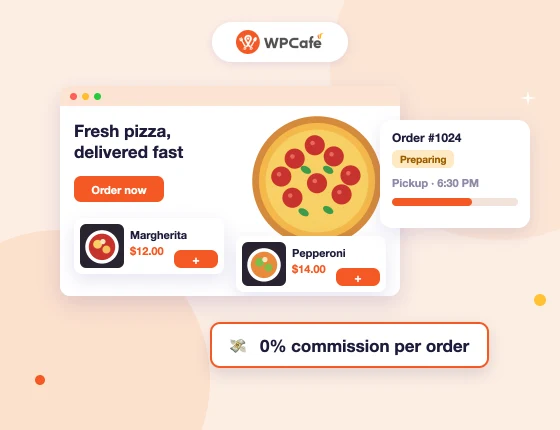
Take pickup and delivery orders with WPCafe and pay zero platform commission per order.
- 🟣 Take orders on your website
- 🟣 Offer pickup and delivery
- 🟣 Accept WooCommerce payments
- 🟣 Manage orders in one dashboard
How Does an Online Food Ordering System Work?
A restaurant online ordering system works in two halves: what the customer does on your menu, and what your team does once the order lands. Here is a brief overview of both sides.
What the Customer Does
Here are the steps a customer takes from opening your menu to getting a confirmation.
- Browse the menu. The customer opens your website, app or table QR code and sees categories, prices and photos.
- Add items and customize. They pick dishes and add-ons such as size, extra toppings or a side.
- Choose an order type and time. They select pickup, delivery or dine-in, then choose ASAP or a time slot. Good pickup and delivery scheduling stops the kitchen from getting ten orders for the same minute.
- Apply a coupon. If you run an offer, they enter the code before checkout.
- Check out and pay. They pay online through a payment gateway, or choose pay on pickup if you allow it
- Get a confirmation. The system sends an order confirmation by email or message.
What the Restaurant Does
Here is what happens on your side once the customer presses the order button.
- The order arrives with an alert. A sound, email or message tells staff a new order is waiting. Live order notifications matter most during the dinner rush.
- Staff accept and confirm it. Someone checks the order and confirms the pickup or delivery time.
- The kitchen prepares it. The order reaches the kitchen through a dashboard, a printed ticket or a screen.
- The status updates. Moving the order to “processing” or “completed” can notify the customer automatically.
- The order goes out. The customer collects it, a driver delivers it, or staff serve it at the table.
- The record stays on file. Each order is saved for sales reports, refunds and repeat-customer offers.
When both halves run in one system, you stop retyping phone orders and losing paper tickets. As a result, the kitchen works from one list instead of three.
Restaurant-Owned vs Third-Party Ordering: Which Model Fits Your Restaurant?
Most restaurants get the best results from their own system for regulars and a marketplace only for discovery. The right mix depends on how many customers already find you directly. Here is how the three models work.
| Factor | Restaurant-owned (your website) | Third-party marketplace | Hybrid |
|---|---|---|---|
| Fees per order | No platform commission; card or gateway fees still apply | Commission per order, set by the platform’s plan | Commission only on marketplace orders |
| Customer data | You keep names, emails and order history | The platform keeps most of it | Split between both |
| Branding | Your menu, design and offers | Platform layout | Both |
| Reach | Depends on your own traffic and marketing | Built-in audience | Both |
| Delivery | Your staff or a delivery partner | Platform drivers | Both |
| Promotions and loyalty | Your own coupons and rewards | Platform-run promos | Both |
| Best for | Restaurants with regulars and local traffic | New restaurants that need visibility | Restaurants growing direct orders |
Why Do Restaurants Move Orders In-House?
A direct order keeps the customer’s name, email and order history in your hands. As a result, you can send offers, run restaurant loyalty programs and bring guests back without paying a commission each time. This is what people mean by commission-free online ordering: no platform cut, but not zero cost. You still pay payment processing fees and the cost of your ordering software, so compare those against marketplace fees at your order volume.
If you plan to run your own deliveries, compare these WordPress food delivery plugins first.
How Does an Online Food Ordering System Work in WordPress and WooCommerce?
On WordPress, three pieces share the work: WordPress runs the site, WooCommerce runs the store, and a restaurant plugin adds food-specific features. WooCommerce alone can sell products, but it was built for retail, not kitchens. It has no food menu layouts, delivery time slots or kitchen order alerts out of the box. That is why most restaurants pair it with a WordPress food ordering plugin for restaurant websites.
Here is how the jobs split in a typical WooCommerce restaurant ordering setup.
| Job | Handled by | Example |
|---|---|---|
| Website and pages | WordPress | Home, about, location and menu pages |
| Menu display | Restaurant plugin | Categories, prices, add-ons, menu templates |
| Cart and checkout | WooCommerce | Mini cart, guest checkout, order totals |
| Payments | WooCommerce payment gateways | Stripe, PayPal, cash on pickup |
| Order types and scheduling | Restaurant plugin | Pickup, delivery, dine-in, time slots |
| Order alerts and status | Restaurant plugin and WooCommerce | Sound alerts, email updates, order statuses |
How Do Payments Work?
Because checkout runs through WooCommerce, you can use any payment gateway it supports, and payouts go to your own merchant account. Card processing fees still apply, and they depend on the gateway you choose. If you already sell on WooCommerce, a WooCommerce food ordering plugin adds restaurant features without moving your store.
Still deciding between WordPress and a hosted tool? Read our comparison of WooCommerce food ordering vs SaaS platforms.
How to Create an Online Food Ordering System in WordPress Using WPCafe
WPCafe is a restaurant plugin for WordPress that adds food menus, pickup and delivery, reservations and order management on top of WooCommerce. Here’s what an order looks like from the customer’s first click to your dashboard. We set this up on a demo site. For the full install and settings, see the WPCafe food ordering setup guide, or follow this tutorial to build an online food ordering website with WordPress.
Step 1: Customers Browse the Menu
The menu shows food categories, prices, photos and add-ons in one of WPCafe’s menu layouts. The free version includes 34+ menu templates, so you can match the menu to your brand without custom code. Each item can carry options such as size or extra toppings, and customers can search or filter a long menu.
Step 2: They Review the Cart
Items go into a mini cart that stays on the page, so customers can keep browsing while they order. They can change quantities, remove items and choose pickup or delivery before checkout. If you set up an order bump, the cart can suggest a drink or a side at this point.
Step 3: They Check Out and Pay
At checkout, customers confirm the order type and pick a time slot from the schedule you set. Payment runs through WooCommerce, so the gateways you already use work here too. With WPCafe Pro, you can also add tipping and a minimum order amount.
Step 4: You Manage the Order
New orders appear in your order dashboard, and WPCafe Pro can play a live sound alert so staff don’t miss them. You update the status as the kitchen works, and the customer gets email updates at each step. With Pro, you can also print kitchen tickets on a thermal printer. Newer versions add WhatsApp order alerts and a staff dashboard, so check which ones your plan includes.
If you’d like a full walkthrough, check out our detailed guide and video:
These resources will walk you through everything- from installing WordPress and WPCafe to customizing your menu and accepting live orders.
Key Features Every Restaurant Online Ordering System Should Have
A good online ordering system does more than just accept orders. It helps streamline restaurant operations, improve customer experience, and keep everything organized. Here are some features that make a system reliable and practical for both restaurant staff and customers.
- Mobile-Friendly Design: Most customers order from their phones. A mobile-responsive layout ensures the menu looks clear, buttons are easy to tap, and the checkout process works without issues on any screen size.
- Real-Time Order Management: Orders should be received instantly and visible in a dashboard or kitchen view. This helps avoid missed tickets and keeps the kitchen running on schedule.
- Payment Gateway Integration: Customers should be able to pay securely online using their preferred method—credit card, debit, digital wallet, or local options. The system should support popular gateways like Stripe, PayPal, and others.
- Pickup and Food Delivery Options: A flexible system allows restaurants to offer both pickup and delivery services. Customers choose what works best for them, and restaurants can manage these options based on staffing and location.
- Order Scheduling and Pre-Ordering: Not every order is for “as soon as possible.” Many customers want to order ahead. Scheduling features let customers choose a date and time, which helps restaurants plan and avoid rush-hour overload.
- Order Tracking: Even basic tracking (like “Preparing,” “Ready,” or “Out for delivery”) keeps customers informed and reduces phone calls. Some systems also allow live tracking if integrated with delivery software.
- Discounts and Coupons: Offering promo codes, discounts for first-time users, or limited-time offers can encourage more orders. A built-in coupon system makes it easy to manage these without needing a separate plugin.
- Multi-Location Support: For restaurants with more than one branch, a system that handles different menus, hours, and order routing per location is essential. This avoids confusion and ensures customers order from the correct place.
- Allergen and nutrition labels. Clear labels help guests with dietary needs order with confidence. They also cut down on questions at the counter and on the phone.
What are the Benefits of Using an Online Ordering System for Restaurants
Adding an online ordering system to your restaurant isn’t just about convenience. It can make a real difference in online food order management and how customers experience your service.
Here are some key benefits:
- Increased Order Volume: Online systems make it easier for more people to place orders, especially during peak hours. Without busy signals or hold times, customers can order whenever they want.
- Saves Staff Time: Fewer phone calls mean staff can focus on preparing food and serving customers. It also reduces time spent correcting order errors or reconfirming details.
- Better Customer Retention: Customers appreciate a smooth, reliable experience. A system that works well keeps them coming back, mainly when it saves their preferences or offers discounts for repeat orders.
- Streamlined Operations: Orders come in clearly and consistently, with less room for error compared to handwritten notes or phone calls. This makes the kitchen’s job easier and improves accuracy.
- Flexibility for Different Order Types: Online systems support delivery, pickup, and even contactless dine-in. This flexibility lets restaurants meet different customer needs without changing how the kitchen operates.
- Higher Order Accuracy: With the customer entering the order directly, there’s less chance of mistakes. Modifiers, notes, and extras are all captured at checkout and passed straight to the kitchen.
- Data Collection and Insights: Digital orders give you access to real customer data like what’s selling, when peak times are, who your regulars are, and more. This helps you plan menus, manage inventory, and run targeted promotions.
- Cost Savings Over Third-Party Platforms: Owning your system means you’re not paying commission fees to apps. You keep more of your earnings, especially on high-volume days.
Common Mistakes to Avoid When Choosing an Ordering System
Choosing the right online food ordering system is important, but it’s easy to overlook details that can cause problems later. Here are some common mistakes restaurants make—and how to avoid them.
- Relying Only on Third-Party Apps: Third-party platforms can help with visibility, but depending on them alone means giving up control over customer relationships, branding, and profits. Having your own system on your website gives you more flexibility and long-term value.
- Not Optimizing for Mobile: Most customers will order from their phones. If your system isn’t mobile-friendly, it can lead to abandoned orders and a poor first impression. Make sure menus, buttons, and checkout pages work smoothly on all devices.
- Ignoring Order Scheduling: Some customers want to order ahead for pickup or delivery later. Without a scheduling option, you may miss out on those orders—especially during busy hours or for larger group meals.
- Not managing item availability. If a sold-out dish still shows on your menu, customers order it and you have to cancel. That costs you the sale and some of the customer’s trust. Choose a system that lets you mark items unavailable in seconds. Because WPCafe menu items are WooCommerce products, you can use WooCommerce stock settings to mark an item out of stock.f
- Lack of Branding Control: When your system doesn’t match your restaurant’s look and feel, it can affect trust and consistency. Make sure you can customize colors, fonts, and menu styles so the ordering experience fits your brand.\
7 Expert Tips to Improve Food Ordering and Delivery
Having an online ordering system is only the starting point. To truly make it effective, you need to refine the experience for both your customers and your staff. Here are some expert tips that can help:
- Keep the Menu Simple and Clear: Avoid cluttered menus with endless variations. Group dishes into clear categories, use short descriptions, and add appetizing photos. A clean menu makes it easier for customers to decide and order quickly.
- Use Order Tracking and Notifications: Customers want to know what’s happening with their food. Real-time updates like “order received,” “in the kitchen,” and “out for delivery” create peace of mind. Even simple email or SMS confirmations improve trust.
- Improve Delivery and Pickup Efficiency: For delivery, make sure your zones and fees are realistic so customers know what to expect, and assign orders to drivers based on location to speed up fulfillment. For pickup, let customers schedule a pickup time to avoid long waiting lines, and use QR codes or order numbers to hand out food quickly and accurately.
- Respond to customer reviews promptly: Use post-order surveys or reviews to learn about customer satisfaction. If customers mention late deliveries or missing items, use that feedback to improve operations.
- Use Promotions and Loyalty Programs: Discount codes, free delivery offers, and restaurant loyalty programs encourage repeat business. WPCafe allows you to run coupons directly from your WordPress dashboard without paying third-party fees, along with loyalty programs.
- Keep Inventory Updated: Nothing frustrates a customer more than ordering an item that’s out of stock. Update your menu in real time or integrate your system with inventory management so unavailable items don’t show up.
- Test Your System Regularly: Pretend you’re the customer and place a test order every now and then. This helps you spot issues like slow load times, broken checkout steps, or unclear instructions.
Why WPCafe is the Ideal Online Ordering Plugin for WordPress
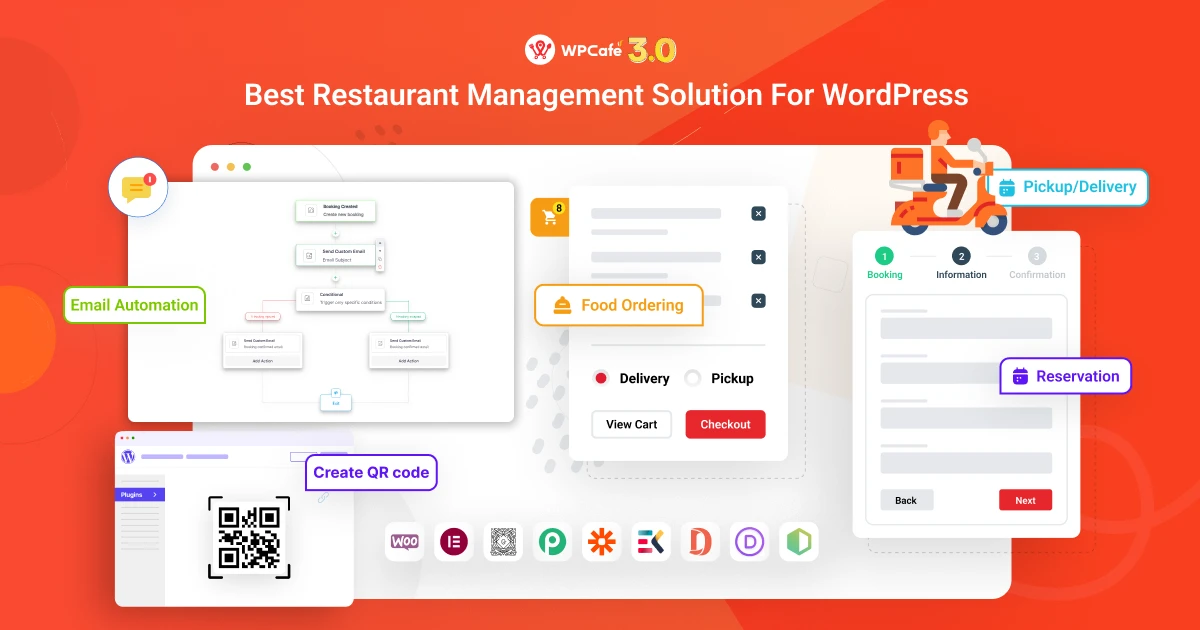
If your restaurant website runs on WordPress, WPCafe gives you everything you need to accept online orders without relying on outside platforms. WPCafe is a complete food ordering plugin for WordPress that includes menu layouts, WooCommerce integration, and a real-time order dashboard.
Here’s why WPCafe stands out:
- All-in-One Functionality: WPCafe combines multiple features into one tool—online ordering, food menus, table reservations, pickup and delivery, and order scheduling.
- WordPress-native: Built to work with WordPress and WooCommerce, so you don’t need extra tools.
- Customizable menu layouts: Add food items with images, prices, and categories, and display them in styles that match your restaurant.
- Pickup, delivery, and dine-in options: Give customers flexible ways to order and receive their food.
- Real-time order dashboard: View and manage orders instantly inside your WordPress admin panel.
- Payment flexibility: Supports all WooCommerce gateways, including PayPal, Stripe, and local methods.
- Discounts and coupons: Run promotions directly from your site without paying commissions.
- Multi-location support: Manage orders for multiple branches under one system.
- Mobile-ready: Optimized for customers who prefer to order on their phones.
- Continuous Updates and Support: WPCafe is actively developed and maintained by the ThemeWinter team. You get regular updates, new features, and reliable customer support when needed.
Unlike third-party delivery apps, WPCafe lets you grow your online presence while keeping full ownership of your business. You don’t lose money to commission fees, and you get direct access to your customers every time they order.
WPCafe vs. Other WordPress food ordering plugins
There are several food ordering plugins available for WordPress, but not all offer the same level of flexibility, support, or restaurant-specific features. Here’s a side-by-side comparison to help you see how WPCafe stands out from other popular options.
Pricing and features checked on each vendor’s website and WordPress.org listing on 16 November 2026. “Not listed” means the feature is not shown on the vendor’s public pages.
| Feature | WPCafe | RestroPress | Five Star Plugins | Orderable |
|---|---|---|---|---|
| Pricing and Licensing | ||||
| Free version | ✅ | ✅ | ✅ (7-day trial of premium) | ✅ |
| Starting paid price | $69/year (Standard, 2 sites) or $119 lifetime (1 site) | $199/year (Starter, 1 site) | €167 (Reservations Premium, 1 site) | $149/year (Pro, 1 site) |
| Maximum sites | Unlimited (Agency, $239/year) | 30 (Agency, $1,499/year) | 10 (Premium 10-site license, €397) | 1 |
| Runs on WooCommerce | ✅ | ❌ (standalone) | ❌ (PayPal or Stripe direct) | ✅ |
| Food Menu | ||||
| Food Menu Templates | ✅ Free | ✅ Free | ✅ Premium | ✅ Free |
| Live Order Notification | ✅ Pro (sound alerts) | ✅ Free (sound alerts) | ✅ Ultimate (SMS and app push) | ✅ Free (sound alerts) |
| Reservation | ||||
| Single/Multiple Slot Reservation | ✅ Free | ✅ (Professional plan and up) | ✅ (Restaurant Reservations Premium) | ❌ |
| Food Pre-Order With Reservation | ✅ Pro | Not listed | Not listed | ❌ |
| Seat Capacity and Guest Number | ✅ Free | Not listed | Table selection and assignment (Ultimate, €297/year) | ❌ |
| Branch-wise Seat Capacity and Reservation | ✅ Pro | Not listed | Not listed | ❌ |
| Online Food Ordering | ||||
| Food Ordering with QR Code | ✅ Pro | Menu QR free; table ordering needs Dine-In extension | Not listed | ✅ Pro |
| Discounts and Coupons | ✅ Pro | ✅ Coupons | ✅ Premium (discount pricing) | ✅ WooCommerce coupons |
| Order Preparation Time | ✅ Pro | ✅ Free | Not listed | ✅ Free (lead time) |
| Minimum Order Amount | ✅ Pro | ✅ Free | Not listed | Not listed |
| Payment | WooCommerce gateways (PayPal, Stripe and more) | PayPal, Stripe, Cash on Delivery free; others paid | PayPal or Stripe (Ultimate) | WooCommerce gateways |
| Food Pickup and Delivery | ||||
| Weekly Schedule | ✅ Free | ✅ (basic free; store timings in Starter) | Not listed | ✅ Free |
| Pickup and Delivery Time Slots | ✅ Free (advanced control in Pro) | ✅ Free (basic) | Not listed | ✅ Pro (date slots free) |
| Pickup and Delivery Messages | ✅ Pro | Not listed | Not listed | Out-of-hours message only (Free) |
| Google Address Autocomplete | ✅ Pro | ✅ (listed on pricing page) | Not listed | Not listed |
| Percentage and Flat Tipping | ✅ Pro | ✅ Starter plan (Tips extension) | Not listed | ✅ Pro |
| Food Mini Cart | ||||
| Quantity Picker | ✅ Free | ✅ Free | Not listed | ✅ |
| Additional Features | ||||
| Product Add-ons | ✅ | ✅ Free | Not listed | ✅ Pro |
| Loyalty Program | ✅ Pro | ✅ Professional plan (Rewards) | Not listed | Via WooCommerce Points and Rewards |
| Multi-vendor Marketplace | ✅ Pro (Dokan and WCFM) | Not listed (multi-location extension only) | Not listed | Integration mentioned in changelog |
| Advanced Search and Filtering | ✅ Free | ✅ Free | ✅ Premium | Not listed |
| Sales Report | ✅ Free | ✅ | Not listed | Not listed |
| Email Notifications | ✅ Free | ✅ Free | ✅ Premium (email templates) | ✅ Reminders free; status emails Pro |
| Integrations | ||||
| Elementor | ✅ Free (menu widgets) | Not listed | Not listed | Works via shortcode or block |
| Divi | ✅ | Not listed | Not listed | Works via shortcode or block |
| Oxygen | ✅ | Not listed | Not listed | Works via shortcode or block |
| Zapier and Pabbly | ✅ Pro | ❌ (REST API only) | Not listed | Not listed |
FAQs about the WordPress Food Ordering System
What is an online food ordering system?
An online food ordering system lets customers order food from a restaurant website, app, or digital menu. It handles menu browsing, order selection, payment, pickup, delivery, and order notifications.
How does an online food ordering system work?
Customers choose food from an online menu, customize the order, select pickup or delivery, and pay online. The restaurant receives the order and prepares it for delivery or pickup.
What is the best online food ordering system for WordPress?
WPCafe is a strong option for WordPress restaurants because it includes online food ordering, food menus, table reservations, pickup and delivery scheduling, QR code ordering, and WooCommerce payments.
Can restaurants accept online orders without using delivery apps?
Yes. Restaurants can accept direct online orders through their own website using a first-party ordering system. This helps them keep more control over customer data, branding, and order flow.
Is WooCommerce good for restaurant online ordering?
WooCommerce works well for restaurant ordering when paired with a restaurant-focused plugin like WPCafe. This setup lets restaurants manage payments, menu items, delivery, pickup, and orders inside WordPress.
What features should a restaurant online ordering system have?
A good system should include a mobile-friendly menu, cart, checkout, online payment, pickup and delivery options, order notifications, scheduling, and order management.
Do small restaurants need an online food ordering system?
Yes. Small restaurants can use online ordering to reduce phone calls, avoid order mistakes, accept more orders, and give customers a faster way to buy food.
Final Thoughts: Choosing the Right Online Food Ordering System
Online food ordering is now a core part of running a restaurant, cafe, cloud kitchen, or takeaway business. Customers expect to browse your menu, place an order, choose pickup or delivery, and pay online without making a phone call.
The best system depends on how much control you want. Third-party apps can help with exposure, but your own website gives you more control over orders, customer data, branding, payments, and repeat customers.
If your restaurant website runs on WordPress, WPCafe gives you a practical way to add food menus, online ordering, pickup and delivery scheduling, table reservations, QR code ordering, and WooCommerce payments from one place.
Ready to accept direct food orders from your own website? Try WPCafe and turn your WordPress site into a complete restaurant ordering system.
🍴 Get started with WPCafe today
The easiest way to add online ordering to your WordPress site.
Try WPCafe Now