Top 7 Food Menu Plugins for WordPress in 2026


Table of Contents
A great food menu should do more than list dishes. It should help customers find items quickly, understand prices, and order without frustration. But choosing between food menu plugins for WordPress is not easy. Some focus on menu design. Others support ordering, delivery, QR menus, or reservations.
This comparison covers seven food menu plugins for WordPress, including their strengths, limitations, pricing, and best use cases. Start with the features your website needs: menu display, online ordering, or a combination of restaurant services. Compare each plugin’s free and paid options before choosing, so you do not pay for features you will not use.
In this guide, we reviewed the top WordPress food menu plugins based on menu design, ordering support, reservation features, WooCommerce compatibility, ease of use, and pricing.
Top Food Menu Plugins at a Glance
Choosing the right WordPress food menu plugin depends on what you want to do with your restaurant website. Some plugins are best for showing a simple digital menu, while others help you manage food ordering, pickup, delivery, reservations, and WooCommerce checkout.
Here’s a quick list of the best WordPress food menu plugins so you can pick the right one faster.
| Plugin | Best For | Free Version | Online Ordering | Reservation Support | WooCommerce Support |
|---|---|---|---|---|---|
| WPCafe | Complete restaurant menu, food ordering, pickup/delivery, and reservations | Yes | Yes | Yes | Yes |
| Five Star Restaurant Menu | Simple responsive food menu display | Yes | Limited/Paid | No | Limited |
| Food Menu by Radius Theme | Flexible restaurant menu layouts and online ordering | Yes | Yes | Yes | Yes |
| MotoPress Restaurant Menu | Basic restaurant menu and online ordering | Yes | Yes | No | Optional |
| WPPizza | Pizza shops and takeaway restaurants | Yes | Yes | No | Limited |
| Restaurant for WooCommerce | WooCommerce-based food ordering websites | No/Paid | Yes | Limited | Yes |
| Food Store | WooCommerce food menus with pickup and delivery ordering | Yes | Yes | Not listed as a core feature | Required |
What Are the Top 7 Food Menu Plugins for WordPress?
The top food menu plugins for WordPress in 2026 are WPCafe, Five Star Restaurant Menu, Food Menu by RadiusTheme, Restaurant for WooCommerce, WPPizza, Restaurant Menu by MotoPress, and Food Store.
We’ll review each plugin based on its main use case, key features, ease of use, and how well it supports real restaurant needs. This will help you choose the right plugin whether you run a cafe, pizza shop, cloud kitchen, food truck, takeaway business, or full-service restaurant.
1. WPCafe
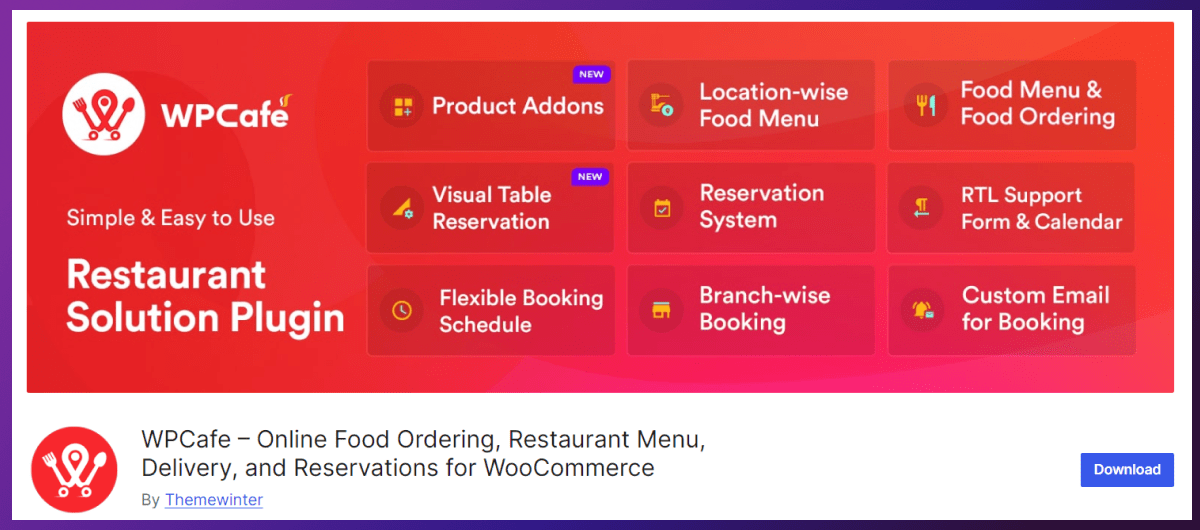
WPCafe makes food menu design easy and flexible. You can create beautiful, interactive menus that match your restaurant’s style. WPCafe is the best overall option for restaurants that want to manage menus, online orders, pickup, delivery, and table reservations from one WordPress plugin. It provides a more connected customer journey than a basic menu-display tool.
You can create responsive food menus with categories, images, prices, variations, availability settings, and more than 34 templates. WooCommerce integration lets customers add items to their cart and pay through your existing checkout system.
WPCafe also supports QR menus, scheduled orders, custom pickup and delivery slots, tipping, advanced search, multiple locations, and visual table reservations. This makes it suitable for cafés, food trucks, cloud kitchens, takeaway businesses, and restaurant chains.
Key features
- 34+ food menu templates
- WooCommerce ordering and payments
- Pickup and delivery scheduling
- QR-code food menus
- Table reservations
- Multi-location support
- Live order notifications
- Advanced search and filtering
- Tipping and invoices
- No WPCafe commission per order
Best for
WPCafe is best for restaurants that want an all-in-one food menu plugin instead of combining separate plugins for menus, ordering, delivery, and reservations.
Pros and cons
Pros
- Combines essential restaurant workflows
- Supports WooCommerce checkout
- Suitable for single and multiple locations
- Free version available
- Offers annual and lifetime plans
Cons
- More feature-rich than a display-only menu plugin
- Some advanced capabilities require WPCafe Pro
- Initial WooCommerce setup may take time
Pricing
WPCafe has a free version. As of August 30, 2026, its official pricing page displays promotional annual prices of $89 for Standard, $149 for Premium, and $299 for Agency. Lifetime plans currently start at $109. Promotional prices may change.

2. Five Star Restaurant Menu
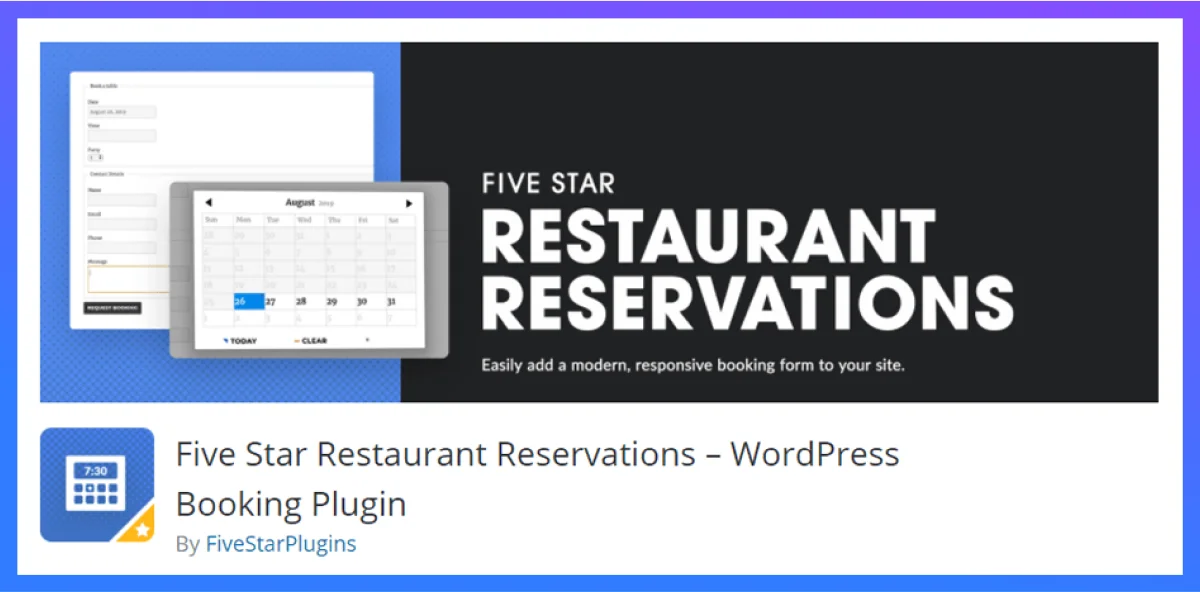
Five Star Restaurant Menu is a strong choice if you want to create an attractive and searchable WordPress food menu without adopting a complete restaurant-management platform.
You can organize dishes into menu sections and display prices, images, descriptions, dietary requirements, nutritional information, specials, and sales badges. Search, sorting, and filtering help customers find suitable dishes without manually browsing every category.
The free version covers core menu creation. Premium adds multiple layouts, custom fields, dietary icons, an ordering cart, and advanced styling. Direct payments, SMS notifications, and mobile-app access are available through the Ultimate plan.
Key features
- Responsive food menus
- Multiple prices per item
- Search, sorting, and filtering
- Dietary and ethical icons
- Nutritional custom fields
- Gutenberg blocks and patterns
- Special and discount pricing
- Multiple menu layouts
- Optional ordering cart
- PayPal and Stripe payments with Ultimate
Best for
Five Star Restaurant Menu is best for cafés, bars, bistros, and restaurants that value flexible menu presentation, dietary information, and customer-friendly filtering.
Pros and cons
Pros
- Easy menu-building experience
- Strong dietary-information support
- Flexible layouts and styling
- Free version available
- Ordering can be added through paid plans
Cons
- Advanced layouts require Premium
- Payments and SMS notifications require Ultimate
- Does not replace a complete reservation and delivery platform
Pricing
Five Star Restaurant Menu has a free version. As of August 30, 2026, its official USD pricing lists the one-site Premium license at a promotional price of $67, reduced from $97. Ultimate costs $297 per year, reduced from $397 per year.
📚 Related reading: 50 Restaurant Survey Questions for Better Customer Feedback 👉 Read more
3. Food Menu by RadiusTheme
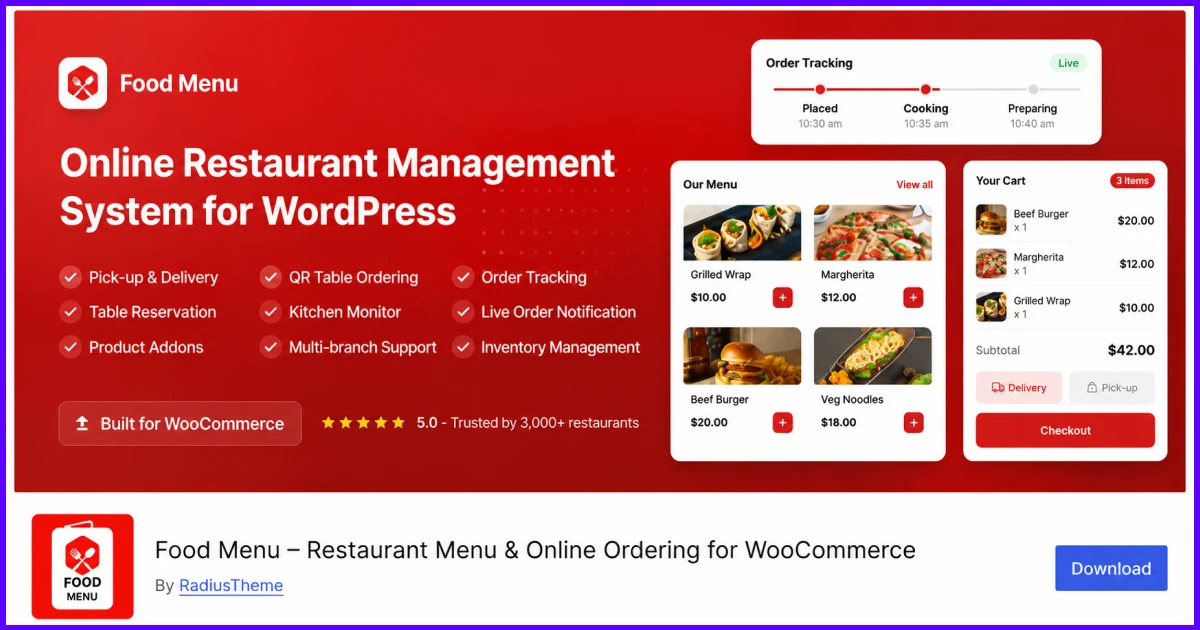
Food Menu by RadiusTheme is a flexible food menu WordPress plugin for restaurants that want to start with a visual menu and add WooCommerce ordering later.
You can create menus using a dedicated food post type without WooCommerce. If you need online ordering, you can connect menu items to WooCommerce for cart, checkout, payment, inventory, pickup, and delivery.
The plugin provides grid, list, slider, masonry, and category-filtered layouts. Food Menu Pro adds WooCommerce ordering, product add-ons, pickup and delivery scheduling, QR table ordering, visual table reservations, live order management, and advanced inventory tools.
Key features
- Works with or without WooCommerce
- Grid, list, slider, and masonry layouts
- Menu-category filtering
- Multiple data sources
- WooCommerce ordering
- Table reservations
- Pickup and delivery scheduling
- QR-code table ordering
- Product add-ons
- Live order and inventory management
Best for
Food Menu by RadiusTheme is best for restaurants that need flexible menu layouts now and want the option to introduce ordering, reservations, pickup, or delivery later.
Pros and cons
Pros
- Works as a standalone menu
- Optional WooCommerce integration
- Free and premium versions
- Strong layout flexibility
- Affordable Pro entry plan
Cons
- Advanced operations require Pro
- WooCommerce is required for checkout
- Extensive settings may require additional configuration
Pricing
A free version is available on WordPress.org. As of August 30, 2026, Food Menu Pro costs $49 per year for one website and currently renews at $47. A one-site lifetime license is displayed at $143, excluding applicable tax or VAT.
4. Restaurant for WooCommerce
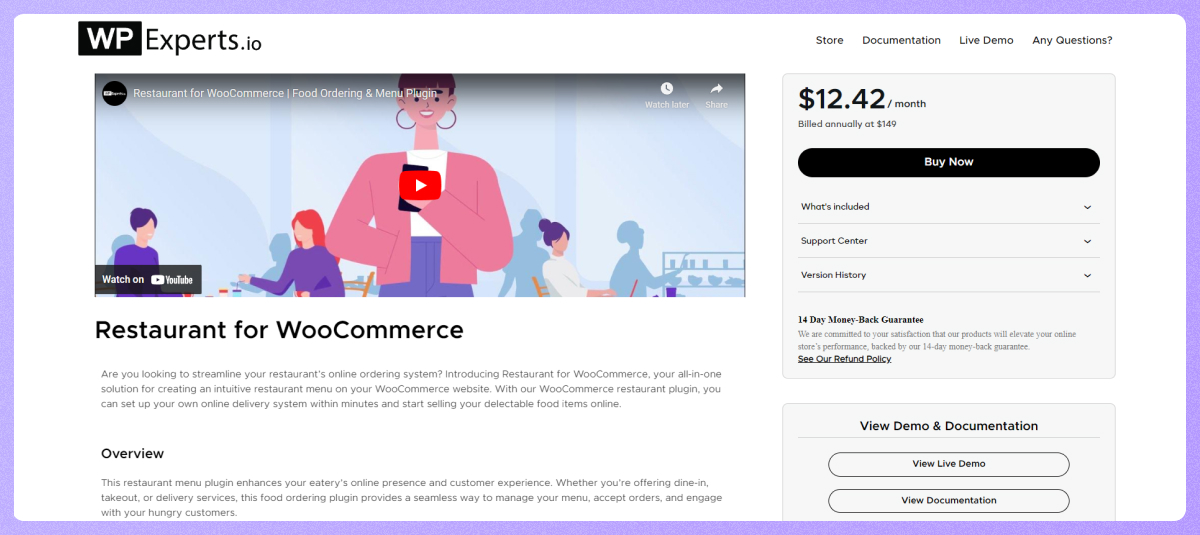
Restaurant for WooCommerce is designed for restaurants that already use WooCommerce and want to convert their shop into an organized food menu and ordering system.
The plugin uses your existing WooCommerce product names, images, descriptions, prices, inventory, cart, checkout, and payment methods. This reduces duplicate work because you do not need to create a separate product database for your menu.
Customers can customize dishes with modifiers, use an interactive mini cart, and choose delivery, takeaway, or dine-in options. The plugin also supports QR table ordering, delivery time slots, tips, minimum-order requirements, reservations, multiple locations, and performance dashboards.
Key features
- WooCommerce-based food menus
- Product modifiers and add-ons
- Interactive mini cart
- Multiple delivery options
- Takeaway and dine-in services
- Table reservations
- QR-code table ordering
- Delivery time slots
- Multiple restaurant locations
- Performance dashboards
Best for
Restaurant for WooCommerce is best for businesses that already manage products and payments through WooCommerce and need restaurant-specific ordering features.
Pros and cons
Pros
- Reuses existing WooCommerce products
- Supports delivery, takeaway, and dine-in
- Includes QR table ordering
- Provides modifiers and add-ons
- Supports location-specific menus
Cons
- Requires WooCommerce
- More complex than a static menu tool
- No free Marketplace version
- Reservation features are less specialized than a dedicated booking platform
Pricing
Restaurant for WooCommerce is a premium extension. Its US storefront lists the one-year plan at $149. WooCommerce may display an equivalent amount in the visitor’s local currency. A discounted two-year billing option is also available.
📚 Related reading: The 5 Biggest Restaurant Website Mistakes That Kill Your Online Orders (With Easy Fixes) 👉 Read more
5. WPPizza
WPPizza is best for pizza shops and takeaway businesses that want to display menus and accept orders without relying on WooCommerce. Despite its name, the plugin can be adapted for other food businesses.
You can create categories, add item descriptions, and offer multiple sizes or prices for each dish. The core plugin supports responsive layouts, cash-on-delivery orders, daily opening hours, new-order notifications, tips, discounts, tax rates, and order reports.
Additional features—including ingredients, delivery areas, pickup pricing, preorders, card payments, timed menus, loyalty rewards, and stock management—are available as separate extensions.
Key features
- Multiple sizes and prices
- Menu categories and descriptions
- Responsive and grid layouts
- Cash-on-delivery orders
- Daily opening hours
- Tips and discounts
- Multiple tax rates
- Order notifications and reports
- Multilingual support
- Optional delivery and payment extensions
Best for
WPPizza is best for pizza shops, takeaway restaurants, and delivery businesses that want a standalone WordPress menu and ordering system.
Pros and cons
Pros
- Free core plugin
- Does not require WooCommerce
- Supports multiple sizes and prices
- Suitable for delivery businesses
- Large extension library
Cons
- Online payment gateways may cost extra
- Many advanced functions require extensions
- Combining several extensions can increase complexity and cost
Pricing
The core WPPizza plugin is free. Advanced features and payment gateways are priced as individual extensions, so there is no single WPPizza Pro price. The total cost depends on the features, currency, and number of website licenses selected.
📚 Related reading: Dine-In to Delivery: Taking Your Restaurant Online with WordPress 👉 Read more
6. Restaurant Menu by MotoPress
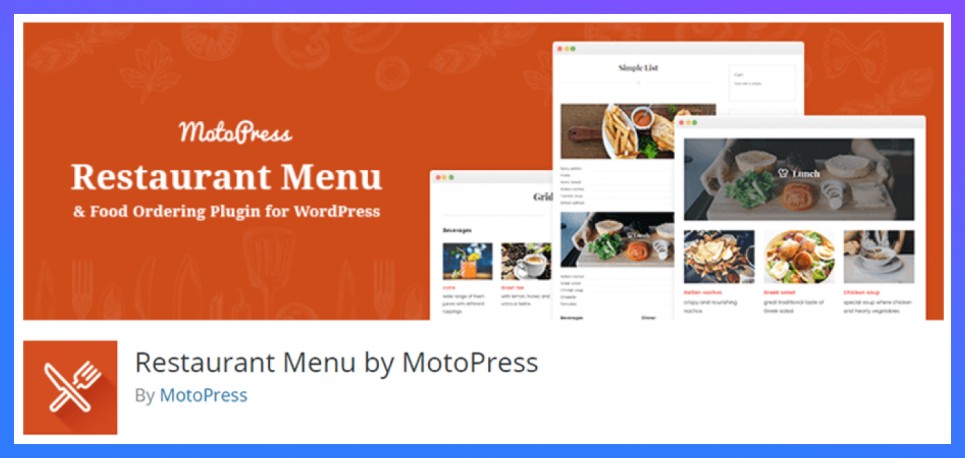
Restaurant Menu by MotoPress is a free option for creating categorized food menus and accepting basic online orders. It is suitable when you want more detail than a simple price list but do not need a large restaurant-management system.
You can display images, ingredients, nutritional information, portion sizes, descriptions, and prices in responsive grid or list layouts. The plugin also creates pages for individual menu items, categories, and tags.
Customers can order using PayPal or cash on delivery, while optional extensions add toppings, enhanced cart functionality, and food delivery.
Key features
- Unlimited menu items
- Categories and tags
- Grid and list layouts
- Ingredients and nutrition details
- Multiple portion sizes
- Individual item pages
- PayPal and cash-on-delivery payments
- Customer order statuses
- Confirmation emails
- Optional toppings and delivery extensions
Best for
Restaurant Menu by MotoPress is best for small restaurants, cafés, bakeries, and pizzerias that need a free menu and basic ordering system.
Pros and cons
Pros
- Core plugin is free
- Supports basic online ordering
- Detailed food-item presentation
- Responsive layouts
- Expandable through optional extensions
Cons
- Delivery requires an additional extension
- Toppings require a paid extension
- Less suitable for multi-location operations
- Limited advanced reservation management
Pricing
Restaurant Menu by MotoPress is free. Its Restaurant Menu Cart extension is also free. Optional extensions are sold separately; for example, the Restaurant Menu Toppings extension currently costs $49 for one website.
7. Food Store
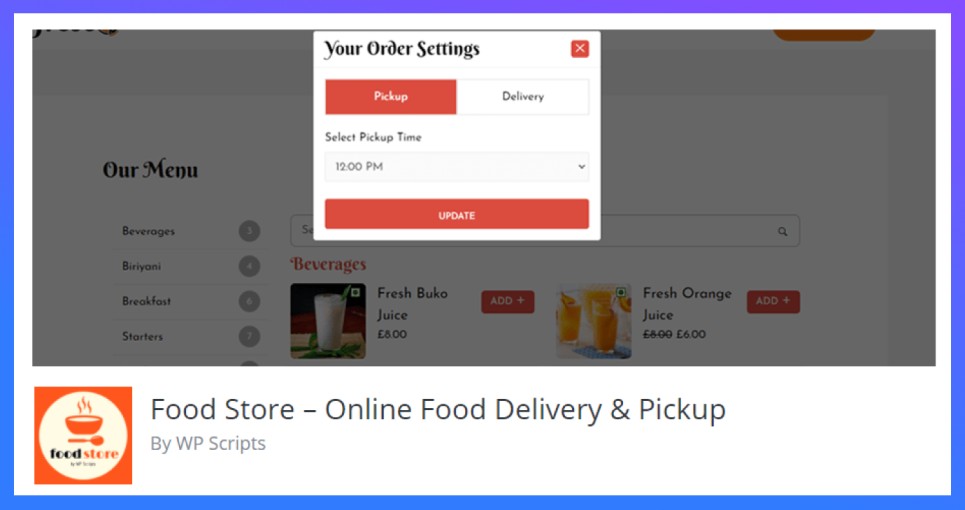
Food Store is a lightweight food menu plugin for restaurants that want to add pickup and delivery ordering to an existing WooCommerce website.
The plugin uses WooCommerce products, categories, cart, checkout, payment gateways, taxes, and order management. You can add its restaurant ordering interface to a page using a shortcode and continue managing dishes through the familiar WooCommerce dashboard.
Customers can browse categories, search for dishes, choose variable items and add-ons, select pickup or delivery, and complete checkout. Optional extensions provide store hours, preorders, tips, time-based menus, WhatsApp carts, mandatory add-ons, and location-based delivery rates.
Key features
- WooCommerce-based food menu
- Pickup and delivery options
- AJAX ordering interface
- Category filtering and search
- Variable item support
- Food-item add-ons
- Mobile-responsive design
- Shortcode placement
- WooCommerce payment gateways
- Optional scheduling and tipping extensions
Best for
Food Store is best for small restaurants and takeaway businesses that already use WooCommerce and need a lightweight ordering interface.
Pros and cons
Pros
- Free core plugin
- Familiar WooCommerce workflow
- Supports pickup and delivery
- Lightweight and mobile responsive
- Expandable through optional add-ons
Cons
- Requires WooCommerce
- Scheduling and tips require extensions
- Limited reservation functionality
- Add-on costs can increase with feature requirements
Pricing
Food Store’s core plugin is free on WordPress.org. Essentials, Store & Service Hours, WhatsApp Cart, Time-Based Menu, Tips, and location-based delivery rates are sold separately. Prices are displayed dynamically through Freemius and may vary by license and billing option.
📚 Related reading: Most Effective Email Templates for Restaurant Marketing 👉 Read more
How Do You Choose the Best Food Menu Plugin for WordPress?
The best WordPress food menu plugin depends on your restaurant’s size, menu complexity, and ordering needs. Choose WPCafe for an all-in-one restaurant system, Five Star Restaurant Menu for large and detailed menus, WPPizza for pizza delivery, or Food Store for a simple WooCommerce-based setup.
Here’s a breakdown to help you choose wisely:
WPCafe — Best all-in-one restaurant plugin
If you want everything under one roof, WPCafe is the clear winner. It lets you design beautiful food menus, manage online orders, set up table reservations, and even run multiple branches — all within your WordPress dashboard.
You get 34+ food menu layouts, daily specials, QR code menus, and live order notifications. Everything is customizable with Elementor or Gutenberg, so your food menu always looks on brand.
Perfect for: Restaurants and cafés that want a modern, professional, and complete setup.
Five Star Restaurant Menu — Best for large menus
Got a big or detailed menu? Five Star Restaurant Menu keeps it organized with multiple categories, icons, and review options. It even supports custom item add-ons and easy order tracking for customers.
Perfect for: Businesses with many dishes or categories that need clean structure and filtering.
WPPizza — Perfect for pizza shops
Built with pizzerias in mind, this plugin focuses on fast setup and smooth ordering. You can show item variations, handle tips, apply discounts, and accept payments through PayPal, Stripe, or COD.
Perfect for: Pizza or niche food businesses that want quick checkout and simple control.
Food Store — Best for minimal menus
Food Store is simple, clean, and mobile-ready. It integrates with WooCommerce, supports pickup and delivery, and even offers a WhatsApp ordering add-on for instant communication.
Perfect for: Small cafés and takeaways that want a lightweight plugin with flexible delivery features
Our Final Recommendation
Choosing the right food menu plugin can make a big difference in how your restaurant looks online and how easily people can order from you. A basic plugin helps you show your dishes, but a great one gives your site a clean design, smooth ordering flow, and that professional touch customers love.
Among all the options, WPCafe stands out for its design flexibility and complete restaurant features. You can build menus, manage reservations, take orders, and even run multiple locations; all inside one plugin.
Before choosing, try your shortlisted plugin’s demo on mobile and check which features require a paid plan or add-on. Compare the total cost and setup requirements against your restaurant’s needs. If WPCafe is on your shortlist, explore its restaurant menu features to see whether it fits your website.
FAQ
What is the best food menu plugin for WordPress?
WPCafe is the best overall food menu plugin for WordPress if you need menu display, online ordering, pickup, delivery, reservations, and WooCommerce checkout in one plugin.
Can I add a restaurant menu to WordPress without coding?
Yes. A food menu plugin lets you add food items, prices, images, categories, and menu layouts to WordPress without writing code.
Which WordPress food menu plugin works with WooCommerce?
WPCafe and Food Menu by RadiusTheme support WooCommerce-based restaurant ordering. WPCafe is stronger if you also need reservations, delivery, and full restaurant management.
Can I take online food orders from a WordPress menu?
Yes. Plugins like WPCafe let customers browse your food menu, add items to cart, and place orders through your WordPress website.
Do food menu plugins work on mobile?
Most modern WordPress food menu plugins support responsive layouts. You should still test the menu on mobile because many restaurant customers order from phones.
What is the difference between a food menu plugin and a food ordering plugin?
A food menu plugin mainly displays dishes, prices, and categories. A food ordering plugin lets customers place orders, choose pickup or delivery, and complete checkout.
Is WPCafe only a menu plugin?
No. WPCafe works as a food menu, online ordering, pickup/delivery, table reservation, and WooCommerce restaurant management plugin for WordPress.