How to Run a Multivendor Event Marketplace with Eventin and Dokan


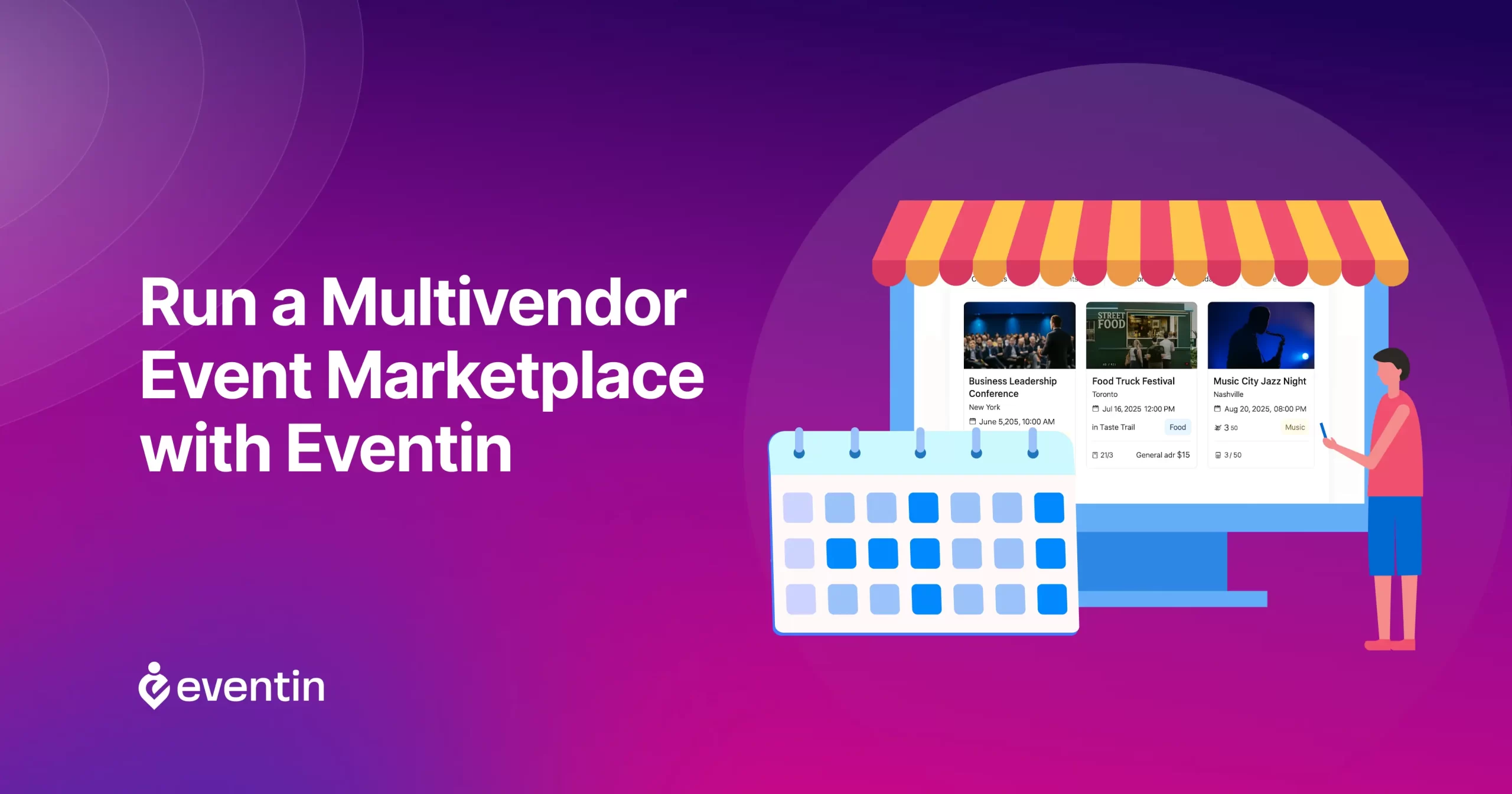
Table of Contents
Managing events across multiple organizers gets messy fast. Most SaaS platforms charge per-ticket commissions and limit how much control you have. As your events grow, your costs grow too.
A multivendor event marketplace WordPress website solves this. It lets multiple organizers create and sell events while you manage everything from one place without losing revenue to platform fees.
Tools like Eventin and Dokan make it easier to manage this kind of multivendor event marketplace management without hiring a whole tech team.
In this guide, we will provide a detailed overview of how to build your own multivendor event marketplace with Eventin and Dokan, so you can manage vendors, tickets, and payments with full control.
Let’s get started.
Manage Events Like a Pro
Try the easiest way to create, manage, and promote events with Eventin.
- 🟣 AI event generation
- 🟣 Ticket & Certificate builder
- 🟣 Secure ticket sales
- 🟣 Event analytics & report
Quick Overview
This guide shows you how to build a multivendor event marketplace WordPress website where multiple organizers can create events, sell tickets, and manage attendees from one platform.
Inside this article, you’ll learn:
- What a multivendor event marketplace is and how it works in WordPress
- Why multivendor marketplaces are booming for events
- How to set up a multivendor event marketplace in WordPress
- Why Eventin is ideal for multivendor event marketplaces
- Benefits of using Eventin for vendors
- Benefits of using Eventin for event marketplace owners
- Popular event types you can host with Eventin in a multivendor setup
- Tips to run a successful multivendor event platform
- Tips to increase conversions for your multivendor event marketplace
What Is a Multivendor Event Marketplace?
A multivendor event marketplace is a platform where multiple event organizers can create, manage, and sell events under one website. Each organizer has their own dashboard, while the site owner controls the platform and can earn from ticket sales or commissions.
In simple terms, it works like an event marketplace platform, where:
- Organizers list events
- Attendees browse and book tickets
- The platform owner manages everything
Using WordPress, you can build this system with a WordPress event marketplace plugin setup using tools like WooCommerce, Dokan, and Eventin. This approach gives you full control over your platform, unlike SaaS tools, where you depend on external systems.
Why multivendor marketplaces are booming for events (and SaaS limitations)
More people are hosting their own events today, including trainers, teachers, community leaders, and small businesses. But not everyone has the time or skills to build and manage a full event website from scratch.
Many turn to SaaS event platforms to get started quickly. While these tools are easy to use, they often come with limits. You may have to pay per-ticket commissions, follow platform rules, and give up control over your data, branding, and pricing.
That’s where a multivendor event marketplace WordPress setup becomes a better option. It allows multiple organizers to list and manage their events on one platform while you stay in full control.
This setup is effective for several reasons.
- First, it spreads the workaround. Instead of one person managing everything, each vendor is responsible for their own events. That makes it easier to grow the platform without needing to do everything yourself.
- Second, it gives people more options. One site can offer classes, workshops, concerts, and other events, all of which are organized by different groups. It’s a great way to attract more visitors and provide them with something they’ll want to return for.
- Finally, it can be a way for the site owner to earn a bit from each ticket sold, while vendors get a space to promote their events without needing to build a whole site of their own.

How to set up a multivendor event marketplace in WordPress
You can set up a multivendor event marketplace in WordPress using the Eventin event management plugin without any complex process. If you’re ready to get started, we have a complete walkthrough that covers everything from installing the right plugins to enabling vendor access and configuring ticket settings.
👉 You can find the complete step-by-step instructions here:
How to Build a Multivendor Event Marketplace
This guide includes all the technical steps, plugin requirements, and screenshots to help you transition from a basic WordPress installation to a fully functional event platform.
If you prefer video, then check this complete walkthrough.
Why Eventin is ideal for multivendor event marketplaces
If you’re considering running a multivendor event site, Eventin makes many things easier. It integrates with Dokan multivendor, a plugin that enables you to set up a marketplace where vendors can have their own dashboards. With Eventin and Dokan Lite working together, each vendor can create and manage their events right from their panel.
Once vendors are signed up, they can start adding events. They can include event details like the title, location, time, and ticket information. Everything happens from one place, so vendors don’t need to switch between different tools.
This setup helps site administrators stay organized. They can view all events in one place, manage who can post, and even decide whether events require approval before going live. Whether the event is in-person or online, Eventin provides sufficient flexibility to support both.
Ready to Build Your Own Multivendor Event Marketplace?
Eventin gives you the core tools to create, manage, and sell events from your WordPress website. With Dokan support, vendor event listings, ticket selling, and full marketplace control become easier to manage from one place.
If you want to launch a multivendor event marketplace in WordPress without relying on third-party platforms, Eventin is a strong place to start.
Benefits of using Eventin for vendors
When you’re running a multivendor event management marketplace, your vendors need to feel confident. They should be able to create events, manage tickets, and track everything without needing assistance.
Here’s what vendors get:
Easy-to-use event builder
Most vendors aren’t tech experts; they just want a simple way to add their events. Eventin makes that easy.
Vendors simply go to their dashboard, click “Add New Event,” and fill out the details, such as the event name, event schedules, venue, and ticket price. They can also include a short description, add a banner image, and set up the event schedule if it spans multiple sessions.
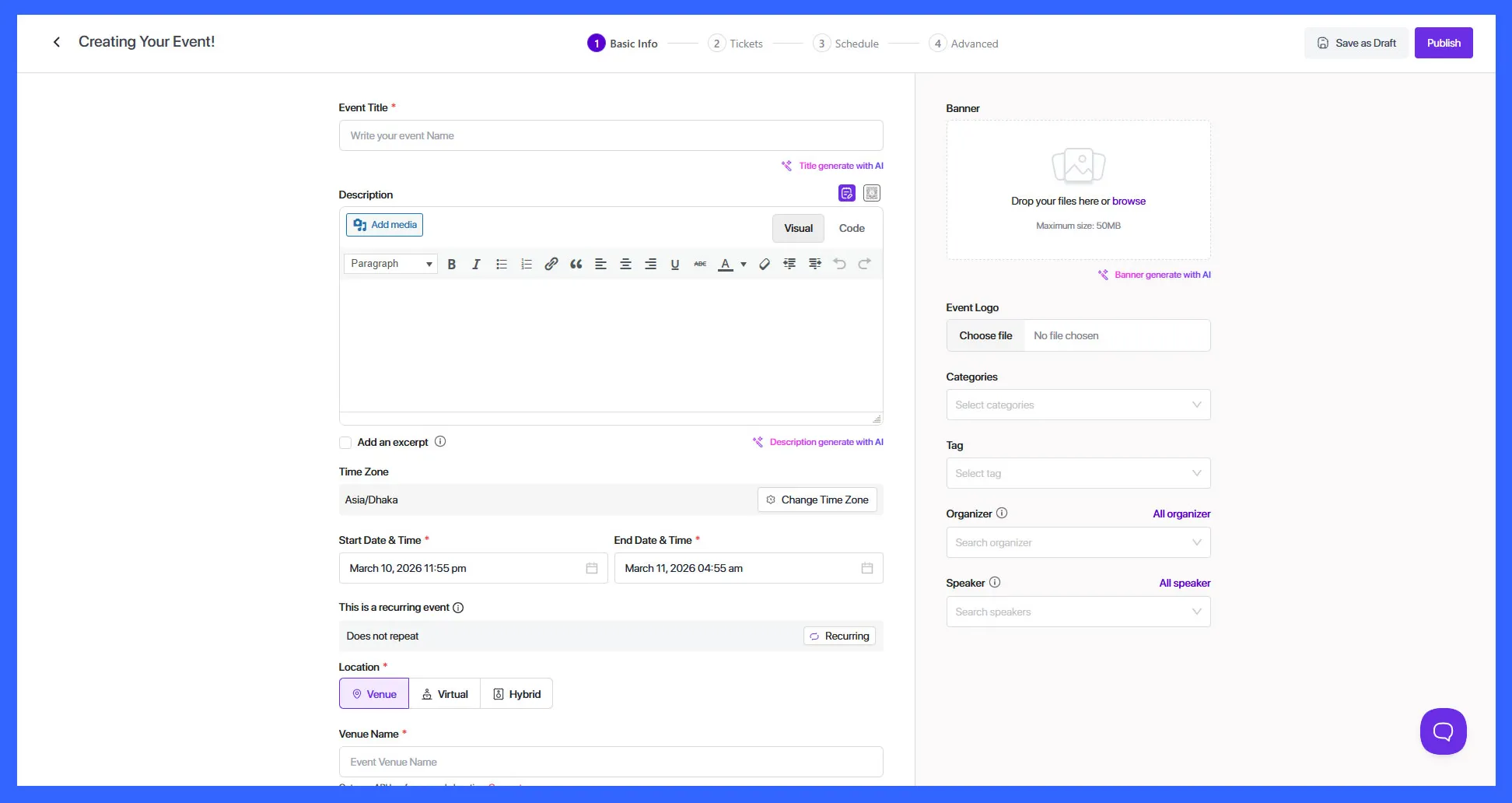
If it’s a recurring event, such as a weekly class or monthly meetup, you can also set it up. The form is laid out clearly, so vendors don’t have to guess where to place their information. It’s all done in a few steps, and once it’s saved, the event goes live or waits for approval, depending on how the site is set up.
This way, individual vendors who aren’t very familiar with WordPress or event tools can still manage their event listings without getting stuck and easily manage multiple types of events.
Event creation with schedules, speakers, and recurring support
When vendors create events, they can do more than just list a date and time. If the event has multiple sessions, such as a workshop with different topics spread across the day, attendees can add a detailed schedule so they know what to expect and when.
There’s also a section to list speakers or hosts. Vendors can include names, photos, and short bios, which helps build trust with potential attendees.
Manage multi-tiered tickets and pricing
Eventin allows vendors to create different ticket types for the same event, like “VIP” and “Normal,” each with its own price, quantity, and availability dates. This enables vendors to offer flexible pricing options based on access levels, seating arrangements, or additional perks.
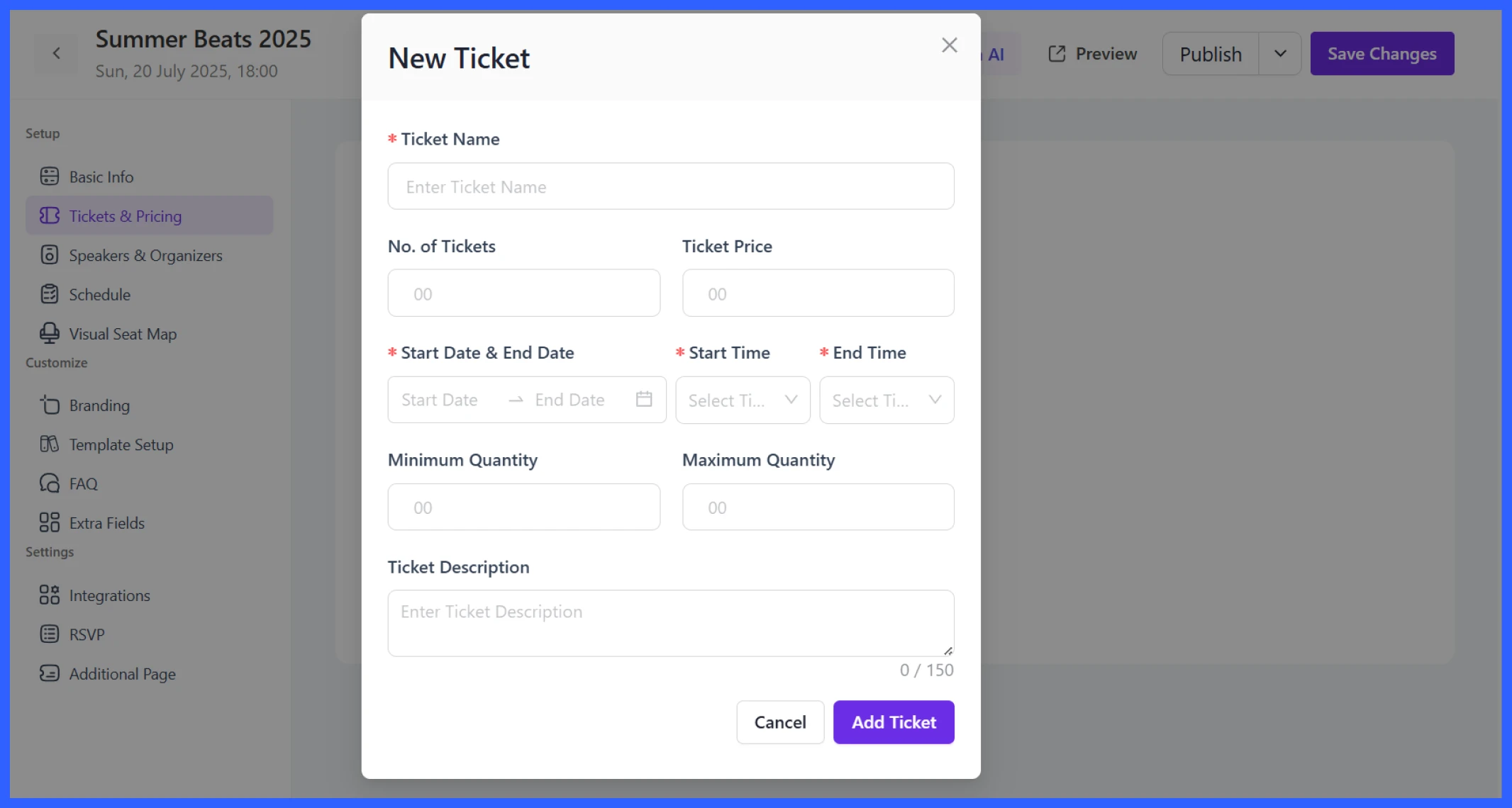
When adding a ticket, vendors fill in details such as the ticket name, total quantity, price, and start and end times for when sales should be active. They can also set minimum or maximum purchase limits and add a short description to explain what’s included.
This setup makes it easy to manage early bird offers, limited-access sessions, or premium seating, all without needing extra plugins or tools. Everything is handled right from the vendor dashboard.
Manage attendees
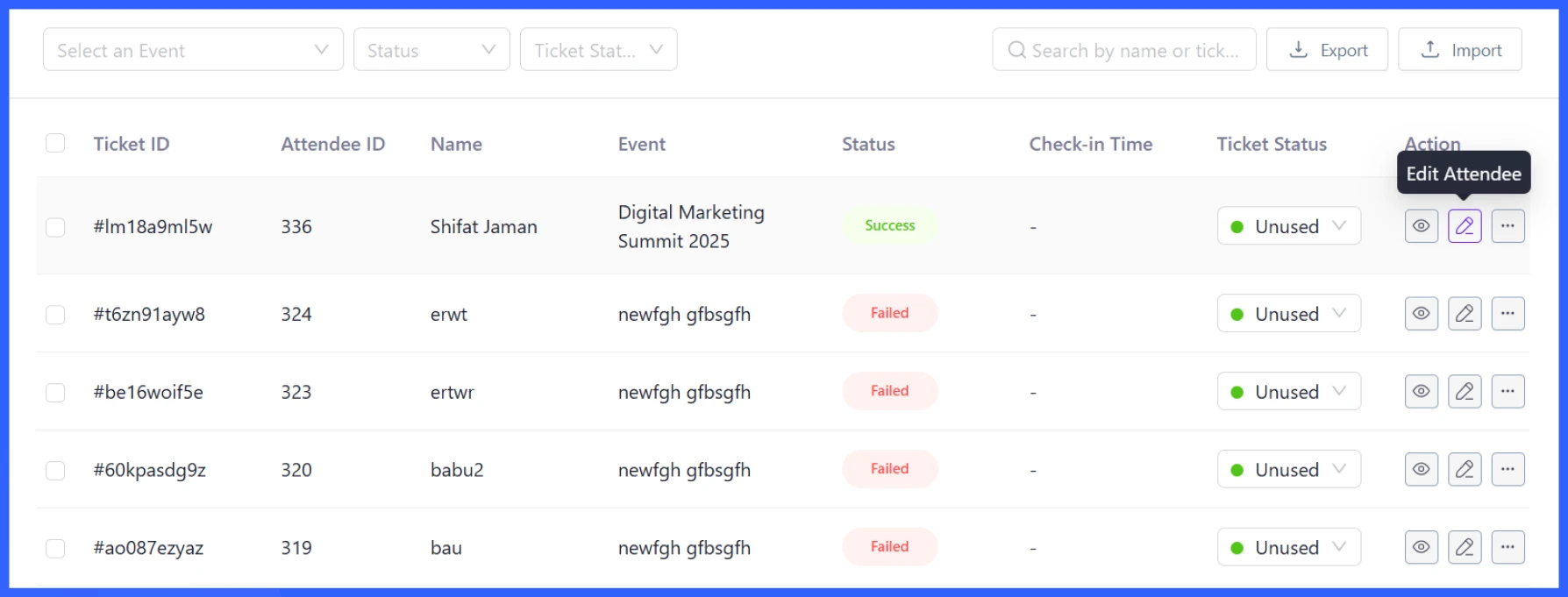
Eventin gives vendors a simple way to create attendee registration with a ticketing system and keep track of who’s attending their events. When someone registers or buys a ticket, their information is added to the vendor’s attendee list.
Vendors can view attendee names, contact details, and ticket types and edit or remove entries as needed. This is especially helpful for in-person events, where having an accurate headcount makes planning easier.
The attendee list can also be imported or exported, which is helpful for check-in at the event. It eliminates the need to switch between tools or maintain separate spreadsheets.
For events that don’t involve ticket sales, vendors can enable the RSVP option. This allows attendees to indicate whether they’re going, not going, or maybe.
Vendors can customize how this works, such as showing the attendee list publicly, limiting the number of people who can RSVP, or restricting access to logged-in users. It’s a flexible alternative for free or informal events where you still want to manage attendance.
Offer virtual or in-person events
Not all events happen in a physical space. Some are fully online, and others might be hybrid. Eventin supports both options, allowing vendors to choose the one that best suits their needs.
If it’s an in-person gathering, they can add the venue address, which appears on the event page, along with a map. For online events, participants can be directly linked to a Zoom or Google Meet session (the Admin must integrate these) or use a custom meeting link.
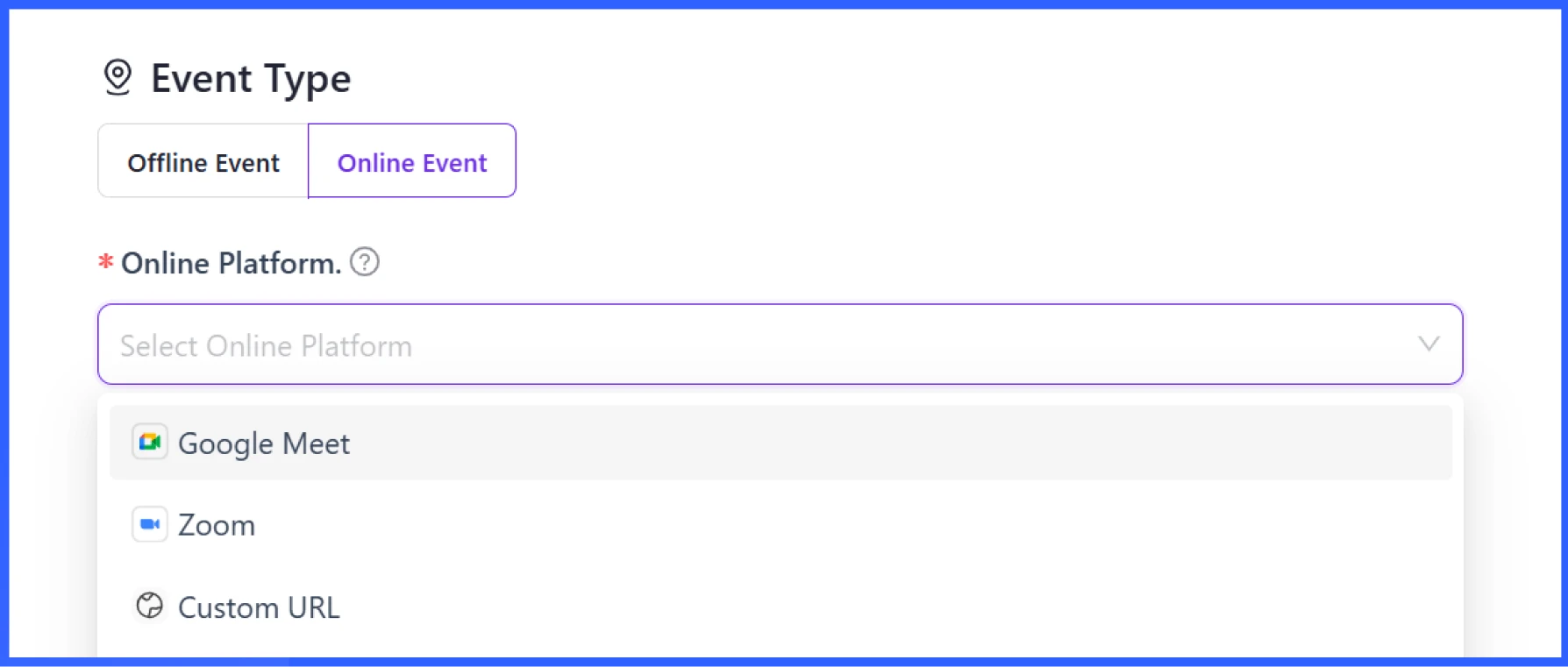
This flexibility is beneficial for vendors that operate a mix of both on-site and off-site services. Some may host local meetups, while others might offer live webinars or classes to a broader audience. Either way, the setup process is the same, so switching between formats doesn’t add extra work.
QR code check-in system
Each ticket sold through Eventin includes a unique QR code. Vendors can use these codes to check people in at the event, either by scanning them with a phone or using a simple scanner setup.
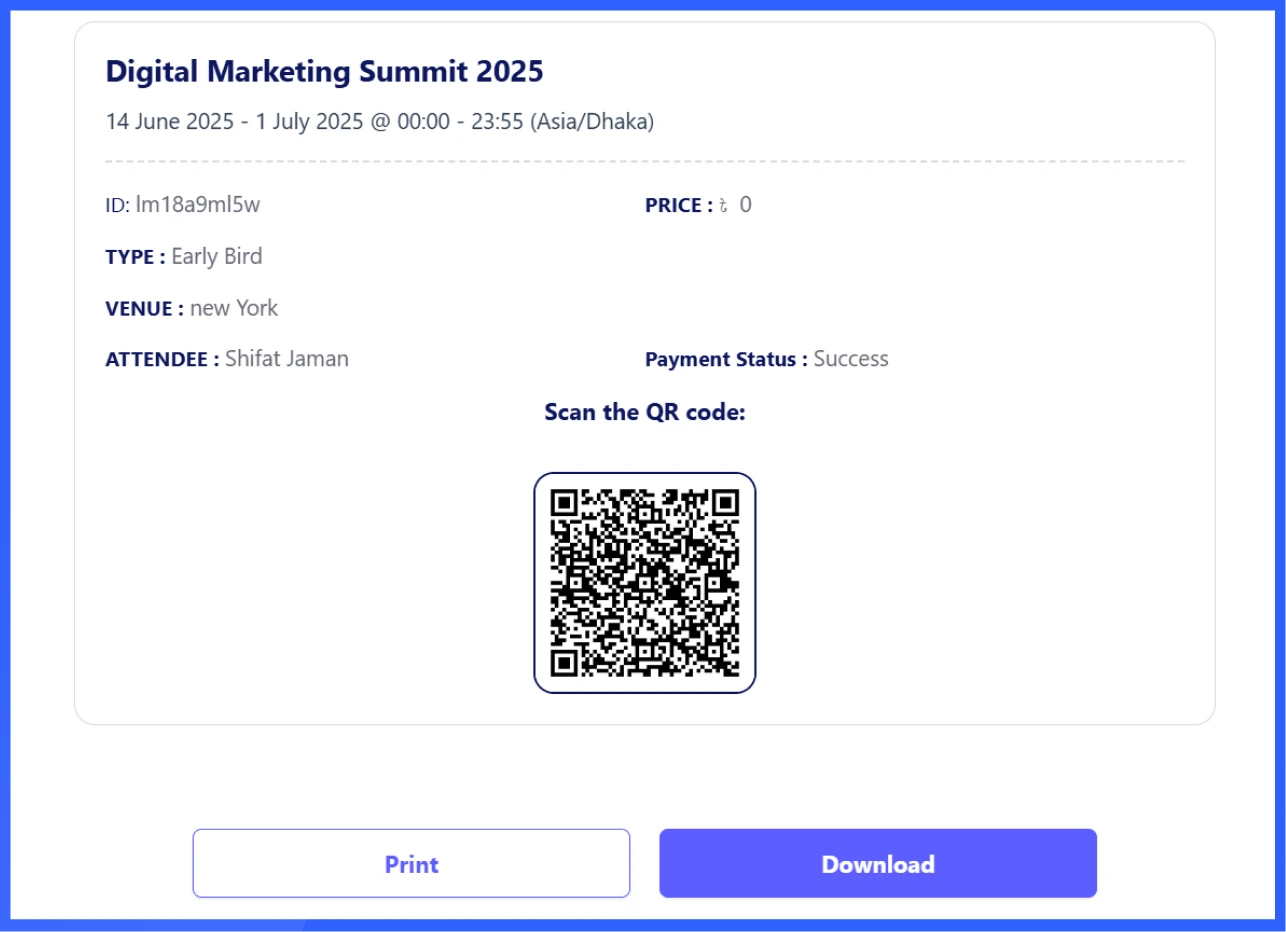
This helps speed up the entry process and reduces the chance of errors or duplicate entries. It’s beneficial for larger events, where manually managing the guest list would be too time-consuming. The check-in system updates in real-time, allowing vendors to see who has arrived and when.
Custom store branding for each vendor
Eventin allows each vendor to personalise their event branding through their dashboard. In the Branding tab, vendors can upload a custom event logo and banner to match their event’s style or theme. These visuals show up on their event pages and help attendees recognize their brand.
While it’s not full store branding like in traditional marketplaces, these branding options still give vendors a way to make their event listings look and feel unique.
Sales analytics and withdrawal requests
Vendors can view the performance of their events through simple reports in their dashboards. They can track how many tickets were sold, how much money was earned, and which events are performing best.
Once a vendor earns money from ticket sales, they can request a withdrawal directly from their dashboard. Dokan supports PayPal payouts, allowing vendors to receive their earnings easily. As the admin, you can review and approve withdrawal requests before payment is processed.
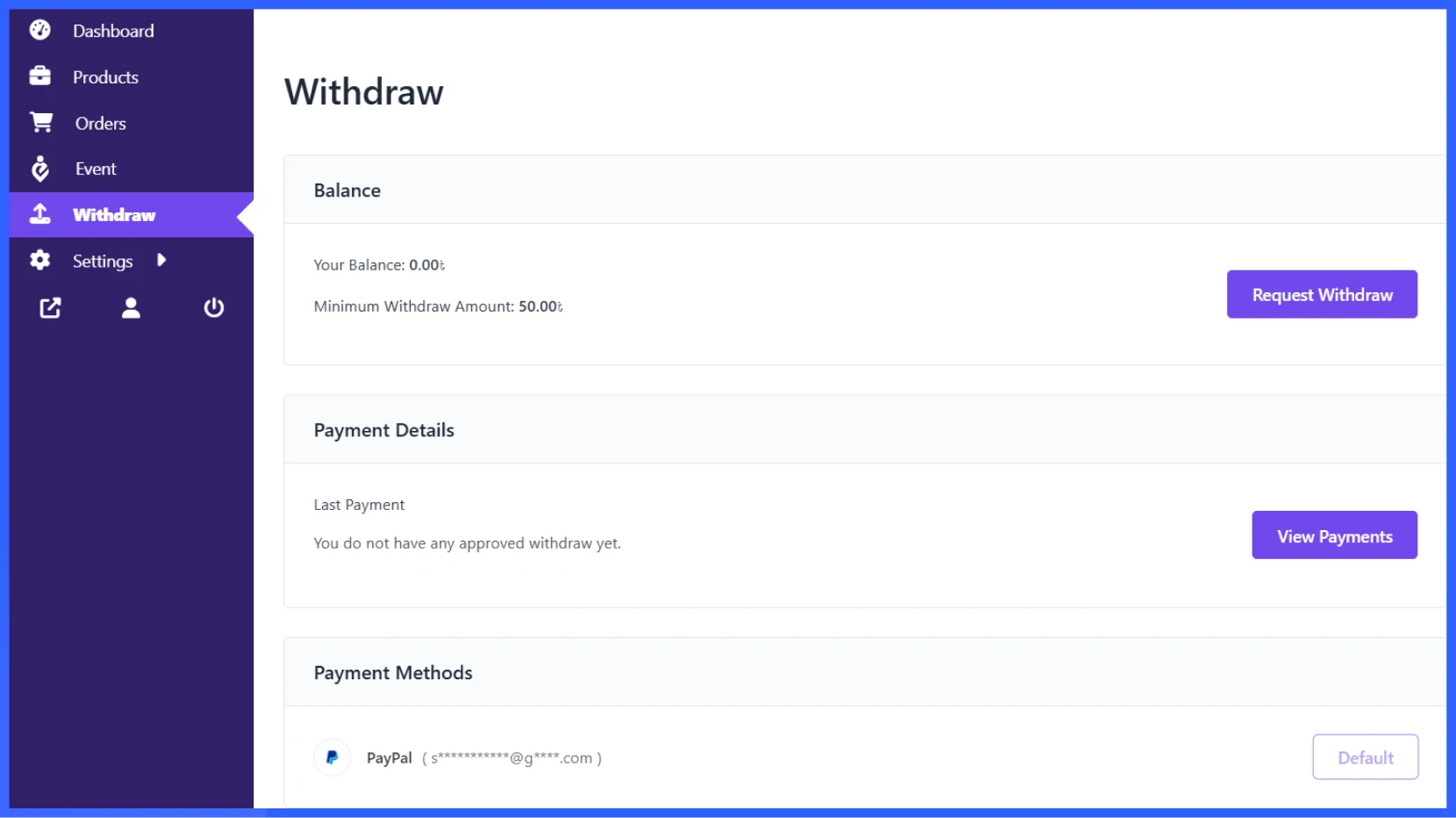
This setup helps vendors stay informed about their earnings without needing to ask for updates, and it makes payment handling smoother for everyone.
Benefits of using Eventin for event marketplace owners
Running a multivendor event platform isn’t just about giving vendors access; it’s also about keeping everything organized and under control. With Eventin, admins or event organizers gain a clear view of what’s happening across the platform and have tools to manage it efficiently without extra work.
Here’s what you get as a marketplace owner:
Centralized oversight of all events
As an admin of a multivendor event marketplace, you can manage all vendor events from one central place. There’s no need to log in to each vendor’s account or switch between different dashboards.
From the backend, you can see every event that’s been created, along with details like the name, location, date, status, and number of tickets sold. You can also filter events by vendor, date, or category, which makes it easier to find what you’re looking for.
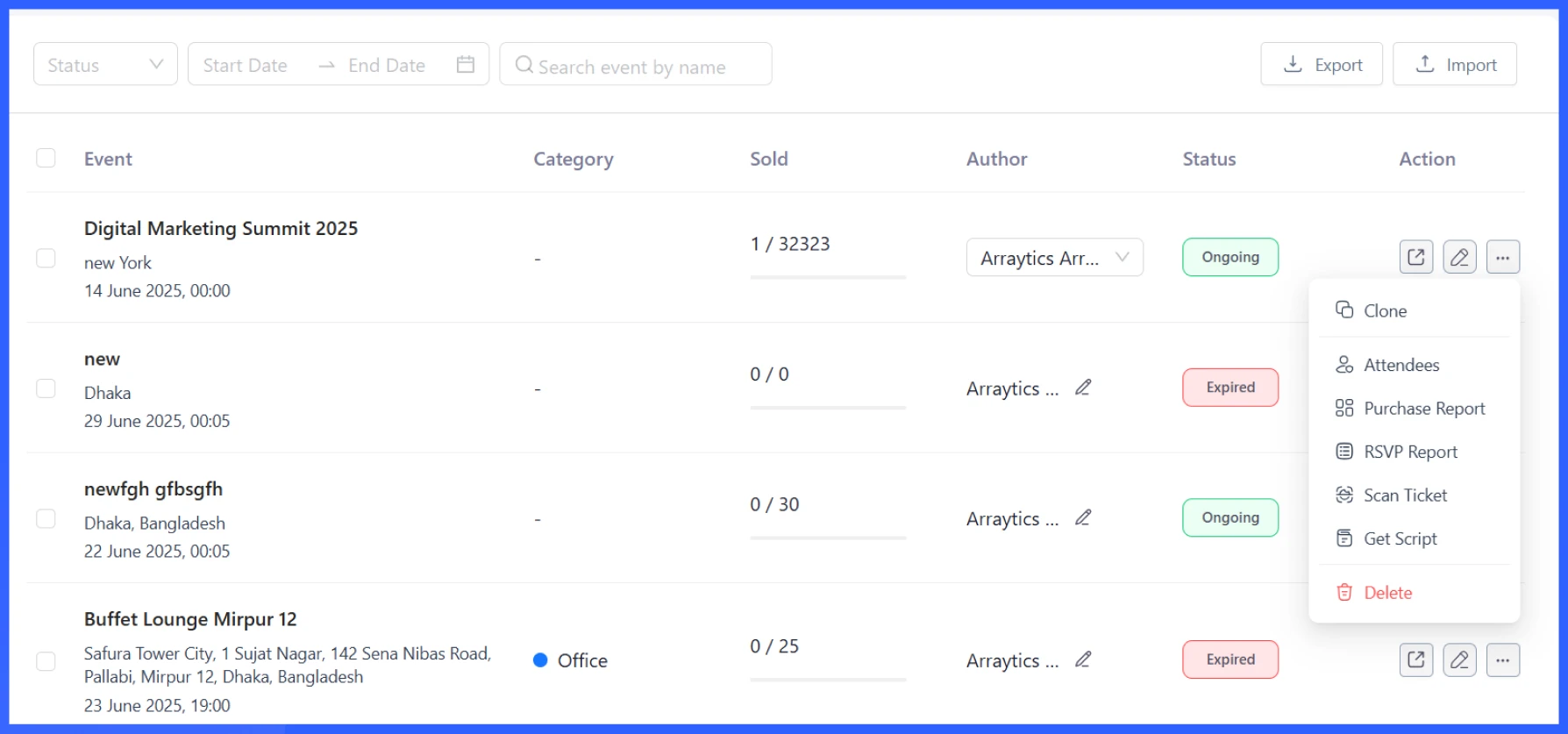
If an event needs to be edited, duplicated, or removed, you can do that directly from the same view. You can even access attendee lists, purchase reports, and RSVP data without leaving the page.
This is helpful if you want to quickly review events before approving them, check for outdated listings, or make edits if something needs to be fixed. It keeps the marketplace organized and lets you step in when needed.
Set up commission for ticket sales
Eventin integrates with Dokan to set up commission rules for ticket sales. This means that every time a vendor sells a ticket, a portion can be automatically allocated to the site owner.
To set it up, go to your WordPress Dashboard > Dokan > Vendors. From the vendor list, click on the vendor you want to edit. On the vendor’s edit page, scroll down to find the Vendor Commission % section.
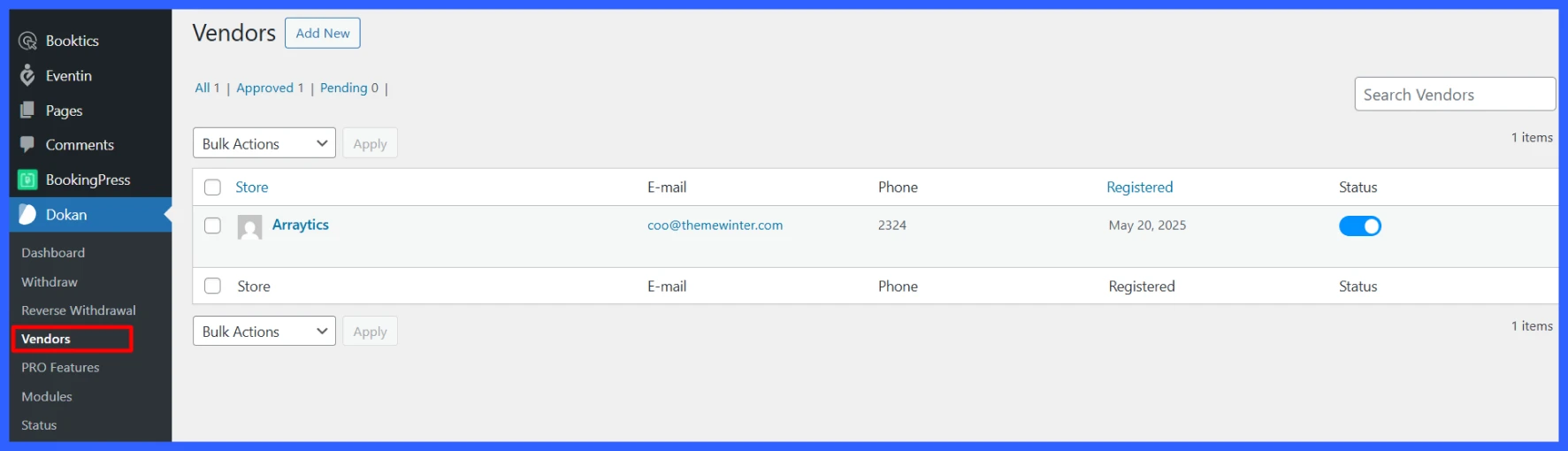
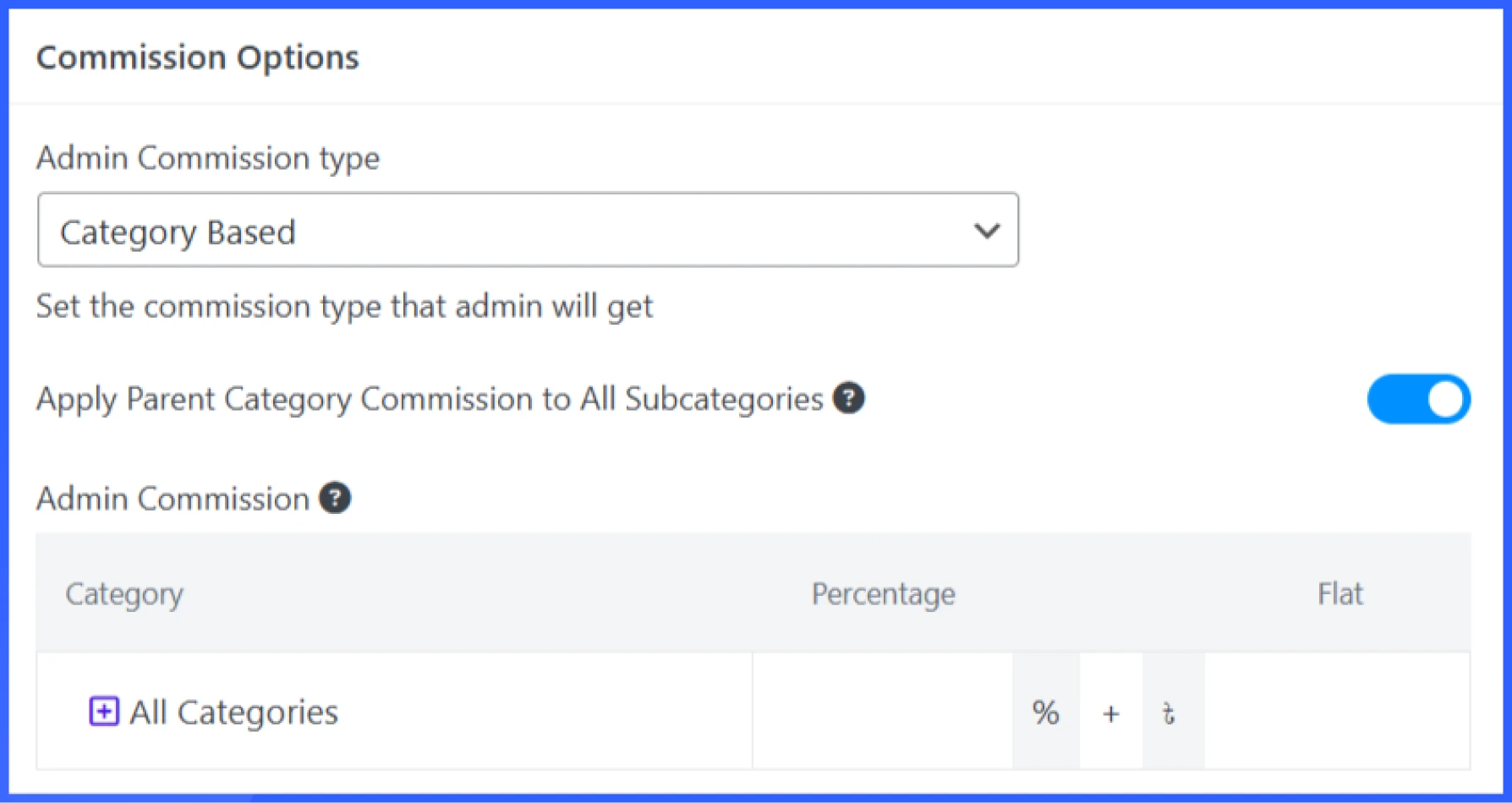
Here, you can enter the commission amount as either a flat fee or a category-based rate. Once you’re done, just hit Save Changes. You can set unique commission rates for each vendor, which will override the global commission rule for that vendor’s products only.
Check this guide to learn more about how to set up the Dokan Vendor Commission.
Automatic and manual event publishing
As the site owner, you can decide how events get published. If you trust your vendors and want to speed up the process, you can enable automatic publishing events to go live as soon as they’re submitted.
Simply navigate to Settings > Event Details and enable the “Dokan Event Publish Approval.”
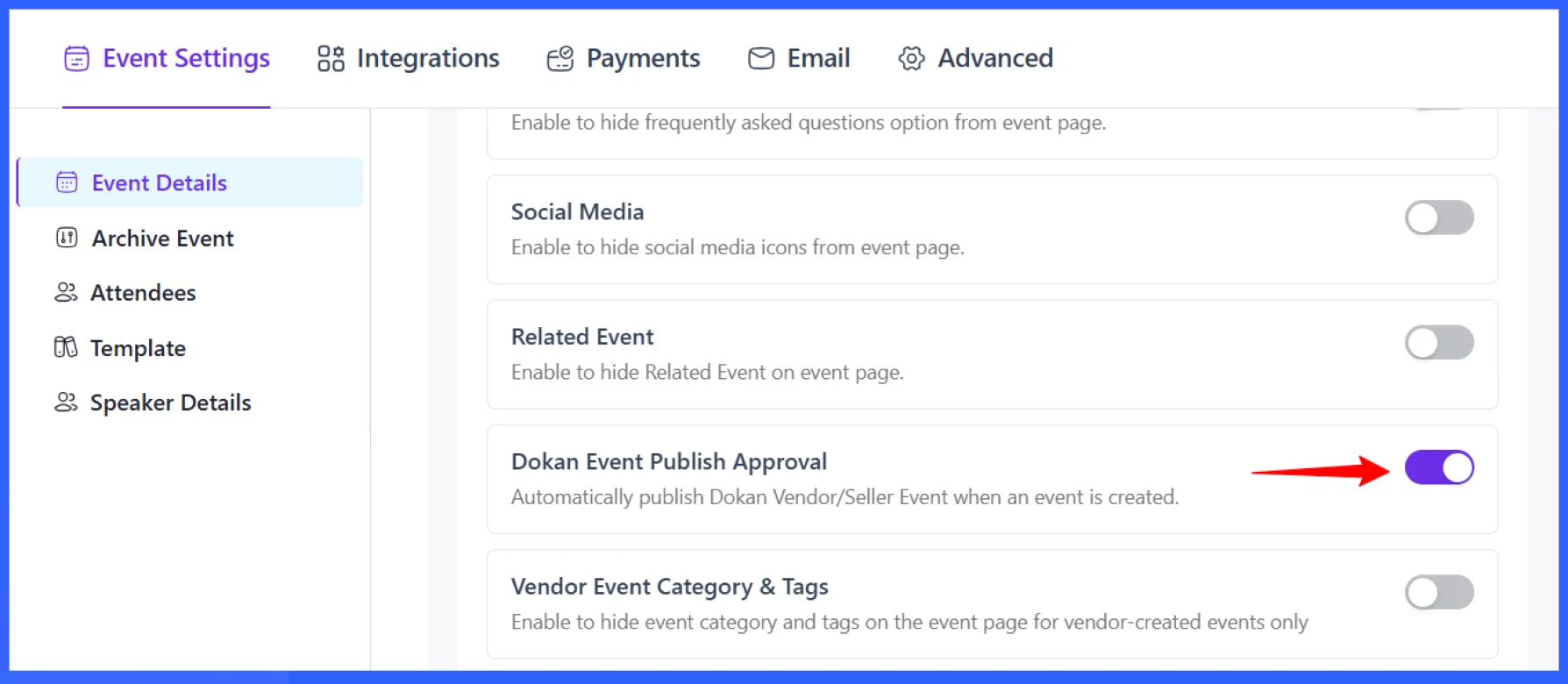
If you prefer to review each listing before it appears on the site, you can switch to manual approval. This allows you to review the content, make edits, or reject events that don’t meet your standards.
Having both options allows you to choose the approach that best suits your platform’s needs and the experience level of your vendors.
Custom templates setup
Site owners can create different custom event landing pages, certificates, and tickets that match the style or branding of the marketplace using the Template Builder. These templates include custom layouts, colors, and additional event details, such as terms and conditions, event policies, and logos.
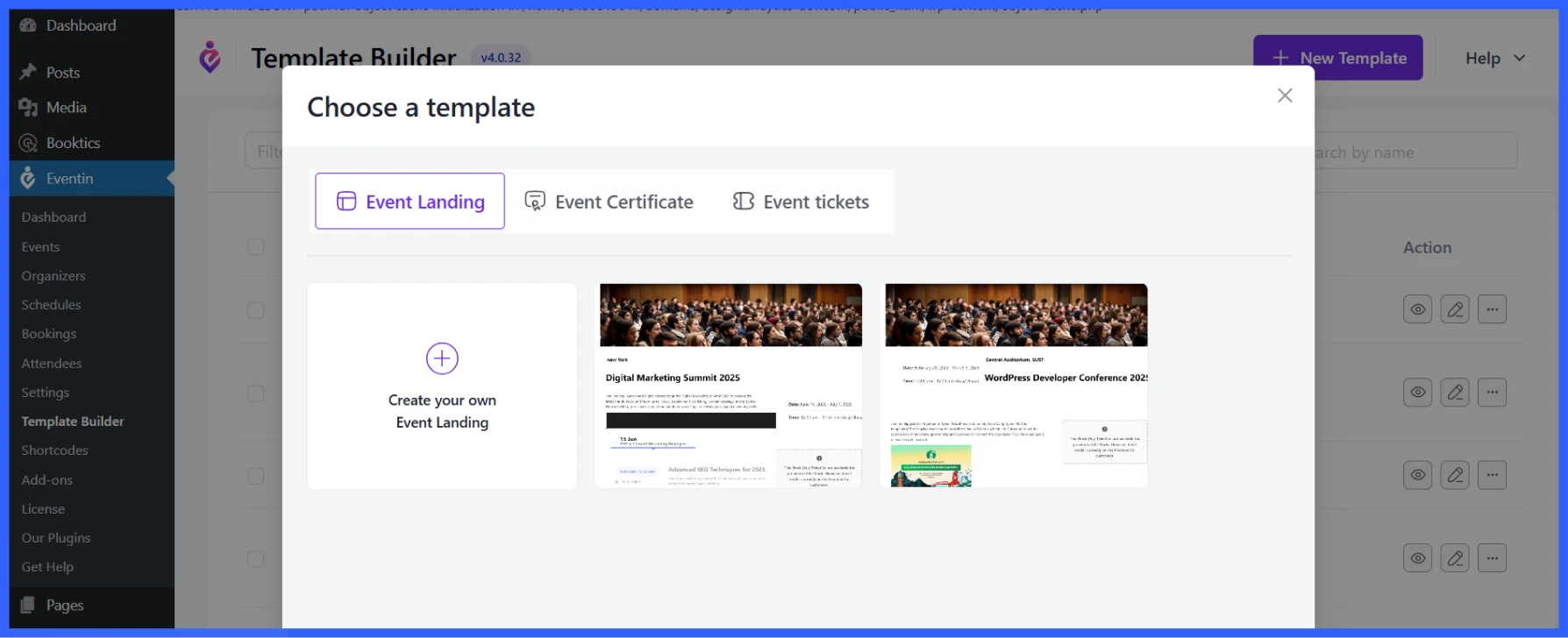
Once the templates are set up, vendors can choose from them when creating their events. This ensures the tickets maintain a consistent look across the platform while still providing vendors with a few design options to choose from.
It’s a straightforward way to strike a balance between control and flexibility. Owners handle the design, and vendors simply select what best fits their event.
Popular event types you can host with Eventin in a multivendor setup
Eventin works well for all kinds of event marketplaces. Whether it’s online or in-person, small or large, vendors can create events that fit their needs. Here are some common ways people use Eventin on multivendor platforms:
Local communities creating group events
Community groups often host events such as meetups, social gatherings, or local workshops. With Eventin, each group can list and manage their own events while the marketplace handles ticketing and promotion.
Trainers hosting paid webinars or Zoom sessions
Eventin works well for trainers or coaches who want to run online classes. They can create events, set a price, and include the Zoom or Google Meet link. Attendees receive access information automatically after registering, and vendors can manage everything from their dashboards.
Multi-day conferences with different organizers
If you’re hosting a larger event, such as a multi-day conference, Eventin allows multiple organizers to contribute their sessions. Each vendor can manage their specific talks, workshops, or panels, while the central platform keeps everything under one schedule.
This setup is proper for industry events, expos, or festivals where different groups handle different parts of the program.
City-wide marketplaces for entertainment events
Cities or event promoters can build platforms where different venues or organizers list concerts, comedy nights, theater shows, or other local entertainment. Each vendor manages their events, and users can browse everything happening in town from one place.
It’s a helpful way to promote local culture and make it easier for people to find and attend events in their area.
📌 Good read: Why Eventin is Better Than Other Event Management System
Tips to run a successful multivendor event platform
Running a multivendor event site involves managing numerous moving parts, including vendors, events, users, and payments. These tips can help you keep things running smoothly:
- Encourage high-quality vendor profiles: Ask vendors to complete their profiles with a photo, a description, and social media links. A complete profile builds trust and makes their events look more professional to potential attendees.
- Standardize event formats with templates: Create clear guidelines or use pre-made templates for event titles, descriptions, and schedules. This helps maintain consistency across the site and improves the browsing experience for users.
- Utilize analytics for informed decision-making: Regularly review sales and traffic data to identify which events or vendors are performing effectively. Utilize these insights to enhance your marketing efforts, optimize vendor support, or refine platform features.
- Regularly feature top-performing vendors: Highlight vendors who consistently run successful events. This could be featured on the homepage, included in newsletters, or shared on social media. It rewards quality and encourages others to improve their listings.
- Offer support and tutorials to minimize vendor friction: Provide explicit onboarding materials, video walkthroughs, and prompt support to ensure a seamless experience. This helps vendors get started quickly and reduces the number of issues or questions they run into.
📌 Good read: Proven Ways to Increase Event Revenue with Eventin Features
How to increase conversions for your multivendor event marketplace
Getting vendors to create events is one thing, but helping them sell more event tickets is just as important. Here are a few tips to improve conversions across your event marketplace:
- Use popups (via Poptics) for flash ticket deals: Highlight limited-time offers or early-bird discounts using pop-ups. Tools like Poptics can help grab attention without disrupting the browsing experience.
- Add countdown timers to events: Adding a timer to the event page can create a sense of urgency and increase engagement. It reminds users that ticket availability is limited and encourages them to make quicker decisions.
- Use email reminders before events: Send out reminder emails to attendees a day or two before the event. This helps reduce no-shows and keeps your audience engaged.
- Showcase best-selling vendors on the homepage: Featuring popular vendors builds trust and motivates others to improve their event listings. It also guides new visitors toward events that others have already found interesting.
FAQs
How do I create an event marketplace website?
To create an event marketplace website, install WordPress, set up WooCommerce for payments, use Dokan for vendor management, and add Eventin to handle event creation, ticketing, and attendee management.
Which is the best plugin for event marketplace WordPress?
The best setup is combining Eventin with Dokan. Eventin manages events and ticketing, while Dokan handles multivendor functionality, making it ideal for building a complete event marketplace platform.
Can I build an event marketplace like Eventbrite with WordPress?
Yes, you can build a platform similar to Eventbrite using WordPress. With Eventin and Dokan, you can create events, sell tickets, and manage vendors without paying platform commissions.
How do event marketplace platforms make money?
Event marketplace platforms make money through ticket commissions, vendor subscription fees, featured listings, and service charges. WordPress allows you to control these revenue models fully.
What is the benefit of using multivendor event management software?
It reduces workload by letting vendors handle their own events, offers customers more event choices in one place, generates passive revenue through commissions, builds a community, and makes scaling easy without managing everything yourself.
Can I earn commission in a multivendor event marketplace with Eventin and Dokan?
Yes. Set commission rates (percentage or flat fee) on ticket sales for each vendor through Dokan settings.
Do I need Dokan Pro or can I use the free version?
Dokan Lite (free) is fully sufficient to launch the marketplace. Vendors can create events, manage tickets, and handle withdrawals. Dokan Pro adds extra vendor features (e.g., more advanced shipping, product variations, or additional modules), but it is not required for a working multivendor event platform.
Ready to launch your multivendor marketplace?
Running a multivendor event marketplace or hosting events with multiple vendors doesn’t have to be complicated. With Dokan multi-vendor handling vendor roles and Eventin managing the events, you get a setup that works for both sides, vendors and admins.
Vendors get the tools they need to run smooth events. You stay in control of the platform without having to manage everything manually. Whether you’re building a local event hub or a global online event platform, this combo provides a strong foundation to get started.
Take the time to test, support your vendors, and keep things easy for your users, and your marketplace will grow over time.
Ready to launch your own event marketplace?