How to Create and Manage Recurring Events in WordPress (Step-by-Step Guide)


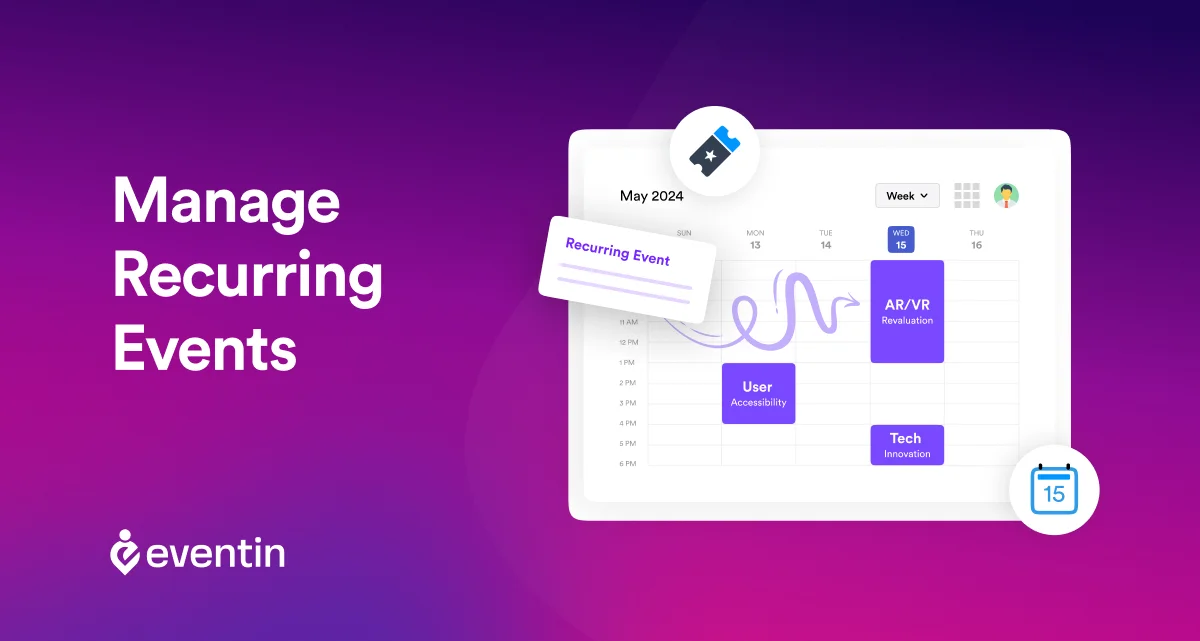
Table of Contents
Managing recurring events in WordPress can quickly turn into a mess if you’re doing everything manually. Creating the same event again and again wastes time, increases errors, and makes scheduling harder than it should be.
If you want to create recurring events in WordPress without repeating the same steps, you need a smarter way to automate it.
In this guide, you’ll learn how to create and manage recurring events in WordPress with Eventin. You’ll set recurrence rules, choose intervals and end dates, update event instances, and avoid common scheduling mistakes.
Let’s get started.
Ready to run smoother events?
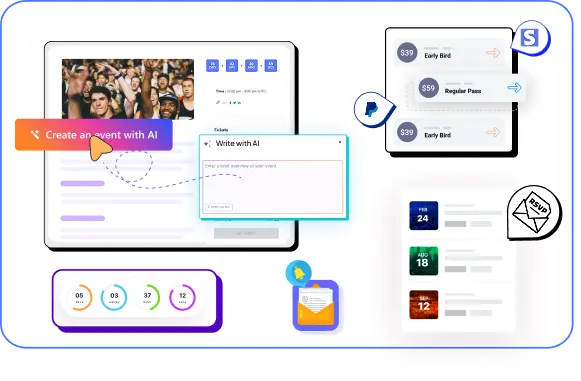
Create & manage events easily with Eventin event manager.
- ✅ Sell tickets
- ✅ Track attendees
- ✅ Automate reminders
Quick Overview
This guide shows you how to create and manage recurring events in WordPress without repeating the same work. You’ll learn a simple step-by-step process and how Eventin helps you automate scheduling and manage events from one dashboard.
- What recurring events are and how they work
- Why recurring events matter for event websites
- Common use cases of recurring events
- Step-by-step guide to create recurring events in WordPress
- Common mistakes to avoid when managing recurring events
- How Eventin simplifies recurring event management

What Are Recurring Events?
Recurring events are events that can repeat multiple times in the future. These events can take place in the same or different locations. Some recurring event examples are training sessions, concerts, celebrations, general meetings, or any form of social meeting that takes place once in a while.
Generally, you set the title, date, location, time, and other information of the event and create it online to easily share it with your attendees.
The process of managing multiple events is called recurring event management. Usually, if you are creating an event online, there are tools to help you automate this process. The recurring event plugin, like Eventin, can help auto-generate as many separate event entries as you like.
You can set the duration after which the events will take place again. This will automatically create those events, so you don’t have to manually create each one again.
Manual Event Creation vs Recurring Event Automation
| Approach | What Happens | Result |
|---|---|---|
| Manual Event Creation | You create each event one by one, update dates manually, and repeat the same setup every time | Time-consuming and error-prone |
| Recurring Event Automation (Eventin) | You set up the event once and define recurrence rules for automatic scheduling | Fast, consistent, and scalable |
With Eventin, you can use 3 sub-types of recurring events: Parent Event, Detach Event, and Recurrence Event.
Parent event: This is the main event you will create. This is the common ground for the main event to take place, and you can create individual recurring events from parent events.
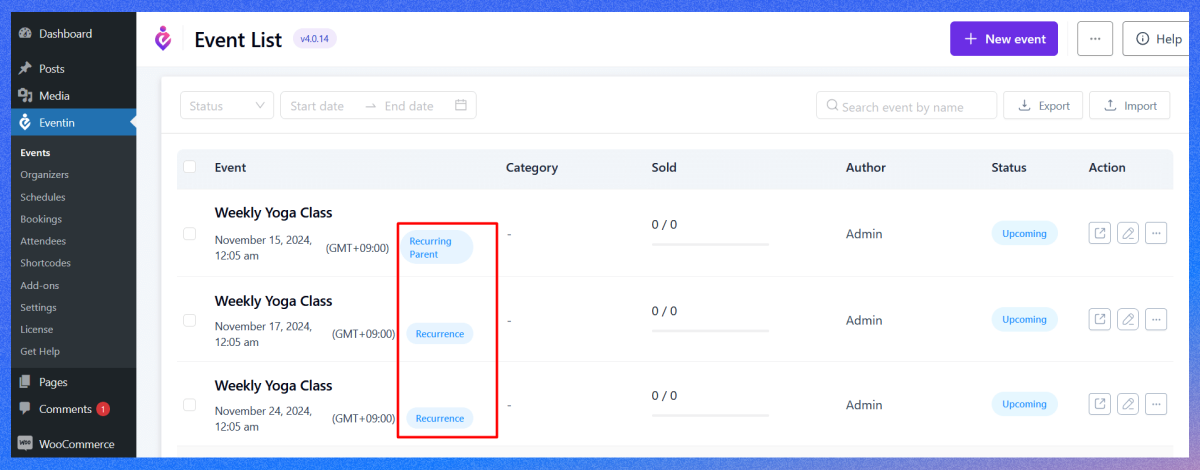
Detach event: Detach event is an event you can remove from the parent event. After you remove from the parent, the detach event will solely work as an independent event, and no changes made to the parent will affect the detach event. You can’t attach the detached event back to your parents again.
Recurrence event: It’s the individual event you can generate from your parent event without detaching from it. Any changes you make to the parent event will surely affect the recurrence event.
Why Recurring Events Matter for Event Websites
Managing events manually works at first. But once you start running events every week or every month, it quickly becomes a problem. You end up creating the same event again and again. Updating dates. Fixing small mistakes. It takes time and breaks your workflow.
That’s where recurring events make a real difference. Recurring events:
- Save hours of manual work: Instead of creating each event from scratch, you set it once and let it repeat automatically. This is especially useful for weekly classes, webinars, or regular meetups.
- Reduce scheduling errors: When events are created manually, mistakes happen—wrong dates, missing sessions, or inconsistent timing. Recurring event settings keep everything structured and consistent.
- Keep your event schedule organized: With recurring events, your calendar stays clean and predictable. Visitors can easily see upcoming sessions without confusion.
- Improve attendee experience: When people know your events happen regularly, they can plan ahead. This builds trust and increases repeat attendance.
- Scale your events without extra effort: As your events grow, managing them manually becomes harder. Recurring events help you handle more sessions without increasing your workload.
Key Benefits of Using Recurring Events in WordPress
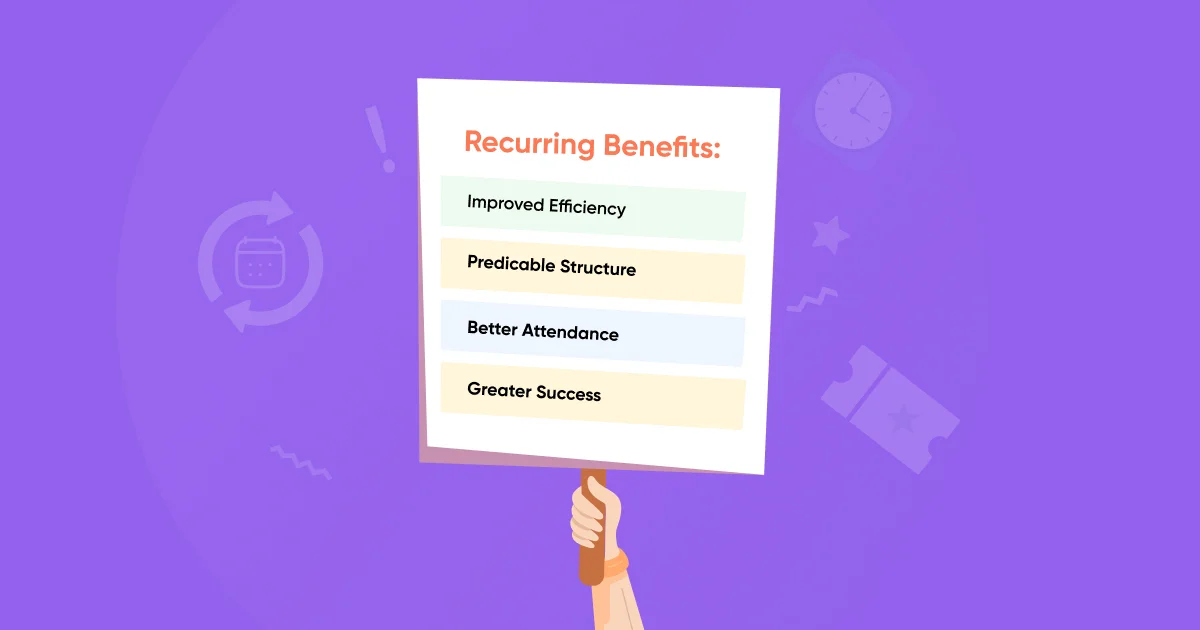
Setting up recurring events for different sessions or classes is beneficial for both arrangers and participants. Recurring events save time, increase efficiency, and also encourage users to attend future events.
Here’s the other key benefits of using recurring events in WordPress:
It Improves Efficiency
For recurring events, the creator does not need to create the whole event again and again. Creating once and using multiple times is the key benefit for recurring events. All you need is to set the logic for each structure, and the event will be created. It’s a time-saving and smooth procedure.
You can achieve marketing goals as you set them earlier. Creating brand awareness is simpler by streamlining multiple events. Your potential customer already knows the upcoming details. It also gives you a better communication channel. Recurring events help you to add to the process of execution. You can make informed decisions using your pre-determined key indicators, which will help you monitor your ROI and maximize profits.
Helps Plan Better Events with a Predictable Structure
Participants can predict the structure of upcoming events as the event is similar to the last one. For example, participants may know the next session will be next Sunday, so they can make the work plan and keep the schedule. This is also helpful for digital marketing. Especially if any organizer promotes the session with an affiliate model, it helps a lot.
Increases Event Attendance
Attendees know the next schedule, so they make a better schedule for their self-tasks. Attendees get multiple options for the schedule. It eventually increases the rate of attendance. Besides attendees, session hosts can do marketing easily and get connected with potential attendees.
Brings Greater Success
Recurring events boost attendance, improve attendance, and reduce costs. The process is easy and manageable for both parties. A recurring event is a great source of success. When you know how to measure your event’s success, you can control its outcomes. As recurring events require similar information and consume less time, you know the result. It’s a greater success.
What are the Common Use Cases of Recurring Events
Recurring events are used in many types of businesses and communities. Anytime an event happens regularly, setting it up once and repeating it saves a lot of time.
Here are some common ways people use recurring events:
- Online Classes and Courses: If you run weekly classes or training sessions, recurring events help you schedule all sessions at once. Students can see the full schedule and join easily without confusion.
- Fitness and Coaching Sessions: Gyms, yoga studios, and personal trainers often run classes on fixed days. Recurring events keep the schedule consistent and easy to manage.
- Weekly Webinars and Live Sessions: If you host webinars every week or every month, you don’t need to create a new event each time. Set it once and let it repeat automatically.
- Religious or Community Gatherings: Events like weekly prayers, study groups, or community meetings follow a fixed schedule. Recurring events make sure nothing is missed.
- Corporate Meetings and Team Training: Businesses often run internal meetings, workshops, or training sessions regularly. Recurring scheduling keeps everything organized without manual effort.
- Workshops and Event Series: If you’re running a multi-day conference or multi-week program, recurring events help you manage the full series under one structure.
How to Create Recurring Events in WordPress with Eventin
Creating recurring events in WordPress is pretty easy, even though it depends on the ease of access and user-friendliness of the plugin that offers it. With the Eventin event management plugin, you will find easy steps to create recurring events within just a few clicks.
Even better, Eventin now includes an AI-powered event creation, perfect if you’re setting up recurring events regularly.
Here’s how you can do it step by step:
Step 1: Install and activate Eventin
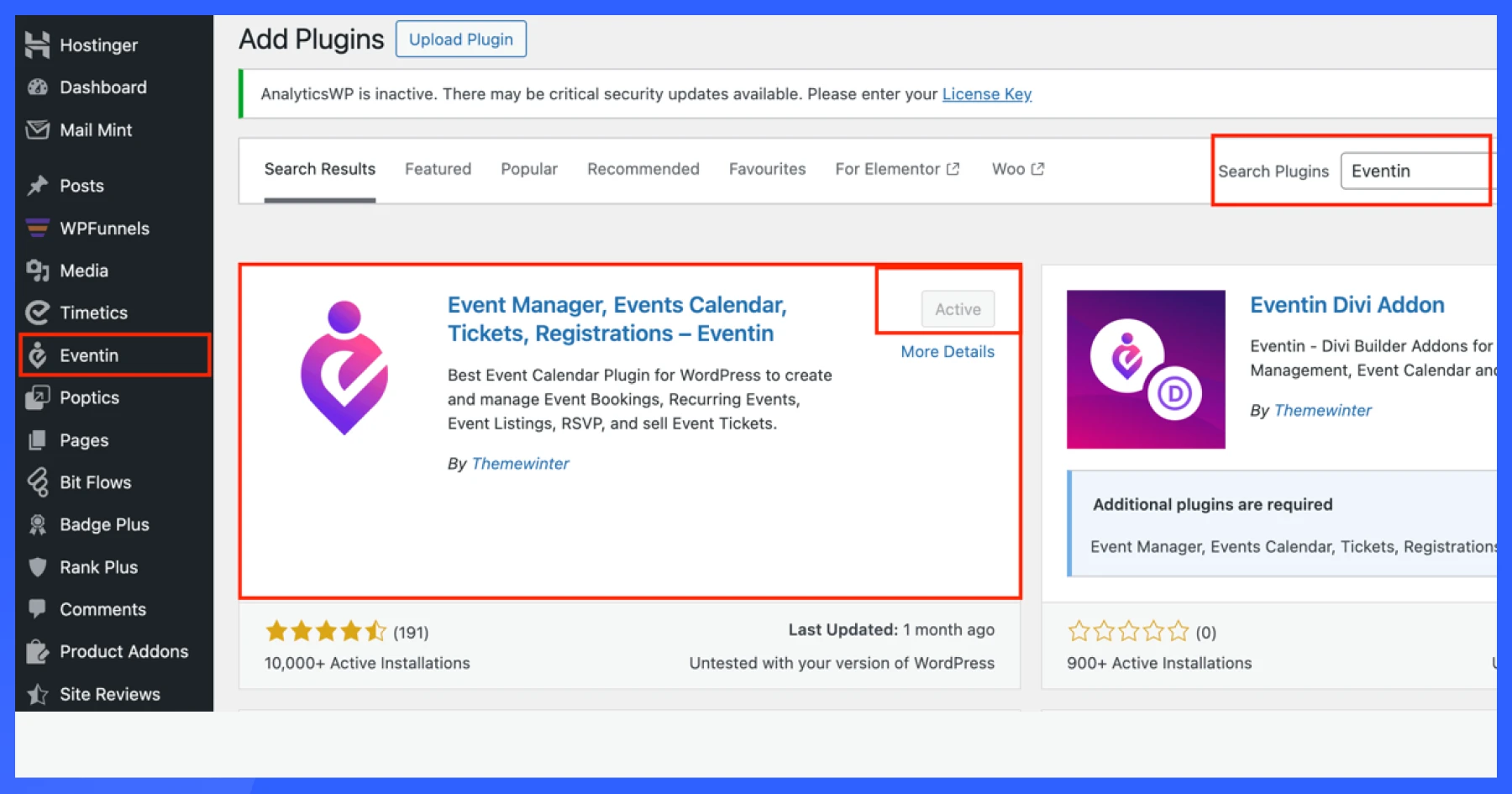
First off, be sure to download and install the Eventin WordPress event plugin on your WordPress dashboard. Once you’re done, install the WordPress plugin to set up the next step for recurring events.
You don’t need a PRO version of Eventin to set up recurring events. Yaay!
Step 2: Create a new event
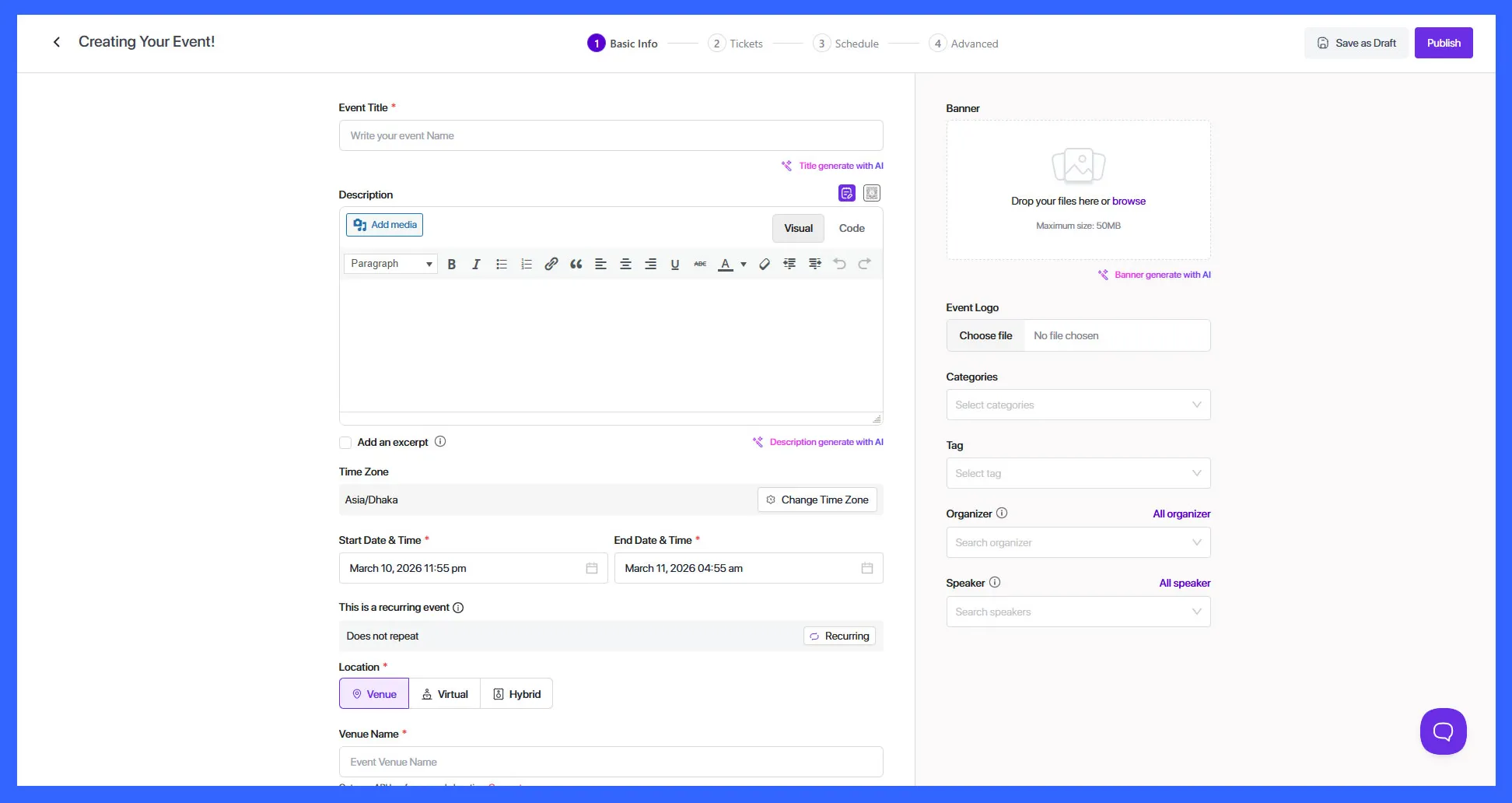
Now go to the Event section on your dashboard and select ‘Add New’ to create a new event. Now fill in the event details, add a title, write a description, put the location and date, and create your event.
You can speed up this with its “Create an event with AI“ option. This lets you generate event titles, descriptions, and details in seconds.
Step 3: Enable recurring events
Once you’ve created a new event on the WordPress dashboard, scroll a bit further down to Eventin settings, and you will see the ‘recurring events’ option. Click on the option, and you will have a new set of options to set up the recurring event.
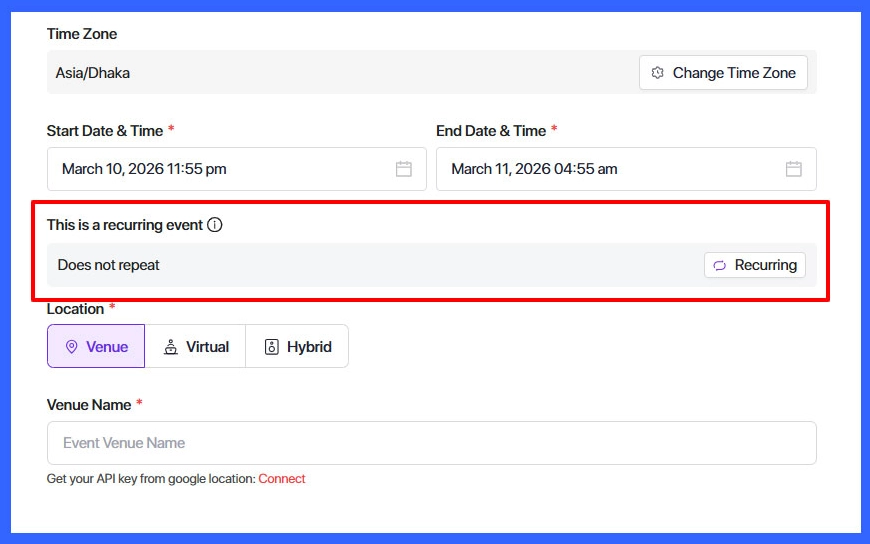
Step 4: Choose recurring event settings and recurrence interval
Now it’s time to set up how your recurring event will take place. Once you’ve toggled on the recurring event, you can set up the recurrence.
First, select whether you want your meetings/webinars/sessions/events/ on a daily, weekly, or monthly basis.
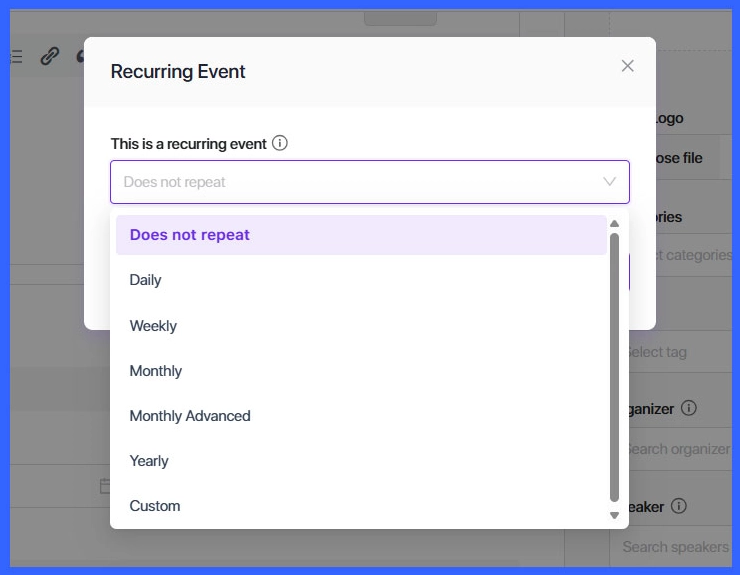
Once you’ve selected the daily or monthly repeat basis, you can set up the recurrence interval, which means an interval between two recurring events taking place.
📌 Quick Tip
The recurrence interval is the time gap between two repeating events created from the same event.
For example, if you run a 30-day webinar and create 6 recurring events, the system will add a break between each session. If you set the interval to 6 days, the event will repeat again after every 6-day gap.
So, select the recurrence interval that best matches your event. Whether you want a daily, weekly, or monthly recurring event, Eventin offers you all of it with more easy-to-use features.
Step 5: Set the end date of the recurring event
Once you’re done with the hard part, you can select when your recurring events will end. You can select a particular date or end the recurring event after a certain number of intervals. Eventin offers you both.
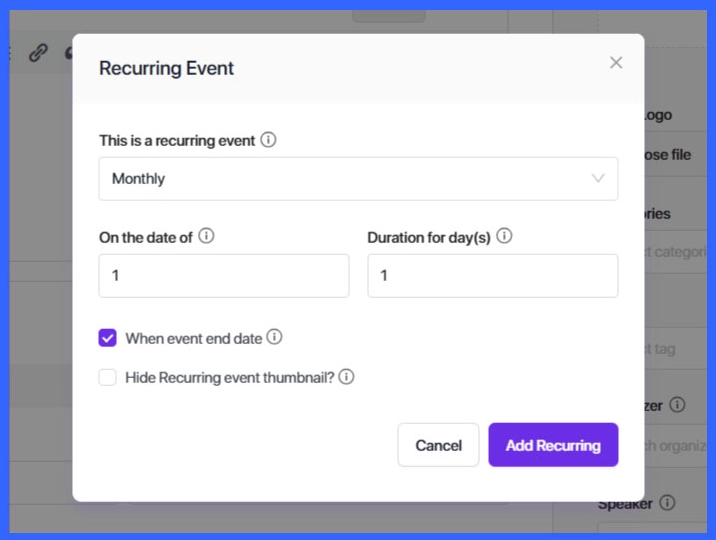
Step 6: Save and publish!
Now, as for the final step, save the new event and hit ‘Publish’!
There you go, a whole new WordPress event with recurring events that fit your needs. You
Simplify Recurring Event Management with Eventin
With Eventin, you can set up recurring events once and automate your entire schedule. Manage weekly classes, webinars, or event series without repeating the same work every time.
- ✔ Automate recurring events with one setup
- ✔ Flexible scheduling (daily, weekly, monthly, custom)
- ✔ Manage all events from a single dashboard
- ✔ Reduce errors and keep schedules consistent
Common Mistakes to Avoid When Managing Recurring Events
Recurring events make things easier, but only if they’re set up correctly. Small mistakes can create confusion for both you and your attendees.
Here are the most common issues to watch out for:
- Setting the wrong date or time: A small mistake in time or date can repeat across all events. Always double-check your schedule before publishing.
- Ignoring time zones: If your audience is global, time zone issues can cause people to miss events. Make sure your event time is clear and consistent.
- Overlapping events: Creating multiple recurring events without checking the calendar can lead to conflicts. This can confuse attendees and affect registrations.
- Not setting an end date: If you don’t define when the recurring event should stop, it may continue longer than planned. Always set a clear end condition.
- Incorrect recurrence rules: Choosing the wrong frequency (like daily instead of weekly) can create too many events or the wrong schedule.
- Forgetting to update all occurrences: If you update the main event but don’t check how it affects recurring instances, it can lead to inconsistencies.
FAQs About Recurring Events in WordPress
How do I create recurring events in WordPress?
You can create recurring events using an event management plugin like Eventin. It lets you set frequency, duration, and schedule rules so your events repeat automatically without extra work.
Can I schedule weekly or monthly events?
Yes. You can schedule events to repeat daily, weekly, monthly, yearly, or even create custom recurrence rules depending on your needs.
Which plugin supports recurring events in WordPress?
Several plugins support recurring events, but Eventin is a strong option because it offers flexible scheduling, ticketing, RSVP, and full event management in one place.
Do recurring events support ticket sales and registrations?
Yes. With Eventin, you can sell tickets, manage registrations, and track attendees for recurring events just like single events.
Which plugin is best for recurring events?
Eventin is the best recurring plugin for WordPress. option because it offers flexible scheduling, ticketing, RSVP, and full event management in one place.
Final Thoughts: Simplify Recurring Event Management in WordPress
Managing recurring events doesn’t have to be repetitive or complicated. If you’re creating the same event again and again, you’re wasting time that could be spent growing your events.
With the right setup, you can automate everything from scheduling to publishing so your events run smoothly without constant manual work.
Recurring events help you stay organized, avoid mistakes, and give your attendees a consistent experience. Whether you’re running weekly classes, webinars, or ongoing event series, having a structured system makes a big difference.
If you want a simple way to handle it all inside WordPress, using a dedicated WordPress event management plugin like Eventin can make the process much easier. Set it once, automate the rest, and focus on what actually matters: running better events.
Stop wasting time creating the same events again and again. With Eventin, you can automate your schedule, manage events easily, and deliver a better experience for your attendees—all from one dashboard.