
















WPCafe LogoWPCafe Version Logo
Users Icon Trusted by 7000+ restaurant owners worldwide

Simplify Orders. Manage Reservations.Grow Revenue.

Turn your WordPress website into a place to browse food menus, order meals, and book tables. WPCafe brings online ordering, pickup, delivery, and reservations together with WooCommerce payments and tools that keep service organized.

Get WPCafe Pro
×

Get Started with WPCafe - Free Download

Enter your email to get your free WPCafe plugin and start managing your restaurant effortlessly.

WPCafe Free Download Form

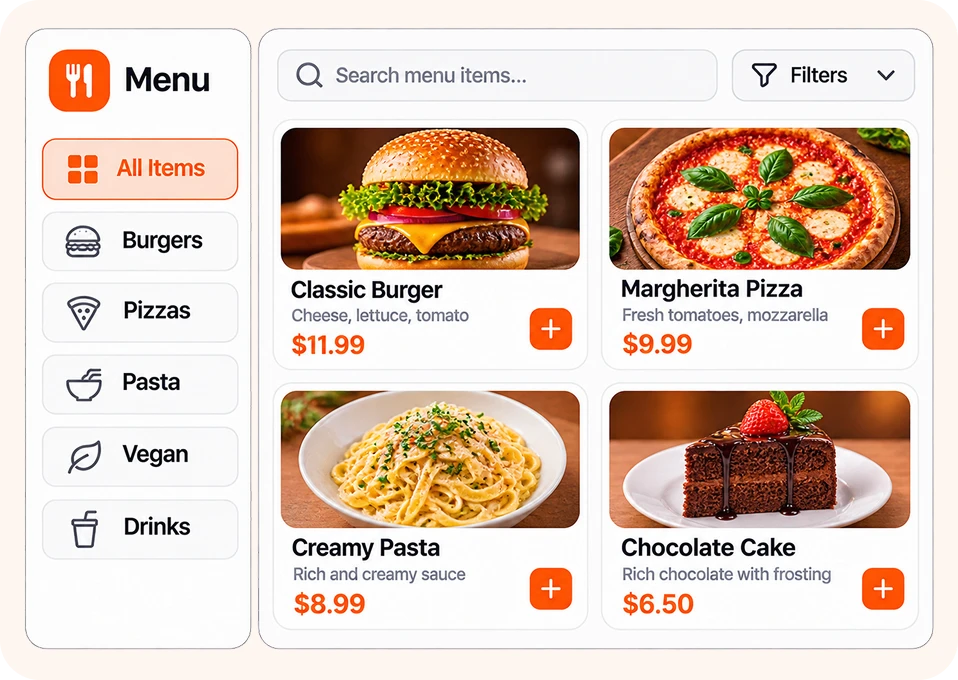
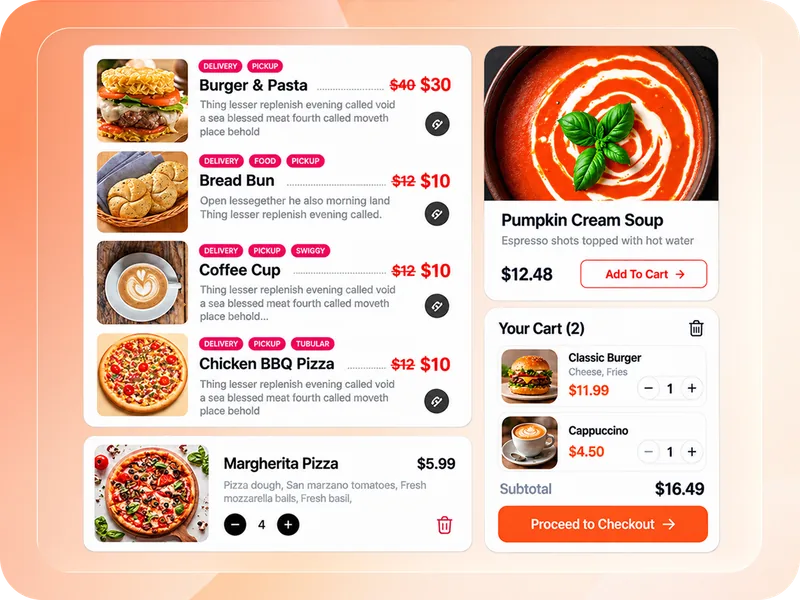
Help guests find their next meal

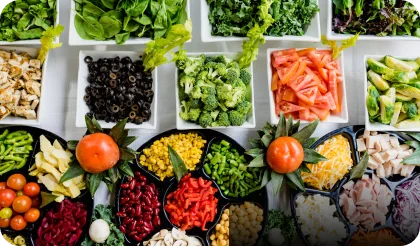
Clear menus, useful filters, and food details make choosing easier.

Help guests find their next meal

Your Menu, Orders & Bookings Should Work Together

Phone orders interrupt service. Separate booking tools add more checking. Customers leave when the next step is hard to find.

WPCafe connects your restaurant’s online menu, ordering, and table bookings inside WordPress. Give guests a clear way to order or reserve & give your team fewer details to chase.

Explore WPCafe Pro
WPCafe restaurant system overview video
AI Management with WPCafe MCP

Get Restaurant Answers Without Searching Through Screens

Connect WPCafe to an MCP-compatible AI assistant to check reservations, review food orders, and get sales insights using plain-language requests.

Explore WPCafe MCP
Food Menus & Ordering

Make It Easy to Find a Dish and Finish the Order

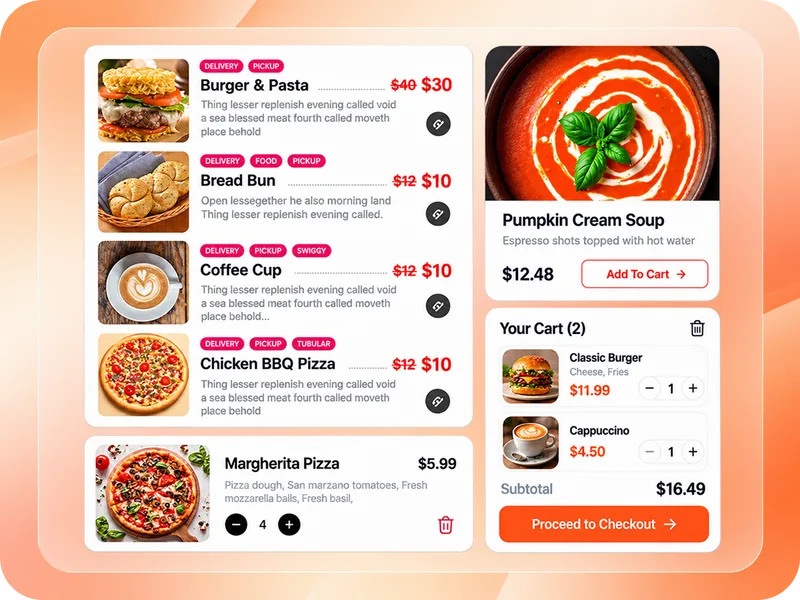
A menu should help customers decide and buy. Show what makes each dish appealing, offer the options they want, and keep checkout close.

  • Organized menus with categories, tags, search, and product filters
  • Food photos, prices, ingredients, nutrition, and allergen details
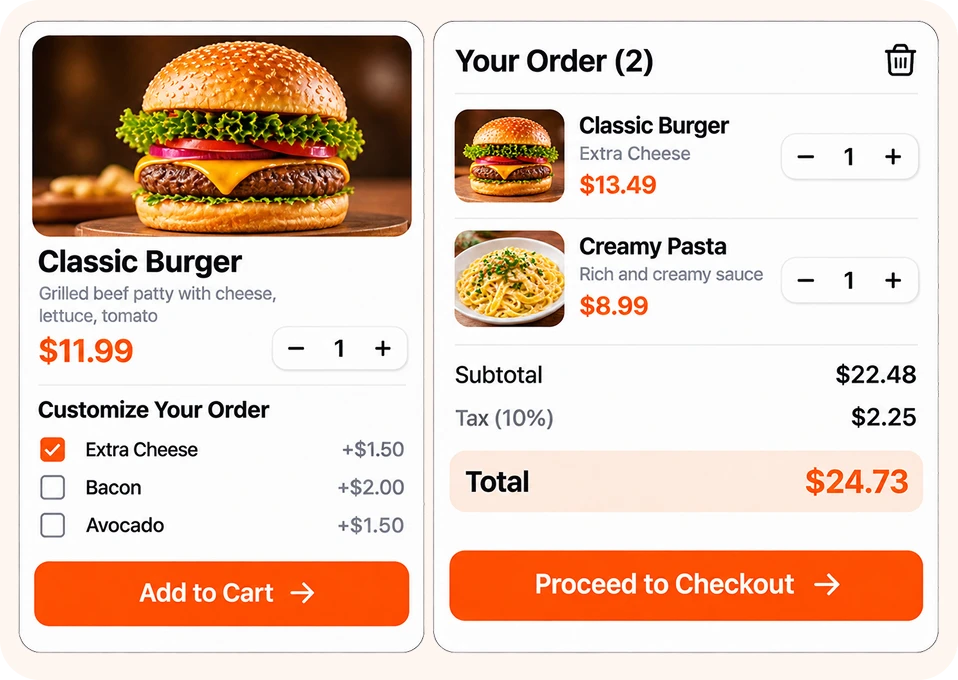
  • Customizable dishes with sizes, toppings, sides, and paid extras
  • One-page checkout for a faster ordering experience
  • Related products, upsells, cross-sells, and special discounts
  • Flexible payments with WooCommerce gateways, coupons, and tipping
Explore Food Ordering
Make It Easy to Find a Dish and Finish the Order
Pickup, Delivery & Dine-in

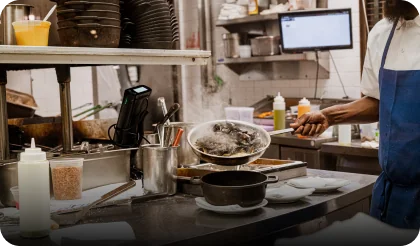
Take Orders Your Kitchen Can Keep Up With

Customers need a clear collection or delivery time. Your kitchen needs enough time to prepare it. Set ordering rules around how your restaurant actually runs.

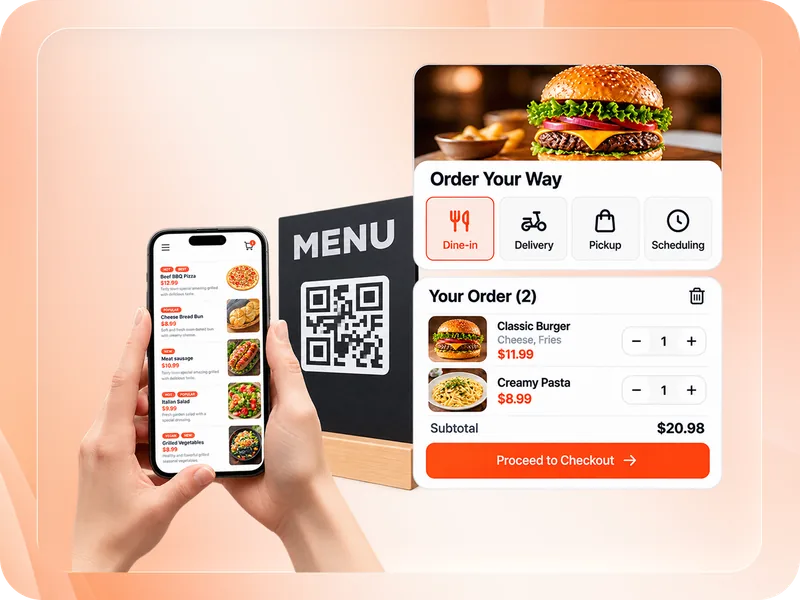
  • Offer pickup, delivery, and dine-in, with table details for seated guests.
  • Let customers choose a scheduled time or ASAP, based on preparation time and available slots.
  • Set service hours, breaks, holidays, minimum spends, and preparation times globally or per branch.
  • Cap daily orders overall, with separate pickup and delivery limits.
  • Show breakfast, lunch, and other timed menus only when available.
  • Use Google Maps and address autocomplete
Explore Pickup & Delivery
Take Orders Your Kitchen Can Keep Up With
Table Reservations

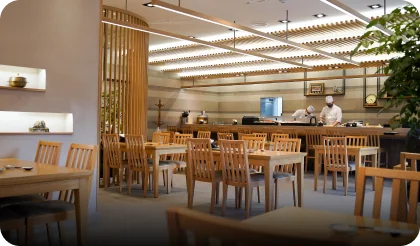
Fill Tables With Less Booking Back-and-Forth

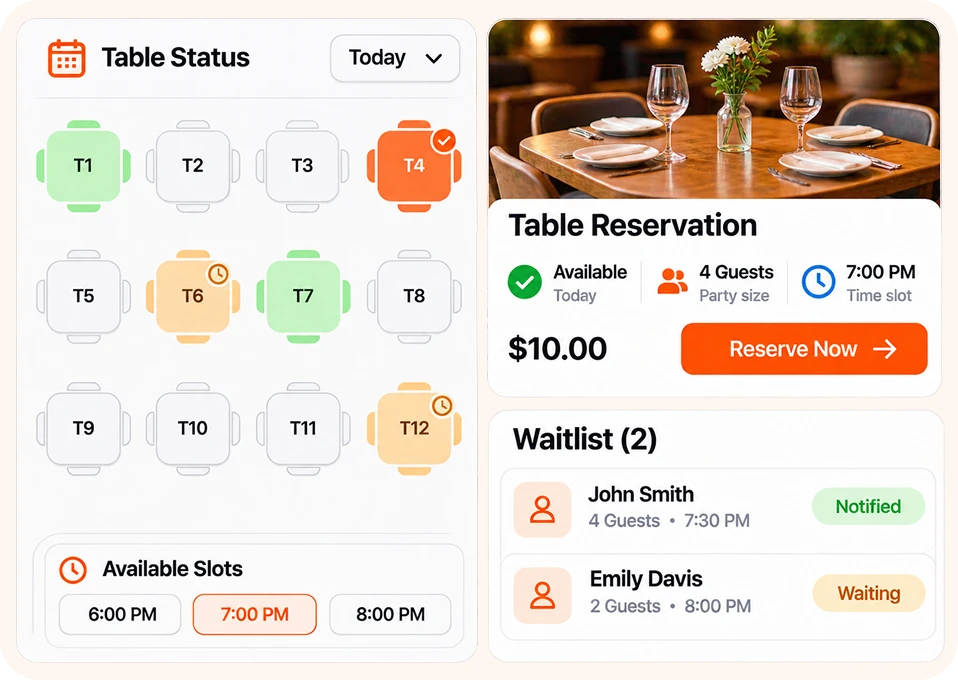
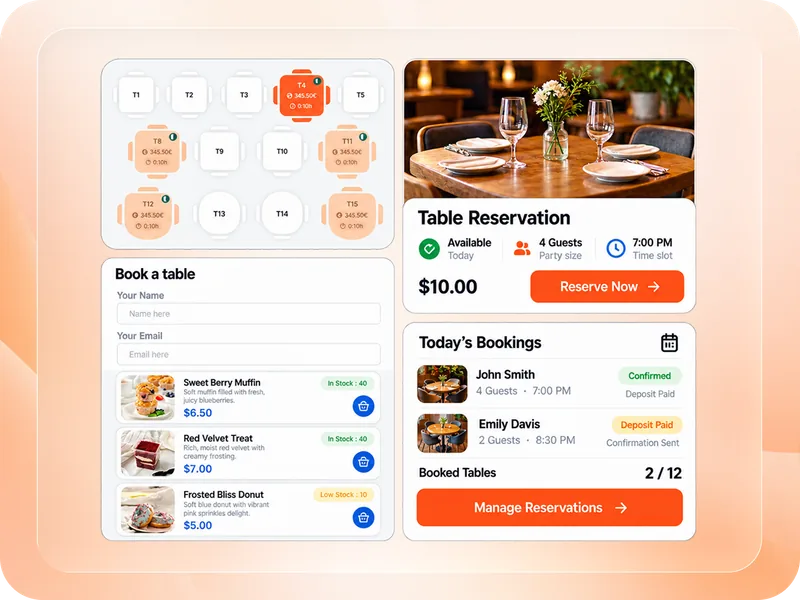
Let guests see availability and book online. Keep seating, booking rules, and confirmations organized before service begins.

  • Set guest limits, booking windows, reservation statuses, and service slots to match your restaurant’s capacity.
  • Create a visual floor plan so guests can choose available tables or seats.
  • Collect guest details with custom fields, calendar selection, and single-page or multi-step forms.
  • Accept online reservation payments and partial deposits through Deposet.
  • Fill cancelled slots by offering available tables to eligible waitlisted guests within a set time limit.
Explore Table Reservations
Fill Tables With Less Booking Back-and-Forth
Design & Customization

Make Ordering Feel Like Part of Your Restaurant

Give customers a consistent experience from the first menu view to the final receipt.

  • Choose responsive menu lists, tabs, sliders, category layouts, and Load More displays.
  • Match menu, booking form, mini-cart, and icon styles to your brand.
  • Let guests scan a table QR code to open your menu and order from their phones.
  • Add a welcome video or quick contact card with a clear ordering or booking button.
  • Design kitchen tickets and customer receipts, including selected item options, in the receipt layout editor.
Explore Design Options
Make Ordering Feel Like Part of Your Restaurant
Built around the way you serve

One Restaurant Plugin. Different Ways to Grow.

Whether you run a single café or a multi-location restaurant group, WPCafe adapts to how you serve and who you serve.

  • Multi-Location ManagementMulti-Location Management
  • RestaurantsRestaurants
  • Cafés and coffee shopsCafés and coffee shops
  • Takeaway businessesTakeaway businesses
  • Kitchen ManagementKitchen Management
  • Restaurant groupsRestaurant groups
  • Food marketplacesFood marketplaces
  • AgenciesAgencies
  • Table ReservationsTable Reservations
  • Pickup SchedulingPickup Scheduling
Explore WPCafe solutions
Built for daily service

Run every shift from one WordPress dashboard

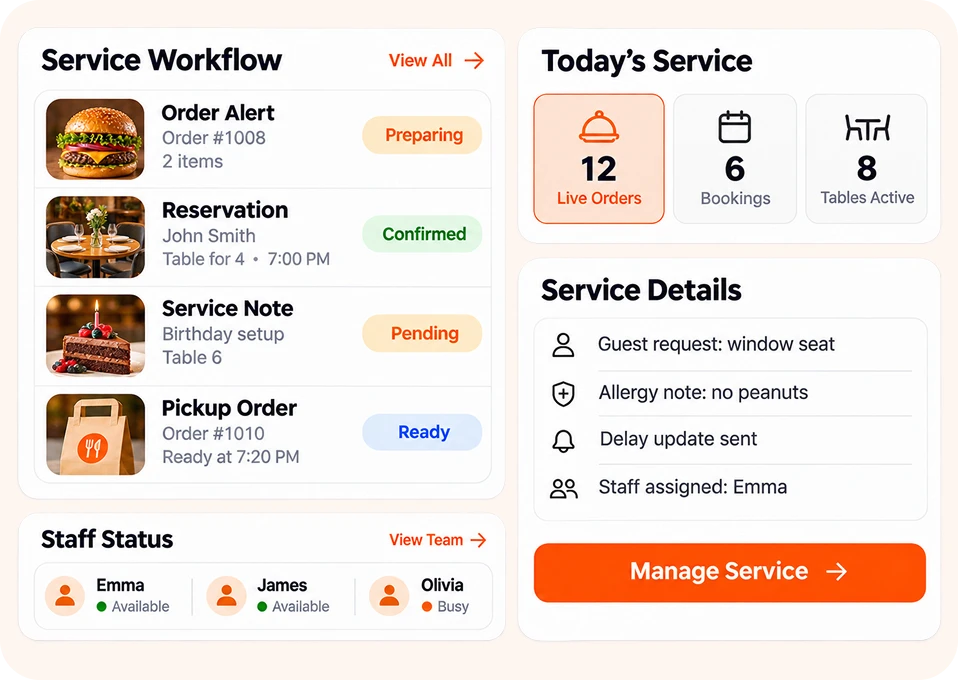
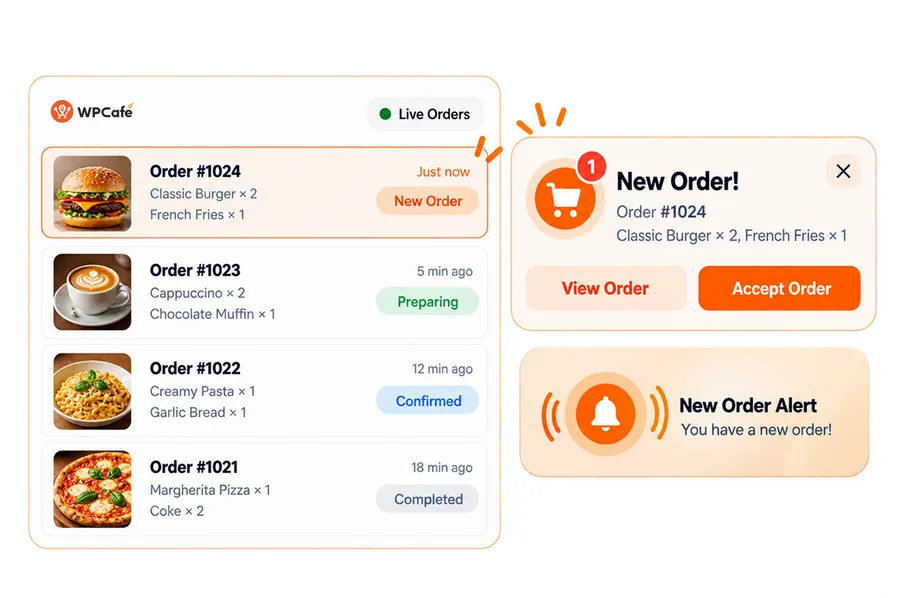
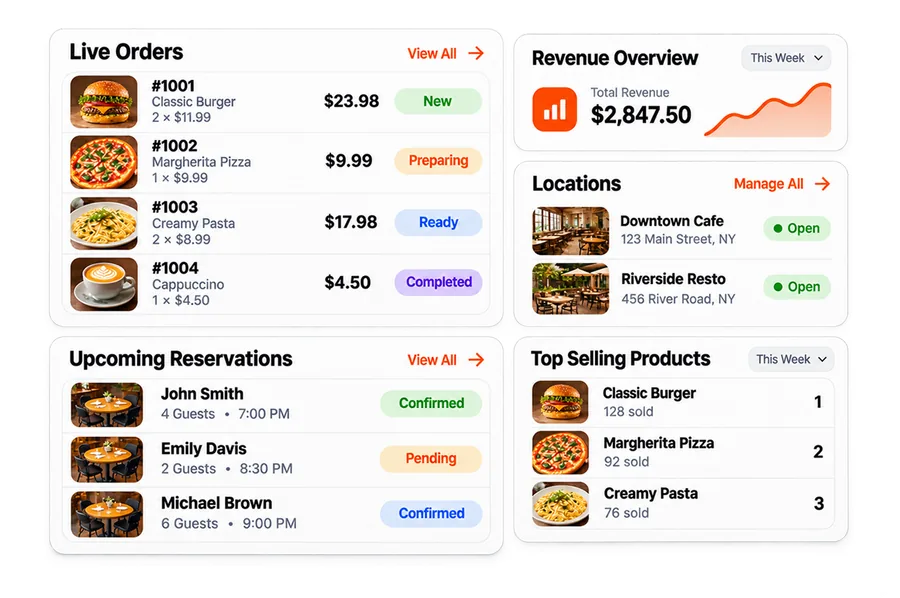
  1. Spot new orders quicklyGet live order alerts, clear statuses, and kitchen-friendly views so no order waits unnoticed.
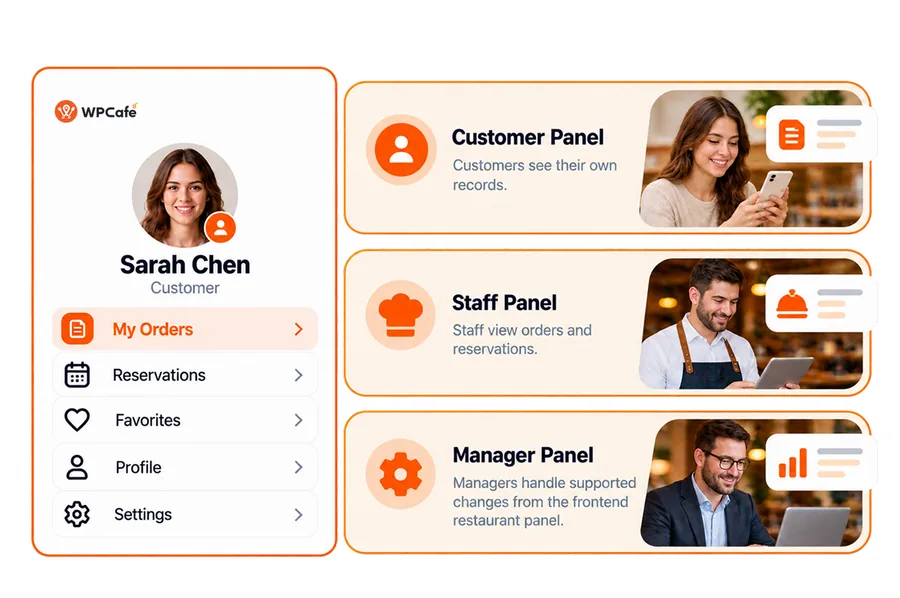
  2. Give each person the right panelGive owners, managers, kitchen staff, and customers the dashboards and access they need, and nothing more.
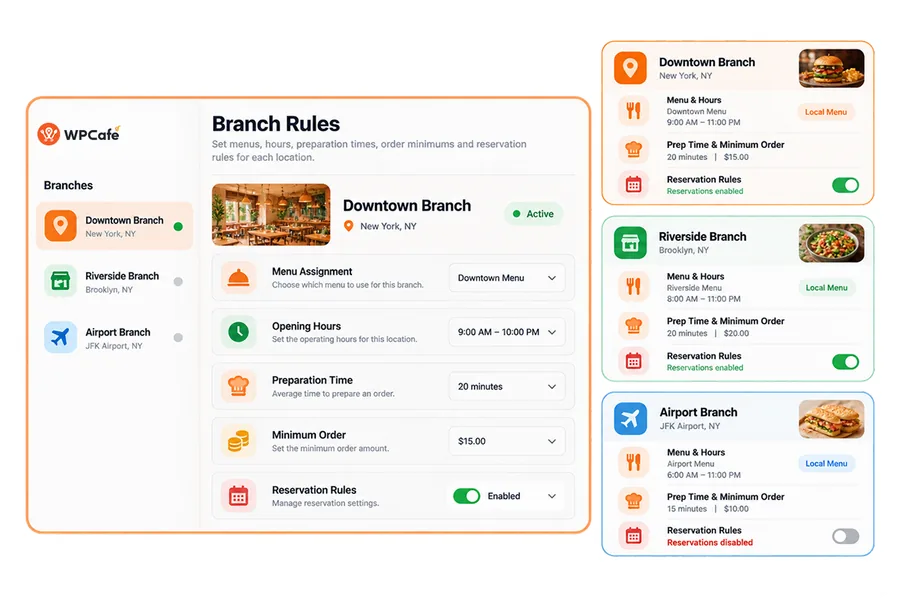
  3. Run branches with the right local rulesSet hours, menus, delivery zones, and ordering rules for each location from one WordPress dashboard.
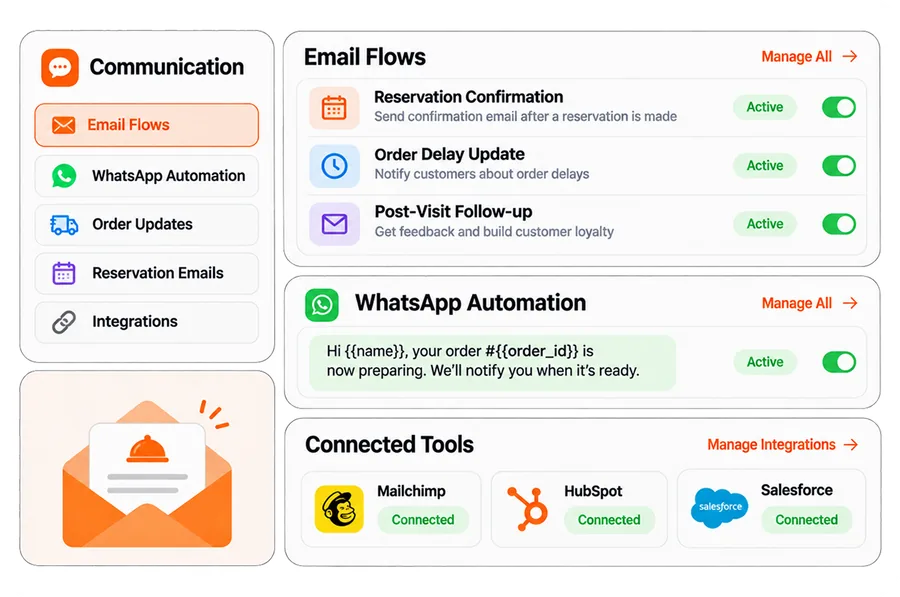
  4. Keep communication movingUse reservation email flows, order-delay updates, and configured WhatsApp automation. Connect customer data to your email or CRM tools for follow-up.
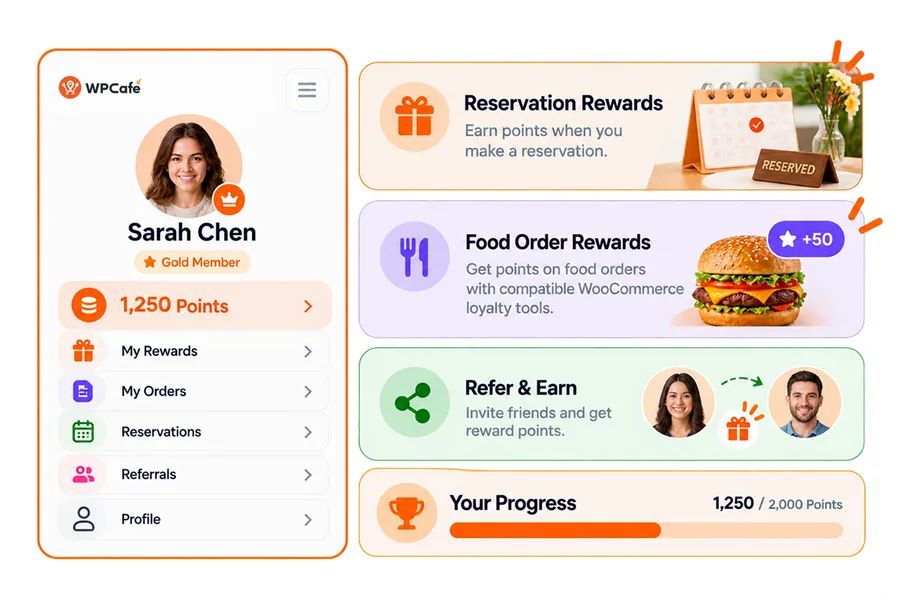
  5. Make the next visit more rewardingUse Pointics for reservation points, booking rewards, and referrals. Add food-order rewards through compatible WooCommerce loyalty tools.
  6. See what is workingTrack orders, revenue, popular dishes, and reservations in reports that show what to improve next.
Integrations

Connects with your WordPress ecosystem

WPCafe works natively with the tools you already use, from WooCommerce payments to page builders and automation platforms.

Real Customer Stories

What Our Satisfied Customers Are Saying

Genuine customer stories from real users using WPCafe to power their restaurant online ordering system with WordPress

WPCafe customer video testimonial

WPCafe 3.0 Featured by the Top Industry

AS FEATURED IN

WPCafe in the News

WPCafe's AI-powered restaurant management announcement has been published across major news platforms. Click any logo to read the full coverage.

WordPress Black Friday Deals for Restaurant Owners

Start for free. Upgrade only when you're ready to scale — no pressure, no limits.

Standard

30% Off
$99
$69/year
Buy Now

15-day money-back guarantee


  • 2 domains
  • Unlimited orders
  • Free Pickup & Delivery system
  • Easy payment system
  • No commission per order
  • Reservation Waiting ListNEW
  • Staff DashboardNEW
  • WhatsApp & Live Order AlertsNEW
  • Nutrition, Allergen & Product LabelsNEW
  • No monthly transaction fee
  • Pro add-ons & themes
  • Free Guided Setup

Premium

BEST DEAL
65% Off
$399
$139/year
Buy Now

15-day money-back guarantee


  • Up to 10 domains
  • Unlimited orders
  • Free Pickup & Delivery system
  • Easy payment system
  • No commission per order
  • Reservation Waiting ListNEW
  • Staff DashboardNEW
  • WhatsApp & Live Order AlertsNEW
  • Nutrition, Allergen & Product LabelsNEW
  • No monthly transaction fee
  • Pro add-ons & themes
  • Free Guided Setup

Agency

60% Off
$599
$239/year
Buy Now

15-day money-back guarantee


  • Unlimited domains
  • Unlimited orders
  • Free Pickup & Delivery system
  • Easy payment system
  • No commission per order
  • Reservation Waiting ListNEW
  • Staff DashboardNEW
  • WhatsApp & Live Order AlertsNEW
  • Nutrition, Allergen & Product LabelsNEW
  • No monthly transaction fee
  • Pro add-ons & themes
  • Free Guided Setup

Standard

40% Off
$199
$119one-time
Buy Now

15-day money-back guarantee


  • Single domain
  • Unlimited orders
  • Free Pickup & Delivery system
  • Easy payment system
  • No commission per order
  • Reservation Waiting ListNEW
  • Staff DashboardNEW
  • WhatsApp & Live Order AlertsNEW
  • Nutrition, Allergen & Product LabelsNEW
  • No monthly transaction fee
  • Pro add-ons & themes
  • Free Guided Setup

Premium

BEST DEAL
60% Off
$599
$239one-time
Buy Now

15-day money-back guarantee


  • Up to 10 domains
  • Unlimited orders
  • Free Pickup & Delivery system
  • Easy payment system
  • No commission per order
  • Reservation Waiting ListNEW
  • Staff DashboardNEW
  • WhatsApp & Live Order AlertsNEW
  • Nutrition, Allergen & Product LabelsNEW
  • No monthly transaction fee
  • Pro add-ons & themes
  • Free Guided Setup

Agency

55% Off
$799
$359one-time
Buy Now

15-day money-back guarantee


  • Unlimited orders
  • Free Pickup & Delivery system
  • Easy payment system
  • No commission per order
  • Reservation Waiting ListNEW
  • Staff DashboardNEW
  • WhatsApp & Live Order AlertsNEW
  • Nutrition, Allergen & Product LabelsNEW
  • No monthly transaction fee
  • Pro add-ons & themes
  • Free Guided Setup

Note: If you are from a country where VAT or GST applies, a VAT/GST charge will be added to the transaction.

15-day money back guarantee
Secure Payments Provided by
PayPalMastercardAmerican Express

If you are not satisfied, we're not satisfied.

Please, check refund policy. We'd love to know what went wrong and how we can improve.

Customer Stories

This is why customers prefer WPCafe

Trusted by 7,000+ Businesses,Hear from Our Satisfied Customers

4.6 out of 5based on reviews on WordPress.orgRead all reviews

Menus + pickup/delivery

“What stands out most about WPCafe is how much functionality it packs into WordPress. Setting up customized food menus with add-ons, variations, and pickup/delivery options was very straightforward...”

Takeaway restaurant site

“I am building a professional takeaway website for a busy kebab restaurant, and WPCafe has been an absolute game-changer. The flexibility this plugin offers is incredible...”

Online restaurant menu

“The WPcafe plugin is an excellent tool for websites looking to create online menus for their restaurants or cafes. With this plugin, the process of...”

Client restaurant site

I was happy when I found this restaurant plugin. I am using the pro version for my client restaurant’s website at the moment together with the Gutenberg editor.

Client site + support

Just started testing this plugin for a client and works really well. I contacted support for a quick question and they solved it pretty fast. Thanks! Recommended.

Purchase support

“I had misspelled my email during the purchase and the support team were very helpful in assisting me to gain access my account.”

Features + friendly support

Great plugin with many functions, works perfectly fine and has super friendly support!

Online service upgrade

“Highly recommended for anyone looking to enhance their restaurant’s online service capabilities!”

Table reservations

“I have a directory and I think this plugin might be perfect for the table logic I need.”

Ordering + reservations

“WPCafe offers a easy-to-use solution for online ordering, reservations, and menu creation. The integration with WooCommerce makes it....”

Checkout issue fixed

“We had an issue on the checkout page. The support of WpCafe kept me updated will troubleshooting the issue. They fixed the problem by adding some new...”

Best plugin + support

Unarguably the best plugin and best support from a dedicated and customer-friendly team.

Helpful support videos

Guys, I am using the paid version and let me tell you, the support is extremally good. Their videos are very helpful to understand how to fix those issues.

Fast issue resolution

Very happy with the plugin and with the support. I received help instantly and the problems were resolved immediately.

Multiple licenses

The Plugin provides a good head-start and it has lot of future potential. We bought multiple licenses and the Themewinters (WP Cafe) team is prompt, knowledgible.

Fast, effective support

Support was function fast and effective (means the problems could solved well.

FAQ

Frequently Asked Questions

Answers to the questions most people ask before choosing WPCafe.

What is WPCafe

WPCafe is an all-in-one restaurant management plugin for WordPress that allows users to manage reservations, food menus, and online ordering from one place. Instead of using separate tools for bookings, menus, and orders, WPCafe brings everything together inside your WordPress dashboard, making daily restaurant operations easier to handle.

Why is WPCafe different from other restaurant plugins?

WPCafe focuses on real restaurant needs, not just basic reservations. It includes live order notifications, built-in email automation for reservations and orders, and support for time-based products like breakfast, lunch, or dinner menus. It also offers location-wise table layouts, customizable reservation forms, multi-branch support, an invoice receipt editor (coming soon), and reservation pre-payment to reduce no-shows. Explore WPCafe vs Others.

Does WPCafe support online food ordering?

Yes, WPCafe fully supports online food ordering. You can create a complete food ordering website using WordPress, where customers browse menus, select items, choose pickup or delivery, and place orders online. WPCafe integrates with WooCommerce to handle payments, order management, and checkout smoothly.

Can I offer both pickup and food delivery with WPCafe?

Yes, WPCafe allows you to offer both pickup and food delivery . You can set custom pickup times, delivery times, preparation time, and availability for each location. This ensures orders are prepared and delivered at the right time without confusion.

Can I use WPCafe as a WordPress restaurant menu plugin?

Yes, WPCafe works as a complete WordPress restaurant menu plugin . You can create food menus with categories, images, prices, variations, 34+ food menu template, and availability settings. Menus are fully customizable and work seamlessly with ordering and reservation features.

Can WPCafe handle takeaway food ordering?

Yes, WPCafe is ideal for takeaway food ordering . Customers can place orders online, select pickup times, and collect food without waiting. You can control preparation time, order limits, and availability to keep operations smooth.

Is there a free trial or demo available before purchase?

Currently, we don't offer a free trial because of misuse. However, you can explore WPCafe through our live demo before purchasing. The demo lets you see how reservations, menus, and ordering work in real scenarios.

Is WPCafe beginner-friendly? Do I need a developer to set it up?

Yes, WPCafe is beginner-friendly and does not require a developer. The plugin is designed with a simple UI and UX, includes an easy setup process, and works smoothly with WooCommerce. With available documentation and video tutorials , live video call support, and an active Facebook community, you can get any help whenever you need it.

Who is WPCafe for?

WPCafe is designed for restaurants, cafés, food chains, cloud kitchens, and takeaway businesses. It works well for single-location restaurants as well as businesses with multiple branches. If you take table reservations, manage food menus, or accept online orders, WPCafe is built to support those workflows.

Why WPCafe is the best restaurant plugin for WordPress?

WPCafe is one of the best restaurant plugins for WordPress that combines menu management, online food ordering, table management, and restaurant operations in one system. It also supports real restaurant workflows like pickup, delivery, dine-in reservations, multi-location control, and WooCommerce payments, making it suitable for both small restaurants and growing food businesses.

Can I run multiple restaurant locations with WPCafe?

Yes, WPCafe supports multi-location restaurant management. You can manage different branches, menus, schedules, pickup rules, delivery settings, and reservations for each location from a single WordPress dashboard. This makes WPCafe ideal for restaurant chains and multi-branch food businesses.

Does WPCafe support visual table reservations?

Yes, WPCafe supports visual table reservations . Restaurants can manage table bookings, seating capacity, time slots, and availability directly from the dashboard. This helps avoid overbooking and improves the dine-in reservation experience for customers.

Can I add QR code to my restaurant menu?

Yes, WPCafe supports QR code menu ordering . You can place QR codes on tables so customers can scan, view the menu on their phones, and place orders directly. This reduces wait time, improves service speed, and minimizes staff workload.

Can I create a restaurant website on WordPress with WPCafe?

Yes, you can create an online food ordering website on WordPress for your restaurant using WPCafe. It works with most WordPress themes and integrates with WooCommerce, allowing you to manage menus, orders, reservations, and payments all in one place.

Which WPCafe package or plan is best for me?

Each WPCafe plan includes a recommended option to help users choose easily. If you want long-term value, we recommend the Lifetime plan. You pay once and don't need to renew every year. Even when we add more features or increase development costs in the future, your access stays the same.

Still have questions?

Browse WPCafe Documentation

Make Your Website Part of Your Next Busy Service

Give customers an easier way to order and book. Give your team a clearer way to manage what comes in.

Fresh food served with WPCafe