AI in Restaurants: 12 Practical Ways Restaurants Use AI in 2026


Table of Contents
AI in restaurants has moved from pilot projects to everyday tools. In the 2026 Voice of the Restaurant Industry Survey, 87% of operators said they feel comfortable using AI, and nearly 9 in 10 are already experimenting with it.
But comfort isn’t the same as results. Some restaurant AI saves hours every week. Some create new problems. This guide covers 12 practical ways restaurants use AI in 2026, where each one fits, what it can’t do yet, and how to connect AI to the restaurant website you already run.
Let’s get started.
Start Your Restaurant Website in Minutes – Free with WPCafe
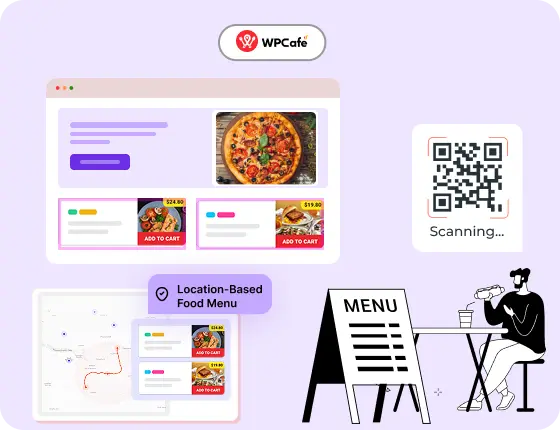
WPCafe helps you take food orders, manage reservations, and run your restaurant online, without extra tools.
- 🟣 34+ ready-to-use food menus
- 🟣 Easy table reservations
- 🟣 Accept online payments
- 🟣 Location-based menus & schedules
- 🟣 Multivendor support
Quick Overview
AI has become an everyday tool for modern restaurants, helping owners cut costs, automate tasks, and make smarter decisions. This guide explores 12 Practical Ways Restaurants Use AI in 2026 and how WPCafe 3.0 with AI brings these capabilities directly to WordPress.
- Why AI has become essential for the restaurant industry
- 12 practical ways AI is transforming restaurants in 2026
- Why WPCafe 3.0 stands out in the AI restaurant space
- Experience WPCafe 3.0 with AI
- The future of AI in restaurants: 2026 and beyond
- FAQs about restaurant technology

Why Restaurants Are Adopting AI in 2026
Restaurants deal with many problems at the same time. Costs are rising, staff are harder to hire, and customers expect quick service with no delays. This makes daily work stressful for owners and teams.
AI helps reduce that pressure. It takes care of tasks that typically consume hours. It also gives insights that help restaurants plan better. According to a survey of 362 U.S. restaurant operators, 79% have already implemented or are considering AI for orders, kitchen operations, or marketing efforts.
Here are the key reasons AI has become essential:
- Less manual work: AI handles menus, bookings, emails, and customer questions.
- Better decision-making: AI reads sales, reviews, and trends to show what is working.
- Faster service: Smart tools help reduce wait times in both dine-in and online orders.
- Reduced waste: Features like AI inventory forecasting help control overstock and shortages.
- Improved customer experience: With AI chatbots and smart recommendations, guests get answers fast.
- More stable revenue: Tools like dynamic pricing for restaurants help during slow times and busy seasons.
For WordPress restaurant websites, AI like Claude AI can also connect directly with restaurant management workflows. AI restaurant management with WPCafe MCP shows how an AI assistant can interact with restaurant data and workflows through WordPress.
A recent report from Deloitte found that over one-third of restaurant leaders expect AI to improve operations, supply-chain management, and overall efficiency.
12 Practical Ways AI is Using In Restaurants Management
AI in restaurants is most useful when it takes a repetitive task off your team’s plate. It could help write menu descriptions, reply to reviews, answer guest questions, or plan kitchen prep.
The right use of AI depends on what is slowing your restaurant down. Here are 12 practical ways restaurants use AI today to save time, improve service, and make daily work easier.
1. Write Marketing Content When the Team Is Too Busy
Good marketing takes time, and most restaurant teams are already busy with daily work. AI makes this part simple. It can write short and clear texts for menus, landing pages, emails, and social posts in a few seconds.
With AI, you can:
- Write menu highlights that attract diners.
- Create updates for new dishes or seasonal offers.
- Prepare social captions for Facebook, Instagram, or Google Business.
- Draft email newsletters without starting from scratch.
These tools help restaurants publish content faster and stay active online. It also allows owners who are not writers or marketers.
For more ideas on promoting your business, check out these proven restaurant marketing strategies .
2. Find Local SEO and Content Ideas
Many customers find restaurants through Google. AI can help restaurants improve their visibility on Google by suggesting keywords, blog ideas, and even writing location-based content.
With AI tools, you can:
- Find the right keywords for your cuisine and location.
- Get blog topic ideas that answer real customer questions.
- Create short SEO-friendly descriptions for menu items.
- Write local landing pages for nearby areas or delivery zones.
This is especially helpful for local restaurants to show up when people search for food, delivery, or restaurant services in your area. Also, compete in search results without hiring an agency.
You can also combine AI suggestions with these best restaurant SEO tips to rank for more local food and delivery searches.
3. Create Clearer Menu and Restaurant Descriptions
Writing menu descriptions that are clear and appealing isn’t always easy. AI now helps generate menu text that highlights ingredients, flavors, and dietary info, all while keeping it short and easy to read.
With AI, you can:
- Describe dishes simply and clearly.
- Highlight ingredients, flavors, and cooking style.
- Match your brand tone for all menu items.
- Update descriptions instantly when recipes change.
Good descriptions help customers make quick choices, which is important for both dine-in and online ordering. Clear text also reduces confusion and lowers the chance of wrong orders.
If you’re using an AI menu generator like WPCafe AI, you can create and update these descriptions right from your WordPress dashboard.
4. Plan and Improve Food Photography
Studies show that menus with high-quality images, even AI-generated or enhanced, can boost conversions by up to 30%. AI image generation tools now create realistic, high-quality menu photos that match your dishes. These are great for online menus, social media, and delivery apps.
With AI-generated photos, restaurants can:
- Produce clean and consistent images for every dish.
- Test different styles or backgrounds.
- Create pictures for new items before they are fully prepared.
- Keep online menus updated without waiting for photo shoots.
It’s a fast and affordable way to improve your presentation and attract more orders. They also help new restaurants that do not have a full photography setup yet.
Once you have strong visuals, you can plug them into the best WordPress restaurant menu plugin layout so each dish looks consistent on your site and ordering pages.
5. Draft Review Responses Without Losing Your Brand Voice
Reading reviews is important. Responding to every review is harder, especially when a restaurant has several locations and hundreds of comments across Google, Yelp, Tripadvisor, and social media.
AI can help teams draft replies that:
- Mention details from the guest’s review
- Follow your preferred tone
- Translate replies when needed
- Keep messaging consistent across branches
- Reduce the time spent writing routine responses
For example, a manager can ask AI to draft a warm reply to a positive review that mentions a specific dish and the server’s helpful service.
For restaurant chains, simple positive reviews can follow approved response templates. Negative reviews, complaints, refunds, food-safety concerns, or allergy-related comments should always go to a location manager for approval.
AI can speed up the first draft, but it should not be left alone to handle sensitive guest issues. For more help, read our guide on the best way to respond to bad restaurant reviews.
6. Answer Common Guest Questions With Chatbots and Voice Assistants
During a lunch rush, staff may be asked the same questions repeatedly:
- Are you open today?
- Do you have vegan options?
- Do I need a reservation?
- Do you deliver to my area?
- What time does the kitchen close?
A restaurant chatbot can answer basic questions from menu and business information. Some restaurants also use voice assistants to reduce missed calls during busy hours.
This can help guests get a quick answer while letting staff focus on people already in the restaurant.
Still, chatbots need good information to be useful. If your opening hours, menu items, delivery areas, or reservation rules are outdated, the chatbot will repeat the wrong answer. Always give guests a simple way to reach a person when the request is unusual or urgent.
7. Forecast Ingredient Demand and Reduce Waste
Buying too much food creates waste. Buying too little leads to unavailable menu items, rushed supplier calls, and disappointed guests.
AI forecasting tools can use past order patterns, seasonality, weather, holidays, and local events to help restaurants estimate demand.
They can support decisions such as:
- How much of a popular dish to prepare
- Which ingredients may run low before the weekend
- Whether a rainy day could increase delivery orders
- Which slow-selling items may cause waste
- When to adjust purchasing quantities
For example, if a restaurant regularly sells more soups and delivery meals on rainy evenings, forecasting can help the kitchen prepare more accurately.
AI does not know about every local change automatically. A nearby concert, road closure, festival, or school holiday may affect demand, so managers should combine forecast data with their own experience. Use restaurant data analytics to make these decisions from real numbers rather than guesswork.
8. Support Smarter Kitchen Management
The kitchen is where small delays can quickly become a service problem. One late ticket can affect delivery timing, table turnover, and customer satisfaction.
AI-supported kitchen tools can help restaurants monitor:
- Orders that are taking longer than expected
- Prep levels before a busy period
- Food waste patterns
- Repeated kitchen bottlenecks
- Equipment issues that may need attention
A practical example is a kitchen display system that highlights orders waiting too long. Instead of discovering the delay after a guest complains, the kitchen team can act earlier.
For most independent restaurants, smart kitchen management does not mean robots replacing chefs. It means better order visibility, better prep planning, and fewer avoidable surprises during service.
9. Help Guests Find Options for Dietary Needs
Guests may ask whether a dish is vegan, halal, gluten-free, dairy-free, nut-free, or suitable for another dietary need. These questions are common, but answering them correctly requires accurate menu and ingredient information.
AI can help restaurants organise menu data and answer basic questions such as:
- Which dishes are vegetarian?
- What options do you have without dairy?
- Which menu items contain nuts?
- What can I order if I do not eat gluten?
This can make menus easier to explore, especially online. But it is also an area where accuracy matters most.
AI should never guess about allergens. If a recipe changes, a supplier changes an ingredient, or there is cross-contamination risk, the restaurant must update its information and have a staff member confirm serious allergy questions.
AI can help present your menu information clearly. It cannot take responsibility for food safety.
10. Suggest Better Offers Instead of Random Discounts
Restaurants often use discounts to fill quieter hours, promote slow-moving dishes, or encourage larger orders. AI can help analyse sales patterns and suggest which offers may be worth testing.
For example, it may help identify:
- A quiet weekday period that could benefit from a lunch offer
- Menu items that are frequently ordered together
- Products that are popular but rarely promoted
- Slow-moving dishes that could work in a bundle
- Delivery offers that may increase average order value
The goal should not be to change prices constantly. Guests notice when pricing feels unfair or unpredictable.
For many restaurants, time-based promotions are more practical than dynamic pricing. A weekday lunch bundle or early-evening offer is easier for guests to understand than changing the price of the same dish every few hours.
11. Reduce Reservation and Waitlist Friction
Reservations often involve more than accepting a booking. Staff may need to answer availability questions, manage changes, send reminders, handle no-shows, and keep waitlists moving.
AI can support reservation workflows by helping restaurants:
- Send timely booking reminders
- Suggest alternate times when a preferred slot is unavailable
- Identify busy periods from booking patterns
- Reduce repetitive guest questions
- Improve waitlist communication
For example, if a guest wants a table at 8 PM but the restaurant is full, an assistant can suggest nearby available slots rather than ending the booking journey.
A good reservation system still needs clear table rules, accurate opening hours, and a realistic view of capacity. For the operational side of table flow, see our guide to building a restaurant table management system.
If your reservations and food orders live on a WordPress site, connected AI can also work with live restaurant data. Read our guide to [AI restaurant management in WordPress](/ai-restaurant-management-wordpress/) for that practical workflow.
12. Learn From Staffing Patterns and Guest Feedback
Restaurant managers make staffing decisions based on experience, but it can be difficult to spot patterns across sales, bookings, reviews, and service feedback.
AI can help bring those patterns together. It may show that:
- Friday evenings need more front-of-house support
- A particular shift receives more complaints about slow service
- A busy delivery period overlaps with kitchen delays
- Guests repeatedly praise or criticise the same part of the experience
- Staffing levels do not match actual demand
For example, if reviews regularly mention slow service between 7 PM and 8 PM on Saturdays, managers can compare that feedback with booking volume and staffing levels before changing the next schedule.
AI can point out patterns. Managers still need to decide whether the issue is staffing, training, kitchen capacity, menu complexity, or something else. Start with guest feedback, using these restaurant survey questions, then compare it with what is happening during service.
Why WPCafe 3.0 Stands Out in the AI Restaurant Space
If you’re running a restaurant website on WordPress, WPCafe AI makes it easier to manage your menu and content without spending hours on updates. With version 3.0, WPCafe introduces built-in AI tools that help you save time and improve the way your menu looks and reads.
Here’s how WPCafe AI works:
Faster menu management than other plugins
Most restaurant plugins need manual text edits and menu restructuring each time an item changes. WPCafe 3.0 reduces this workload because AI is built right into the editor. You can create or update menus in seconds without rewriting everything by hand.
AI tools built directly into WordPress
Some restaurant platforms charge extra to use AI tools or require third-party services. WPCafe 3.0 keeps the workflow inside your WordPress dashboard, making it simple, private, and cost-effective. No extra subscriptions or external tools needed.
Multi-branch support that competes with big SaaS tools
Plugins like WooFood and GloriaFood often focus on single-location setups. WPCafe 3.0 is optimized for restaurants with more than one branch. Each location gets its own menu, schedule, and order setup while staying under one clean system.
WPCafe is designed for busy restaurant owners who want to update menus quickly while keeping everything consistent and professional. You don’t need to hire a designer or writer; the AI handles it inside your WordPress dashboard.
The future of AI in restaurants: 2026 and beyond
AI is growing fast, and restaurants will see even more helpful features in the coming years. Here are the areas that will shape the future.
- Hyper-personalized dining experiences: AI will use past order data, dietary preferences, and even time of day to offer tailored suggestions to each customer, whether they’re dining in or ordering online.
- AI + Robotics in the kitchen: Expect to see more smart kitchen tools that assist with cooking, prep, and plating. These systems can reduce errors, speed up service, and help maintain consistency.
- Predictive hiring and staff optimization: AI will forecast staffing needs and even recommend when to hire based on sales trends, seasonal demand, and local events.
- AI + IoT integration: Smart kitchen appliances and sensors will monitor food safety, equipment status, and inventory in real time, alerting staff before problems occur.
- Ethical and data privacy concerns: As AI tools collect more customer data, restaurants will need to follow clear privacy practices. Transparency and secure data handling will be essential for building trust.
If you’re just starting with digital orders, here’s a complete guide on how to sell food online using WordPress.
FAQs About Using AI in Restaurants Management
How is AI used in restaurant technology?
AI helps restaurants create menu descriptions, draft marketing content, respond to reviews, answer common guest questions, analyse sales trends, and support kitchen or demand planning.
When connected to restaurant software, AI can also work with live business data instead of providing only general advice. For example, a connected assistant can retrieve reservation, order, menu-performance, or sales information based on the access permissions you set.
What restaurant technology should a small restaurant use first?
Start with the tool that removes your biggest daily bottleneck. For many small restaurants, that is online ordering, digital menus, reservation management, payment processing, or better customer communication—not advanced AI features.
Can AI help restaurants respond to customer reviews?
Yes. AI can draft review replies in your preferred tone and help multi-location teams respond more consistently. Staff should review negative feedback and any complaint about allergies, food safety, refunds, or poor service before a reply is published.
Can AI answer dietary and allergen questions?
AI can help organise menu information and guide guests toward vegetarian, vegan, halal, dairy-free, or gluten-free options. However, it is only as accurate as the ingredient data provided, so staff should always confirm serious allergy and cross-contamination questions.
Can AI manage restaurant reservations and food orders?
AI can help with reminders, waitlist communication, common booking questions, and order updates. To check live reservations or food orders, it needs a secure connection to the restaurant system where that data is stored.
What is MCP in restaurant technology?
MCP, or Model Context Protocol, is a standard that lets an AI assistant connect to approved tools in another system. It gives the assistant controlled access to live data and actions rather than asking it to guess.
How does WPCafe MCP help a WordPress restaurant?
WPCafe MCP connects an MCP-compatible AI assistant with a WordPress restaurant site that uses WPCafe. With the correct WordPress permissions, a team can ask for live information about pending reservations, food orders in progress, top-selling items, locations, and restaurant reports.
For the full setup and real examples, read our guide to AI restaurant management in WordPress.
Is it safe to connect AI to restaurant data?
It can be safe when access is limited to the right user role, HTTPS is enabled, and credentials can be revoked when needed. Keep people responsible for consequential decisions, including food safety, complaints, refunds, pricing, and guest care.
Conclusion
AI in restaurants works best when it solves a clear, everyday problem: writing menu content, responding to reviews, spotting sales patterns, planning kitchen prep, or answering common guest questions.
Start with one workflow, check the results, and keep people responsible for decisions that affect food safety, pricing, complaints, and guest experience. When you are ready to move from general AI tools to connected restaurant workflows, WPCafe gives you a practical place to start.
Start AI-Powered Restaurant Management With WPCafe
Manage restaurant tasks smarter with WPCafe and explore how AI can help you handle menu content, customer support, reservations, and daily operations inside WordPress.