Compare WordPress Restaurant Menu Plugins: Top Options for 2026


Table of Contents
When you compare WordPress restaurant menu plugins, focus on menu display, online ordering, WooCommerce support, reservations, delivery, QR service, pricing, and maintenance. WPCafe is the most complete all-in-one option in this comparison; Five Star Restaurant Menu is better for a focused digital menu, while Orderable fits WooCommerce-first ordering.
We compared 10 of the best WordPress restaurant menu plugins for different business models, from display-only cafés to delivery restaurants and multi-location operations. You will see each plugin’s best use case, menu features, ordering model, WooCommerce fit, limitations, and pricing so you can make a practical shortlist. If you are looking for a dedicated solution rather than a comparison of multiple tools, explore our WordPress restaurant menu plugin page.
Editorial note: We reviewed feature and pricing information against official product pages and WordPress.org listings for 2026. Prices, discounts, and plan limits can change, so confirm the current checkout price before purchasing.
Quick Comparison
Compare the plugins by workflow first. A display-only cafe may need a lightweight menu tool, while a restaurant handling delivery orders, QR table orders, and reservations will benefit from a connected operational system.
Top 3 WordPress Restaurant Menu Plugins
- WPCafe: Best for an all-in-one restaurant workflow.
- Five Star Restaurant Menu: Best for a polished digital menu with schema and QR access.
- Orderable: Best for WooCommerce pickup, delivery, and table ordering.
Other Plugins to Consider
- RestroPress: Standalone restaurant ordering without WooCommerce.
- Restaurant Menu by MotoPress: Categorized menus and basic payment functionality.
- WPPizza: Pizza menus with multiple sizes and cash-on-delivery orders.
- Food Menu by RadiusTheme: A visual menu that can grow into WooCommerce ordering.
- WooCommerce Food: A feature-rich food-ordering layer for WooCommerce.
- Food Store: A lightweight WooCommerce menu and pickup setup.
- FoodBook Lite: An AJAX ordering interface with delivery and pickup scheduling.
The best choice depends on whether you need a simple digital menu, WooCommerce-based ordering, or a complete restaurant management workflow.
What does a restaurant menu plugin do?
A restaurant menu plugin turns WordPress content or WooCommerce products into an organized, mobile-friendly food menu. Depending on the plugin, you can show categories, images, descriptions, prices, dietary information, modifiers, availability, and order buttons.
A menu-display plugin and a restaurant-ordering system are not the same thing. Display tools focus on presentation. Ordering tools add carts, payments, pickup, delivery, kitchen workflows, or table service. Some platforms also include reservations and branch management. Knowing which level you need prevents unnecessary cost and plugin conflicts.
Why should you use a restaurant menu plugin in WordPress?
A restaurant menu plugin helps you publish an accurate, mobile-friendly menu, update it without reprinting, and give customers a clearer path from browsing to ordering or booking. The right tool can improve both the customer experience and your team’s day-to-day menu management.
- Keep prices, dishes, seasonal items, and availability up to date from WordPress.
- Show images, descriptions, ingredients, dietary details, variations, and prices in a consistent layout.
- Help mobile visitors browse categories and find items without opening a PDF.
- Connect the menu with online ordering, pickup, delivery, payments, QR service, or reservations when required.
- Support your brand with customizable layouts while keeping menu information readable for search engines and AI assistants.
- Reduce repetitive manual work by managing menu content and restaurant workflows from one system.
How We Compared WordPress Restaurant Menu Plugins
To compare WordPress restaurant menu plugins fairly, we focused on the features that directly affect menu management, online ordering, customer experience, and everyday restaurant operations. Instead of simply counting features, we looked at how useful each plugin is for different restaurant needs, from simple menu display to complete ordering and reservation workflows.
Menu Creation and Customization
We checked how easily each plugin lets restaurant owners add food items, prices, descriptions, images, categories, and menu variations. We also considered layout flexibility and how easily the menu can be updated as dishes, prices, or seasonal offers change.
Online Ordering
We compared whether customers can place orders directly through the restaurant website and how well each plugin supports the online ordering process. Plugins with built-in ordering tools or strong integrations were considered more suitable for restaurants that want more than a basic digital menu.
Pickup, Delivery, and Dine-In
We looked at whether each option supports pickup, delivery, or dine-in workflows. Flexible fulfillment options are particularly important for restaurants serving customers through multiple ordering channels.
Table Reservations
We checked whether table booking is built in, available through an integration, or requires another plugin. For restaurants that accept table reservations, combining menu browsing and booking can create a smoother customer experience.
WooCommerce Support
We reviewed how well each plugin works with WooCommerce for checkout, payments, taxes, coupons, and order management. This is especially important for restaurants already using WooCommerce as the foundation of their online ordering system.
QR Menu Support
We considered whether each plugin supports QR code menus for menu access or ordering. This can be particularly useful for dine-in restaurants, cafes, and businesses offering contactless ordering.
Mobile Experience
We checked how menus, prices, buttons, and ordering interfaces perform across smartphones and tablets. Since many customers browse restaurant menus from mobile devices, responsive design was an important part of the comparison.
Integrations and Restaurant Features
We compared compatibility with payment gateways, reservation tools, delivery workflows, and features such as multi-location support. Strong integrations can reduce the need to combine several unrelated plugins as a restaurant grows.
Ease of Use
We considered how easy each plugin is to install, configure, and manage from WordPress. We also looked at common day-to-day tasks such as adding menu items, changing prices, updating categories, and managing orders.
Pricing and Free Version
We reviewed whether each plugin provides a free version, what functionality is included without upgrading, and the starting price of premium plans. This helps show not only which option costs less, but also which features require a paid upgrade.
Best Use Case
Finally, we identified which type of restaurant or website each plugin is best suited for. Some plugins are better for simple digital menus, while others are designed for businesses that also need ordering, reservations, delivery, WooCommerce, or multi-location management.
Using these criteria gives us a consistent way to compare WordPress restaurant menu plugins and highlight the practical differences between each option.

WordPress Restaurant Menu Plugin Comparison: 10 Options Reviewed
Compare 10 popular WordPress restaurant menu plugins based on their features, pricing, integrations, and best use cases. The options below range from simple menu-display plugins to more complete solutions that support online ordering, WooCommerce, reservations, delivery, and other restaurant workflows.
Use this comparison to see where each plugin stands out and which type of restaurant or food business it may suit best.
1. WPCafe: Best for an all-in-one restaurant workflow
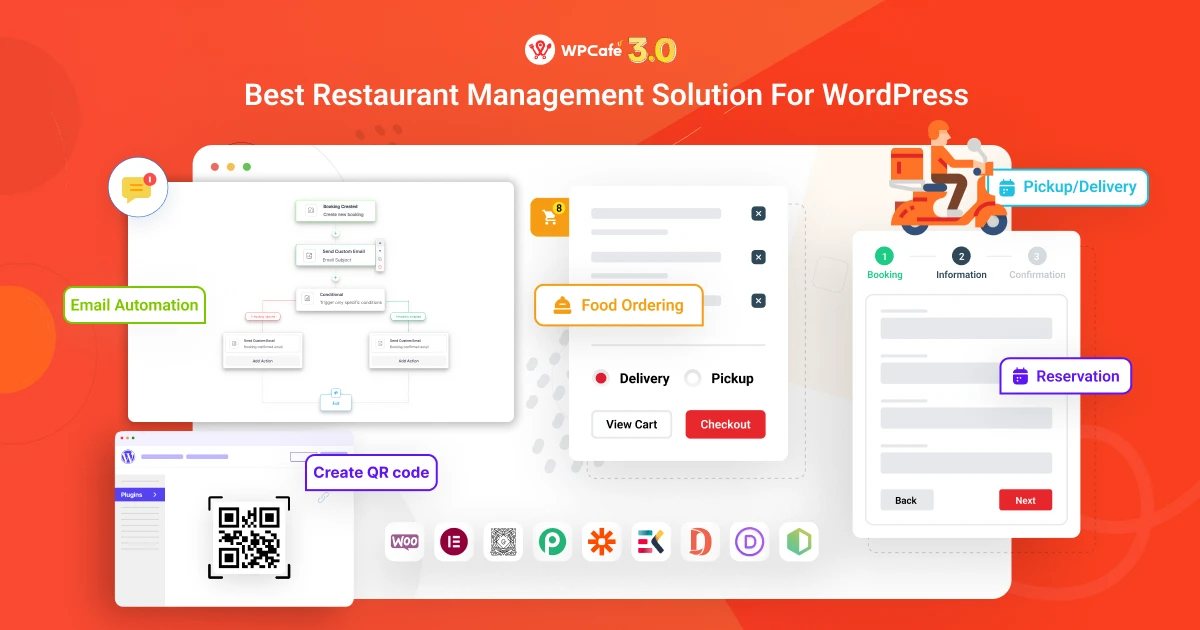
WPCafe is the strongest choice in this comparison when you want the menu, WooCommerce ordering, pickup, delivery, dine-in, QR ordering, and table reservations to work together. We recommend it for restaurants that would otherwise need several disconnected plugins.
The current WPCafe product information lists more than 34 menu layouts, including list, tab, slider, category, and load-more options. Orders use WooCommerce, giving you access to its checkout, taxes, coupons, payment gateways, and order records. Restaurant-specific controls cover preparation time, pickup and delivery schedules, product add-ons, tips, discounts, and notifications.
What are WPCafe’s main strengths?
Its main strength is operational continuity. A customer can browse a menu, select options, order for pickup or delivery, scan a QR code for dine-in service, or reserve a table without moving across unrelated systems.
- More than 34 menu layouts and mobile-ready menu displays.
- WooCommerce checkout and payment support.
- Pickup, delivery, dine-in, and scheduled-order workflows.
- QR-based menu access and table ordering.
- Single-slot, multi-slot, holiday, and visual table reservations.
- Product add-ons, tips, discounts, notifications, and reporting.
- Location-specific menus and multi-branch controls.
What should you consider before choosing WPCafe?
WPCafe has a broader setup than a display-only plugin. WooCommerce adds another layer to configure, and advanced automation, multi-location, integration, and operational features may require WPCafe Pro. Review the free-versus-paid feature table against your actual workflow.
Best for: restaurants, cafés, cloud kitchens, takeaways, and multi-location food businesses that want one connected WordPress restaurant system.
Pricing: A free version is available. Current paid plans start at $89 per year, with a lifetime option starting at $149.
2. Five Star Restaurant Menu: Best for a focused digital menu
Five Star Restaurant Menu is the better choice when your first priority is a clean, searchable, structured menu rather than a complete restaurant-management platform. It supports unlimited menus and items, sections, photos, multiple prices, Gutenberg blocks, shortcodes, schema, and a QR code that opens the menu.
What makes Five Star Restaurant Menu useful?
The plugin makes detailed menus easy to organize and helps search engines identify the page as a restaurant menu. Paid features add layouts, custom fields, filters, search, dietary icons, badges, discounts, and styling controls.
Does Five Star Restaurant Menu support ordering and reservations?
Ordering is available only in the Ultimate version. It adds a cart, Stripe and PayPal payments, schedules, delivery options, tips, order limits, notifications, and mobile order management. Table reservations belong to a separate Five Star plugin and should not be described as a core menu feature.
Best for: restaurants that want a polished digital menu and may add direct ordering later.
Pricing: The core plugin is free. Confirm the current Premium and Ultimate checkout prices on the official product page before publishing a fixed paid price.
3. Orderable: Best for WooCommerce-first ordering
Orderable is a strong fit when you already use WooCommerce and mainly need a restaurant-friendly menu, pickup, delivery, and table-ordering experience. It keeps products, payments, taxes, and orders inside WooCommerce while improving the customer-facing food-order flow.
What does Orderable include?
The free version includes online ordering, mobile-friendly layouts, a live order view, and delivery or pickup date scheduling. Orderable Pro adds features such as table-specific QR ordering, multiple locations, product add-ons, tipping, time slots, and expanded operational controls.
What are Orderable’s limitations?
Orderable is an ordering platform, not a full table-reservation system. It also requires WooCommerce, so it is more software than a café needs when the website only displays a menu.
Best for: WooCommerce restaurants focused on pickup, delivery, takeaway, and table ordering.
Pricing: Free version available; Orderable Pro currently costs $149 per year for one site.
4. RestroPress: Best for standalone ordering without WooCommerce
RestroPress is the clearest choice here when you want direct food ordering on WordPress without using WooCommerce. The free core supports restaurant menus and commission-free pickup, delivery, and dine-in orders.
Why would you choose RestroPress?
Its standalone approach can reduce WooCommerce complexity. Restaurant-oriented settings cover payments, taxes, emails, store timings, accounts, and order workflows, while paid plans and extensions add delivery fees, mobile order handling, printing, stock, SMS, tips, payment gateways, and marketing integrations.
What should you check before buying RestroPress extensions?
Calculate the full extension stack. Advanced payments, delivery zones, notifications, POS connections, and operational features may require a plan or separate extension. It is also not primarily a table-reservation platform.
Best for: restaurants that want a dedicated ordering system without WooCommerce.
Pricing: Free core; the current Starter plan is listed at €199 per year for one site.
5. Restaurant Menu by MotoPress: Best for categorized menus and basic payments
Restaurant Menu by MotoPress is best when you need detailed categorized food and drink menus with simple ecommerce. The core plugin lets you publish images, descriptions, prices, nutrition details, ingredients, attributes, tags, and multiple menu views.
Can customers order through MotoPress Restaurant Menu?
Yes. The free core includes PayPal and cash-on-delivery ordering. You can display menus in pages, posts, and widget areas, while extensions add delivery and pickup, toppings, and a navigation-menu cart.
What are the limitations?
MotoPress is not a full reservation or multi-location management system. The modular extension model is flexible, but the final cost rises when you add delivery, toppings, or other restaurant functions.
Best for: cafés and restaurants that need rich menu information and relatively simple ordering.
Pricing: The core plugin is free. The delivery and pickup extension currently starts at $49 per year for one site.
6. WPPizza: Best for pizza and size-based menus
WPPizza is the most natural fit when your menu depends on multiple sizes, multiple prices, categories, opening hours, and cash-on-delivery orders. Despite its name, it can support other restaurant types as well.
What can WPPizza manage?
The free core covers menus, order notifications, daily opening and closing times, tips, discounts, tax rates, order reports, multilingual labels, WPML compatibility, multisite, and shortcodes. Paid extensions expand payments, delivery, pickup pricing, and restaurant operations.
What are WPPizza’s limitations?
Its design and workflow are more utilitarian than newer app-style systems, and advanced requirements can involve multiple extensions. It is not a dedicated reservation platform.
Best for: pizzerias and restaurants with size-based menus and straightforward direct ordering.
Pricing: The core plugin is free. Do not publish one universal bundle price because official extensions are priced individually.
7. Food Menu by RadiusTheme: Best for a visual menu with a WooCommerce upgrade path
Food Menu is a strong choice when you want a visual standalone menu now but may add WooCommerce ordering later. It supports two data sources: its own food-menu post type for display and WooCommerce products for ecommerce.
What is included in Food Menu?
The current plugin supports menu layouts, online ordering, inventory, pickup and delivery, tips, discounts, special-menu popups, and reservations. The Pro plan expands restaurant operations with visual table reservations, product add-ons, a mini cart, live order management, and advanced inventory tools.
What should you verify before choosing Food Menu?
Confirm which layout, reservation, QR, and operational features belong to the free or paid plan. Test the menu filters, product options, cart, and booking flow on a real phone.
Best for: restaurants that value menu presentation and want a gradual path to WooCommerce ordering.
Pricing: Free core; one-site Pro currently starts at $49 per year, with a one-site lifetime option currently listed at $143.
8. WooCommerce Food: Best for feature-rich WooCommerce food ordering
WooCommerce Food by Ex-Themes is best for restaurants that want to turn WooCommerce products into a dedicated food menu and ordering interface. It offers multiple layouts, food options, schedules, delivery and pickup controls, location features, and restaurant-oriented checkout tools.
Why choose WooCommerce Food?
It provides a broad set of ordering and display options without replacing WooCommerce. That makes it useful when your store already depends on WooCommerce payments, product data, and order management.
What should you check first?
This is a paid marketplace-style plugin, so review its update history, support terms, demo, and current license scope before purchase. Direct and marketplace prices can differ.
Best for: established WooCommerce sites that want a configurable restaurant menu and ordering layer.
Pricing: The developer’s current direct page displays a $45 purchase price; verify the live marketplace price at checkout.
9. Food Store: Best for a lightweight WooCommerce pickup setup
Food Store is best when you want a relatively lightweight restaurant menu and ordering layer on an existing WooCommerce site. It uses WooCommerce products and categories, offers a restaurant-style shortcode, and supports mobile-friendly menu browsing.
What can you add to Food Store?
The free core covers menu display, variable prices, item add-ons, dietary labels, and WooCommerce settings. Optional add-ons cover store hours, WhatsApp cart, time-based menus, tips, and delivery rates by ZIP code or location.
What are Food Store’s limitations?
Several operational features require separate add-ons, so the apparent simplicity can turn into a larger stack. It is not primarily a reservation or multi-location management system.
Best for: WooCommerce restaurants that need a simple menu and pickup workflow.
Pricing: The core plugin is free; premium add-ons are priced separately.
10. FoodBook Lite: Best for AJAX pickup and delivery ordering
FoodBook Lite is best for WooCommerce restaurants that want customers to search, filter, customize, and order food from an AJAX-powered interface. It supports pickup, delivery, scheduled orders, product extras, order instructions, and a single-page cart experience.
Who benefits most from FoodBook Lite?
Restaurants, cafés, bakeries, pizza shops, cloud kitchens, and local delivery businesses can use it when fast menu browsing and scheduled ordering matter more than table reservations.
What are FoodBook Lite’s limitations?
WooCommerce is required, and advanced branch, kitchen, delivery-person, in-restaurant, location-checking, and tipping workflows may require FoodBook Pro or additional modules.
Best for: WooCommerce food businesses that want a modern pickup and delivery interface.
Pricing: FoodBook Lite is free; the developer currently lists FoodBook Pro at $49.
How WPCafe Compares with Other Restaurant Menu Plugins
WPCafe stands out from many restaurant menu plugins because it combines menu management with broader restaurant features such as online ordering, table reservations, pickup and delivery workflows, WooCommerce support, and payment options.
For restaurants that want more than a simple digital menu, this all-in-one approach can reduce the need to combine several separate plugins. At the same time, restaurants that only need a basic menu display may find a lighter plugin easier to manage.
WPCafe also offers both free and premium options, allowing restaurants to start with core functionality and upgrade when they need more advanced features. Compared with the other plugins in this list, it is best suited to restaurants looking for a broader menu, ordering, and reservation workflow within WordPress.

$149/Lifetime Access
Total Cost of Other Plugins

Five Star Restaurant Menu Pro+ add-ons

GloriaFood pro + add-ons

Orderable Pro plan

Restropress Professional
*We have selected the plans that align most closely with the features provided by each platform.
Common Mistakes to Avoid When Choosing a Restaurant Menu Plugin

Even after comparing features and pricing, it is easy to choose the wrong plugin if you focus on the wrong details. Before making a final decision, avoid these common mistakes:
- Choosing a plugin based only on price
- Ignoring compatibility with WooCommerce, your theme, or existing tools
- Selecting more features than your restaurant actually needs
- Overlooking mobile usability and QR menu experience
- Failing to check recent updates, documentation, and support quality
- Not testing the free version, demo, or trial before upgrading
- Ignoring future needs such as delivery, reservations, or multiple locations
A plugin that looks good on paper may not fit your restaurant’s workflow. Use the comparison above to narrow your options, then test the most suitable choice before committing to a paid plan.
In Summary
Comparing WordPress restaurant menu plugins is easier when you focus on the features your restaurant actually needs. Some plugins are better for simple menu display, while others are designed for online ordering, WooCommerce, reservations, delivery, or more complete restaurant workflows.
WPCafe is a strong option for restaurants that want to manage menus, ordering, and reservations within a broader WordPress restaurant solution. However, the best choice ultimately depends on your required features, budget, existing setup, and plans for growth.
FAQs About WordPress Restaurant Menu
How do I compare WordPress restaurant menu plugins?
Compare WordPress restaurant menu plugins based on menu design, online ordering, WooCommerce support, reservations, delivery options, QR menus, integrations, ease of use, and pricing. The best choice depends on which of these features your restaurant actually needs.
Which WordPress restaurant menu plugin is best for online ordering?
For online ordering, look for a plugin that supports WooCommerce, checkout, payment options, pickup or delivery, and order management. WPCafe is one option that combines menu display with ordering and other restaurant features.
Can I use a restaurant menu plugin with WooCommerce
Yes. Many restaurant menu plugins integrate with WooCommerce so you can manage checkout, payments, taxes, coupons, and orders through your existing WooCommerce setup.
Is WPCafe a good choice for restaurant websites?
Yes, WPCafe is a strong choice if you want more than a basic menu plugin. It can help you manage menus, online orders, reservations, pickup, and delivery from one place.
Does WPCafe support table reservations?
Yes. WPCafe includes reservation features, which makes it useful for restaurants that want to manage both menu browsing and table booking in one place.
What is the difference between a simple menu plugin and an all-in-one restaurant plugin?
A simple menu plugin mainly helps you display food items, prices, images, and categories. An all-in-one restaurant plugin can also include online ordering, reservations, delivery or pickup options, payments, and other restaurant management features.