10 Best Restaurant Management Plugins for WordPress


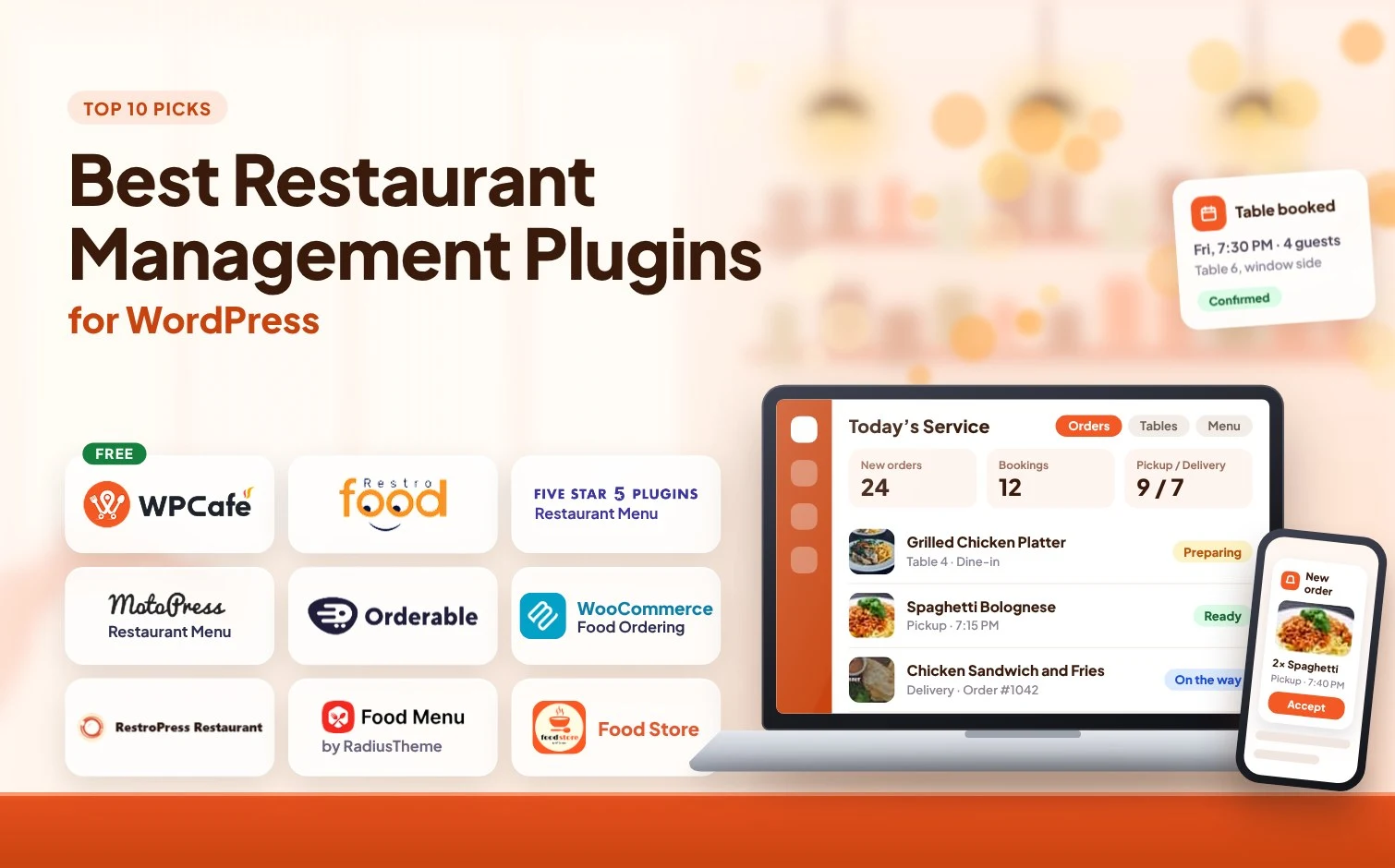
Table of Contents
Do you face trouble selecting the right restaurant management plugin for your restaurant? You’re not alone. Some plugins focus on food menus, while others are built for online ordering, table reservations, delivery, or complete restaurant operations.
To make your decision easier, we compared 10 of the best restaurant management plugins for WordPress based on their features, ease of use, integrations, pricing, and ideal use cases. Whether you run a small café, cloud kitchen, takeaway service, or full-service restaurant, this guide will help you find the option that best matches your daily operations, website setup, and budget.
Prefer one complete solution for managing menus, online orders, table reservations, pickup, and delivery?
Explore how WPCafe works as a complete WordPress restaurant plugin for different types of food businesses.
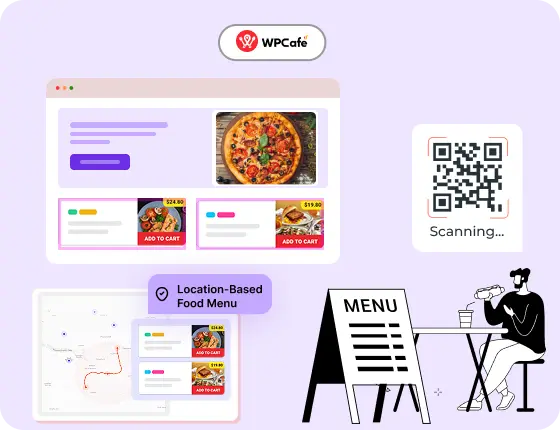
Want More Control? Upgrade to WPCafe Pro
Get advanced tools to manage multi-branch operations, automate bookings, and simplify your daily restaurant tasks.
- 🟣 Time-based menus (breakfast/lunch/dinner)
- 🟣 Multi-branch management
- 🟣 Reservation automation
- 🟣 Smart discounts & product rules
- 🟣 Visual email builder
Top Restaurant Management Plugins at a Glance
Short on time? Here’s where each plugin fits.
TOP 4 PICKS
- WPCafe: Best all-in-one restaurant management plugin for WordPress
- RestroFood: Best all-in-one WooCommerce restaurant management plugin
- Five Star Restaurant Menu: Best for menus, with ordering in the premium version
- MotoPress Restaurant Menu: Best for menus and ordering with WooCommerce
6 MORE WORTH A LOOK
- Orderable: Best for a strong online ordering focus
- WooCommerce Food Ordering (Barn2): Best for WooCommerce-centric ordering
- RestroPress: Best for a simple free online ordering system
- Food Menu by Radius Theme: Best for menu display
- FoodMaster [Formerly WooFood]: Best for food ordering and delivery built on WooCommerce
- Five Star Restaurant Reservation: Best for table bookings and reservation management
Top Restaurant Management Plugins Compared
Compare our top picks side by side before you read the full reviews. The other plugins, with their features and pricing, are covered in the reviews below.
Swipe the table sideways to see all five plugins →
| Feature | WPCafe Our pick |
RestroFood | Five Star Restaurant Menu | MotoPress Restaurant Menu | Orderable |
|---|---|---|---|---|---|
| Best for | All-in-one restaurant management | All-in-one WooCommerce restaurant management | Menu + ordering (premium) | Menu + ordering with WooCommerce | Strong online ordering focus |
| Menu builder | Yes | Yes | Yes | Yes | Yes |
| Online ordering | Yes | Yes | Yes (premium) | Yes | Yes |
| Delivery / pickup | Yes | Yes | Limited | With addon | Yes |
| Table reservations | Yes | Yes | No | No | No |
| WooCommerce support | Yes | Yes | Yes (via addon) | Yes | Yes |
| Free version | Yes | Yes | Yes | Yes | Yes |
| Paid plans from | $69/year | $75/year | €67 | $99/year | $149/year |
Prices as listed in each plugin review below. Check each plugin’s official pricing page for current offers.
How we tested and reviewed all restaurant management plugins for WordPress
We didn’t choose these WordPress restaurant plugins randomly. Each plugin went through the same testing process to keep things fair and clear. We focused on real restaurant needs, not just feature lists.
Here’s what we checked for every plugin:
- Easy setup without complex configuration
- Menu creation and menu management options
- Online ordering and reservation features
- Compatibility with WordPress and WooCommerce
- Payment and checkout support
- Performance and page loading speed
- Ease of use for restaurant owners and customers
- Quality of support, updates, and user reviews
Only plugins that performed well in these areas earned a place in our list of the best restaurant management plugins for WordPress.

Top WordPress restaurant management plugins to manage restaurants and cafes
Now let’s get into the main part of this blog.
In this section, we’ll review the best restaurant management plugins for WordPress, one by one. To keep things clear and easy to compare, we’ll follow the same structure for every plugin.
This way, you can quickly understand which plugin fits your restaurant’s needs without getting confused. Let’s start with the first one.
1. WPCafe 3.0 restaurant management plugin
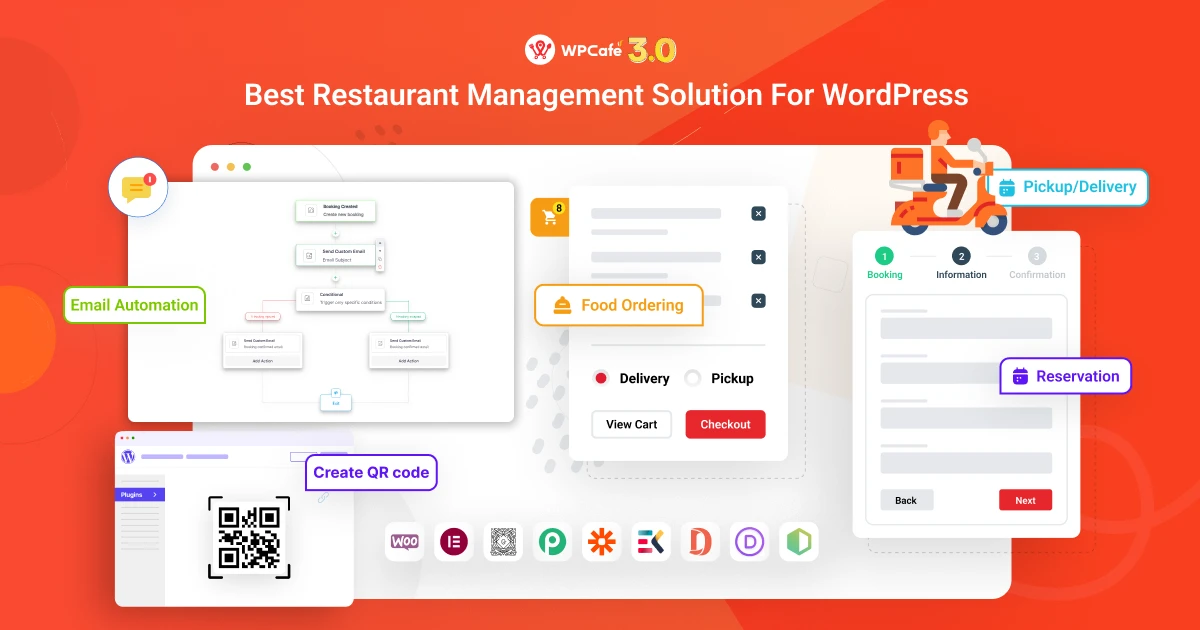
WPCafe 3.0 is an all-in-one restaurant management plugin for WordPress. It helps you manage food menus, online orders, table bookings, and handle both pickup and delivery.
You don’t need separate restaurant plugins for your multiple branches and restaurant reservations. All you get in one dashboard. Additionally, it is fully compatible with WooCommerce and works well for small cafés, cloud kitchens, and full-service restaurants.
Also, WPCafe has a quick setup process, and you can start using most core features without paying money.
Key features:
- Food menu builder with categories, variations, and addons
- Online food ordering with pickup and delivery options
- Table booking and reservation management
- Order scheduling and time-based availability
- QR code menu for dine-in customers
- WooCommerce integration for payments and checkout
- Discounts, coupons, and offers
- Multi-location support
- Multivendor restaurant marketplace with Dokan
- Clean and easy-to-use admin interface
What we liked most:
WPCafe offers greater flexibility than most free plugins. It’s beginner-friendly, works smoothly with WooCommerce, includes clean menu layouts that fit any theme, and is backed by frequent updates and clear documentation.
WPCafe Pros and Cons
- Menus, online ordering, reservations, pickup and delivery in one plugin
- Beginner-friendly with a quick setup
- Works smoothly with WooCommerce
- Frequent updates and clear documentation
- Most core features are free
- Advanced features such as multi-branch tools need a paid plan
- Payments and checkout run through WooCommerce
Pricing:
- Free version available
- Pro version: Paid plans start from only $69/year
2. RestroFood WordPress Restaurant Management Plugin
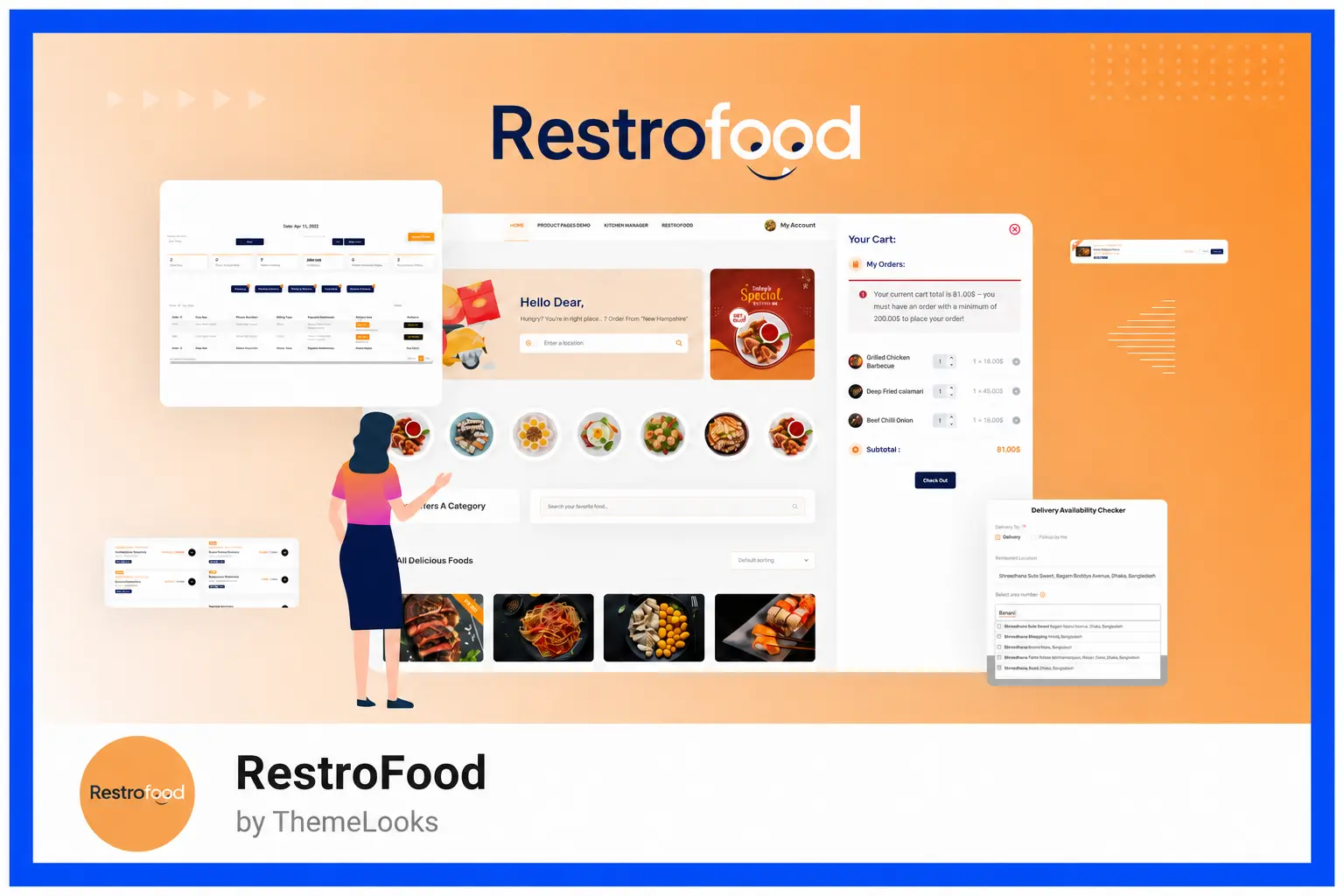
RestroFood is a complete restaurant management plugin for WordPress and WooCommerce. RestroFood helps you manage online food orders, food menus, delivery, pickup, POS, table reservations, and other daily restaurant operations from one system.
You don’t need separate plugins for online ordering, delivery management, POS, table reservations, or multiple restaurant branches. RestroFood brings these tools together in one dashboard, making it suitable for small restaurants, cafés, cloud kitchens, takeaways, and growing multi-location businesses.
RestroFood also supports WooCommerce payment gateways and provides a flexible ordering experience with delivery scheduling, pre-orders, same-page checkout, and address- or zip-code-based delivery availability.
Key features:
- WooCommerce-based online food ordering
- Delivery and pickup management
- Pre-order and delivery time scheduling
- Zip code and address-based delivery availability
- Same-page cart and checkout
- WooCommerce POS for counter, takeaway, and dine-in orders
- Table reservation and booking management
- Multi-branch restaurant management
- Multiple delivery fee management
- Automatic order invoice printing
- Separate dashboards for kitchen, branch managers, and delivery staff
- In-restaurant table ordering
- Tips management
- Real-time order notifications
- Mobile apps for restaurant order management
What we liked most:
RestroFood stands out because it goes beyond basic online food ordering. It combines ordering, delivery, POS, reservations, and multi-branch operations in one WordPress solution. We also liked the zero-commission ordering model, flexible delivery management, role-based dashboards, and the availability of a free version for restaurants getting started.
RestroFood Pros and Cons
- Ordering, delivery, POS, reservations and multi-branch in one solution
- Zero-commission ordering model
- Role-based dashboards for kitchen, branch managers and delivery staff
- Free version available
- POS, multibranch, reservations and other advanced tools come as add-ons or bundles
- Built on WooCommerce, so WooCommerce is required
Pricing:
- Free version available
- Pro version: Paid plans start from $75/year
3. Five Star Restaurant Menu

Five Star Restaurant Menu works best when your priority is showing food items clearly, not running full restaurant operations. It’s often used by restaurants that want a clean, readable menu on their website before worrying about online ordering or reservations.
This plugin is a good fit if customers usually check your menu first and contact you later to place orders, or if they visit in person. Many restaurants use it as a starting point to build an online presence without changing how they already operate.
If you mainly need a professional menu display and want to avoid complex setups, this plugin keeps things simple.
Key features
- Food menu creation with categories and item descriptions
- Price display with optional labels and badges
- Shortcodes and block support for easy placement
- Responsive menu layouts for mobile devices
- Optional addons for ordering and extra features
- Works with most WordPress themes
What we liked most
The plugin does one thing well: menu presentation. Menus look clean, load fast, and are easy to manage. It’s ideal for restaurants that want to focus on content and clarity rather than full online ordering systems.
Five Star Restaurant Menu Pros and Cons
- Clean, fast-loading menus
- Easy to manage
- Shortcodes and block support
- Free version available
- Built for menu display, not full restaurant operations
- Ordering and reservations need premium add-ons
Pricing
- Free version available
- Pro version: Paid plans start from €67 (+ add-ons for reservation, profile, reviews)
📚 Related reading: Five Star Restaurant Menu vs WPCafe
4. MotoPress Restaurant Menu

Restaurant Menu and Food Ordering by MotoPress is a good option if your main goal is to show food menus clearly and accept simple online orders without building a full restaurant management system in WordPress.
This plugin makes sense for restaurants that already have a basic workflow and just want customers to browse items and place orders online.
If you run a small restaurant, café, or takeaway business and don’t need table reservations, delivery zones, or advanced scheduling, this plugin can cover the basics without overwhelming you.
Key features:
- Food menu creation with categories and item details
- Price display, labels, and dish descriptions
- WooCommerce integration for online ordering
- Shortcodes and blocks for menu placement
- Works with most WordPress themes
- Optional addons for extra ordering features
What we liked most:
MotoPress does a good job with menu presentation. The layouts look neat, the menus are easy to manage, and it fits well with WooCommerce stores that already sell food items. It’s a solid option if your main goal is to show menus clearly and take orders through WooCommerce.
MotoPress Restaurant Menu Pros and Cons
- Neat menu layouts
- Menus are easy to manage
- Fits WooCommerce stores that already sell food
- Free version available
- No table reservations, delivery zones or advanced scheduling
- Delivery needs an add-on
Pricing:
- Free version available
5. Orderable

Orderable is another fast and clean online restaurant management plugin for WordPress. Instead of trying to cover everything, it focuses on food delivery without hassle.
It’s a good fit for takeaway and delivery-focused restaurants that already use WooCommerce. Moreover, Orderable is flexible and user-friendly, making it a solid choice for restaurants that need reliable ordering without unnecessary complexity.
Key Features
- Easy-to-build food menus with categories and images
- Online ordering system for pickup and delivery
- Order status management from the admin panel
- Customer notifications for order updates
- Works with WooCommerce for payment processing
- Flexible checkout options and order timing
What we liked most:
Orderable makes online ordering easy for both restaurant owners and customers. The order flow feels smooth, menus are simple to set up, and customers see clear order steps. It’s ideal for restaurants that want a strong ordering system without extra features they don’t need.
Orderable Pros and Cons
- Smooth order flow with clear order steps
- Menus are simple to set up
- Customer notifications for order updates
- Free version available
- No table reservations
- Focused on ordering, not full restaurant management
Pricing:
- Free version available
- Pro version: Paid plans start from $149/year
📚 Related reading: 5 Best Free Orderable Alternatives and Competitors for Restaurant Management 👉 Read more
6. WooCommerce Food Ordering (by Barn 2)
WooCommerce Food Ordering is a strong option for restaurants that already use WooCommerce to manage products and payments.
It extends your existing WooCommerce setup and turns food items into order-ready products. You can manage takeaway and delivery orders, control pricing, and handle checkout through the same WooCommerce flow you already know.
If your team is comfortable with WooCommerce and wants a restaurant ordering solution, this plugin makes the transition simple without adding extra complexity.
Key features
- Food menu layout optimized for ordering
- Quick add-to-cart and bulk ordering
- Pickup and delivery support through WooCommerce
- Flexible product and pricing control
- Works with most WooCommerce themes
- Suitable for takeaway and delivery businesses
What we liked most
This plugin improves WooCommerce for food ordering. Customers can place orders faster, menus feel more structured, and restaurant owners keep full control of payments and products. It’s a strong choice if WooCommerce is already part of your workflow.
WooCommerce Food Ordering Pros and Cons
- Extends an existing WooCommerce setup
- Quick add-to-cart and bulk ordering
- Full control of products and payments
- No free version
- Requires WooCommerce
Pricing
- Free version not available
- Pro version: Paid plans start from $59
7. RestroPress

RestroPress is built for restaurants that want to turn their website into a simple online food ordering store. It focuses on helping customers place orders online without forcing you to use WooCommerce or complex setups.
This tool works well if your restaurant mainly handles takeaway or delivery orders. Instead of acting as a full restaurant management system for WordPress, RestroPress focuses on ordering, order tracking, and customer flow.
If you want a lightweight WordPress plugin for restaurants that prioritizes food ordering over design-heavy menus, this plugin fits that need.
Key features
- Online food ordering system
- Pickup and delivery options
- Order management dashboard
- Customer email notifications
- Simple menu and item setup
- Works independently without WooCommerce
What we liked most
RestroPress keeps the ordering process straightforward. Customers can place orders easily, and restaurant owners don’t have to manage WooCommerce settings. It’s a good option if you want an online food ordering plugin without extra layers.
RestroPress Pros and Cons
- Works without WooCommerce
- Straightforward ordering for customers
- Order dashboard and customer email notifications
- Free version available
- Focused on ordering, not full restaurant management
- No table reservations
Pricing
- Free version available
- Pro version: Paid plans start from $199/year
8. Food Menu by Radius Theme
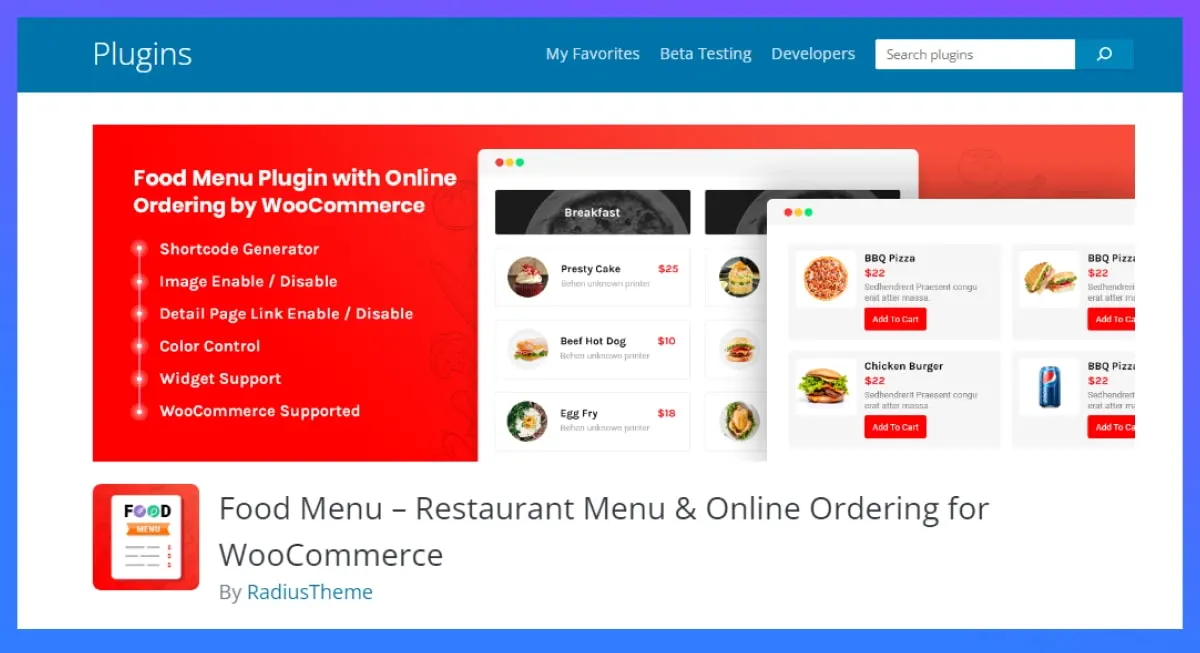
Food Menu is built primarily for restaurants that want a clean, structured way to display food menus on a WordPress site. It works well when restaurant menu presentation matters more than complex operations.
This plugin fits restaurants that already manage orders offline or through another system and just need a clear menu on their site. If your goal is to improve how dishes look on your restaurant website, this restaurant management plugin option keeps things simple and focused.
If your main priority is presenting food items through flexible layouts and organized categories, explore our complete guide to choosing a WordPress restaurant menu plugin.
Key features
- Food menu creation with categories and item details
- Grid and list layouts for menu display
- Shortcodes and block support
- Mobile-friendly and responsive design
- Works with most WordPress themes
- Can be paired with a WooCommerce restaurant plugin if needed
What we liked most
This plugin stays focused on one job and does it well. Menus look clean, load fast, and are easy to manage. It’s a good choice if you want a reliable WordPress restaurant plugin for menu display without adding ordering or reservation complexity.
Food Menu by Radius Theme Pros and Cons
- Clean, fast-loading menus
- Grid and list layouts
- Free version and a low-cost Pro plan
- Menu display focused; ordering is limited
- No table reservations
Pricing
- Free version available
- Pro version: Paid plans start from $41/yearly
📚 Related reading: Basic SEO for Restaurant Website in WordPress 👉 Read more
9. FoodMaster [Formerly WooFood]
FoodMaster (formerly WooFood) is another restaurant management plugin that already uses WooCommerce and wants to turn it into a focused food ordering system. Instead of adding a new workflow, it also adapts WooCommerce products into food items and handles orders through the familiar cart and checkout process.
This works well for takeaway and delivery-based restaurants that sell food like store products. If your team already knows how to manage WooCommerce, then FoodMaster (formerly WooFood) feels like an extension of WooCommerce and it won’t force you to learn something new.
Key features
- Food menu setup using WooCommerce products
- Online food ordering with pickup and delivery options
- AJAX add-to-cart for faster ordering
- Order management through WooCommerce dashboard
- Works with most WooCommerce themes
- Supports pricing, variations, and add-ons
What we liked most
FoodMaster (formerly WooFood) fits naturally into WooCommerce. You don’t need extra tools or complex settings to start selling food online. For restaurants already running WooCommerce, it’s a practical way to add food ordering without changing how things work.
FoodMaster (formerly WooFood) Pros and Cons
- Fits naturally into WooCommerce
- AJAX add-to-cart for faster ordering
- Supports variations and add-ons
- Requires WooCommerce
- No table reservations
Pricing
- Free version available
- Pro version: Price $499
10. Five Star Restaurant Reservations
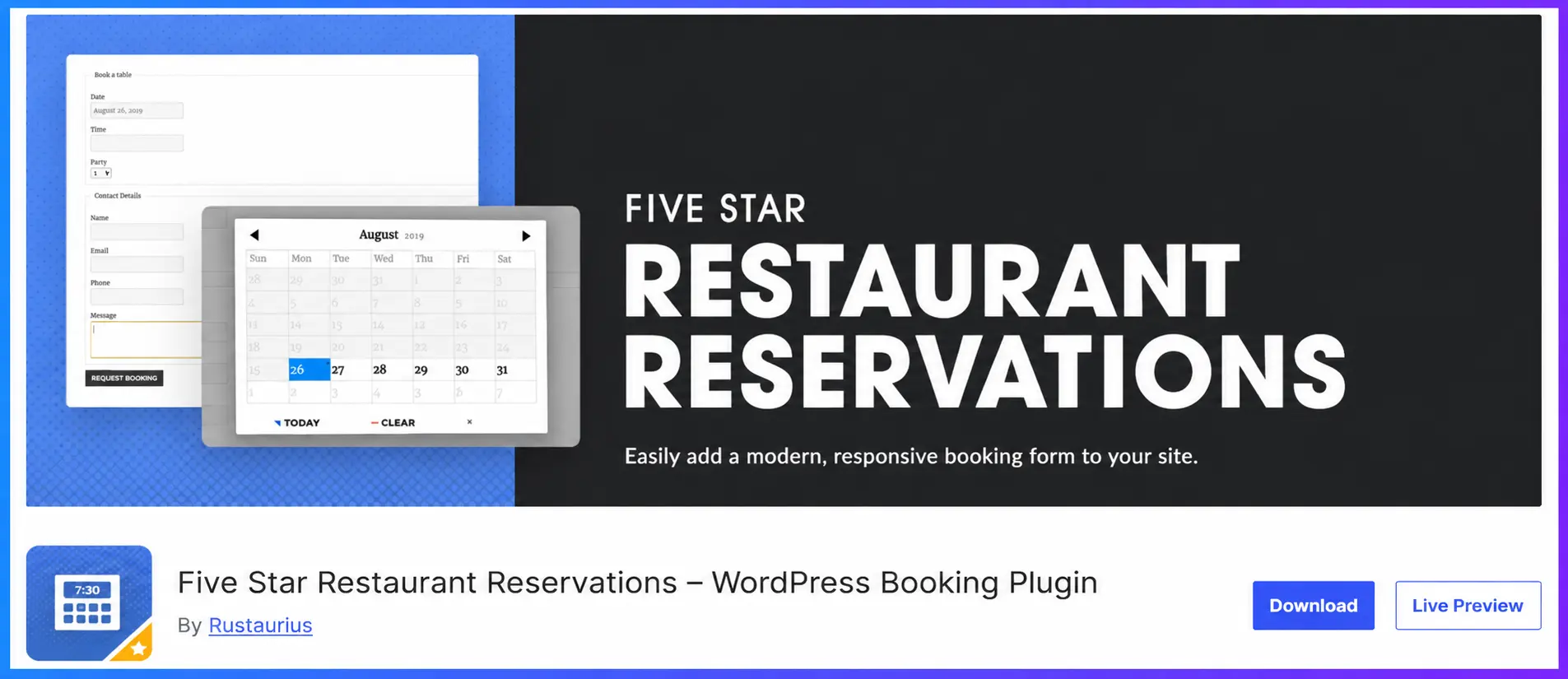
Five Star Restaurant Reservations is a table booking plugin from the developer behind Five Star Restaurant Menu. With 10,000+ active installs and a 4.7 rating from 211 reviews on WordPress.org, it’s the most installed reservation plugin on this list. It doesn’t need WooCommerce, and you can use it on its own or alongside the Five Star menu plugin.
Key features
- Booking form added with a block or shortcode
- Admin dashboard to view, confirm or reject bookings
- Email notifications for guests and staff
- Opening schedules with holiday and special-hours exceptions
- Booking limits to prevent overbooking
- Custom booking fields and export (Premium)
- SMS notifications and reminders (Ultimate)
- Table selection and assignment (Ultimate)
- Deposits to reduce no-shows (Ultimate)
What we liked most
Five Star Restaurant Reservations does one job and does it well. The free version already covers what most small restaurants need: an online booking form, confirmation emails and schedules that handle holidays. As bookings grow, the paid tiers add table assignment, deposits and SMS reminders without forcing you to switch plugins.
Five Star Restaurant Reservations Pros and Cons
- Largest user base for bookings
- Free version covers core reservations
- Works without WooCommerce
- Pairs with Five Star Restaurant Menu
- No online food ordering
- Deposits and SMS need Ultimate
- Pricing is in euros
- Menu needs a separate plugin
Pricing
- Free version: Available on WordPress.org.
- Pro version: Paid plans start from €167/year (Premium, 1 site).
- The Ultimate plan, with deposits, SMS and table assignment, costs €297/year.
Choose the best restaurant management plugins for WordPress.
When choosing the right restaurant management system for WordPress, it helps to group tools by what they do best. Below are three categories to guide your choice.
🥇 Top Recommendation WPCafe 3.0: All-in-one restaurant management
WPCafe is our #1 pick for a restaurant management plugin. With the free version alone, you can run your restaurant site, accept orders, and manage tables. If you need more power, it scales to handle multi-branch restaurants with exclusive features no one else offers.
You get:
- Visual table reservation plugin system
- Multi-branch support for restaurants
- Live order notifications
- QR code menu plugin for WordPress for contactless menus
It’s strong, flexible, and perfect whether you’re starting small or growing big.
Best for online food ordering, pickup, delivery, and menus
These are great choices if you want specific strengths, such as order focus or WooCommerce support.
- Orderable – Excellent online food ordering plugin for WordPress with smooth order flow and reliable pickup/delivery setup.
- MotoPress Restaurant Menu – Good balance between menu builder and ordering features; works well as a WooCommerce restaurant plugin.
- Restaurant Menu and Food Ordering by JetMonsters – Solid menu display and ordering system you can customize for your restaurant website plugin WordPress.
These plugins focus on orders and menus, and work well if you don’t need every management feature at once.
Best for food menu display and product showing
These tools fill other needs — simple ordering, WooCommerce-driven systems, or menu focus.
- Five Star Restaurant Menu – Simple yet effective restaurant plugin WordPress for beautiful menus.
- Food Menu by Radius Theme – Clean menu layout builder with basic ordering options.
- RestroPress – Easy online food ordering plugin that keeps food ordering simple and fast.
- WooCommerce Food Ordering by Barn2 – Turns WooCommerce into a full ordering system for restaurants.
These are helpful if you want a focused tool or a WooCommerce-centric setup.
FAQs
What is the best restaurant management plugin for WordPress?
WPCafe is a strong all-in-one option for menus, online ordering, delivery, table reservations, QR ordering, and WooCommerce payments.
Do I need technical skills to use these plugins?
No. Most restaurant plugins are beginner-friendly. Tools like WPCafe are easy to set up and don’t require coding.
Which plugin supports QR code food ordering?
WPCafe includes QR code food ordering, allowing customers to scan and order directly from their table. This feature is not common in most other plugins.
Which plugin is best for cafes and small restaurants?
For small cafes, WPCafe free works well. If you plan to grow later, starting with WPCafe is the safer option.
Which plugin should I choose if I only need menu display?
If you only need menus, the Five Star Restaurant Menu or Food Menu by Radius Theme is enough. But they don’t cover ordering or reservations.