How to Show Instant Order Notifications in WooCommerce (Improve Restaurant Workflow)


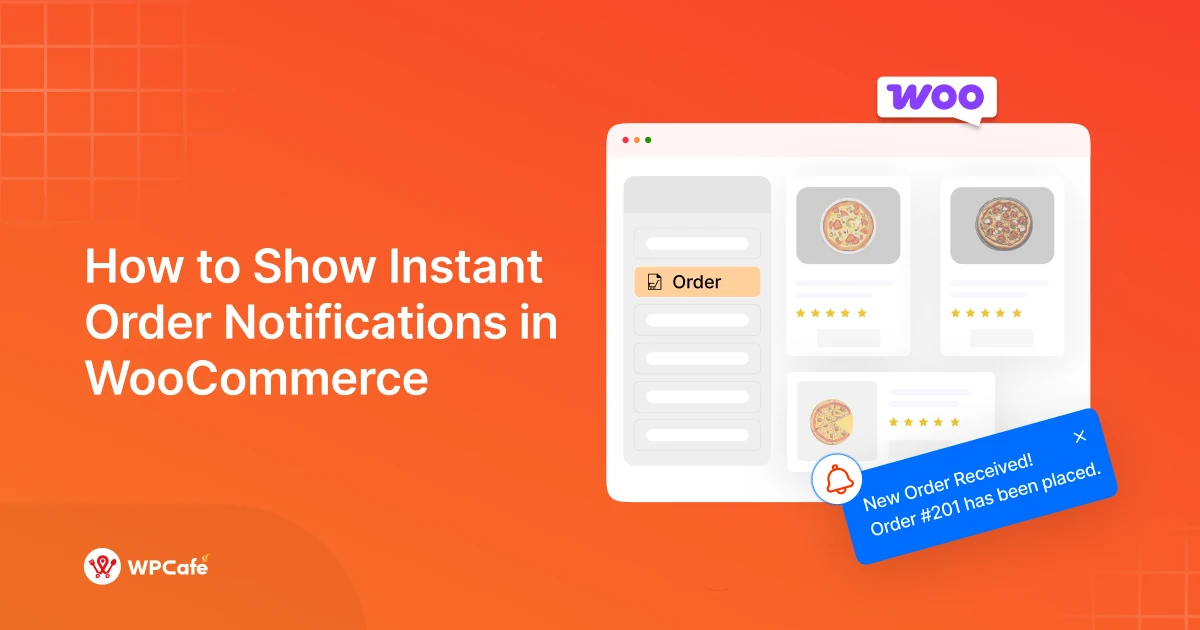
Table of Contents
Running a WooCommerce food ordering system sounds simple -until your kitchen starts missing orders.
A customer places an order, but no one notices it in time. The result? Delays, frustrated customers, and lost trust.
The problem isn’t your food or service. It’s how your WooCommerce order notifications work. By default, WooCommerce relies on email alerts, which are easy to miss in a busy kitchen.
That’s why many restaurants are now switching to instant order notifications in WooCommerce, with real-time alerts, sound notifications, and kitchen display systems (KDS) that show orders the moment they arrive.
In this guide, you’ll learn how to set up real time order notifications in WooCommerce, so your kitchen never misses an order again, and your service stays fast and smooth.
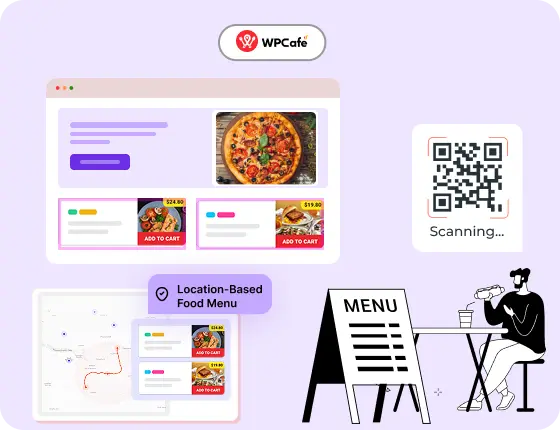
Start Your Restaurant Website in Minutes – Free with WPCafe
WPCafe helps you take food orders, manage reservations, and run your restaurant online, without extra tools.
- 🟣 34+ ready-to-use food menus
- 🟣 Easy table reservations
- 🟣 Accept online payments
- 🟣 Location-based menus & schedules
- 🟣 Multivendor support
Why Missing Orders Is a Big Problem in WooCommerce Restaurants
When you run a WooCommerce food ordering system, every order needs quick action. But in a busy kitchen, it’s easy to miss new orders-especially if you rely only on email notifications.
Here’s what usually happens:
- A customer places an order
- WooCommerce sends an email
- No one checks it right away
- The order sits there… unnoticed
This delay creates real problems:
🔻 Slower service
Food preparation starts late, which delays delivery or pickup.
🔻 Poor customer experience
Customers expect fast service. Even a few minutes of delay can lead to complaints.
🔻 Missed or canceled orders
If the delay is too long, customers may cancel or lose trust.
🔻 Staff confusion
Without clear alerts, kitchen staff depend on manual checks, which leads to mistakes.
👉 The root problem is simple:
Default WooCommerce order notifications are not built for fast-paced restaurant workflows.
They don’t provide:
- Instant alerts
- Sound notifications
- A dedicated kitchen view
That’s why restaurants need real time order notifications in WooCommerce -so every order gets noticed immediately.
📚 Related reading: Most Used WooCommerce Plugins for Restaurants: Accept Orders, Deliveries, Reservations and More
What Is a Real Time Order Notification System?
A real time order notification system instantly alerts your staff whenever a new order is placed. Instead of waiting for emails or manual checks, the system delivers immediate updates through sound, screen alerts, or a kitchen display.
👉 In simple terms:
The moment an order is placed → your kitchen knows instantly.
How It Works in a Restaurant Environment
In a restaurant setup, speed matters. A real-time system connects your ordering system directly to your kitchen workflow.
Here’s how it works:
- A customer places an order on your website
- The system triggers an instant notification
- A sound alert or popup appears
- The order shows on a kitchen screen (KDS)
- Staff starts preparing the order right away
No delays. No manual checking.
This setup is especially useful for:
- Busy restaurants
- Cloud kitchens
- High-order volume hours
👉 It removes the need to constantly refresh dashboards or check emails.
3 Best WooCommerce Order Notification Plugins for Restaurants
| Plugin | Type of Notification | Key Features | Best For | Pricing |
| WPCafe | Live Order Notifications + Sound & Visual Alert | Real-time dashboard alerts + full restaurant management (menu, table booking, online ordering, multi-branch) | Complete restaurant workflow | $89/year (For 2 sites) |
| SMS Alert Notifications | SMS Notifications | Instant SMS alerts to admin & customers for new orders and status updates | Mobile/text-based alerts | $79/year |
| WP Order Alerts | Real-time Mobile Push Notifications | Instant alerts on mobile app, customizable notifications, multi-user support | On-the-go mobile notifications | $8/month + $8 add-ons |
These are the best 3 options for getting instant order notifications in your restaurant business.
As you can see, WooCommerce SMS Alert and WP Order Alerts are good plugins, but they only focus on sending notifications.
On the other hand, WPCafe offers much more than just notifications. It provides a complete restaurant management system that includes built-in live order notifications (with sound and visual alerts) and a dedicated Kitchen Display System.
Here are some amazing restaurant features that WPCafe also offers:
- Online Food Ordering System
- Table Reservation & Booking System
- QR Code Menu & Contactless Ordering
- WooCommerce-Based Checkout &Payments
- Multi-Branch Restaurant Management
- Advanced Food Pickup & Food Delivery
- Smart Discount & Coupon System
- Kitchen Order Management System
- Custom Menu Builder
- Reservation + Ordering Combined System
- Email Notifications & Order Alerts
So, you don’t need to buy any extra tools – everything you need for a smooth kitchen workflow is included in one plugin.
How to Set Up Instant Order Notifications Using WPCafe (Step-by-Step)
WPCafe makes it incredibly easy to get real-time order notifications with sound alerts and pop-ups, so your kitchen never misses a new order. Follow these simple steps to set it up quickly.
Step 1 — Install & Configure the WPCafe
- Go to your WordPress dashboard → Plugins > Add New.
- Search for WPCafe and install the plugin (free version is enough to start; Pro version unlocks more advanced features).
- Activate the plugin.
- After activation, go to WPCafe Settings in the left menu.
- Configure basic restaurant settings such as currency, order types (delivery, pickup, dine-in), and enable online ordering if needed.
This completes the basic setup. Now move to enabling notifications.
Step 2 — Enable Audio Alerts for the Kitchen
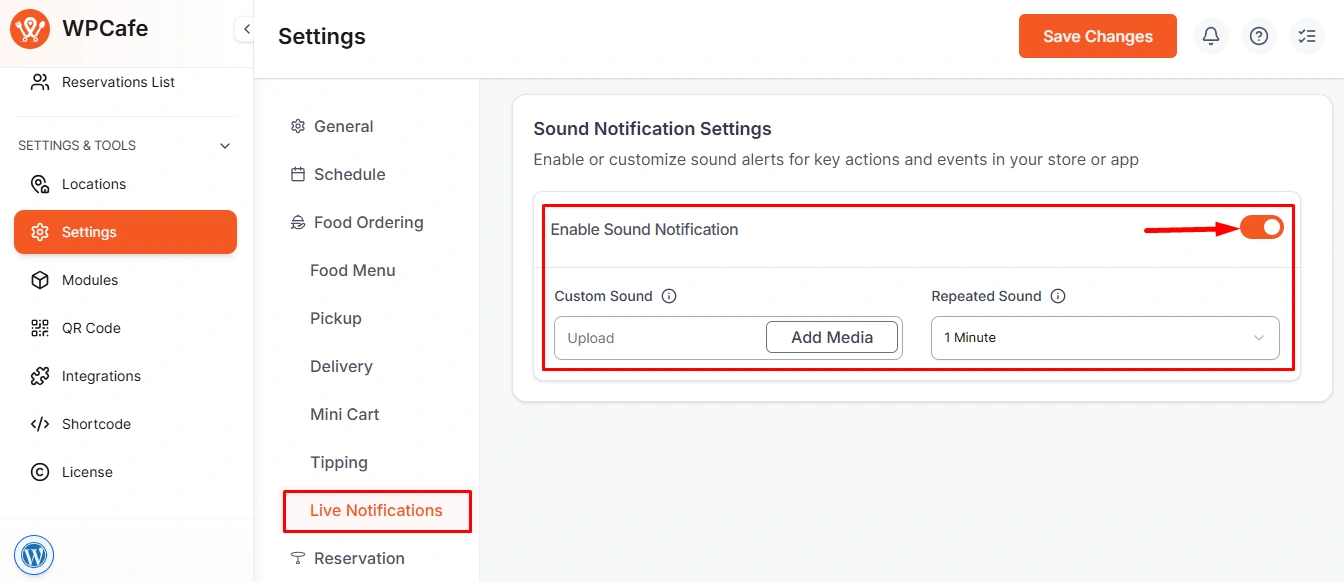
- Navigate to WPCafe Settings → Live Notifications.
- Turn ON the Sound Notification toggle.
- Click Upload / Add Media and upload your preferred alert sound (supported formats: MP3 or WAV).
- Select how many times the sound should repeat for each new order (useful in busy kitchen environments).
- Save the changes.
Once enabled, whenever a customer places a new order, the admin (and kitchen staff with access) will receive both a visual pop-up and an audio alert instantly.
Step 3 — Test Your Notification System
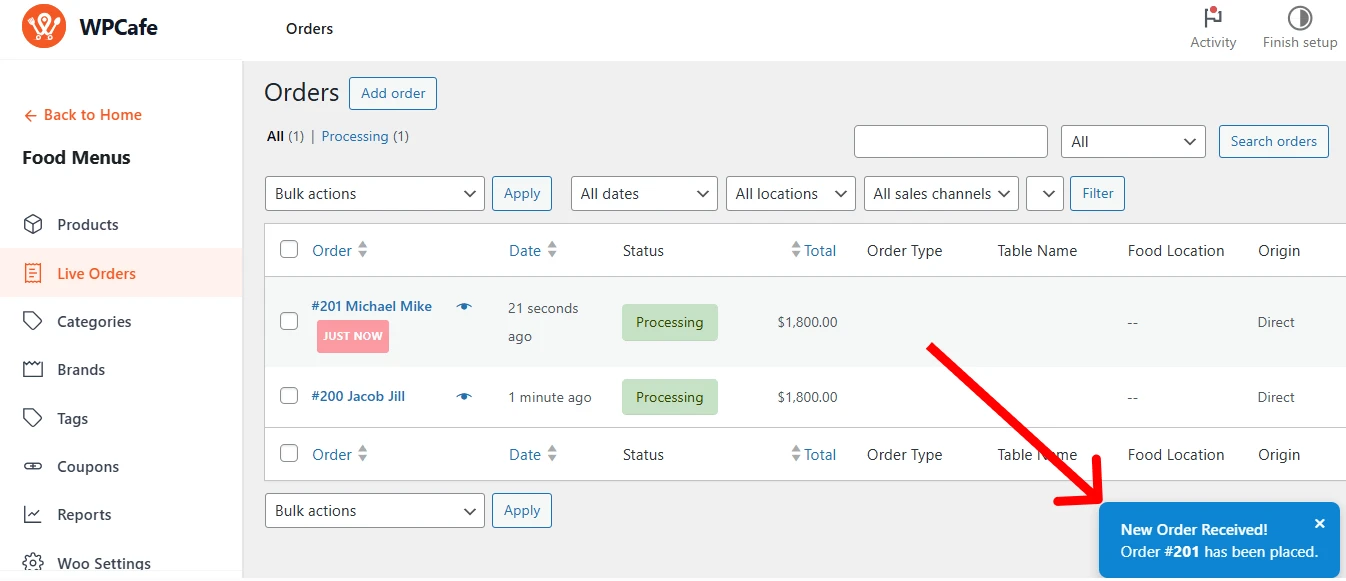
- Place a test order from the frontend of your website (use your restaurant menu to add items and complete checkout).
- Switch back to the WordPress admin dashboard.
- Check if the pop-up notification appears and the sound alert plays automatically.
- Verify the order appears correctly in WooCommerce > Orders and in the WPCafe order management area.
- If the sound doesn’t play, double-check the uploaded audio file and ensure the Sound Notification toggle is active.
Tips to Improve Your Restaurant Workflow
To improve your restaurant workflow, start by reducing delays in how orders reach your kitchen. Use real-time order notifications in WooCommerce, so staff get instant alerts instead of relying on emails. Set up a proper WooCommerce restaurant food ordering system to manage orders smoothly from checkout to preparation.
In addition to this, keep your order process simple and organized. Train staff to follow a clear flow and use tools to manage restaurant orders efficiently. Add useful options like extras or toppings with product add-ons so customers can provide complete orders upfront.
Another important part of restaurant workflow is controlling food delivery. A proper food pickup and delivery schedule helps staff prepare orders in the right sequence and keeps customer expectations clear.
Finally, make sure you are using the right restaurant management system for your restaurant setup, not just a general WooCommerce store.
FAQs About WooCommerce Order Notifications
What are restaurant order notifications in WooCommerce?
-Restaurant order notifications in WooCommerce are automatic messages that inform the restaurant owner or manager whenever there is an update on an order. By default, WooCommerce sends these notifications via email. To make order management faster and more efficient, tools like WPCafe add features such as sound alerts, pop-up notifications, and kitchen display systems so orders are noticed immediately.
How can I set up real-time order notifications in WooCommerce?
-You can set up real-time order notifications WooCommerce by using a plugin like WPCafe. It allows you to enable instant alerts, sound notifications, and a kitchen display system so your staff can act on orders without delay.
How to see orders in WooCommerce?
-You can view all orders from your WordPress dashboard by going to WooCommerce → Orders. From there, you can check order details, update status, and manage customer requests. For faster workflow, many restaurants use live order screens or dashboards.
What is the best WooCommerce order notification plugin for kitchen use?
-The best WooCommerce order notification plugin for kitchen use depends on what you need. Plugins like ‘WooCommerce SMS Alert’ and ‘WP Order Alerts’ can send notifications, but they mainly focus on alerts only. For restaurants, a better option is a complete solution like WPCafe. It not only provides instant order notifications in WooCommerce but also offers a complete restaurant workflow in one place.
How do I notify kitchen staff instantly about new orders?
-To notify staff instantly, you need WooCommerce real time alerts for kitchen orders. With WPCafe, orders appear on a kitchen display with sound alerts, so your team can start preparation immediately without checking emails.
Can WooCommerce support a restaurant ordering system?
-Yes, WooCommerce can work as a full WooCommerce restaurant ordering system when combined with plugins like WPCafe. It helps manage orders, notifications, menus, and kitchen workflow from one dashboard.
How does WooCommerce help with food ordering management?
-With tools like WPCafe, WooCommerce food ordering becomes a complete restaurant order management system WordPress. You can manage orders, send instant notifications, and streamline kitchen operations for faster service.
📚 Related reading: Seasonal Marketing Ideas to Drive More Restaurant Orders