10 Best Event Registration Plugins for WordPress


Table of Contents
The best event registration plugins for WordPress help you collect registrations, sell tickets, accept payments, manage attendees, and organize event details from one dashboard. Eventin is the best overall option for businesses that need registration, ticketing, and event management in one plugin.
However, the right choice depends on your event type, budget, ticketing requirements, payment workflow, and preferred level of customization.
In this guide, we compare the 10 best event registration plugins for WordPress and explain what each plugin does best.
Ready to run smoother events?

Create & manage events easily with Eventin event manager.
- ✅ Sell tickets
- ✅ Track attendees
- ✅ Automate reminders

Quick Comparison of the Best Event Registration Plugins
| Plugin Name | Best For | Registration Type | Payment Support | Free Version |
|---|---|---|---|---|
| Eventin | Events, conferences, and webinars | RSVP, Registration + ticketing | Yes | Yes |
| The Events Calendar | General event listing and registration | RSVP + ticket add-ons | Yes (add-on) | Yes |
| Modern Events Calendar | Advanced event management | RSVP + ticketing | Yes | Yes |
| Events Manager | Flexible event registrations | RSVP + booking forms | Yes | Yes |
| LatePoint | Appointment-style event bookings | Time-slot based booking | Yes | No |
| Events Calendar by Timely | Simple events and calendars | Basic event registration | Yes | Limited |
| Booking Calendar | Date-based event bookings | Calendar-based booking | Yes (pro+) | Yes |
| WP Amelia | Paid events and group bookings | Registration + payments | Yes | No |
| Modern Events Calendar | Advanced event management | RSVP + ticketing | Yes | Yes |
| Event Organiser | Developer-friendly event setup | RSVP-based registration | Yes | Yes |
| WP Event Manager | Job-board style event listings | Registration via add-ons | Yes (add-on) | Yes |
How we tested and reviewed all event registration plugins for WordPress
We compared these WordPress event registration plugins based on the features that matter most to event organizers.
Here is how we reviewed them.
- Real setup, not demos: We installed each plugin on a fresh WordPress site. We created sample events and tried the full registration flow from start to finish.
- Ease of use: We checked how easy it is to set up an event. This includes creating registration forms, adding tickets, and managing attendees. If a plugin felt confusing for beginners, it scored lower.
- Registration experience: We tested the signup process from a visitor’s view. We looked at how fast the form loads, how clear the steps are, and how smooth the checkout feels.
- Payment and ticket options: We reviewed payment support, ticket types, and free vs paid events. Plugins that handled payments clearly and reliably ranked higher.
- Performance and compatibility: We checked site speed, theme compatibility, and conflicts with common plugins like WooCommerce and page builders.
- Support and updates: We reviewed documentation, support response, and update history. Active development and helpful support mattered a lot.
Every plugin on this list passed these checks. The order is based on overall usability, features, and value, not popularity alone.
📚 Related reading: How to Build an Event Marketing Funnel That Actually Works 👉 Read more
10 Event Registration Plugins Compared for Different Needs

Not every event registration plugin works the same way.
Some plugins focus on simple RSVPs. Others handle full ticket sales, payments, and attendee management. A few are better for conferences and webinars, while others work best for appointments or small events.
In this section, we review the top WordPress event registration plugins one by one. For each plugin, you will see what it does, its main features, what stands out the most, and how pricing works.
This makes it easier for you to compare options and choose the right plugin based on how you run your events.
Let’s start with the first plugin on the list.
1. Eventin Event Management Plugin
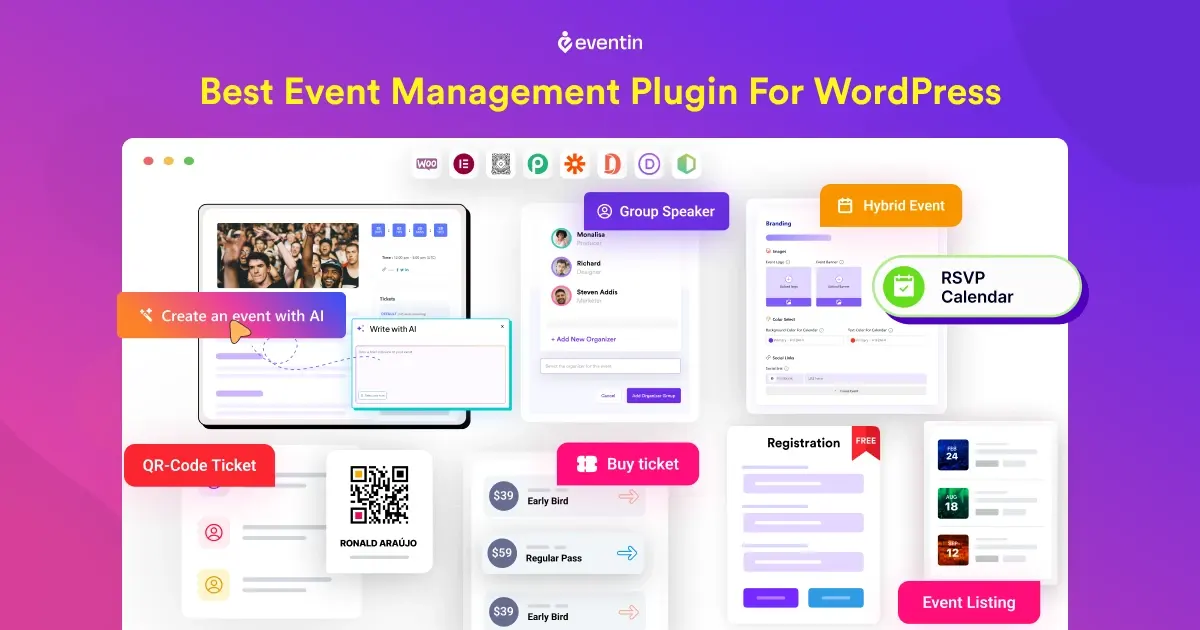
Eventin is an all-in-one event registration and management plugin for WordPress. It lets you create events, collect registrations, sell tickets, accept payments, manage attendees, and organize event schedules from one dashboard.
Eventin supports in-person, online, hybrid, and recurring events. You can use it for conferences, webinars, workshops, meetups, training sessions, networking events, and community programs.
It also supports free and paid events, so you can create a simple RSVP event or build a complete ticketing system.
Key Features
- AI-powered event creation and content generation
- Create unlimited events with schedules and speaker profiles
- Sell event tickets online with multi-tier pricing options
- Enable events RSVP (for wedding, birthday party)
- Events attendee tracking, and QR codes
- Help to create recurring events (daily, weekly, monthly)
- Sync event booking with Google Calendar, iCal, Outlook
- Create custom event landing, ticket and certificates with template builder
- Compatible with Elementor, Divi, Gutenberg, and Bricks builder.
What We Like Most
Eventin strikes a strong balance between power and ease of use. You can start with simple event registration. As your needs grow, you can add ticketing, payments, and advanced event features without switching plugins. The interface is clean, and setting up an event does not feel overwhelming, even for first-time users.
Pricing
- Free version: Available on WordPress.org with core event registration features
- Pro version: Start from $84/year, lifetime $149.
Eventin offers good value if you need a full event registration system, not just a signup form.
2. The Events Calendar

The Events Calendar is a popular WordPress plugin for creating and displaying event calendars. It is mainly designed for event listings, calendar views, venues, organizers, and event information.
The core plugin works well when your primary goal is to publish events and help visitors find them. Registration, RSVP, and ticketing features are available through separate plugins or add-ons, including Event Tickets and Event Tickets Plus.
Key Features
- Clean and easy-to-use event calendar
- Event listing with date, time, and location
- Multiple calendar views (month, list, day)
- Event categories and tags
- Works with most WordPress themes
- RSVP and ticketing via add-ons
- WooCommerce support through extensions
What We Like Most
The Events Calendar is a strong choice for websites that mainly need a professional event calendar. Its large extension ecosystem also allows you to add registration and ticketing features as your requirements grow.
Pricing
- Free version: Available with core event calendar features
- Pro version: Start from $149/year.
- Paid add-ons at $149/year (Required for event registration, ticket sales, and advanced tools).
📚 Related reading: How to Create Recurring Events in WordPress (Step-by-Step Guide) 👉 Read more
3. Modern Events Calendar

Modern Events Calendar is an event calendar, booking, and ticketing plugin for WordPress. It provides multiple event layouts and tools for managing registrations, bookings, recurring events, and ticket sales.
The plugin is suitable for different event types, including workshops, classes, conferences, concerts, meetups, and webinars.
Key Features
- Multiple calendar and event views (monthly, weekly, list, agenda).
- Over 50 layout styles to match your site’s design.
- Recurring events support for ongoing schedules.
- Booking and ticketing tools (ticket sales, seat limits, coupons).
- Integration with WooCommerce, PayPal, Stripe, Google Calendar.
- Custom colors, countdown timers, and event images.
- SEO-ready and responsive design for all devices.
What we like most:
Modern Events Calendar provides many display and booking options. It is suitable for websites that want a visually flexible event calendar with registration and ticketing features.
Pricing:
Free version: The basic plugin is free to use with essential calendar and event features.
Pro version:
- Single site: $99/year (advanced booking, ticketing, extra layouts).
- Multi-site plans or additional bundles often cost more depending on licenses and add-ons you choose.
4. Events Manager

Events Manager is a flexible WordPress plugin for managing events, bookings, calendars, venues, and recurring schedules.
It supports different event types and gives site owners control over booking forms, attendee information, event locations, and registration settings. The plugin can work for small meetups as well as larger events with multiple sessions.
Key Features
- Event creation and calendar display.
- Manage registrations, bookings, and RSVP options.
- Recurring events support.
- Schedule appointments and multiple event locations.
- Ticketing and payment support.
What we like most:
Events Manager offers many settings for users who want more control over event schedules and booking workflows. It is more flexible than a basic event calendar but may require additional time to configure.any WordPress sites, with a strong mix of free and advanced tools.
Pricing
- Free version: The basic plugin is free
- Pro version: Start from $129/year.
5. LatePoint
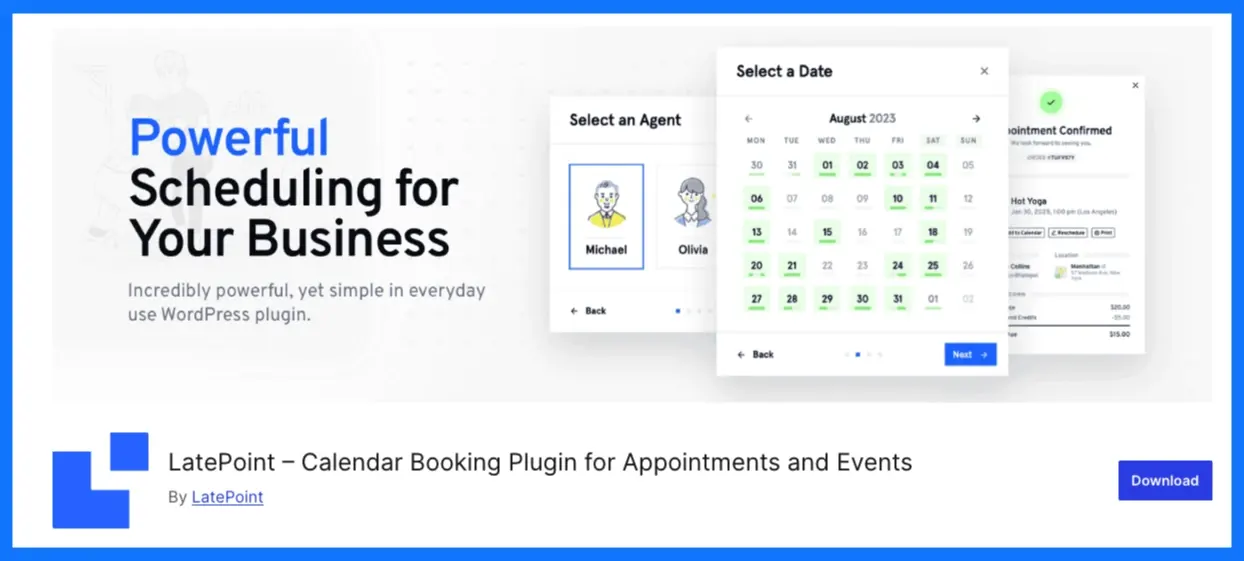
LatePoint is a WordPress booking plugin designed for appointment-style events, services, sessions, and time-slot reservations.
Instead of focusing mainly on large event listings, LatePoint lets visitors choose a service, select an available time, enter their details, and complete a booking. This makes it more suitable for scheduled sessions than traditional conferences with multiple ticket types.
Key Features
- Time-slot based booking system
- Clean and guided booking flow
- Manage services, agents, and locations
- Custom booking form fields
- Email and SMS notifications
- Stripe payment support
- Recurring bookings and group slots
- Works well with most WordPress themes
What We Like Most
LatePoint provides a clean booking experience for businesses that organize sessions, appointments, classes, or consultations. It keeps the process focused on availability and time-slot selection.
Pricing
- Free version: The basic plugin is free
- Pro version: Starts from $99/year
📚 Related reading: How to Write Event Announcements That Actually Get Registrations (With Examples) 👉 Read more
6. Timely Events Calendar

Timely Events Calendar helps WordPress users create and display event calendars without coding.
It supports different calendar layouts and event types, including in-person, online, and hybrid events. Its primary strength is event display and calendar organization rather than advanced registration management.
Key Features
- Easy event creation and publishing right from WordPress.
- Multiple calendar views like month, week, list, and agenda.
- Custom themes, colors, and fonts for branding.
- SEO-friendly design for better visibility.
- Events searchable by keyword, date range, and filters.
- Language support for many global languages.
What we like most:
Timely is useful for quickly adding an attractive event calendar to a WordPress website. It is a practical option for users who need event visibility and basic event organization.
Pricing:
- Free version: The plugin is free to use and install.
- Pro version: Paid plans start from around £9/month (billed annually).
7. WP Event Manager
WP Event Manager is a lightweight event listing and management plugin for WordPress. It provides a free base plugin and lets users add registration, ticketing, calendar, and frontend submission features through extensions.
The plugin is suitable for websites that want to start with event listings and add advanced functionality gradually.
Key Features
- Event listing and event detail pages
- Frontend event submission for organizers
- Event registration and attendee management via add-ons
- Ticket selling through WooCommerce integration
- Event search and filtering by date, category, and location
- Calendar and list view options
- Email notifications for registrations
- Works with popular page builders and themes
- Developer-friendly structure with hooks and extensions
What We Like Most
WP Event Manager follows a modular approach. You can begin with basic event listings and add only the features your website requires.
Pricing
- Free version: The core plugin is free and includes basic event listing features
- Pro version: Start from $199 /year.
8. EventPrime

EventPrime is an event calendar and registration plugin that supports event creation, bookings, ticketing, venues, performers, and attendee management.
It can be used for free events, paid events, single-day events, multi-day events, and recurring events. The plugin combines event display and registration features in one dashboard.
Key Features
- User-friendly events calendar you can edit right from WordPress.
- Free and paid event bookings with ticketing options.
- Multiple ticket categories and tiered pricing structure.
- Built-in payments and checkout system.
- Repeat and recurring events support.
- Attendee management and attendee lists.
- Custom event types, venues, and performers.
- Optional premium extensions for advanced tools.
What we like most:
EventPrime is useful for users who want basic event registration and ticketing together with a calendar. It provides a range of event settings without requiring a completely separate booking system.
Pricing:
- Free version: The core plugin is free and includes basic event and booking tools.
- Pro version: Start from 99$/year.
9. WP Amelia
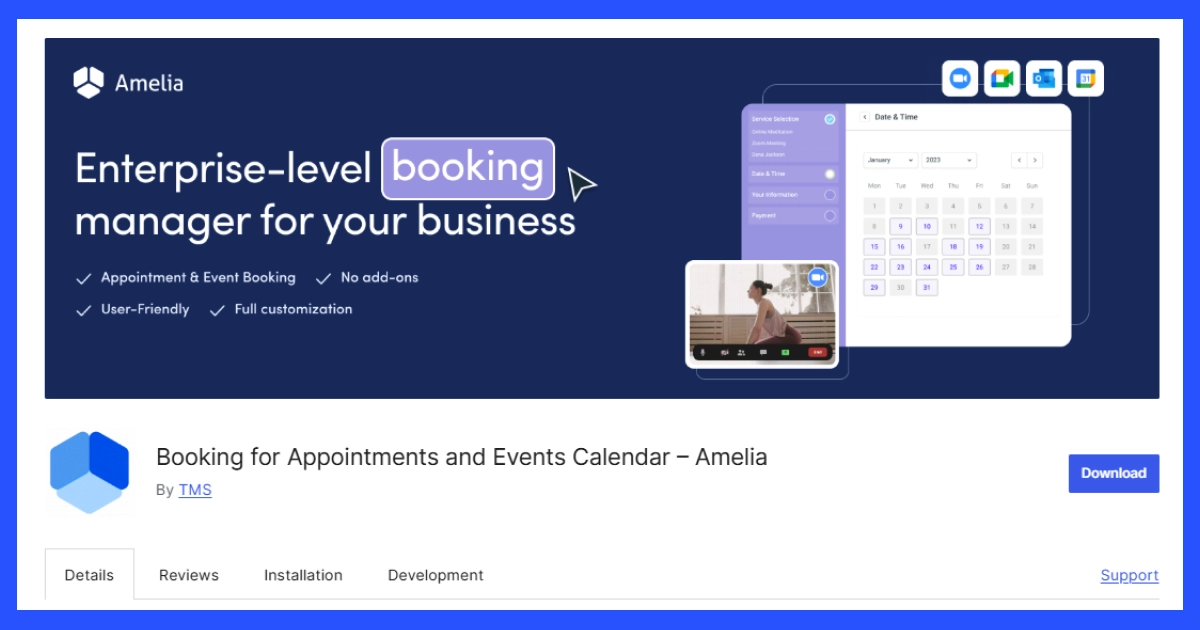
WP Amelia is a WordPress booking plugin that supports appointments, events, group bookings, and scheduled services.
It is designed for businesses that need both appointment scheduling and event registration. Visitors can select an event or service, choose an available time, complete a booking form, and receive automated notifications.
Key Features
- Step-by-step booking wizard that guides users through event signup.
- Create one-off, multi-day, or recurring events.
- Event calendars and booking views your visitors can browse.
- Custom booking forms and fields to collect attendee details.
- Automated notifications via email and SMS to reduce no-shows.
- Accept payments online via Stripe, PayPal, WooCommerce, and more.
- Google Calendar and Apple Calendar sync.
- Event ticketing with QR codes and waiting list options.
What we like most:
WP Amelia is a good option for businesses that need event registration alongside appointments, services, employee schedules, and automated reminders.
Pricing:
- Free version: The basic plugin is free with standard booking tools.
- Pro version: Start from $99/year.
10. Event Organiser
Event Organiser adds event and calendar management to WordPress using native WordPress functionality.
It supports one-time and recurring events, venues, categories, calendar displays, widgets, and shortcodes. Developers can also customize templates and event output using hooks.
Key Features
- Create one-time events or recurring events with complex schedules.
- Manage events using WordPress custom post types.
- Add venues and link events to places (with map support).
- Display events in calendars, lists, or agenda views via widgets and shortcodes.
- Assign categories and tags to events for better filtering.
- Developer-friendly hooks and templates for customization.
What we like most:
Event Organiser keeps event creation relatively close to the standard WordPress experience. Its recurring-event controls and developer options make it useful for technically experienced users.
Pricing:
- Free version: The core plugin is free from the WordPress plugin directory.
- Pro version: Start from £50/year
Choose the best WordPress event registration plugin for your events
🏆 1. Best event registration plugin overall — Eventin
If you want a complete event system without juggling add-ons, the Eventin event management plugin is the best choice for WordPress. It combines events calendar, ticketing, bookings, payments, and attendee management all in one place. You get:
- Simple event creation and checkout
- Built-in payment options
- Flexible display layouts
- Great balance of features and ease of use
Best for: Event businesses, professional event sites, organizers who want one tool for everything.
2. Best event plugin for simple calendars and listings
These plugins shine when your focus is showing events and basic registrations — not complex ticketing.
Best Picks:
- The Events Calendar – Clean calendar and easy event display.
- WP Event Manager – Lightweight event listing with filters and front-end submissions.
- Events Manager – Deep event and booking controls with recurring events.
Best for: Bloggers, community groups, small clubs, schools, and local meetups that need clear event pages and calendars.
3. Best for paid events and ticket sales
These plugins help you sell tickets, manage bookings, and accept payments online.
Best Picks:
- Modern Events Calendar – Powerful ticketing tools with flexible layouts and payment support.
- EventPrime – Built-in bookings and paid event options with attendee tracking.
Best for: Ticketed events, workshops, concerts, virtual conferences, and paid classes.
4. Best for booking + registration + scheduling
If your events blend with appointment booking or scheduling, these are strong choices.
Best Picks:
- WP Amelia – Great mix of event registration, booking, reminders, and payments.
- LatePoint – Focuses on smooth booking flows with reminders and scheduling features.
Best for: Trainers, coaches, consultants, and service-based businesses that need bookings and event registrations in one tool.
5. Best flexible and developer-friendly plugins
These give you control and customization if you want tailor-made workflows.
Best Picks:
- Event Organiser – Developer hooks and templates for custom calendars.
- Timely Events Calendar – Modular with add-ons for custom tools.
Best for: Developers, advanced users, and site builders who want full customization.
FAQ
Which is the best event registration plugins for WordPress?
-If you want an all-in-one solution, Eventin is a strong choice. It supports event creation, registrations, ticketing, payments, and attendee management from one dashboard.
Do I need an event registration plugin if I already use contact forms?
-Yes. Contact forms only collect basic details. Event registration plugins handle limits, attendee lists, confirmations, payments, and event-specific workflows that forms cannot manage properly. See how a dedicated event registration plugin handles limits, confirmations, and attendee lists.
Can I sell tickets using WordPress event registration plugins?
-Yes. Many plugins support paid events and ticket sales. Some use built-in payment systems, while others connect with WooCommerce or payment gateways like Stripe and PayPal.
Are there free event registration plugins for WordPress?
-Yes. Plugins like Eventin, WP Event Manager, and Timely Events Calendar offer free versions. Free plans usually cover basic registrations, while advanced features require paid upgrades.
Which is the best event plugin for recurring events?
-Plugins such as Eventin, Events Manager, Modern Events Calendar, and Event Organiser handle recurring events well. They let you repeat events daily, weekly, or on custom schedules.