10 Best Calendly Alternatives in 2026: Free, Paid & AI Scheduling Tools


Table of Contents
Calendly is a popular scheduling tool, but it is not the right choice for everyone. Its free plan supports only one event type and one calendar connection, while team scheduling, payment collection, reminders, and lead routing require paid plans.
The best Calendly alternative depends on what you need:
- Timetics AI is best for service businesses, professionals, consultants, and agencies that need a compleate scheduling, payments, client management, and multiple workspaces.
- Cal.com is a strong free and open-source alternative.
- Acuity Scheduling works well for appointments, intake forms, packages, and memberships.
This guide compares 10 of the best Calendly alternatives available in 2026. We evaluated their free plans, paid pricing, calendar integrations, payment features, team tools, automation, ease of use, and customer feedback.
You will also see where each platform falls short. No scheduling tool is best for every person or business. A freelancer who needs a simple booking link has different requirements from a salon collecting deposits or a sales team routing new leads.
By the end of this guide, you will know which Calendly alternative fits your workflow, team size, and budget.
Best Calendly Alternative by Use Case, Features and Price
The best Calendly alternative depends on why you want to switch. Timetics AI is a strong choice for service businesses that need bookings, payments, and client management. Cal.com is best for free and open-source scheduling, while Doodle is better for finding a suitable time for a group.
| Calendly alternative | Best for | Standout features | Free plan | Paid plans start at* | Main limitation | User rating |
| Timetics AI | Service businesses, consultants, agencies, and growing teams | AI Agent, Workspace, Booking page builder, Facepopup, White label, Agency Dashboard, Workflows & Automation | Yes-up to 3 users | $12/month for up to 10 users | Fewer native integrations than Calendly | ⭐⭐⭐⭐⭐ (4.6/5) |
| Cal.com | Individuals, developers, and teams that need more control | Open source, unlimited individual event types, payments, APIs, routing, and self-hosting | Yes | $12/user/month | Advanced setup and customization can feel technical | ⭐⭐⭐⭐⭐ (4.6/5) |
| Acuity Scheduling | Coaches, salons, wellness providers, and appointment businesses | Intake forms, payments, packages, memberships, subscriptions, and gift certificates | No | $16/month | No permanent free plan; some important features require higher tiers | ⭐⭐⭐⭐⭐ (4.7/5) |
| YouCanBookMe | International businesses and users who want customizable booking pages | Apple Calendar support, 40+ languages, custom pages, reminders, and payments | Yes | $9/month | Complex configurations can take time to learn | ⭐⭐⭐⭐⭐ (4.7/5) |
| SimplyBook.me | Businesses managing services, classes, staff, or multiple providers | Booking website, payments, memberships, gift cards, POS, and social booking | Yes- only 50 bookings monthly | $11.90/month | Plans limit monthly bookings and active custom features | ⭐⭐⭐⭐☆ (4.4/5) |
| HubSpot Meeting Scheduler | Sales and marketing teams using HubSpot CRM | CRM logging, meeting links, lead records, team scheduling, and sales automation | Yes | Free; paid Sales Hub plans available | Advanced features can become expensive, and the platform may be excessive for simple scheduling | ⭐⭐⭐⭐☆ (4.4/5) |
| Setmore | Small service teams that need an affordable booking system | Free team calendars, classes, payments, mobile apps, reminders, and social booking | Yes-up to 4 users | $5/user/month | Two-way calendar sync and recurring appointments require Pro | ⭐⭐⭐⭐☆ (4.5/5) |
| Doodle | Committees, recruiters, educators, and cross-company groups | Group polls, booking pages, sign-up sheets, and account-free participation | Yes | $15/month or $132/year | Free users face advertising, branding, and limited professional features | ⭐⭐⭐⭐☆ (4.4/5) |
| TidyCal | Solopreneurs who want to avoid another monthly subscription | Unlimited booking types, paid bookings, recurring sessions, packages, and lifetime plans | Yes | $29 one-time | Non-Pro plans charge a platform fee on paid bookings; support feedback is mixed | ⭐⭐⭐☆☆ (4.7/5) |
| Microsoft Bookings | Businesses already using Outlook, Teams, and Microsoft 365 | Shared booking pages, staff scheduling, Outlook sync, Teams meetings, and reminders | No standalone free plan | Microsoft 365 plans from $7/user/month | Limited branding and customization outside the Microsoft ecosystem | ⭐⭐⭐☆☆ (3.8/5) |
*Prices are in US dollars and were checked in September 2026. Some prices require annual billing. Taxes, processing fees, add-ons, and promotions can change the final cost.
**Ratings are current public user-review scores, primarily from G2. TidyCal’s score is from Trustpilot. Ratings are not perfectly comparable because review counts and review platforms differ.
How We Evaluated the Each Calendly Alternatives
We evaluated each Calendly alternative using the same practical criteria. Our goal was not to find one tool for everyone, but to identify which platform works best for each type of user.
We compared:
- Ease of use: How quickly users can connect a calendar, set availability, and create a booking page.
- Scheduling features: Support for one-to-one meetings, group bookings, recurring appointments, buffers, and team scheduling.
- Pricing and value: Free-plan limits, starting prices, per-user costs, and extra fees.
- Payments and automation: Payment collection, deposits, reminders, follow-ups, and cancellation workflows.
- Integrations: Connections with Google Calendar, Outlook, Apple Calendar, video meeting tools, CRMs, and payment providers.
- Customer feedback: Current ratings and common comments from public review platforms such as G2 and Trustpilot.
We also considered each tool’s main limitations. A platform received a recommendation only for the use cases where its features provide a clear advantage.
Pricing and feature information was checked in September 2026 using official product pages where possible. Because software plans change regularly, readers should confirm the latest details before purchasing.
The 10 Best Calendly Alternatives in 2026 : In-depth Comparison
The best Calendly alternative varies based on your workflow. In this comparison, we examined each tool’s primary features, usability, integrations, pricing, and target users. Let’s explore the details.
1. Timetics AI – Best for Service Businesses, Consultants and Agencies
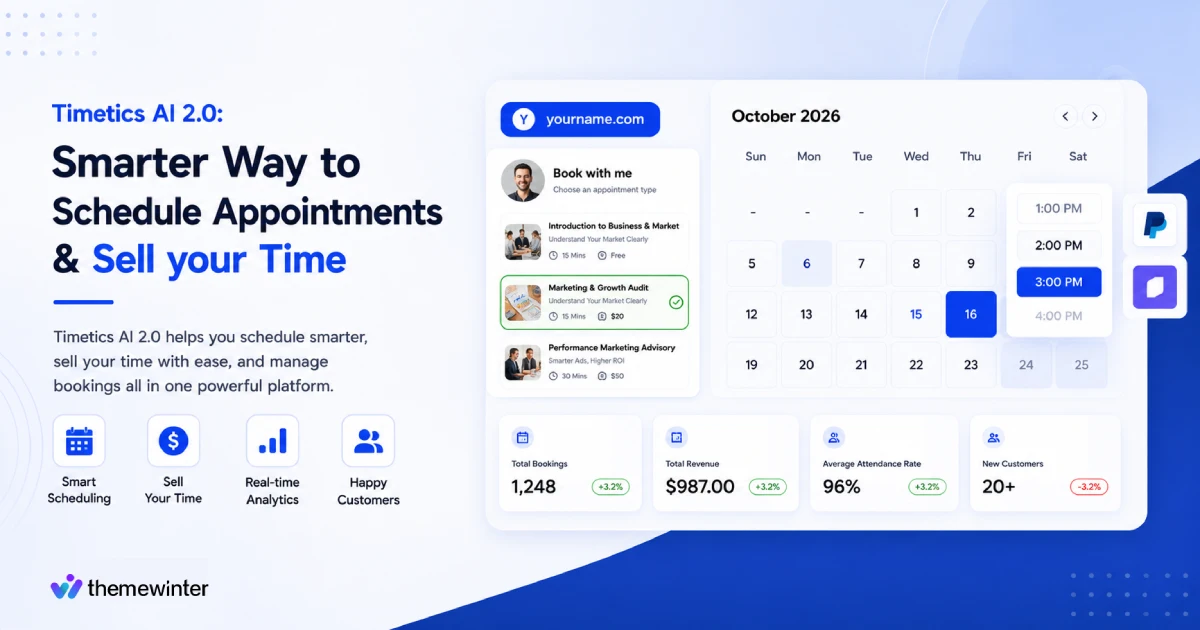
Timetics AI is a strong Calendly alternative for businesses that need more than a meeting link. It combines appointment scheduling, service booking, payments, customer management, team tools, booking page builder, Workspace and an AI Agent scheduling assistant in one platform.
Calendly is mainly designed to help people arrange meetings. Timetics also supports businesses that earn money through appointments. A coach can sell recurring sessions, a salon can offer services at different locations, and an agency can manage separate clients or brands through individual workspaces.
Why Choose Timetics Instead of Calendly?
The biggest difference is what happens after a customer chooses a time.
Timetics AI can collect booking information, accept full or partial payments, apply coupons, offer additional services, send reminders, and store customer details. This makes it suitable for businesses that want to manage the complete booking journey from one dashboard.
Its pricing can also be more affordable for teams. Timetics’ paid plans include several users for one monthly price, while Calendly normally charges for every user seat.
Key Features
- Unlimited bookings
- Timetics AI Agent
- Sales-driven booking pages
- Multiple Workspaces
- Booking Page Builder
- Service-Based Scheduling
- Team Scheduling
- Workflows & Automation
- Secret booking links
- White-label Booking Experience
- Agency Dashboard
- Facepopup
- Progressive Web App (PWA)
- Add video conferencing
- Reminder & feedback workflow emails
- Team invitation & role permissions
- Advanced coupon logic
- Custom SMTP & SMS
- Tax control
- And many more
Timetics AI Agent
The built-in AI Agent helps users manage booking tasks with simple written instructions. For example, a user can ask it to:
- Create a 30-minute consultation calendar
- Change weekly availability
This reduces the time users spend searching through menus. However, Timetics’ AI Agent mainly helps manage the booking system. It should not be confused with an AI calendar optimizer that automatically rearranges tasks and meetings throughout the day.
Timetics Pricing
Timetics currently offers:
- Start: Free forever for up to three users
- Earn: $12 per month for up to ten users
- Scale: $19 per month for up to thirty users
- Lifetime plans: Promotional one-time plans starting from $99
The free plan includes unlimited event types, unlimited bookings, recurring bookings, customer management, Stripe payments, reminders, and one calendar connection.
Prices and lifetime offers may change, so check the latest Timetics pricing before purchasing.
Pros
- Combines scheduling, payments, and customer management
- Supports paid services, deposits, refunds, and add-ons
- Affordable plans for small and growing teams
- Useful for multiple locations, brands, or clients
- AI Agent is included
- Free plan supports up to three users
- Offers both monthly and lifetime options
Cons
- Fewer native integrations than Calendly
- No native iOS or Android app
- Some advanced features may require a higher plan
What Users Say
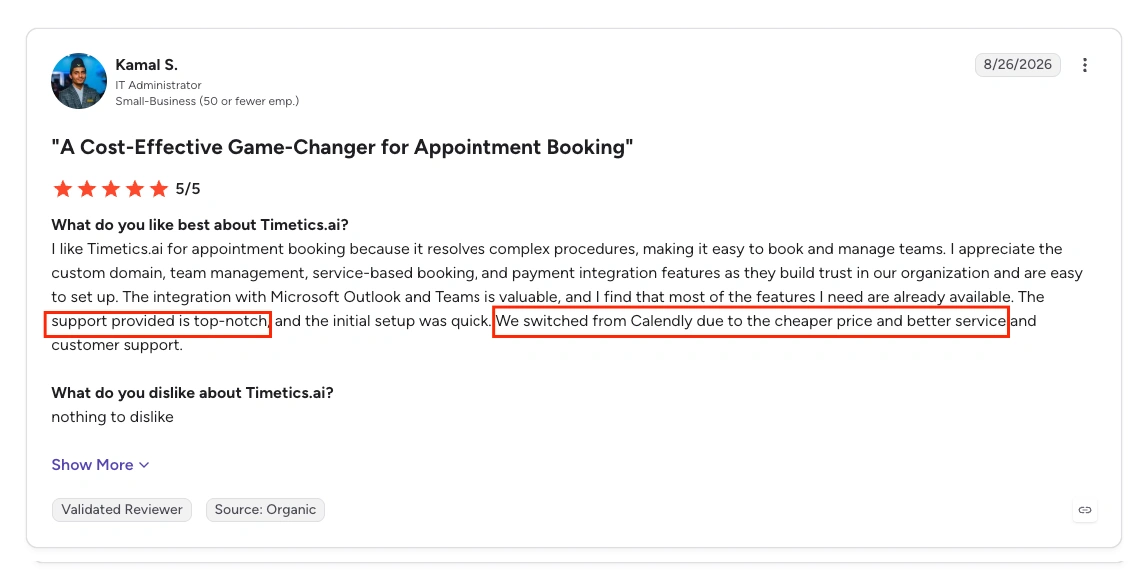
Timetics AI currently has a 4.6 out of 5 rating on G2 and 4.7 on Trustpilot. Users commonly praise its quick setup, clean interface, payment tools, and ability to manage scheduling and customers in one place. Some reviewers would like more integrations and customization options.
Choose Timetics Over Calendly If:
- You sell appointments, consultations, classes, or services.
- You need payments, deposits, coupons, or refunds.
- You manage multiple teams, brands, clients, or locations.
- You want several users under one fixed-price plan.
- You want AI assistance for setting up and managing bookings.
Keep Calendly if your main priorities are enterprise sales routing, a larger integration marketplace, mature mobile apps, or a widely established scheduling system.
2. Cal.com
Cal.com is an open-source scheduling platform for individuals, teams, developers, and larger organizations. Unlike Calendly’s closed platform, Cal.com gives businesses more control through self-hosting, APIs, webhooks, and customizable scheduling workflows.
Its free individual plan includes unlimited event types, calendar connections, and bookings. This makes Cal.com particularly attractive to users who find Calendly’s free-plan limits too restrictive.
Why Choose Cal.com Instead of Calendly?
Choose Cal.com if you want open-source software, self-hosting, a more generous free plan, or developer-friendly scheduling tools.
It is also a strong option for businesses that want to add scheduling to their own product. Calendly is generally easier to configure, but Cal.com offers more technical freedom.
Key Features
- Unlimited event types, calendar connections, and bookings
- One-to-one, group, collective, and recurring events
- Round-robin team scheduling
- Shared team availability
- Routing forms
- Payments through Stripe and PayPal
- Custom APIs and webhooks
- More than 100 integrations
- Google, Outlook, Apple, and Zoho Calendar connections
- Mobile app and browser extensions
- Open-source and self-hosting options
Pricing
- Individual: Free forever
- Teams: $12 per user per month, billed annually
- Organizations: $28 per user per month, billed annually
- Enterprise: Custom pricing
Pros
- Generous free plan for individuals
- Open-source and highly customizable
- Supports online payments
- Strong APIs and developer tools
- Advanced team scheduling and routing
- Self-hosting is available
Cons
- Advanced setup can feel technical
- Team features require paid plans
- Per-user pricing becomes expensive for larger teams
- Self-hosting requires technical knowledge
What Users Say
Cal.com has a 4.6 out of 5 rating on G2. Users commonly praise its free plan, flexibility, integrations, and customization options.
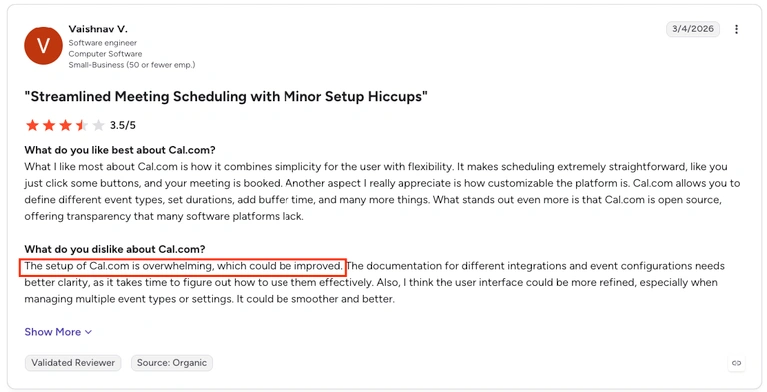
Some users find the platform more complicated than Calendly, particularly when configuring advanced routing, team events, or self-hosted installations.
3. Acuity Scheduling
Acuity Scheduling is an appointment-management platform from Squarespace. It is designed for businesses that sell appointments, classes, consultations, memberships, or recurring services.
Customers can select a service, complete an intake form, choose a suitable time, and make a payment in one booking flow. This makes Acuity suitable for coaches, consultants, salons, fitness instructors, therapists, and wellness providers.
Why Choose Acuity Scheduling Instead of Calendly?
Choose Acuity if appointments are an important source of business revenue.
Acuity provides intake forms, packages, memberships, subscriptions, gift certificates, and stronger client-management tools. Calendly works well for arranging meetings, while Acuity is better suited to businesses that sell scheduled services.
Key Features
- Unlimited services and appointments
- Custom client intake forms
- Payments and deposits through Stripe, Square, and PayPal
- Packages, memberships, and subscriptions
- Gift certificates and discount codes
- Group classes
- Recurring appointments
- Automatic time-zone conversion
- Email confirmations and reminders
- Text reminders on selected plans
- Appointment waitlists
- Zoom and Google Meet integrations
- Mobile appointment management
Pricing
Acuity does not offer a permanent free plan, but a free trial is available.
- Starter: $16 per month, billed annually
- Standard: $27 per month, billed annually
- Premium: $49 per month, billed annually
Some features, including text reminders, packages, memberships, and waitlists, require a higher plan.
Pros
- Strong payment and deposit features
- Detailed client intake forms
- Supports packages, memberships, and subscriptions
- Useful for recurring appointments and classes
- Includes customer-management tools
- Suitable for multiple staff members or locations
Cons
- No permanent free plan
- Important features require higher-priced plans
- Can be excessive for simple meetings
- Limited sales-lead routing
- Costs more than several alternatives
What Users Say
Acuity Scheduling has a 4.7 out of 5 rating on G2. Users frequently praise its ease of use, payment options, intake forms, and ability to manage different appointment types.
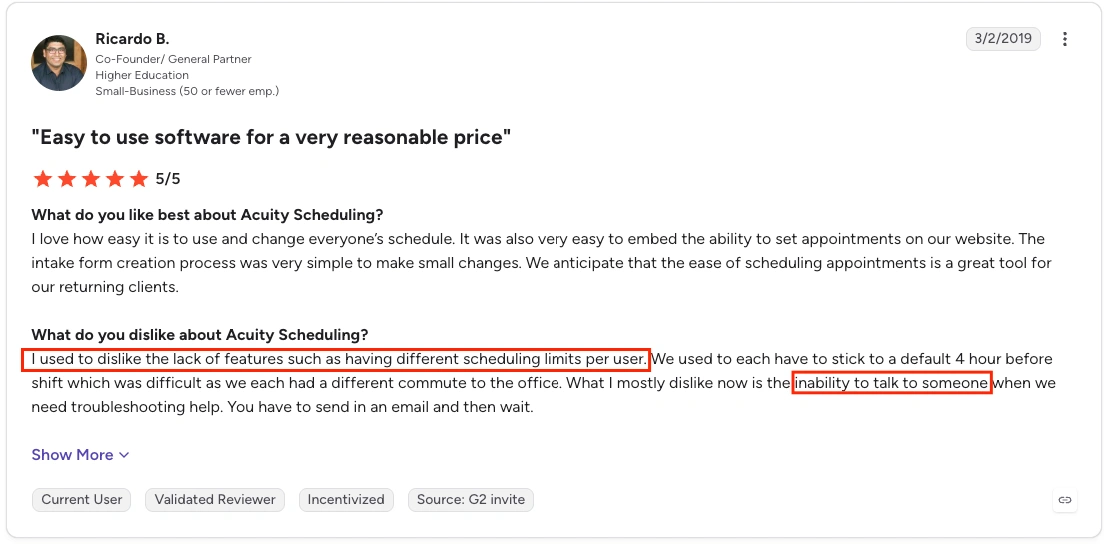
Negative feedback commonly focuses on pricing, feature restrictions between plans, and the time required to configure more complex services.
4. YouCanBookMe
YouCanBookMe is a flexible scheduling platform known for customizable and multilingual booking pages.
Users can change page colors, background images, text, logos, questions, and availability displays. The platform supports more than 40 languages and connects with Google, Microsoft, and Apple calendars.
Why Choose YouCanBookMe Instead of Calendly?
Choose YouCanBookMe if booking-page design, multilingual support, or Apple Calendar compatibility is important.
It gives businesses more control over the information and branding customers see before booking. Calendly has a larger integration ecosystem, but YouCanBookMe provides a more flexible customer-facing experience.
Key Features
- Custom booking pages and forms
- Google, Microsoft, and Apple Calendar connections
- More than 40 supported languages
- Automatic time-zone detection
- Daily, weekly, and monthly availability displays
- Custom booking questions
- Email and SMS reminders
- Group sessions and fixed-date events
- Payments through Stripe
- Apple Pay and Google Pay support
- Coupons and promotional codes
- Meeting approval and rejection
- Round-robin team scheduling
- HubSpot and Zapier integrations
- Booking and revenue reports
Pricing
- Free: One booking page and one calendar connection
- Individual: $9 per month
- Professional: $13 per month
- Team: $18 per member per month
Discounts are available for annual and two-year subscriptions.
Pros
- Highly customizable booking pages
- Apple Calendar support
- More than 40 supported languages
- Free plan available
- Accepts online payments
- Flexible reminder and follow-up workflows
- Useful options for individuals and teams
Cons
- Advanced workflows require paid plans
- Team pricing is charged per member
- Complex configurations can take time to learn
- Some users report occasional calendar-sync problems
- Enterprise routing is less advanced than Calendly
What Users Say
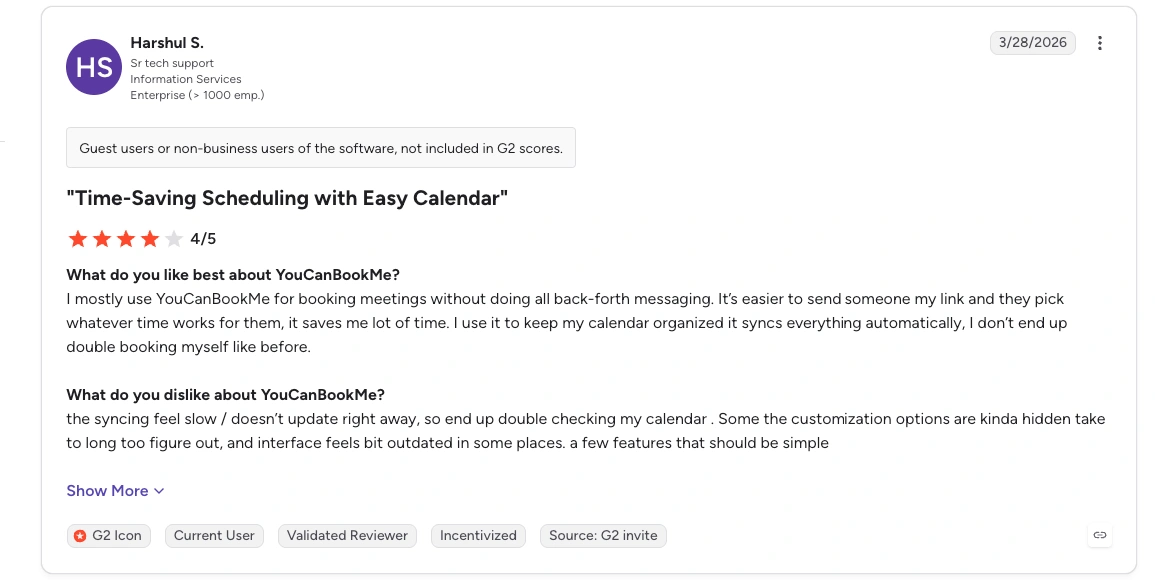
YouCanBookMe has a 4.7 out of 5 rating on G2, based on more than 1,900 reviews.Users regularly praise its customization, ease of use, calendar connections, and automated booking process. Reported limitations include a learning curve for advanced setups, occasional synchronization problems, and features that require paid plans.
5. SimplyBook. me
SimplyBook.me is built for appointment-based businesses such as salons, clinics, consultants, fitness studios, and educators. Unlike Calendly, it combines scheduling with tools for managing services, staff, payments, and customers.
Why Choose SimplyBook.me Instead of Calendly?
Choose SimplyBook.me if you need more than meeting links. It provides a complete booking website and supports service-based features such as deposits, memberships, gift cards, point-of-sale payments, and social media bookings.
Key Features
- Custom booking website and embeddable widget
- Staff and service management
- Online payments, deposits, and tips
- Facebook and Instagram bookings
- Coupons, memberships, packages, and gift cards
- Mobile admin and client apps
- HIPAA features on eligible plans
Pricing
- Free: $0 for 50 bookings, one provider, and one custom feature
- Basic: From $11.90/month when billed annually
- Standard: From $24.90/month when billed annually
- Premium: From $49.90/month when billed annually
- Enterprise: Custom pricing
Pros
- Strong tools for service businesses
- Includes a booking website
- Supports payments and in-person sales
- Flexible industry-specific features
Cons
- Monthly booking limits apply
- Lower plans restrict custom features
- Initial setup may take longer than Calendly
What Users Say
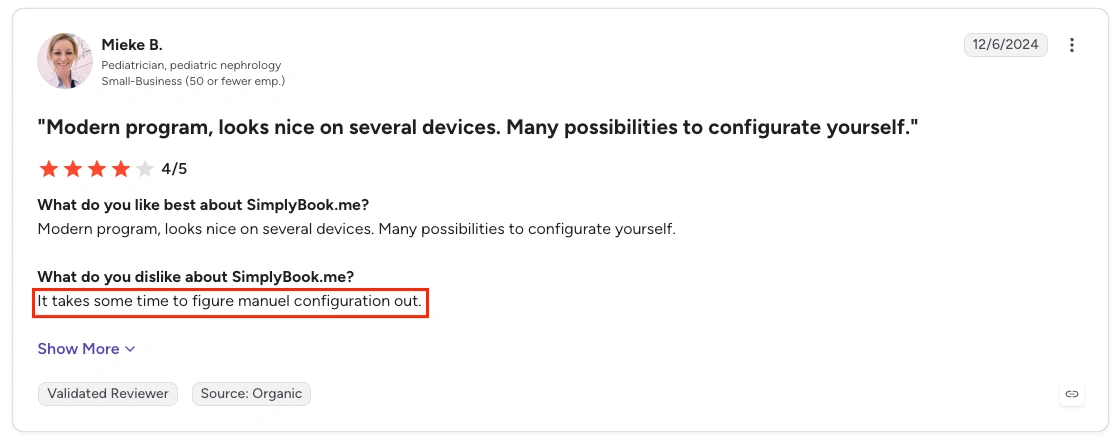
SimplyBook.me has a 4.4/5 rating on G2. Users often praise its customization and service-management tools. Some reviewers say that setup can feel complicated because there are many settings and optional features.
6. HubSpot Meeting Scheduler
HubSpot Meeting Scheduler is a practical Calendly alternative for sales and marketing teams already using HubSpot CRM. Every booked meeting can connect directly with contact records, sales activity, and follow-up workflows.
Why Choose HubSpot Meeting Scheduler Instead of Calendly?
Choose HubSpot when scheduling is part of your sales process. Instead of managing meetings separately, your team can capture leads, update CRM records, track deals, and schedule follow-ups from one platform.
Key Features
- Personal and team meeting links
- Automatic HubSpot CRM activity logging
- Round-robin lead assignment on eligible plans
- Google Calendar and Microsoft 365 connections
- Custom questions and booking forms
- Sales automation and follow-up workflows
- Meeting preparation and AI tools on higher plans
Pricing
- Free: $0 with one personal meeting link and HubSpot branding
- Starter: Currently starts at $10 per seat/month
- Professional: Starts at $100 per seat/month
- Enterprise: Starts at $150 per seat/month
The Starter price may include a limited-time discount.
Pros
- Connects scheduling with a powerful CRM
- Excellent for sales teams
- Automatically records customer activity
- Useful free option for individual users
Cons
- Advanced tools require expensive plans
- May be excessive if you only need scheduling
- Free plan includes HubSpot branding
What Users Say
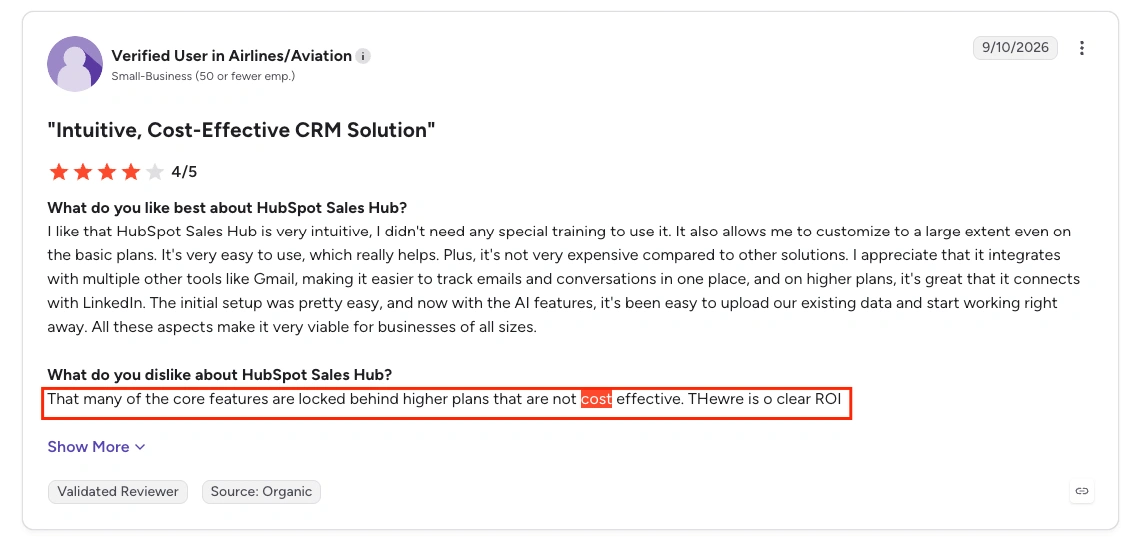
HubSpot Sales Hub has a 4.4/5 rating on G2. Users like its clear interface, CRM connection, and sales automation. Common complaints include higher costs and a learning curve for advanced features. This rating covers Sales Hub as a whole, not only its meeting scheduler.
7. Setmore
Setmore offers a generous free plan for small teams that manage customer appointments. It is especially useful for salons, tutors, wellness providers, consultants, and other businesses that need customers to book and pay online.
Why Choose Setmore Instead of Calendly?
Choose Setmore if you want a customer-facing booking page, staff calendars, payments, and mobile apps without paying immediately. Its free plan supports up to four users and unlimited appointments.
Key Features
- Customizable online booking page
- Up to four users on the free plan
- Unlimited appointments
- Stripe, Square, and PayPal payments
- Email confirmations and reminders
- Android and iOS apps
- Video meeting integrations
- Recurring appointments and SMS reminders on Pro
Pricing
- Free: $0 for up to four users
- Pro: $5 per user/month when billed annually
- Pro: $9 per user/month when billed monthly
Pros
- Generous free plan for small teams
- Unlimited appointments
- Built-in payment collection
- Easy-to-use mobile apps
- Suitable for customer-service businesses
Cons
- SMS reminders require Pro
- Two-way calendar sync is limited to Pro
- Some users report calendar-sync problems
What Users Say
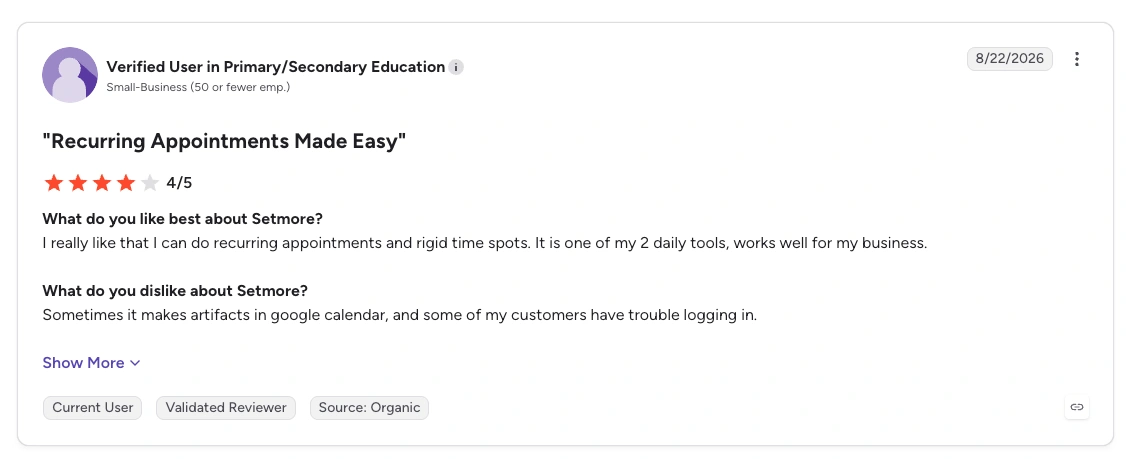
Setmore has a 4.5/5 rating on G2. Users regularly praise its simple setup, professional booking pages, and ease of use. Some reviewers mention unreliable Google Calendar syncing and limited control over complex availability rules.
8. Doodle
Doodle is best known for its group polls, which help several people find a suitable meeting time. While Calendly focuses mainly on booking available slots, Doodle is stronger when the participants’ availability is not yet known.
Why Choose Doodle Instead of Calendly?
Choose Doodle when you regularly schedule meetings with large groups, external stakeholders, interview panels, or committee members. Participants can vote on suggested times without creating an account.
Key Features
- Group availability polls
- One-to-one scheduling
- Personal booking pages
- Event sign-up sheets
- Automatic time-zone detection
- Calendar and video-conferencing integrations
- Deadlines and automatic reminders
- Team administration and custom branding
Pricing
- Free: $0 with limited polls and booking pages
- Pro: $15/month or $132/year
- Team: $21 per user/month or $16 per user/month with annual billing
- Enterprise: Starts at $15,000/year
Pros
- Excellent for finding a time that suits a group
- Participants do not need an account
- Simple voting experience
- Useful for internal and external meetings
Cons
- Free plan has strict usage limits
- Free polls may include noticeable branding or ads
- Less suitable for service-business management
What Users Say
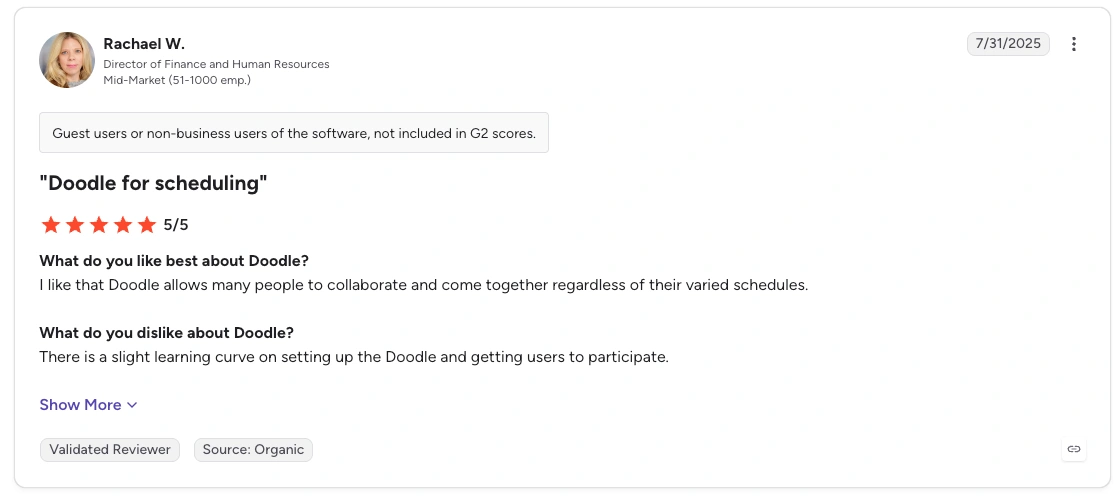
Doodle has a 4.4/5 rating on G2. Users frequently praise its group polls and simple scheduling process. Common complaints focus on the limitations, branding, and advertisements in the free version.
9. TidyCal
TidyCal is an affordable Calendly alternative for freelancers, creators, consultants, and small businesses. Its main advantage is simple pricing, including lifetime plans that reduce ongoing subscription costs.
Why Choose TidyCal Instead of Calendly?
Choose TidyCal if you want unlimited booking types without paying a recurring fee. Its free plan is also more flexible than Calendly’s free plan, which limits users to one event type.
Key Features
- Unlimited booking types and bookings
- Google, Microsoft, and Apple calendar connections
- Stripe and PayPal payments
- Recurring and package bookings
- Group and team scheduling on eligible plans
- Zoom, Google Meet, and Microsoft Teams links
- AI-generated booking descriptions and questions
- Calendly import tool
Pricing
- Free: $0
- Individual Lifetime: $29 one-time
- Agency Lifetime: $79 one-time
- Pro: $12/month or $99/year
Pros
- Affordable one-time payment options
- Unlimited booking types on every plan
- Supports paid and recurring appointments
- Easy for solo professionals to set up
Cons
- No native Android or iOS app
- Free and lifetime plans include TidyCal branding
- A 1% platform fee applies to Stripe payments outside Pro
- Some advanced team features require Agency or Pro
What Users Say
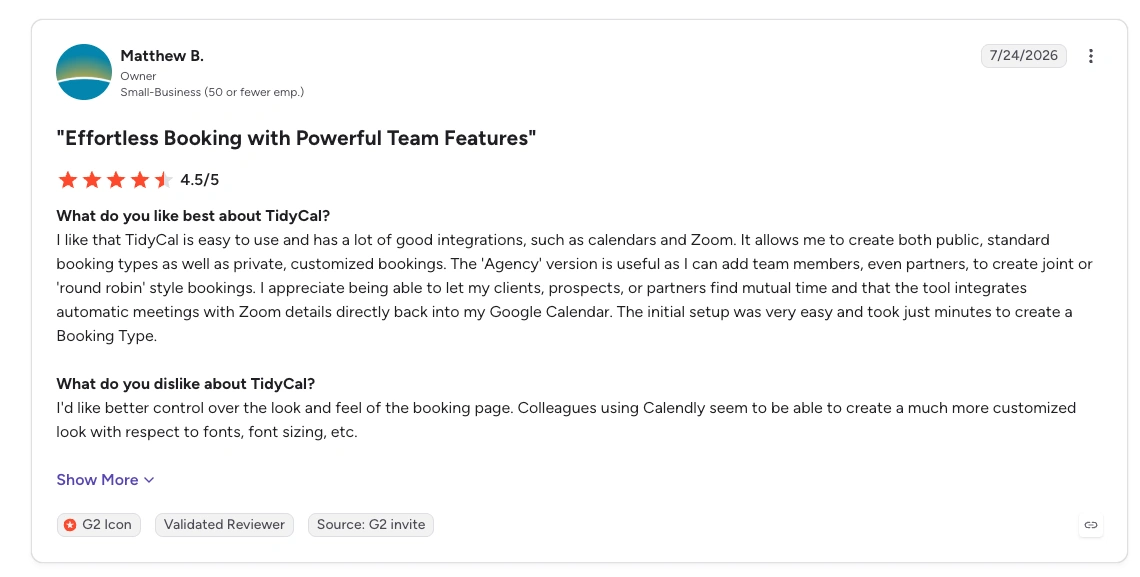
TidyCal has a 4.7/5 rating reviews on G2. Users value its simple setup and low lifetime price. Common concerns include the lack of a mobile app, limited white-label options, and occasional support or customization issues.
10. Microsoft Bookings
Microsoft Bookings is the most practical Calendly alternative for businesses already using Microsoft 365. It connects directly with Outlook and Microsoft Teams, so organizations can manage appointments without purchasing another scheduling platform.
Why Choose Microsoft Bookings Instead of Calendly?
Choose Microsoft Bookings if your company already works inside the Microsoft ecosystem. Staff availability can sync with Outlook, while online appointments can automatically include Microsoft Teams meeting links.
Key Features
- Personal and shared booking pages
- Outlook calendar synchronization
- Automatic Microsoft Teams meeting links
- Staff availability management
- Multiple appointment types and services
- Email and SMS notifications
- Custom booking questions
- Organization-level access controls
Pricing
Microsoft Bookings is not sold as a standalone product. It is included with eligible Microsoft 365 subscriptions.
- Microsoft 365 Business Basic: $7 per user/month with annual billing
- Also included with selected Business Standard, Business Premium, Enterprise, Education, and Teams plans
Pros
- Included with many Microsoft 365 plans
- Strong Outlook and Teams integration
- Suitable for organizations with multiple staff members
- No separate scheduling subscription may be necessary
Cons
- Not available as a standalone product
- Limited third-party integrations
- Branding and page customization are basic
- Interface can feel less intuitive than Calendly
What Users Say
Microsoft Bookings has a 3.8/5 rating on G2, although the rating is based on a relatively small number of reviews. Users appreciate its Outlook integration and ability to prevent scheduling conflicts. Limited customization and a less intuitive setup are the most common concerns.
Which Calendly Alternatives are Worth Comparing?
If you are unsure which Calendly alternative to choose, start with your main scheduling need. Again, you can see our comparison of the best online appointment scheduling software for small businesses.
Here are the strongest options for each situation.
If You Want a Budget-Friendly Calendly Alternative
Consider:
- Timetics AI
- TidyCal
- YouCanBookMe
Our recommendation: Timetics AI. It offers Calendly-style booking pages alongside an AI scheduling agent, team scheduling, payments, and appointment management. Its free plan supports up to three users, while paid plans start at $12 per month for up to 10 users.
If You Need Enterprise or Advanced Team Scheduling
Consider:
- Cal.com
- Acuity Scheduling
- HubSpot Meeting Scheduler
Choose Cal.com for open-source flexibility and complex team scheduling. Choose Acuity for multi-staff service appointments. HubSpot is more suitable when scheduling must connect with an enterprise sales process.
If You Run a Service-Based Business
Consider:
- Timetics AI
- Acuity Scheduling
- SimplyBook.me
Timetics AI is the better starting point for many growing businesses because it combines appointment scheduling, team management, paid bookings, and AI assistance at a competitive price. Acuity and SimplyBook.me provide more specialized tools for established salons, clinics, and service providers.
If You Need a Strong Free Plan
Consider:
- Timetics AI
- Setmore
- TidyCal
Choose Timetics AI for a balanced free scheduling experience, Setmore for a small service team, or TidyCal for unlimited booking types.
If You Schedule Group Meetings
Consider:
- Doodle
- Cal.com
- Timetics AI
Doodles are best for collecting everyone’s availability. Cal.com and Timetics AI are better when you need group scheduling as part of a wider appointment system.
Quick Recommendation
For most freelancers, startups, and growing service businesses, Timetics AI is the best Calendly alternative to try first. It provides familiar scheduling features while adding AI assistance, team tools, and payment collection without Calendly’s higher per-user costs.
Calendly Alternatives Cost Comparison
| Tool | Free Plan | Paid Starting Price | Key Limits / Gotchas | Opinion |
| Timetics AI | Yes (3 users, unlimited bookings) | $12/mo (Earn, 10 users) | Lifetime deals available (99–499 one-time); AI agent & payments included early | Best + Affordable (Lifetime) |
| Cal.com | Yes (1 user, unlimited events/calendars) | $12/user/mo (Teams) | Strong free tier; Organizations $28/user for advanced routing/SSO | Best + Costly |
| Acuity Scheduling | No (7-day trial) | $16/mo annual / $20 monthly (Starter, 1 calendar) | Flat rate but calendar/staff capped (1 → 6 → 36); SMS/packages higher tiers; no free forever | Good but Costly for Scale |
| YouCanBook.me | Yes (1 calendar, 1 page) | $9/mo (Individual) | Branding stays until Professional ($13); Team $18/member; SMS extra | Good + Affordable |
| SimplyBook.me | Yes (50 bookings, 1 provider) | ~$12–14/mo annual (Basic, 100 bookings/5 providers) | Booking + “custom feature” caps push upgrades; flat (not per-user) | Good but Feature-Gated |
| HubSpot Meetings | Yes (limited links + branding) | Starts with Starter (~$7–20/seat or bundled) | Not standalone-tied to HubSpot CRM/Sales Hub; real cost rises with seats/contacts | Less Feature + Costly (unless already in HubSpot) |
| Setmore | Yes (up to 4 users) | $5–12/user/mo (Pro, unlimited users) | Free solid for small teams; SMS/2-way sync/Pro features paid | Good + Affordable |
| Doodle | Yes (very limited: 1 poll/page/1:1) | ~11–15/mo(Pro)/~9–20/user Team | Free is basically trial-level; polls/booking limited | Less Feature + Costly |
| TidyCal | Yes (1 calendar, 1% platform fee on payments) | Lifetime $29 (Individual) or 79(Agency);Pro~8–12/mo | Lifetime deals strong; Pro removes fees/branding | Best + Affordable |
| Microsoft Bookings | No standalone free | Included in Microsoft 365 Business Basic (~$6–7/user/mo annual) | Requires full M365 subscription; not pure scheduling tool | Good (only if already on M365) / Costly otherwise |
Overall, Timetics AI offers the strongest price-to-feature balance for growing teams. It is not the cheapest option in every situation, but its flat team pricing avoids the rapid cost increase common with per-user alternatives.
📚 Related reading: Calendly vs. Timetics: A Side-by-Side Comparison
How to Switch From Calendly without Data Losing
Switching from Calendly to Timetics AI is simpler and lower-risk than moving to many other alternatives. Its easy transfer option helps you move your existing scheduling setup without rebuilding everything from scratch.
If you need help, the Timetics AI support team can guide you through the migration. Support is available20 hours a day, seven days a week, through:
- Instant video calls
- Email support
- Direct migration assistance
This hands-on support makes Timetics AI a practical choice for businesses with multiple booking types, calendars, or team members. You can switch confidently while the team helps keep your important scheduling information protected.
Final Verdict
There is no single Calendly alternative that is best for everyone. However, Timetics AI is our best overall choice for freelancers, small businesses, service providers, and growing teams in 2026.
It combines familiar scheduling features with an AI scheduling agent, paid bookings, team management, recurring appointments, and flat team pricing. Its easy transfer option and hands-on migration support also make leaving Calendly less stressful.
Other tools remain better for specific needs. Cal.com is stronger for open-source customization, Acuity Scheduling suits established service businesses, Doodle is excellent for group polls, and Microsoft Bookings makes sense for companies already using Microsoft 365.
For the best balance of features, team capacity, AI tools, support, and price, Timetics AI is the Calendly alternative we recommend trying first.
Frequently Asked Questions About Calendly Alternatives
How can I test a Calendly alternative before switching?
Use the free plan or trial to recreate your most important booking workflow. Test calendar syncing, time zones, reminders, payments, rescheduling, cancellations, and team assignment. Make at least one test booking from a customer’s device before replacing Calendly.
Which Calendly alternatives should I compare first?
Start with Timetics AI for overall value, AI scheduling, and affordable team plans. Compare Cal.com if you need open-source control, Acuity Scheduling for service-business features, and HubSpot Meeting Scheduler if scheduling must connect directly with a sales CRM.
What commonly goes wrong when switching from Calendly?
Common problems include broken booking links, incorrect time zones, missing calendar connections, and reminders that were not configured correctly. Businesses may also cancel Calendly before testing the replacement. Timetics AI reduces this risk through its easy transfer option and direct migration support.
Does my location affect which scheduling tool is best?
Yes. Your location can affect available payment gateways, currencies, SMS reminders, languages, tax settings, and data-privacy requirements. Check that the platform supports the payment methods and communication channels used by your local customers.
What is the best Calendly alternative for B2B sales teams?
For most cost-conscious B2B sales teams, Timetics AI offers the best balance of team capacity, AI assistance, CRM integrations, booking questions, and price. HubSpot is better for companies already using its CRM, while Cal.com is suitable for advanced routing and enterprise customization.
Can the Timetics AI agent schedule meetings through chat?
Yes. The Timetics AI scheduling agent understands natural-language instructions. You can use chat-style commands to create booking calendars, set availability, block dates, and view bookings. Supported AI-assistant connections can also create bookings after receiving your confirmation.