5 Best WordPress RSVP Plugins in 2026 (Free & Paid Compared)



Table of Contents
If you’re running events on WordPress, you need a simple way to collect RSVPs, manage attendees, and keep everything organized.
A reliable RSVP plugin for WordPress can handle all of this, from RSVP forms to full event registration management.
In this article, we’ll break down the best WordPressRSVP plugins to help you choose the right one.
Ready to run smoother events?
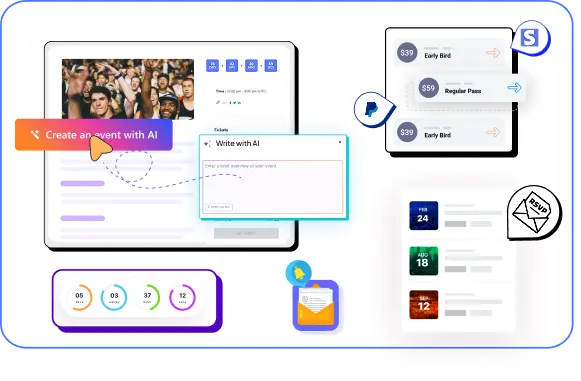
Create & manage events easily with Eventin event manager.
- ✅ Sell tickets
- ✅ Track attendees
- ✅ Automate reminders

Quick Comparison of the Top WordPress RSVP Plugins
| Plugin | Best For | RSVP Features | Pricing |
| The Events Calendar | Event calendar + RSVP | RSVP, event listings, basic attendee tracking | Free + Paid add-ons |
| Eventin | All-in-one event + RSVP management | RSVP, attendee management, guest limits, email automation | Free + Pro |
| WPForms | Simple RSVP forms | Basic RSVP forms, confirmations | Freemium |
| RSVP and Event Management | Basic RSVP tracking | Guest list, RSVP tracking | Free |
| RSVP Maker | Event publishing + email marketing | RSVP forms, event registration, email reminders, attendee tracking | Free |
How to Choose the Best WordPress RSVP Plugins
Not all RSVP plugins work the same way. The right choice depends on your event type, budget, and the features you actually need.
Here are the key things to look for:
- RSVP Form & Registration Features: Make sure the plugin lets you easily create RSVP forms and collect attendee details like name, email, and guest count. A good RSVP plugin should also support custom fields if needed.
- Attendee Management: You should be able to view, organize, and manage your guest list from one dashboard. Look for features like attendee tracking, approval options, and export capabilities.
- Ticketing & Payment Support: If you’re hosting paid events, choose a plugin that supports ticket sales and integrates with payment gateways like Stripe or PayPal. This helps you manage RSVPs and payments together.
- Automation & Notifications: Manual follow-ups take time. A good RSVP plugin should send automatic confirmation emails, reminders, and updates to attendees.
- Event Scheduling & Flexibility: Check if the plugin supports different event types—single events, recurring events, or multi-day events. This is important if you plan to scale your events later.
- Integration with Other Tools: Look for integrations with tools like WooCommerce, Google Calendar, or email marketing platforms. This helps you automate workflows and manage everything smoothly.
- Ease of Use: The plugin should be beginner-friendly. You shouldn’t need coding skills to create RSVP forms or manage events.
- Pricing & Scalability: Free plugins are good for simple use. But if you need advanced features like payments, automation, or reporting, consider a premium option that can grow with your needs.
Discover the Best WordPress RSVP Plugins for Your Events
Here I will list out the plugins along with the features and prices, and at the bottom, I will choose the “Best” one according to the answer to the above questions.
1. The Events Calendar with Event Tickets

The Events Calendar is already very well-known in the event management industry. With the Event Tickets plugin, you can easily create an RSVP form for your event when you start to create it.
All you have to do is install The Events Calendar first and then install Event Tickets and Registration, and you’ll be good to go.
With Event Tickets, you won’t get any customized form, but you will get some advanced widgets in the pro version.
Key Features
- Events Taxonomies
- Calendar month view with tooltips
- Purchasing tickets for events by attendees
- Add RSVPs to posts, pages, and custom post types
- Ticket stock management
- Automatic ticket confirmation emails.
- Responsive design that works on all devices
- And many more
Pros
- Clean and professional calendar UI
- Easy to display multiple events
- Good for content-driven event sites
Cons
- RSVP features are limited
- Requires add-ons for advanced functionality
- Payment features are not built-in
Price: Bundle starts from $699
Compare the Event Calendar vs Eventin and see how Eventin eliminates add-on stacking and gives you full control over your entire event workflow at an affordable price.
2. Eventin

Eventin is the best WordPress Event Manager, Event Calendar, RSVP, and Event Tickets Plugin for WooCommerce. It’s an all-in-one solution for all your event management hassles.
Single Event, Multi-Event, Recurring Event – name anything, and you’ll be able to add an RSVP form to those events. You can see the RSVP analytic reports for each of your events separately. You can also customize the options in the RSVP form.
You can add an RSVP response and even add maximum attendee registration for each RSVP response, which makes it easier to keep count of your attendees and their guests. There are even more cool features that are in the pipeline right now.
Key Features
- Creates RSVP forms while creating an event.
- Get RSVP analytics for each individual event
- Customizable RSVP form options
- Additional attendee registration for single RSVP response
- RSVP response limit
- Manual Attendee registration creation.
- Frontend event submission
- Event schema markup for Google Rich Results
- Recurring Events
- Zoom integration for virtual or hybrid events
- PDF certificate builder
- WooCommerce and Stripe Payment system
- BuddyBoss Integration
- And many more
Pros
- Complete all-in-one solution
- Works for both free and paid events
- Strong automation reduces manual work
- Scales well for large events
Cons
- Need paid version to use RSVP
Price: Pro version starts from $99
Stop using multiple plugins to manage your events
With Eventin, you can handle RSVP, ticketing, payments, and attendee management in one place. No extra tools, no complex setup—just a complete event system inside WordPress.
3. WPForms
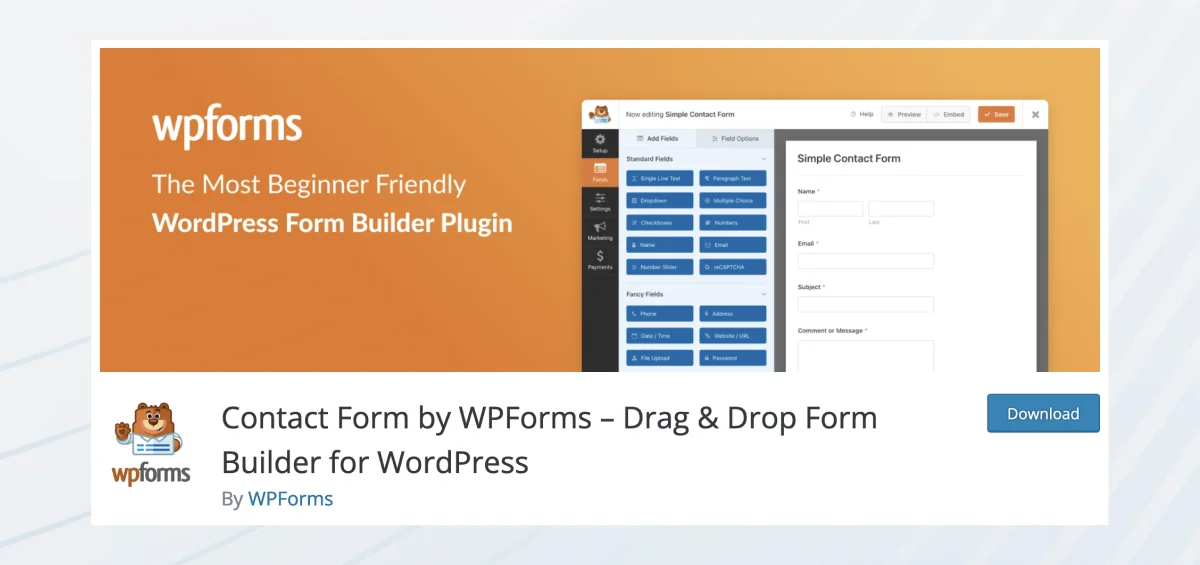
WPForms is a simple drag-and-drop form builder that can be used to create RSVP forms quickly.
It’s ideal if your goal is just to collect responses like “Yes/No,” guest count, or basic contact details. You don’t get full event management, but it’s fast and easy to set up.
The existing RSVP templates include
- Potluck Invitation RSVP form
- Birthday Party Invitation RSVP form
- Party Invitation RSVP form
- New Years Party RSVP form
- Wedding Guest List form
- RSVP Tracker form
- Online Event Registration RSVP form
- Movie Night RSVP form
- Oscars Party RSVP form
- Super Bowl Party RSVP form
- Simple RSVP form
- And many more
All of these ready-made templates are customizable and easy to use.
Key Features
- Drag-and-drop form builder
- Pre-built RSVP form templates
- Email notifications and confirmations
- Payment support (Pro version)
Pros
- Very beginner-friendly
- Quick setup
- Flexible form customization
Cons
- No event management system
- No attendee dashboard
- Not suitable for large or complex events
Price: Starts from $39.60
4. RSVP and Event Management
The RSVP and Event Management plugin was created with the vision to simplify attendee management. With this plugin, you can create RSVP forms for any sort of event you want. The plugin is very beginner-friendly as well.
Key Features
- Registration for private attendees
- Add custom questions
- Import and export attendees
- Attendees can add additional guests
- Passcode/No-Passcode to RSVP
- Email notifications
- And many more
Pros
- 100% free
- Simple and focused
- Easy to use
Cons
- No payment support
- No automation features
- Limited scalability
Price: Pro version starts from $89
5. RSVP Maker

Unlike other best WordPress RSVP plugins, RSVPMaker is an event and Email marketing tool created for your convenience. It can handle scheduling, event marketing, and RSVP tracking. You can send emails to a small number of people through your web server.
Although this plugin doesn’t have that many active installations, it’s actually a pretty good plugin. You can add rsvp elements as blocks in WordPress while creating an event with it.
Key Features
- Create RSVP Emails with WordPress blocks
- You can create, format, and edit RSVP Emails, Newsletters, and Notification Emails
- You can see lists of all sorts of Emails you have sent or unsubscribed from
- You can create events, event templates, and add tags
- It has translations for multiple languages
Pros
- Completely free and feature-rich
- Combines RSVP + email marketing
- Supports both free and paid events
- Flexible customization options
Cons
- Interface feels less modern
- Setup can take time for beginners
- Lacks advanced UI compared to newer plugins
Price: Free
FAQs About WordPress RSVP Plugins
What is a WordPress RSVP plugin?
A WordPress RSVP plugin helps you collect attendee responses, manage guest lists, and handle event registrations directly from your website. It replaces manual tracking with a simple, automated system.
What is the best RSVP plugin for WordPress?
The best WordPress RSVP plugin depends on your needs. If you want simple forms, basic tools work fine. But for full event management, Eventin is a strong option because it combines RSVP, ticketing, and attendee management in one place.
How do I create an RSVP form in WordPress?
You can create an RSVP form in WordPress using plugins like Eventin or WPForms. These tools let you build forms, collect responses, and manage attendees without coding.
Can I collect payments with an RSVP plugin in WordPress?
Yes, some plugins support payments. For example, Eventin allows you to collect payments through WooCommerce, Stripe, or PayPal, along with RSVP and ticket management.
What is the difference between RSVP and event registration in WordPress?
An RSVP plugin mainly collects attendance confirmation, while an event registration plugin for WordPress includes additional features like ticket sales, payments, and attendee management. Tools like Eventin handle both in one system.
Which WordPress RSVP Plugin Should You Choose?
Choosing the right WordPress RSVP plugin depends on what you actually need.
If your goal is just to collect simple responses, a basic form builder can get the job done. But most events need more than that, like attendee tracking, scheduling, and sometimes payments.
Here’s a quick way to decide:
- Need a simple RSVP form → Go with WPForms
- Want a free basic RSVP tool → Try RSVP and Event Management or RSVPMaker
- Focused on event display → The Events Calendar works well
- Want everything in one place → Eventin is the best option
Instead of combining multiple plugins for RSVP, ticketing, and payments, using one complete solution saves time and avoids setup issues.
Need More Than Just RSVP Forms?
Eventin helps you collect RSVPs, manage attendees, sell tickets, and run events from one dashboard. Instead of using multiple plugins, you can handle everything in one place and keep your event workflow simple.
Get Eventin Now