14 Best WordPress Booking Plugins Compared: Free & Paid Options


Table of Contents
The best WordPress booking plugin depends on what your customers need to book. Service businesses need appointment scheduling, staff availability, payments, and reminders. Event organizers need registrations and ticketing. Hotels and rental businesses need property availability, while consultants and teams often need calendar-based meeting scheduling.
This guide compares 13 WordPress booking plugins by booking flow, service and staff management, availability rules, payments, notifications, calendar integrations, free and paid features, pricing, and best-fit use cases. Use the comparison to choose a plugin that matches your workflow and budget instead of choosing one based only on popularity, ratings, or the number of features.
Quick Picks: WordPress Booking Plugins by Use Case
Short on time? Choose the plugin that fits the type of booking you need to manage.
These are use-case recommendations, not an overall ranking. We considered booking workflows, payments, calendar tools, and business fit. Compare pricing and public review details in the table below.
Recommended for Payments and Add-ons
BookingPress suits service businesses that need online payments, staff management, and optional booking add-ons.
Recommended for Teams and Appointment Automation
Amelia is a strong fit for teams that need staff schedules, service management, payments, and appointment reminders.
Recommended for Custom Appointment Workflows
Booknetic works well for businesses that need detailed appointment settings, locations, and customizable booking workflows.
Recommended for Straightforward Service Bookings
Radius Booking is suitable for businesses that want to manage appointments, availability, and service bookings from WordPress.
Recommended for Service Booking and Client Management
Booktics is useful for service businesses that need time slots, staff availability, customer records, payments, and booking notifications.
Recommended for Online Appointments and Time Zones
WPTimetics is a practical option for consultants, coaches, and remote teams that need booking links, time-zone support, and online meeting scheduling.
Recommended for Event Registration and Ticketing
Eventin is built for workshops, conferences, and ticketed events that need registration, ticket types, attendee management, and QR check-in.
Recommended for Simple Meeting Scheduling
FluentBooking is a good fit for coaches, consultants, and teams that mainly need calendar-based meeting scheduling.
Recommended for Classes and Service Appointments
MotoPress Appointment Booking supports individual appointments, group sessions, classes, and staff-based services.
Recommended for Hotels and Rentals
MotoPress Hotel Booking is designed for hotels, vacation rentals, guest houses, and property booking websites.
Best WordPress Booking Plugins: Quick Comparison
Here’s a quick comparison of 13 WordPress booking plugins for appointments, services, meetings, events, hotels, and rental properties. Prices below are in USD and reflect the offers shown on each plugin’s official website when checked on October 7, 2026.
| Plugin | Best for | Free version | Starting paid price* | WordPress.org rating & active installs |
|---|---|---|---|---|
| BookingPress | Payments, booking add-ons, and service appointments | Yes, via vendor website | $89/year for 1 site | Its WordPress.org listing is closed. Do not treat its old rating or install count as current. |
| Amelia | Team scheduling, staff management, and appointment automation | Yes | From $1 for the first year on the current official offer | 4.6/5 from 790 reviews; 90,000+ active installs |
| Booknetic | Custom appointment workflows, multiple locations, and automation | Yes, via vendor website | $45/year for 1 site | No current WordPress.org listing; public WordPress.org rating/install data is not available |
| Radius Booking | Appointment, service, meeting, and event bookings | Yes | $39/year for 1 site on the current early-bird offer | 5.0/5 from 3 reviews; 400+ active installs |
| Booktics | Service booking, staff availability, client records, and payments | Yes | $63/year for 2 sites | 4.2/5 from 13 reviews; 800+ active installs |
| WPTimetics | Online appointments, time-zone scheduling, and meetings | Yes | $63/year for 1 site | 4.6/5 from 36 reviews; 2,000+ active installs |
| Eventin | Event registration, ticketing, attendee management, and QR check-in | Yes | $89/year for 2 domains | 4.7/5 from 402 reviews; 10,000+ active installs |
| Bookly | Modular appointment booking with optional add-ons | Yes | Free core plugin; Pro and add-ons are sold separately | 4.4/5 from 576 reviews; 60,000+ active installs |
| LatePoint | Modern booking forms and appointment automation | Yes | $79/year introductory price for 1 site | 4.9/5 from 101 reviews; 100,000+ active installs |
| MotoPress Appointment Booking | One-to-one appointments, group sessions, and class scheduling | Yes | $49/year for 1 site | 4.5/5 from 21 reviews; 2,000+ active installs |
| MotoPress Hotel Booking | Hotels, vacation rentals, and property reservations | Yes | $139/year for 1 site | 3.7/5 from 65 reviews; 10,000+ active installs |
| Webba Booking | Flexible booking forms, availability rules, and recurring bookings | Yes | $119/year for 1 site | 4.9/5 from 156 reviews; 2,000+ active installs |
| FluentBooking | Consultants, coaches, and calendar-based team meetings | Yes | $63/year for 1 site on the current offer | 4.7/5 from 46 reviews; 20,000+ active installs |
| Bookings and Appointments for WooCommerce | flexible booking options, recurring bookings, staff and resource management | Pro only | Starts at $149/yesr | 4.9/5 |
*Prices, promotional discounts, renewals, license limits, and included features can change. Check the official pricing page before purchasing.
What Is a WordPress Booking Plugin?
A WordPress booking plugin lets visitors book appointments, services, meetings, events, rooms, or other time-based activities directly from a website.
Depending on the plugin, customers can select a service, choose a staff member, select an available date and time, enter their details, pay online, and receive a booking confirmation.
For business owners, a booking plugin can centralize availability, services, staff schedules, customer information, payments, notifications, cancellations, and calendar synchronization.
Different booking models require different features:
- Service appointments require staff, service, duration, and availability management.
- Meetings require calendar synchronization, time-zone support, and video integrations.
- Events require registrations, tickets, attendee management, and check-in.
- Hotels and rentals require property availability, seasonal pricing, guest capacity, and reservation management.
For event registration, ticket sales, attendee management, and check-in, explore the WordPress event booking plugin guide.
How We Selected These WordPress Booking Plugins

We evaluated booking use case, free-plan availability, official pricing, publicly visible WordPress.org reviews and active-install data where available, and the type of business each tool is designed to serve. Eventin, Booktics, and WPTimetics are products from ThemeWinter/Arraytics and are assessed alongside other plugins using the same comparison criteria.
Our selection criteria included:
- Ease of use: Can beginners set it up without technical help?
- Booking experience: Is the customer booking flow clear and smooth?
- Free and paid options: Does it offer a useful free version or only a premium plan?
- Payment support: Can businesses collect payments during booking?
- Calendar sync: Does it connect with tools like Google Calendar or Outlook?
- Staff and service management: Can teams manage employees, services, and availability?
- Automation: Does it support confirmation emails, reminders, or booking updates?
- Business fit: Is it better for appointments, services, rentals, hotels, meetings, or team scheduling?
- Pricing value: Does the feature set match the price?
- Support and updates: Is the plugin actively maintained and useful for modern WordPress websites?
This approach helps you compare the plugins by actual use case, so you can choose the one that fits your business instead of picking the one with the longest feature list.
13 Best WordPress Booking Plugins: Detailed Reviews
Choosing the right booking plugin becomes easier when you know what each tool is built for. Some plugins are better for service appointments, while others focus on meetings, staff schedules, hotel reservations, or custom booking rules.
Below, we compare 13 of the best WordPress booking plugins based on their main use case, key features, pricing, pros, cons, and best-fit users.
This will help you choose a plugin that matches your business model instead of picking one only because it has a long feature list.
BookingPress (Free / Paid)
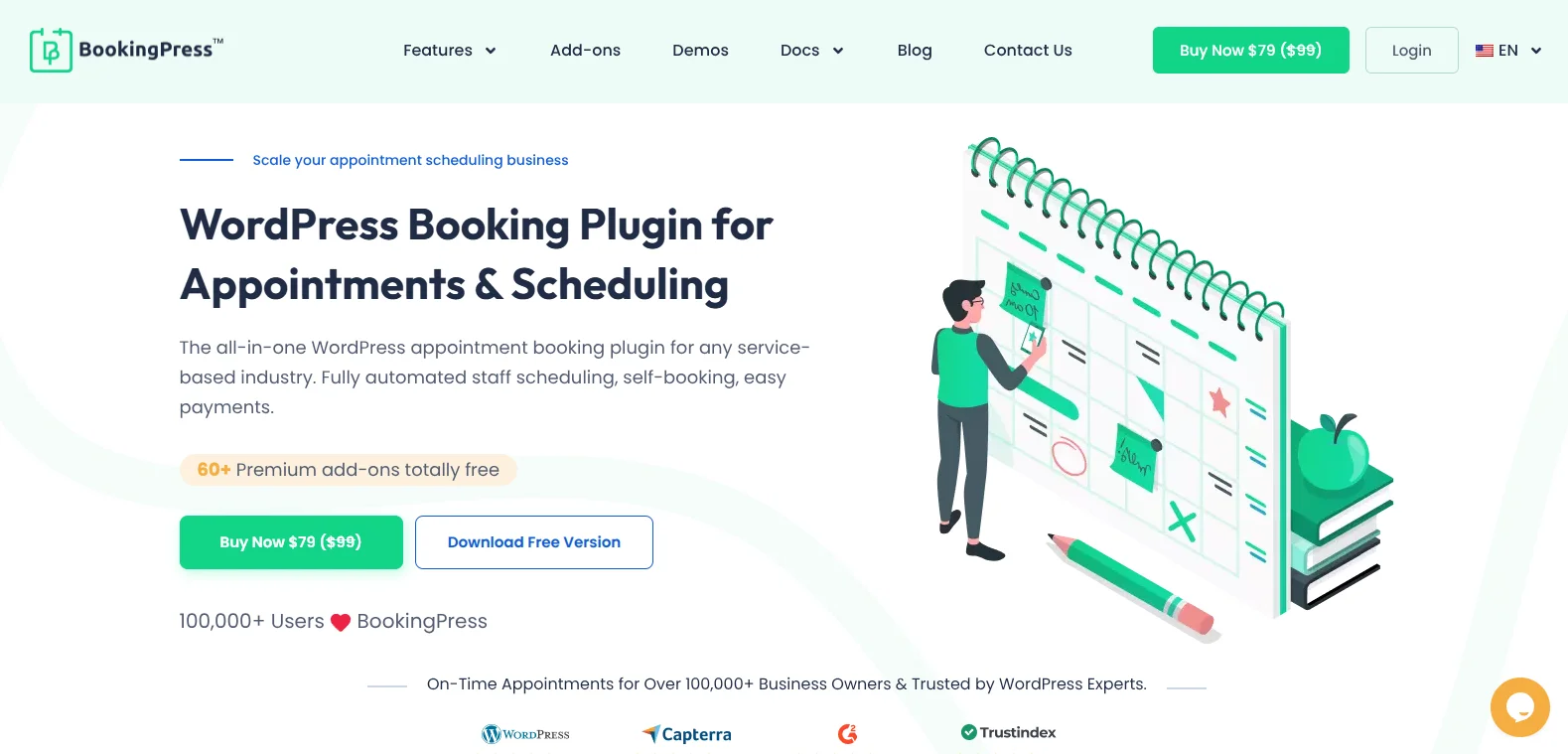
BookingPress is widely known for its all-in-one appointment scheduling automation and user friendliness. It helps service businesses of all sizes manage endless appointments, services, staff members, transactions and locations from easy-to-use dashboard.
What makes it a strong option is that, depending on the plan, it includes 45+ to 60+ premium add-ons without separate add-on purchases. Thus you can manage taxes, coupons, dynamic pricings, packages, service extras, recurring and group booking, holidays, special days, and a lot more.
If you are a beginner, you can also get started with BookingPress Lite which is totally free to use. It lets you accept unlimited appointments, create customizable booking forms, and accept payments through PayPal and on-site payment options. Its official website also states that BookingPress is trusted by more than 100,000+ businesses worldwide.
Key Features
- Unlimited appointments and services
- Centralized analytics dashboard
- Automatic notifications via Email, SMS, WhatsApp, and Telegram
- Booking sync with Google Calendar, Outlook Calendar, and Apple Calendar (iCal)
- Highly customizable booking form
- 22+ payment gateways on eligible premium plans
- Advanced staff management
- Multi-location support
- Integrates with multiple marketing tools
| Pros | Cons |
|---|---|
| Easy-to-use interface with a quick setup. | Some advanced features require a premium plan |
| Advanced staff, services, and appointment management | May include more features than very small businesses need |
| 22+ payment gateway integrations on eligible premium plans | New users may need a little time to explore all customization options |
| Modern and customizable booking forms | |
| Automated notifications and reminders |
Price: BookingPress has a free version. Its paid plan starts at $89/year for one site. Higher plans support more websites and include more advanced features.
Who Should Use BookingPress?
BookingPress is ideal for all service businesses, be it a salon, clinic, house service agency, fitness studio, law firm, or rental store, that need advanced automated appointment scheduling, staff management, service booking, and a wide range of online payment gateways.
Who Should Avoid BookingPress?
BookingPress excels at managing appointments and service bookings. But, service businesses that need accommodation management, rental inventory tracking or event ticket sales may want to explore specialized alternatives that are designed for those specific booking models. For most service-based businesses, though, BookingPress offers all the essential tools needed.
Amelia (Free / Paid)
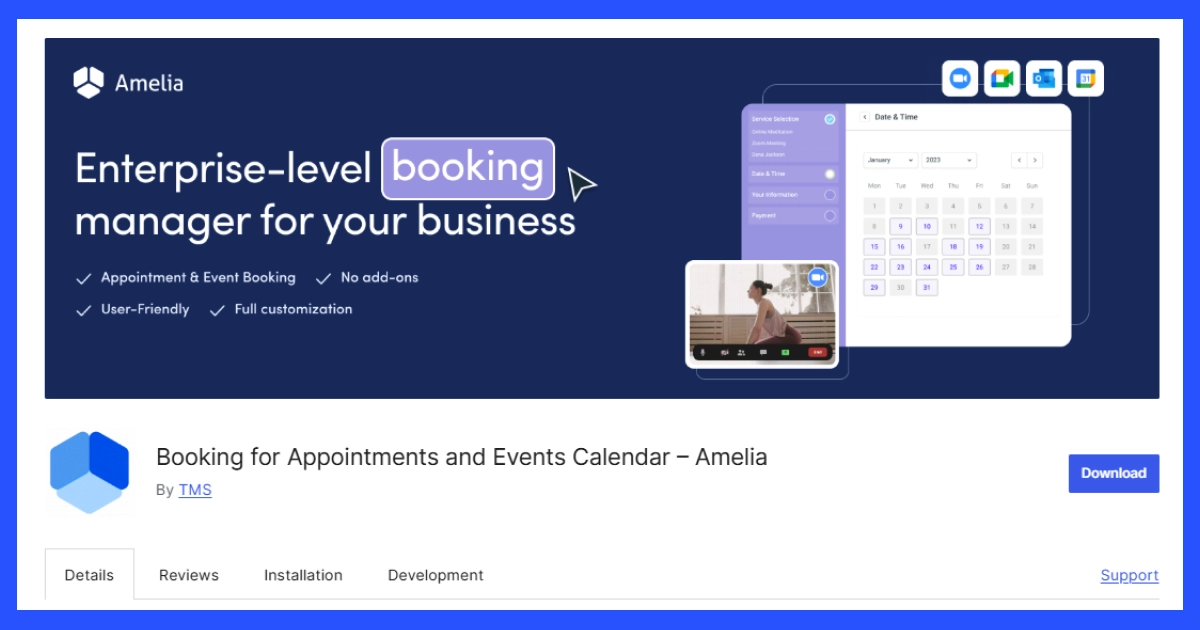
Amelia is known for its easy-to-use interface and wide range of options. It helps businesses manage services, staff members, time slots, recurring appointments, customer bookings, and payments from a clean dashboard.
Amelia works well for businesses that need both appointment scheduling and event booking. Its WordPress.org listing describes it as a booking plugin for appointments and events, and its review page shows an average rating of 4.6 out of 5 stars from public reviews.
Key Features
- Multi-service management system
- Sends reminders via email, SMS, or WhatsApp.
- Scheduling and managing employees
- Multiple payment options
- Provides insights into bookings and performance.
| Pros | Cons |
|---|---|
| Supports both appointments and events | May feel too advanced for very simple booking needs |
| Clean admin dashboard | Some features are locked behind paid plans |
| Good for teams and service providers | Setup can take time if you have many services and staff |
| Supports recurring appointments | Not ideal for hotel or rental-style booking |
| Strong automation options | Pricing may be higher than simple booking |
Price: Amelia has a free version. Paid-plan pricing and introductory offers can change, so check the official Amelia pricing page before purchasing.
Who Should Use Amelia?
Amelia is a good option for businesses that need a professional appointment booking system with team management and automation.
Who Should Avoid Amelia?
Amelia may not be the right option if you only need a very simple booking form or a lightweight appointment tool. It may also not be the best fit for hotels, vacation rentals, or property booking websites because those businesses need accommodation-focused features.
Booknetic (Free/ Paid)
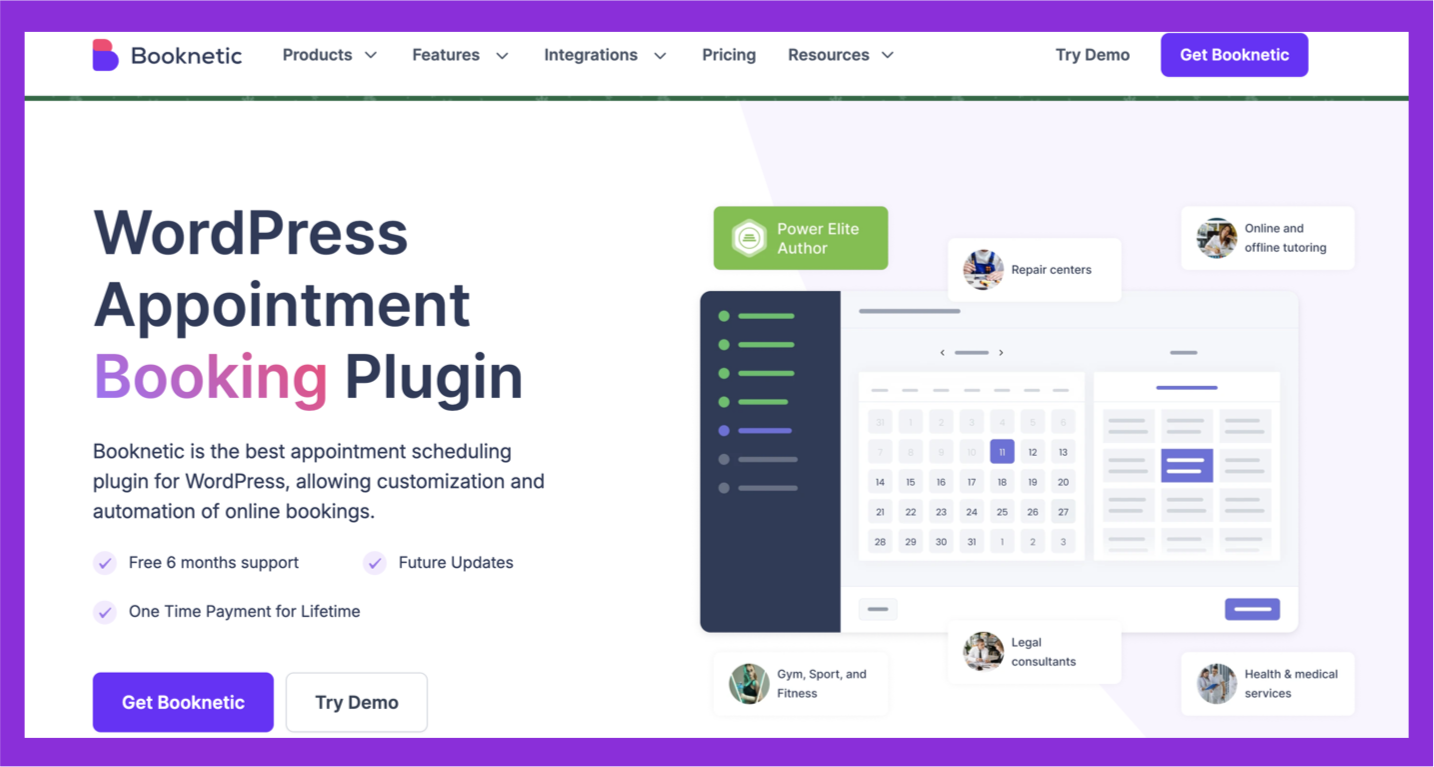
Booknetic is another popular booking plugin for businesses that need a more controlled and customizable booking system. Its main strength is the step-by-step booking widget, where customers move through service, staff, date, time, information, and payment in a clear flow.
Unlike very simple booking plugins, Booknetic is made for businesses that want more control over booking rules, staff schedules, locations, payment methods, and notifications. It is especially useful for service businesses that need detailed appointment logic without depending on a separate SaaS booking platform.
Key Features of Booknetic
- Step-by-step booking form
- Service and staff management
- Location management
- Online payment support
- Email, SMS, and WhatsApp notifications
- Zoom integration
- Coupons and gift cards
- Waiting list support
- Workflow automation
- Reporting dashboard
| Pros | Cons |
|---|---|
| Clean step-by-step booking experience | No free WordPress.org listing |
| Strong automation and notification options | May feel advanced for very basic booking needs |
| Good for multi-service businesses | Setup takes time if you have many services, staff, and locations |
| Supports payments, calendars, and integrations | Some features depend on higher plans or add-ons |
| Lifetime plan available | Not built for hotel-style room booking |
Pricing: Booknetic offers subscription pricing starting from $4.99/month, billed annually. It also has a lifetime plan for users who want a one-time purchase instead of yearly billing.
Who Should Use Booknetic?
Booknetic is a good choice for businesses that need a polished booking flow with more control over services, staff, locations, payments, and automation.
Who Should Avoid Booknetic?
Booknetic may not be the right fit if you only need a free and simple booking form. It is also not the best option for hotel booking, room availability, rental calendars, or event ticketing.
Radius Booking (Free / Paid)
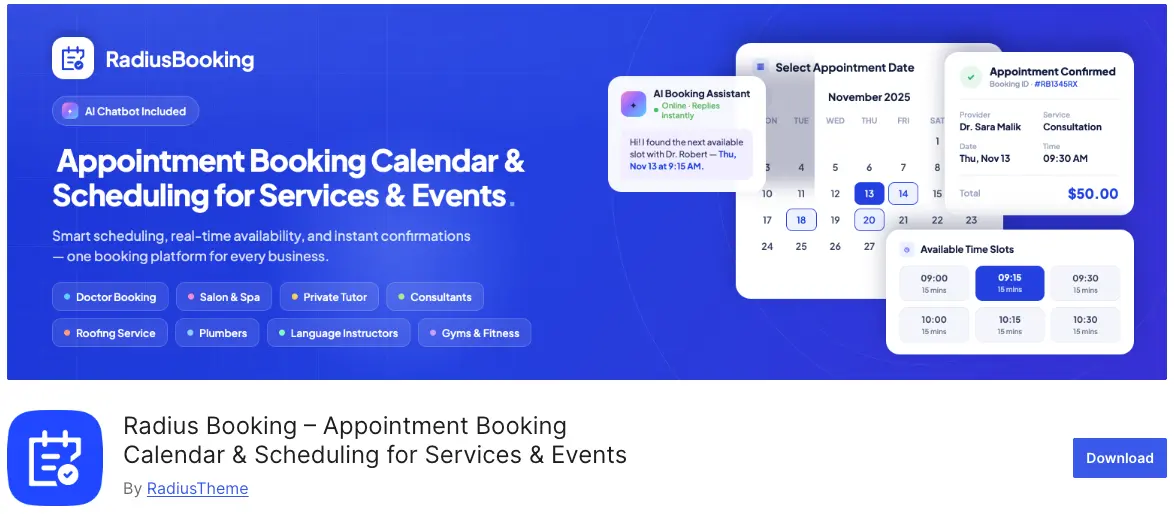
Radius Booking is built around one standout idea: AI-powered, conversational scheduling. Instead of clicking through a multi-step form, customers can book by simply typing what they need. The AI assistant reads the service, staff member, date, and time, checks real-time availability, and completes the booking automatically.
This makes RadiusBooking a strong option for service businesses that want a modern, low-friction booking experience. It works for salons, healthcare and medical practices, consultants, fitness studios, coaches, events, and online meetings. Alongside the AI chatbot, it also covers the core essentials, including service management, per-staff schedules, custom booking forms, payments, and automated reminders.
Key Features of RadiusBooking
- AI-powered booking assistant with natural-language scheduling
- Service management with pricing, durations, categories, and buffer times
- Staff and employee management with individual schedules and dashboards
- Customizable booking form with live preview and custom fields
- PayPal payments (free), Stripe and deposits (Pro)
- Google Calendar sync (free), Apple Calendar sync (Pro)
- Google Meet and Zoom integration for online meetings
- Automated email reminders and one-click rescheduling
- Shortcode, Elementor widget, and Gutenberg block support
- Advanced analytics and reports
| Pros | Cons |
|---|---|
| Native AI chatbot for conversational booking | Newer plugin with a shorter track record |
| Free version available on WordPress.org | Public review data is still growing |
| Unlimited services and staff on all paid tiers | Some features (Stripe, deposits) require Pro |
| Works with Elementor, Gutenberg, and shortcodes | |
| Affordable pricing with lifetime options |
Price: RadiusBooking has a free version on WordPress.org. Pro is currently on an early-bird offer, with yearly plans starting at $39/year (1 site) and lifetime plans starting at $74 one-time (1 site).
Who Should Use RadiusBooking?
RadiusBooking suits service businesses that want a modern, AI-assisted booking experience. Setup stays simple. This plugin fits salons, clinics, consultants, coaches, fitness trainers, and online meeting hosts. It works well if you want customers to book conversationally. RadiusBooking also helps you manage staff schedules, collect payments, and cut no-shows with automated reminders.
Who Should Avoid RadiusBooking?
RadiusBooking may not fit hotel booking, vacation rentals, room availability, or property-based reservations. It may also fall short if you need a long, proven track record. Advanced recurring-series scheduling is not its strength either. This is a newer plugin still building its public review base.
Booktics (Free / Paid)
Booktics is a WordPress booking plugin made for service-based businesses that need a clean, guided, and conversion-friendly booking system. Its biggest strength is its multi-step booking flow, where customers can move through service selection, team member selection, date, time, details, and payment without confusion.
This makes Booktics a strong choice for businesses that do not want a basic appointment form only. It is built for real service booking, where you may need staff management, service-wise pricing, booking control, payment tracking, email automation, and customer management from one dashboard.
Booktics also stands out for its pricing approach. Its official pricing page says there are no hidden add-on fees, and the free version includes team management features such as adding team members, assigning services, and managing schedules.
Key Features of Booktics
- Multi-step service booking flow
- Team member management
- Service management
- Staff-wise schedule control
- Service-wise pricing
- Multiple pricing tiers
- Multiple pricing durations
- Order and payment tracking
- Payment gateway support
- Customer management
- Email workflow automation
- Group service booking
- Extra service add-on option
- Pro booking themes
- Directory booking support with Directorist integration
- Clean dashboard for booking, payment, and service control
| Pros | Cons |
|---|---|
| Strong fit for service-based booking websites | Newer than some older booking plugins |
| Free version includes useful team management features | Public review data is still growing |
| No hidden add-on fee positioning | Not designed for hotel room booking |
| Multi-step booking flow feels clear for customers | May not be needed for very basic contact-form-style booking |
| Good value for businesses that need service, staff, and payment control | More suitable for service businesses than rental calendars |
| Lifetime-style value makes it budget-friendly for long-term use | Needs more third-party comparison |
Pricing: Booktics offers both free and pro options. Pro starts at $63/yearly and $109 lifetime access for 2 websites, including pro add-ons and features.
Who Should Use Booktics?
Booktics is best for service businesses that want more than a simple booking form. It is a better choice when you need a complete service booking flow with staff, pricing, payments, and customer management.
Who Should Avoid Booktics?
Booktics may not be the right fit if you mainly need hotel room booking, accommodation rules, property calendars, or rental availability management. For those use cases, MotoPress Hotel Booking or a rental-focused plugin will be a better match.
It may also be more than you need if you only want a very basic booking request form with no staff, payment, or service management.
Want to see how it works in practice? Read our Booktics setup guide for service businesses, covering installation, services, staff schedules, payments and email reminders.
WPTimetics (Free / Paid)
WPTimetics is a WordPress appointment scheduling plugin made for meetings, sessions, team appointments, and calendar-based bookings. Its main strength is that it combines appointment scheduling, team availability, paid meetings, recurring bookings, calendar sync, and automated notifications inside WordPress.
Unlike service-only booking plugins, WPTimetics works especially well for professionals who sell time-based sessions. That includes consultants, coaches, tutors, agencies, sales teams, support teams, and education providers.
Its official site explains that WPTimetics supports one-to-one meetings, one-to-many meetings, paid appointments, follow-ups, Google and Outlook calendar syncing, automatic confirmations, reminders, and real-time availability to help prevent double bookings.
Key Features of WPTimetics
- One-to-one appointment booking
- One-to-many meeting booking
- Unlimited appointment booking
- Meeting list view
- Calendar view
- Booking list view
- Availability management
- Recurring bookings
- Appointment rescheduling
- Auto-detected timezone
- Customizable booking form
- Customer email notifications
- Google Calendar sync
- Outlook Calendar sync
- iCal support
- Zoom integration
- WooCommerce integration
- Zapier integration
- Pabbly integration
- FluentCRM integration
- Payment gateway support
- Visual seat plan support
- User dashboard
| Pros | Cons |
|---|---|
| Strong for meetings, sessions, and appointment scheduling | Not focused on hotel or accommodation booking |
| Supports one-to-one and one-to-many meetings | Some advanced features are better suited for pro users |
| Calendar sync helps reduce double bookings | May feel too advanced for a single basic booking form |
| Useful for coaches, consultants, tutors, and agencies | Not the best choice for rental calendar websites |
| Supports payments, automation, and integrations | Needs clear setup if you manage complex team schedules |
| No hidden add-on pricing approach | Public rating data is not as strong as older |
Pricing: WPTimetics has both free and pro options. Pro starts at $63/yearly and $109 lifetime access for 2 websites, including pro add-ons and features.
Who Should Use Timetics?
Timetics is best for businesses and professionals who sell time, meetings, consultations, or scheduled sessions through WordPress.
Who Should Avoid Timetics?
Timetics may not be the best choice if your main need is hotel booking, rental booking, or property availability management. It is also not the best fit if you only need a basic contact form where users request a callback.
For appointment scheduling, meetings, calendar sync, and paid sessions, WPTimetics is a stronger fit than general-purpose booking form plugins.
Eventin (Free / Paid)
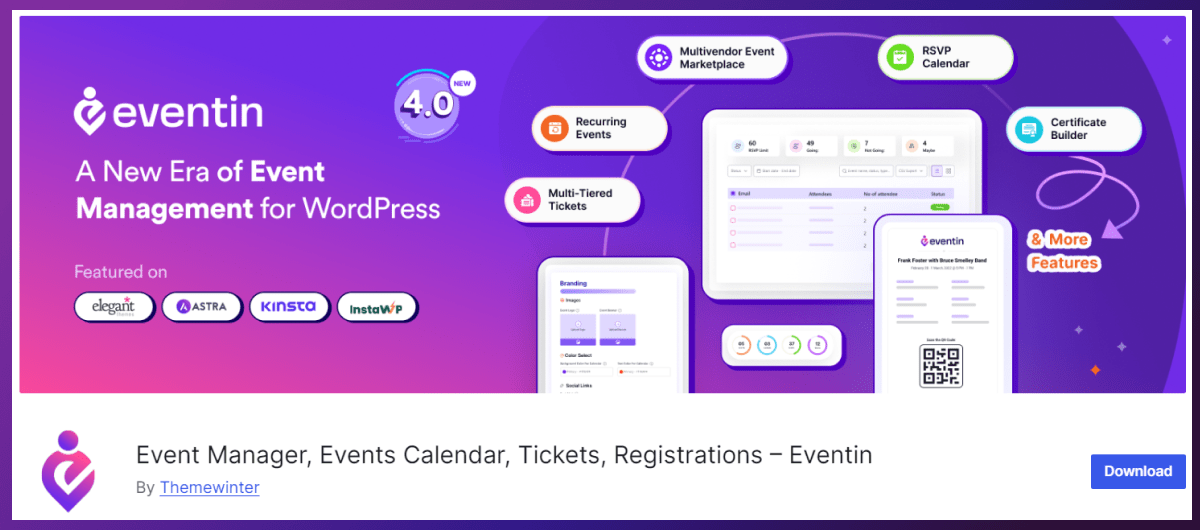
Eventin is a WordPress event management and ticketing plugin for organizers who need more than a simple booking form. It helps create and manage in-person, virtual, hybrid, and recurring events directly from a WordPress dashboard.
You can create free or paid events, accept registrations, sell tickets, manage attendees, and organize event schedules, speakers, and venues in one place. It also supports multiple ticket types, such as Early Bird, VIP, and General Admission, making it useful for workshops, conferences, webinars, classes, and community events. See how Eventin handles event booking on WordPress.
Eventin’s free version gives users a starting point for event listings, registrations, RSVPs, and ticket sales through WooCommerce. Pro plans add advanced event tools such as event landing-page templates, email automation, ticket customization, visual seat plans, certificates, and more.
Key Features
- Create free, paid, virtual, hybrid, and recurring events
- Event registration, RSVP, and online ticket sales
- Multiple ticket types and ticket pricing options
- Attendee management and event order tracking
- QR-code ticketing and attendee check-in tools
- Speaker, organizer, venue, and schedule management
- Event calendar, list, and grid display options
- Email notifications and automation options
- WooCommerce, Stripe, and PayPal payment support
- Zoom and Google Meet integrations on eligible plans
- Dashboard reports for ticket sales and attendee data
| Pros | Cons |
|---|---|
| Built specifically for event registration and ticket sales | Not designed primarily for staff-based service appointments |
| Free version available on WordPress.org | Some advanced event tools require a Pro plan |
| Supports in-person, virtual, hybrid, and recurring events | May include more event-management features than a simple meeting scheduler needs |
| Flexible ticket types, attendee management, and event schedules | Not suitable for hotel or property reservation management |
| QR-code ticketing and check-in tools |
Price: Eventin has a free version. Its Standard plan starts at $89/year for 2 domains and includes one year of updates and support. Higher plans support more domains.
Who Should Use Eventin?
Eventin is a strong fit for event organizers, conference teams, workshop hosts, webinar creators, training providers, educational institutions, and businesses that need event registration, ticket sales, attendee management, and check-in from a WordPress website.
Who Should Avoid Eventin?
Businesses that only need staff-based service appointments, simple one-to-one meetings, hotel reservations, or rental inventory management may find a dedicated appointment or property-booking plugin more suitable.
Eventin’s official site states that it is trusted by 17,500+ organizers selling tickets with WordPress. WordPress.org currently lists it with a 4.7/5 rating from 402 reviews and 10,000+ active installations.
Bookly (Free / Pro)
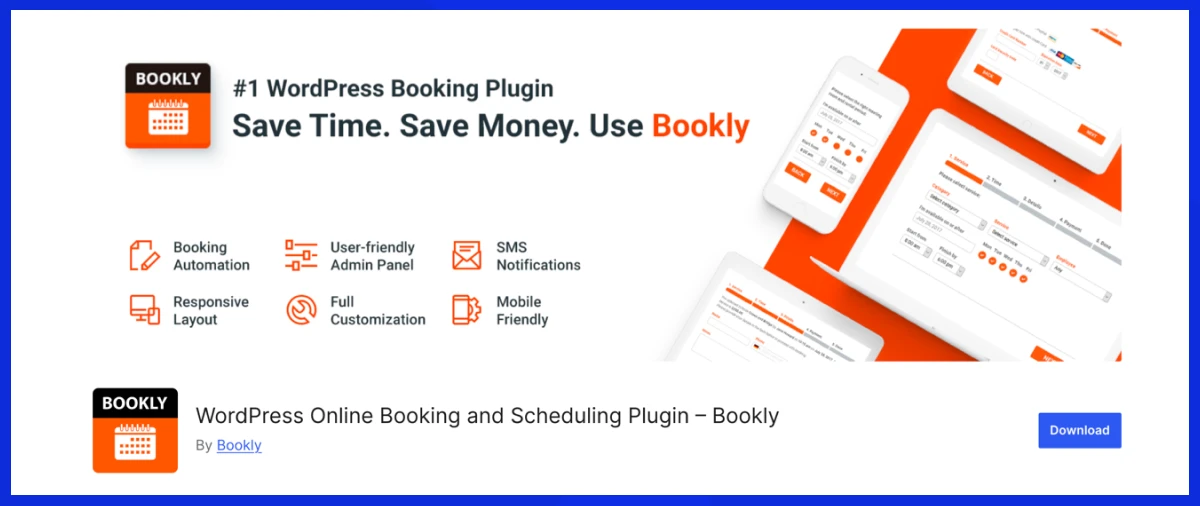
Bookly is one of the older and more widely used WordPress booking plugins. Its biggest strength is flexibility. You can start with a simple appointment booking system, then add more features as your business grows.
Bookly works well for businesses that want a modular booking setup. Instead of paying for every feature from the start, you can use the core plugin and add extra features when needed. This makes it useful for businesses that want to build a custom booking system over time.
The free Bookly plugin lets WordPress websites accept online bookings and manage booking calendars, services, and customers from one place. Its official website also states that Bookly is trusted by more than 70,000 businesses worldwide.
Key features
- Online appointment booking
- Booking calendar
- Service management
- Email notifications
- SMS notifications
- Mobile-friendly booking process
- Payment support in Pro
- Google Calendar support in Pro
- Add-ons for advanced features
- Staff mobile app support
| Pros | Cons |
|---|---|
| Long-standing booking plugin with a large user base | Advanced features often need paid add-ons |
| Free version available on WordPress.org | Cost can increase if you need many add-ons |
| Flexible and modular setup | Add-on-based setup may confuse beginners |
| Good for service-based appointments | Not ideal for hotel or property booking |
| Works for both small and growing businesses | Full setup may take time |
Pricing: Bookly offers a free core plugin. Bookly Pro and additional features are sold separately, so the total cost depends on the features your business needs.
Who Should Use Bookly?
Bookly is a good option for businesses that want a flexible booking system and do not mind adding features as needed.
Who Should Avoid Bookly?
Bookly may not be the best choice if you want most advanced features included in one plan. Since many features come through add-ons, the total cost can grow depending on what your business needs.
LatePoint (Free / Paid)
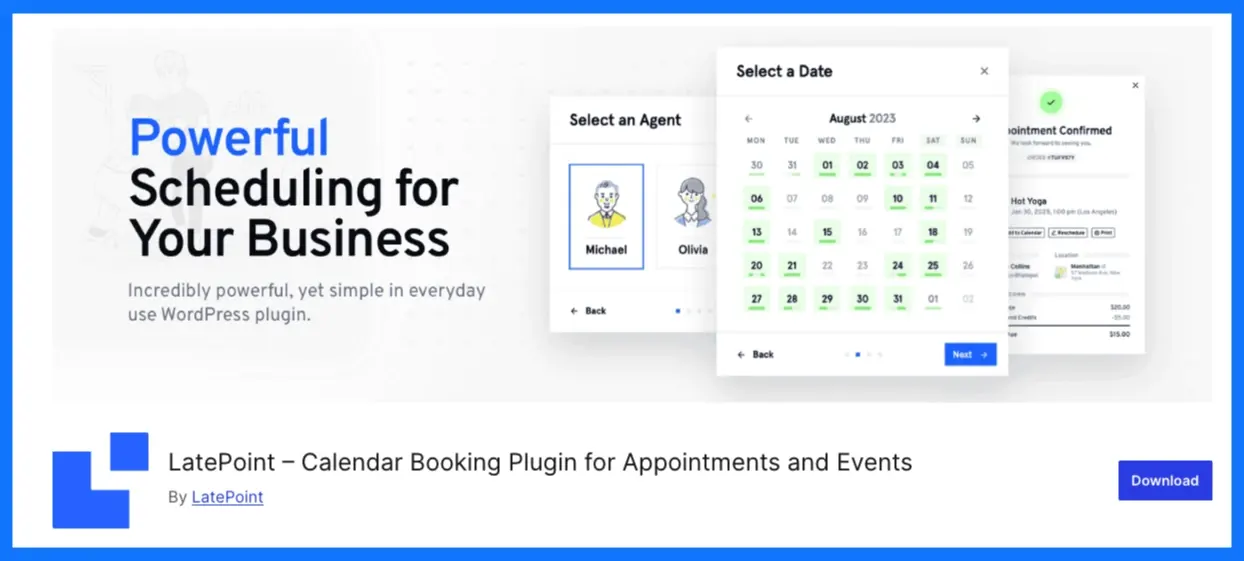
LatePoint is a modern WordPress appointment booking plugin focused on a clean customer booking experience. Its main strength is the smooth booking interface. Customers can choose a service, pick an agent, select a time, and complete the booking without moving through a confusing form.
LatePoint is a good option for service businesses that care about design, speed, and a simple front-end booking process. It also supports agents, services, payments, calendar sync, reminders, and video meeting integrations, making it suitable for both online and offline service appointments.
Key Features of LatePoint
- Modern appointment booking form
- Agent and service management
- Advanced availability rules
- Online payment support
- Google Calendar sync
- Zoom and Google Meet integration
- Automated reminders and booking notifications
| Pros | Cons |
|---|---|
| Clean and modern booking interface | Some advanced features require premium plans |
| Good front-end booking experience | Not designed for hotel or rental booking |
| Supports agents, services, and availability rules | May need setup time for multi-agent businesses |
| Works well for online and offline appointments | Less suitable for businesses that need heavy custom workflows |
| Free version available on WordPress.org | Add-ons or premium features may be needed for full use |
Pricing: LatePoint has a free version on WordPress.org. Its premium pricing starts at $79/year, based on the official LatePoint website.
Who Should Use LatePoint?
LatePoint is best for service businesses that want a clean, stylish, and easy-to-use booking experience. It is a strong option for businesses where the front-end booking flow matters as much as the admin features.
Who Should Avoid LatePoint?
LatePoint is not the best choice for hotels, vacation rentals, room booking, or property availability calendars. It may also not be ideal if you need a highly complex workflow with many custom booking rules.
MotoPress Appointment Booking (Free / Paid)
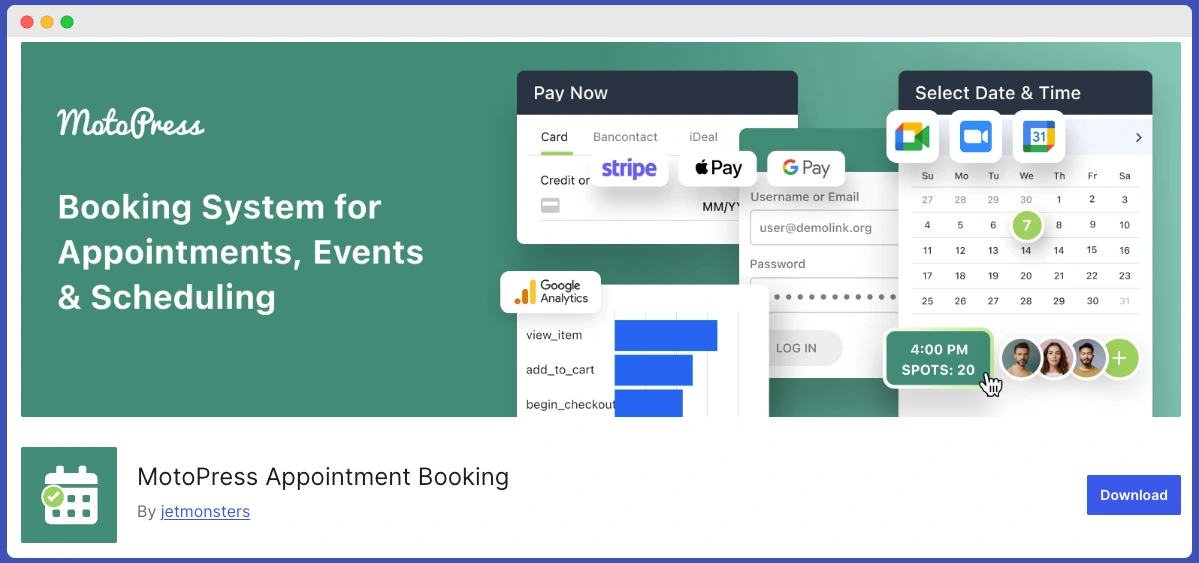
WordPress Appointment Booking by MotoPress is a WordPress plugin that helps businesses automate appointment scheduling directly on their websites. It allows customers to book services online, choose available time slots, and receive confirmations.
The plugin supports multiple employees, services, and locations. With integrations for online payments, Google Calendar synchronization, and automated notifications, MotoPress Appointment Booking provides a complete solution for managing appointments and improving the customer booking experience.
Key Features:
- Multiple employees, services, and locations support
- Flexible employee schedules with working hours, breaks, and buffer times;
- Google Calendar synchronization
- Automated email notifications and reminders
- Stripe and PayPal payment integrations
- Group and individual appointments
- Booking management dashboard
- Zoom and Google Meet integrations (via add-ons)
| Pros | Cons |
|---|---|
| Easy setup and a user-friendly booking interface | Some advanced functionality requires premium add-ons |
| Supports multiple staff members and services | Limited to appointment-based bookings rather than accommodation rentals |
| Flexible scheduling and availability management | |
| Built-in payment processing options | |
| Suitable for a wide range of service-based businesses |
Price
MotoPress Appointment Booking starts at $49 per year for a single site license, with a free Lite version available for basic scheduling needs.
Who Should Use MotoPress Appointment Booking?
MotoPress Appointment Booking is a strong choice for small and medium-sized service businesses that rely on scheduled appointments. It works for consultants, coaches, healthcare providers, beauty salons, fitness studios, tutors, and similar businesses that need an automated way to manage bookings, staff availability, payments, and customer communication directly from their WordPress website.
Who Should Avoid MotoPress Appointment Booking?
MotoPress Appointment Booking may not be the best fit for businesses that need accommodation reservations, such as hotels, vacation rentals, or campgrounds, since it is designed specifically for appointment scheduling rather than property bookings.
MotoPress Hotel Booking (Free / Paid)
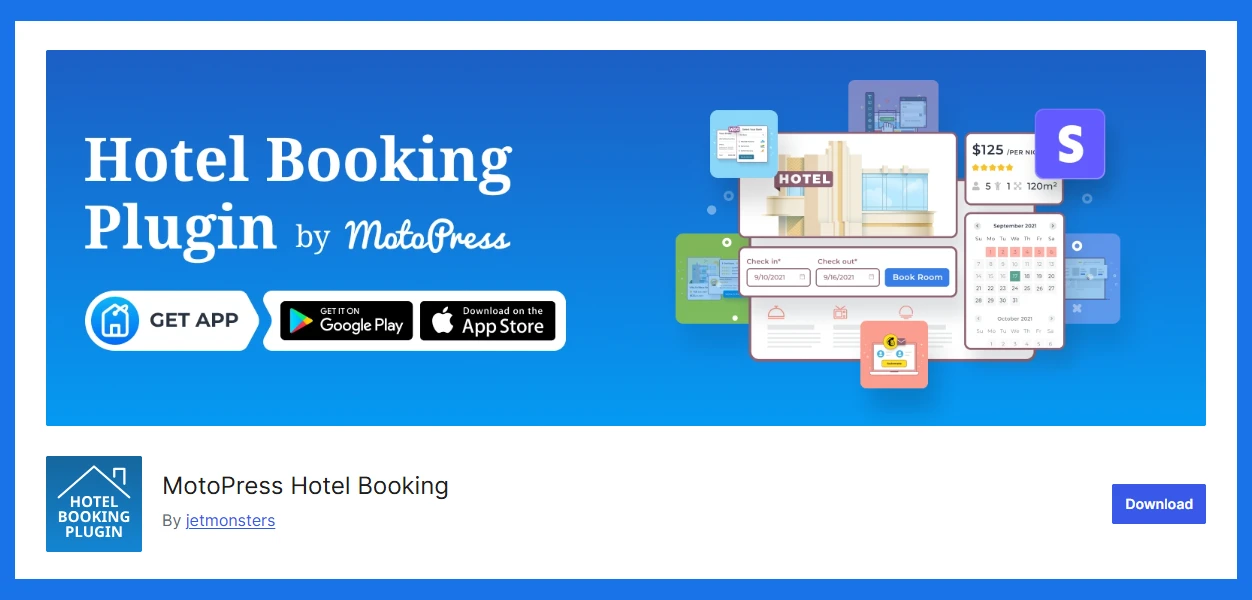
The WordPress Hotel Booking plugin by MotoPress is a comprehensive WordPress booking plugin designed for hotels, vacation rentals, apartments, B&Bs, hostels, and similar accommodation businesses. It enables property owners to accept direct online reservations, manage availability in real time, and handle bookings from a single dashboard.
The plugin supports flexible accommodation management, seasonal pricing, multiple booking rules, and online payments. With built-in iCal synchronization, it helps prevent double bookings by syncing reservations with OTAs like Airbnb and Booking.com, making it a reliable solution for both small property owners and larger hospitality businesses.
Key Features of MotoPress Hotel Booking
- Unlimited accommodations;
- Dynamic and seasonal rates;
- iCal synchronization with OTAs;
- Online payments via PayPal, 2Checkout, Braintree, Stripe, or Beanstream/Bambora, and more;
- Taxes, fees, and coupons support;
- Flexible booking rules;
- Multiple accommodations bookable in one transaction.
| Pros | Cons |
|---|---|
| Free integrations with Gutenberg, Elementor, and Divi | Some advanced features need paid add-ons |
| Free mobile application | |
| Highly flexible pricing and booking rules | |
| Suitable for single properties and multi-property sites | |
| Ready-to-go WordPress vacation rental themes with the built-in plugin. |
Pricing: Free version available. The premium version starts at $139 per year for one site, while bundles offer better value for multiple sites and add-ons.
Who Should Use MotoPress Hotel Booking?
MotoPress Hotel Booking is best for businesses that need property, room, or accommodation booking. It is a better fit when your booking system depends on availability dates, nightly rates, seasonal pricing, guest capacity, and direct reservation management.
Who Should Avoid MotoPress Hotel Booking?
MotoPress Hotel Booking is not the right plugin for salons, clinics, coaches, tutors, consultants, or service providers that need appointment scheduling. For those use cases, Booktics, WPTimetics, BookingPress, Amelia, or LatePoint will make more sense.
Webba Booking (Free / Paid)
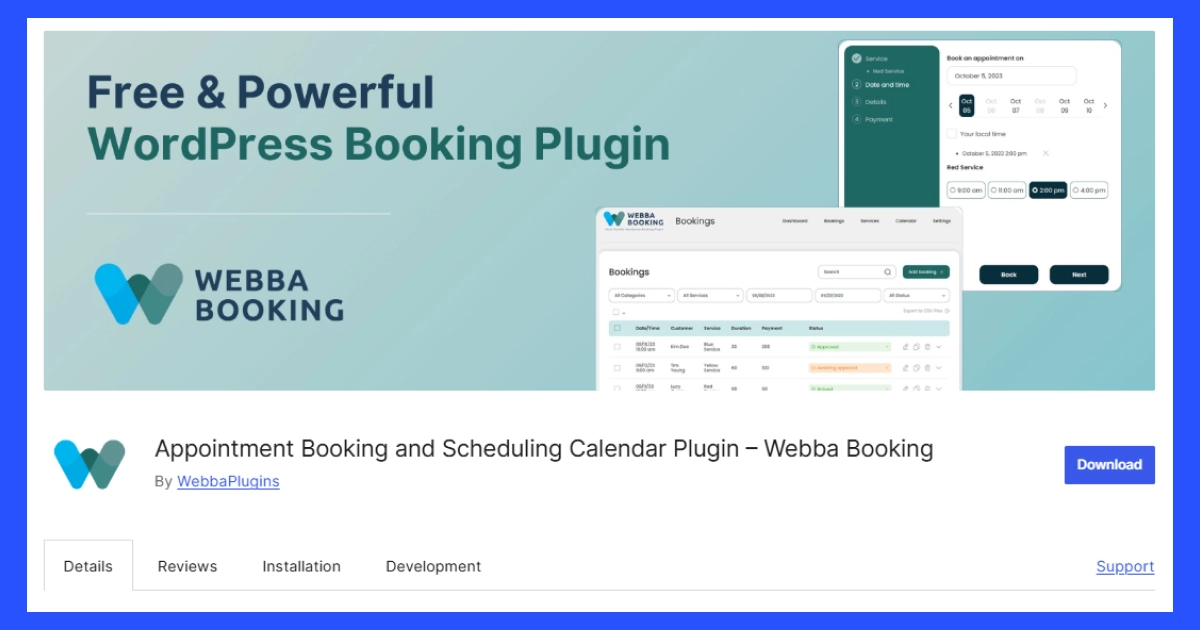
Webba Booking is a flexible WordPress booking plugin for businesses that need more control over appointment rules, service schedules, custom forms, and pricing logic. Its main strength is flexibility. You can use it for appointments, hourly bookings, reservations, group bookings, chain bookings, and service-based scheduling.
Webba is especially useful when your booking process is not fully standard. For example, you may need custom booking fields, different booking durations, service grouping, advanced pricing rules, calendar sync, or payment options. The free version is available on WordPress.org, and the official pricing page lists paid plans starting at $119/year.
Key Features of Webba Booking
- Unlimited services and bookings
- Custom booking form builder
- Group and chain booking
- Advanced pricing and booking rules
- Google Calendar, iCal, and Outlook integration
- Stripe, PayPal, Apple Pay, and Google Pay support
- Staff and location management
| Pros | Cons |
|---|---|
| Flexible booking rules for different service types | The number of settings may feel heavy for beginners |
| Supports custom forms and service grouping | Some advanced features are only available in paid plans |
| Good payment gateway coverage | Not as visually polished as some newer booking plugins |
| Supports calendar integrations | Setup can take time for complex booking logic |
| Useful for hourly bookings and reservations | Not built for hotel room or property booking |
Pricing: Webba Booking has a free version on WordPress.org. Paid plans start at $119/year, while higher plans include more advanced features such as staff and location management, Zoom, Twilio SMS, advanced pricing rules, and priority support.
Who Should Use Webba Booking?
Webba Booking is a good choice for businesses that need flexible appointment rules, custom forms, service grouping, group booking, chain booking, or hourly booking. It is better for users who want more control over how bookings are created and managed.
Who Should Avoid Webba Booking?
Webba Booking may not be the best choice if you want the simplest booking setup possible. It may also not be the right option for hotels, vacation rentals, or property-based booking websites.
FluentBooking (Free / Paid)
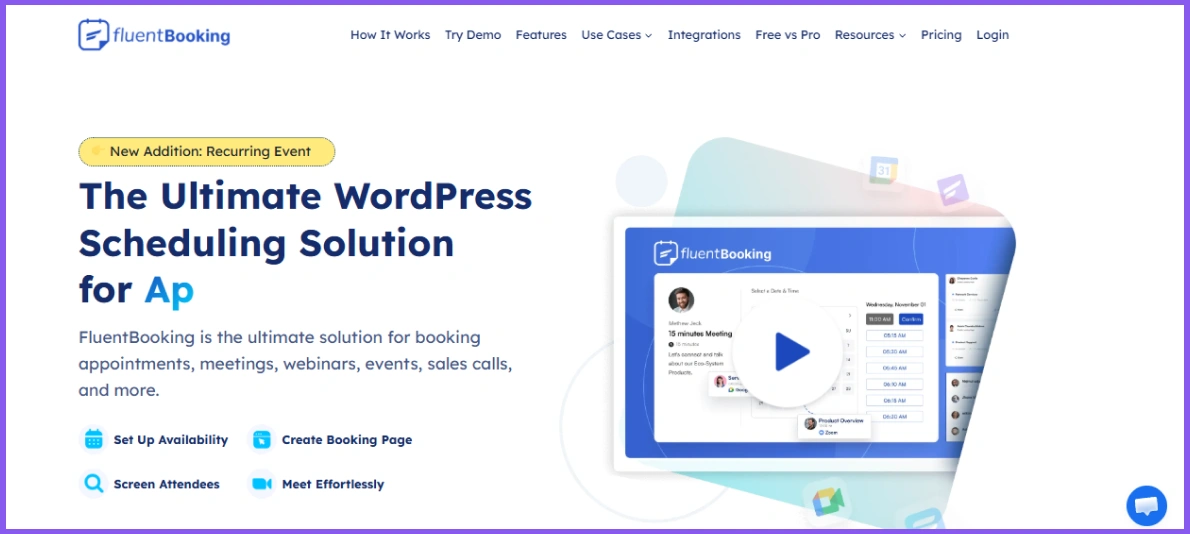
FluentBooking is a WordPress scheduling plugin focused on meetings, appointments, webinars, events, sales calls, and calendar-based bookings. Its main strength is its clean scheduling experience for people who sell meetings or manage appointments through calendars.
It is especially useful for coaches, consultants, agencies, sales teams, educators, and service providers who want users to book available time slots without back-and-forth messages. FluentBooking also fits well if you already use other Fluent tools, such as Fluent Forms or FluentCRM, because the ecosystem can make form collection, email follow-up, and appointment handling easier. Its official website describes it as a WordPress scheduling solution for appointments, meetings, webinars, events, and sales calls.
Key Features of FluentBooking
- Appointment and meeting scheduling
- Booking page creation
- Availability management
- Multiple host support
- Calendar-based booking
- Time zone support
- Integration with the Fluent ecosystem
| Pros | Cons |
|---|---|
| Clean meeting scheduling experience | Best value comes if you already use Fluent tools |
| Good for consultants, coaches, and teams | Not focused on hotel or rental booking |
| Supports appointments, events, webinars, and sales calls | Some advanced features need the pro version |
| Simple booking page setup | Not ideal for complex service pricing flows |
| Works well for calendar-based scheduling | Less suitable for businesses needing deep staff-service management |
Pricing: FluentBooking has a free version on WordPress.org. The official FluentBooking site promotes a free option and paid plans for users who need more advanced scheduling features.
Who Should Use FluentBooking?
FluentBooking is a good choice for users who need meeting scheduling, consultation booking, webinar booking, sales call booking, or team-based appointment scheduling inside WordPress. It is also a strong option for users already using Fluent Forms, FluentCRM, or other Fluent products.
Who Should Avoid FluentBooking?
FluentBooking may not be the best choice if you need hotel booking, rental availability, room management, or advanced service-based booking with detailed add-ons and pricing rules. For those cases, a more specialized booking plugin may work better..
Bookings and Appointments for WooCommerce – PluginHive (Paid)
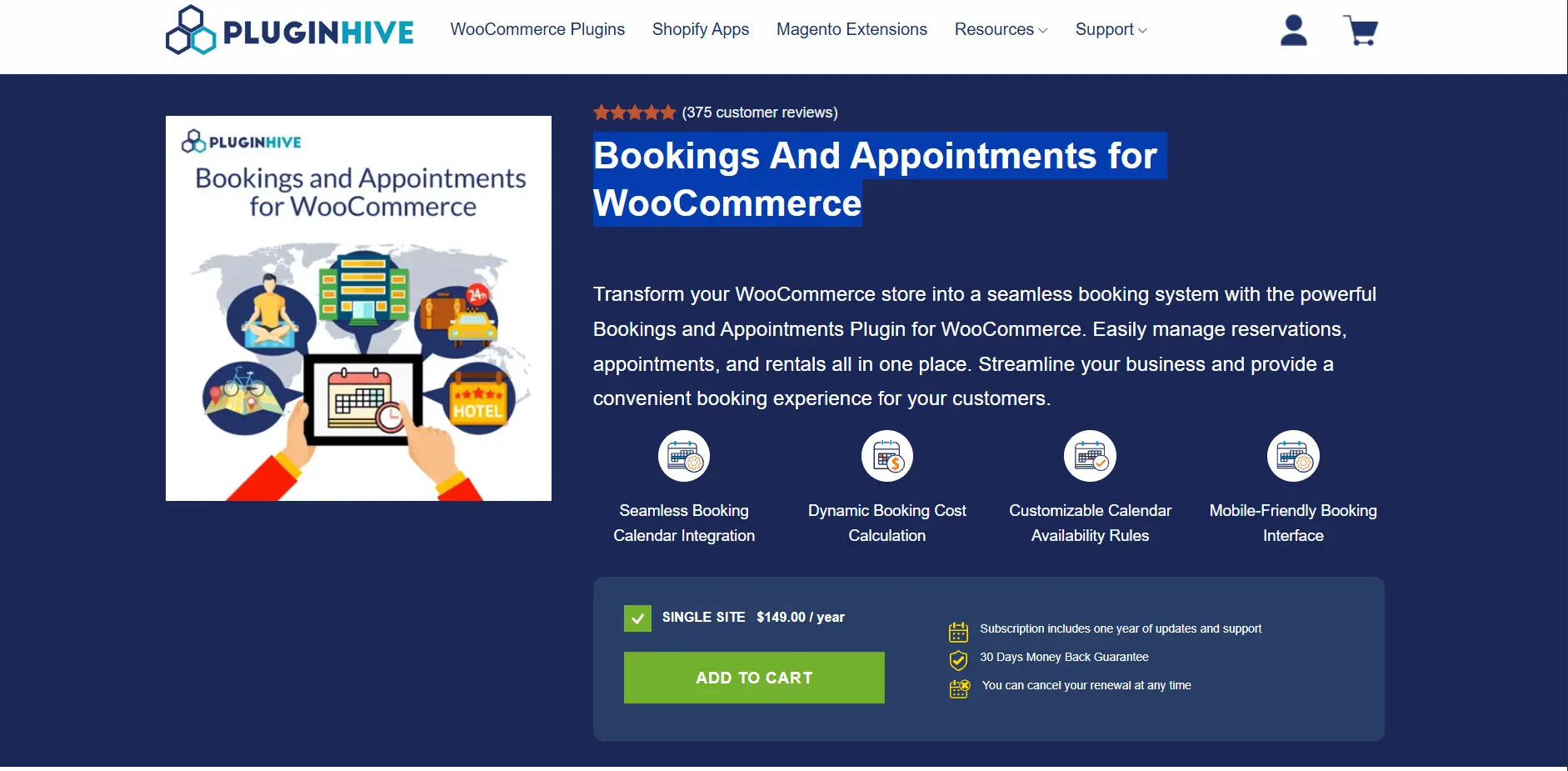
Bookings and Appointments for WooCommerce is a booking plugin that lets WooCommerce business owners offer reservations, appointments, and rentals through their online store. It supports booking periods ranging from minutes and hours to days and months, with options for single-day, multi-day, and start-and-end date or time bookings.
The plugin also provides tools for configuring availability, booking costs, staff, participants, resources, and booking restrictions. Depending on the setup, customers can select available dates or time slots, choose additional resources, and make individual or group bookings.
It also supports integrations and compatibility with Google Calendar, Microsoft Outlook, iCal, Zoom, and Dokan, along with WPML for multilingual stores. It is also compatible with PH Deposits for WooCommerce and PH Product Addons, allowing these extensions to be used alongside the booking plugin for additional booking and product customization options.
Key Features
- Bookings in minutes, hours, days, or months
- Single-day, multi-day, and start-and-end date bookings
- Single appointments and flexible start-and-end time bookings
- Recurring bookings and multiple non-adjacent bookings through add-ons
- Flexible booking availability and booking windows
- Dynamic pricing based on duration, people, dates, weekdays, time, and seasons
- Staff availability and staff-specific pricing
- Participant and resource management
- Group bookings and variable booking durations
- Buffer time before or after bookings
- Booking cancellations, approvals, confirmations, and email reminders
- Google Calendar, iCal, and Microsoft Outlook calendar integrations
- Zoom integration for online meetings and appointments
- Dokan compatibility for multi-vendor bookings
- WPML and multilingual support
- Search availability functionality and manual booking creation
| Pros | Cons |
|---|---|
| Supports multiple booking types and durations | No free version is available |
| Flexible availability and pricing rules | Some functionality is provided through separate add-ons |
| Staff, participants, and resource management | The number of available configuration options may require setup time |
| Calendar integrations with Google Calendar, iCal, and Outlook | |
| Supports individual and group bookings |
Price: Bookings and Appointments for WooCommerce is priced at $149/year for a single site. The subscription includes one year of updates and support, along with a 30-day money-back guarantee. The plugin has 375+ reviews with a 4.9/5 rating, reflecting its user feedback and overall rating.
Who Should Use PluginHive Bookings and Appointments?
PluginHive WooCommerce Bookings and Appointments is suitable for WooCommerce stores that need to accept appointments, reservations, rentals, or other date- and time-based bookings. Its booking configurations can be used for single-day bookings, multi-day bookings, hourly appointments, flexible durations, group bookings, and bookings involving staff or additional resources.
Who Should Avoid PluginHive WooCommerce Bookings and Appointments?
Stores looking for a basic booking form with only simple date or time selection may not need the plugin’s broader availability, pricing, staff, resource, and booking-management features. It is also specifically built for WooCommerce, so websites that do not use WooCommerce would need a different type of booking solution.
Final Recommendation: Which Booking Plugin Should You Pick?
There is no single best WordPress booking plugin for every business. The right choice depends on what customers need to book and how complex your workflow is.
Choose Booktics if you run a service-based business and need appointment booking, staff availability, customer management, payments, and booking notifications in one WordPress dashboard. It is a practical option for salons, clinics, repair services, fitness businesses, and local service providers.
Choose WPTimetics if your business mainly manages consultation calls, coaching sessions, paid appointments, or online meetings. It is better suited to calendar-based scheduling, time-zone support, and meeting-focused booking workflows.
Choose Eventin if you need event registration, ticket sales, attendee management, event schedules, and check-in. For hotels, vacation rentals, and accommodation reservations, use a dedicated property-booking tool such as MotoPress Hotel Booking instead.
Before choosing, check the detailed review for the plugin that matches your booking model, then compare its free-plan limits, payment options, calendar integrations, and pricing.