Avoiding Order Mistakes: Best Practices for Managing High-Volume Orders with WPCafe


Table of Contents
Handling a rush of food orders isn’t easy. Orders come in fast, staff rush to manage them, and mistakes happen.
Customers can be upset, and you can lose money if you miss an order or serve the wrong dish. Each mistake means wasted food, bad reviews, and extra stress for your team.
Nowadays, people expect quick and accurate service. If you fail, your customers may not come back.
This is why having a reliable restaurant management system is important for handling a large number of orders.
In this guide, we will share straightforward tips to help restaurants stay organized, reduce order mistakes, and keep customers satisfied. We will also explain how a digital tool like the WPCafe restaurant management plugin can make these steps easier.
Quick overview
As you read this blog, you’ll learn:
- Why restaurants often make order mistakes during busy hours
- How order errors hurt revenue and customer trust
- Best practices to manage high-volume orders smoothly
- How features like live order alerts, top-selling insights, and branch-wise order control can reduce stress
- A real-life example: how a restaurant benefited

What goes wrong with high-volume orders
The first problem that occurred after a high-volume order is proper order management. At the same time, customers expect to get fast service, but due to the order mismanagement, your team is not able to provide that.
Busy hours in a restaurant can get messy. If you run a restaurant, you’ve likely seen some of these problems before. Customers want fast service, but your team is juggling dozens of tasks at the same time. This is when mistakes happen.
Apart from that, there are a lot more issues, such as:
- Too many orders are placed at the same time: When orders come in back-to-back, the kitchen and staff can’t keep up. Tickets pile up, and it’s easy to miss or mix one.
- Miscommunication between staff and kitchen: A simple misunderstanding — wrong table number, unclear notes, or missing add-ons — can send the wrong dish to the wrong customer.
- No real-time updates for chefs: If chefs can’t see new orders as they happen, they find out about problems too late. This often leads to delays and unhappy customers.
- Hard to track orders across branches: If you manage more than one branch, things get even harder. Without a clear system, orders can get mixed up between locations.
So, if you’re experiencing the same issue and need a proper solution to resolve it simply, just keep reading.
Next, we’ll go through the best practices to avoid order mistakes and proven ways to handle high-volume orders without losing control.
5 best practices to manage high-volume order rush (with WPCafe features)
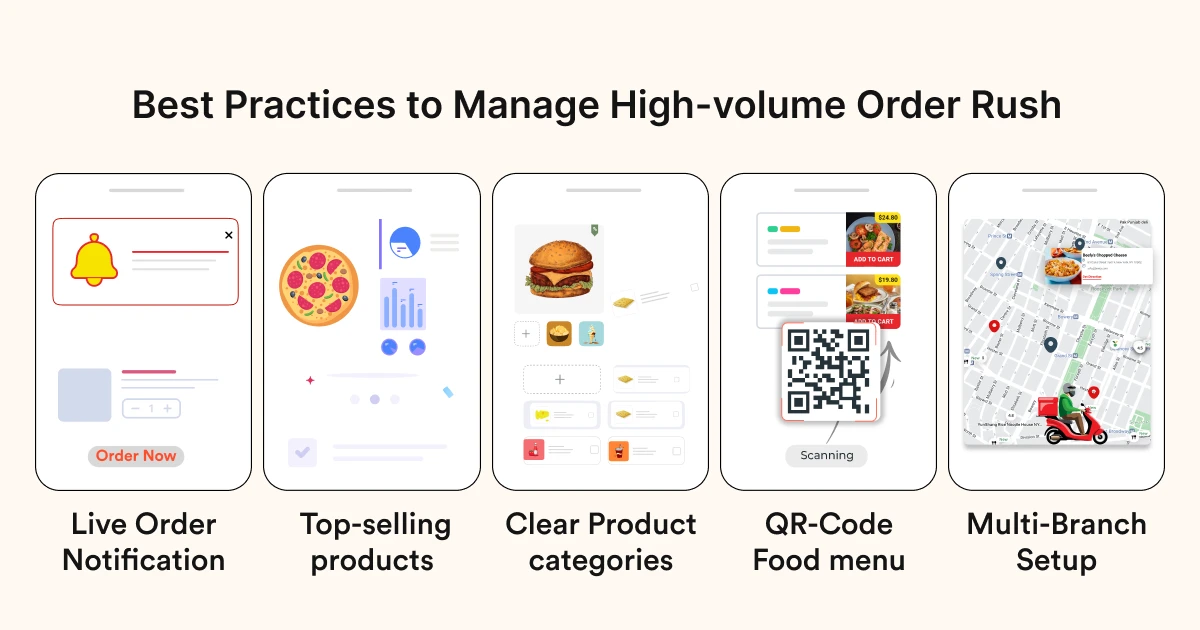
To manage a high-volume order rush isn’t just about adding more people — it’s about using smart restaurant management systems and clear workflows. Here are five best practices to help you avoid mistakes during busy hours, with WPCafe features designed to support them.
Practice 1: Track every order in real time, and improve kitchen efficiency
During peak times, orders can come in one after another. Without instant visibility, some orders get lost in the shuffle. Staff may focus on one set of tickets while missing new ones that just came in. This leads to delayed service, wrong deliveries, and unhappy customers.
In restaurants, a single missed order doesn’t just cause inconvenience — it creates ripple effects. The kitchen has to adjust mid-process, staff get stressed, and customers may leave negative reviews that harm your reputation.
How WPCafe helps:
With WPCafe, every new food order with a table reservation triggers a live notification across the system. As soon as a customer confirms, the staff sees it immediately. No more guessing, no more waiting for someone to check the dashboard manually.
This ensures:
- Every order is acknowledged instantly
- The kitchen can start preparation right away
- Managers and staff are always aware of current demand
By staying alert through real-time notifications, you cut down errors and serve faster without extra stress.
Practice 2: Identify your top-selling products and manage production
If you do not know which products sell the most, you cannot manage making food or serve customers well. It is also hard to plan your team, supplies, or special deals.
You might make too much food that does not sell, and not enough of what people really want. This causes confusion, wasted food, and unhappy customers.
How WPCafe helps:
WPCafe’s dashboard shows you real-time reports on your best-selling products. This means you know exactly which items customers like most and can get ready in advance.
What this does for you:
- Kitchen stays ready for peak demand on popular items
- Admin can plan supplies and staff with confidence
- Promotions can focus on best-sellers to boost sales
By tracking sales insights, you stay proactive instead of reacting after problems happen.
Practice 3: Reduce order rush with clear product categories
Confusion doesn’t only happen in the kitchen. Sometimes, customers themselves aren’t sure if an item is available for pickup, delivery, or dine-in. When your product categories are unclear, customers place wrong orders, staff spend extra time clarifying, and overall service slows down.
During your rush hours, this lack of information can create major problems.
How WPCafe helps:
WPCafe helps you organize products into clear categories — like pickup, delivery, dine-in, or special tags. Staff instantly see what type of order it is, and customers have a smoother experience when placing orders.
Key benefits include:
- Fewer wrong instructions or mix-ups
- Faster service since staff know exactly what to do
- Happier customers with clear order expectations
📚 Related reading: WooCommerce SEO Made Easy – A Step-by-Step Guide to Ranking #1 in Google 👉 Read more
Practice 4: Simplify ordering with QR code menus and online systems
Mistakes often happen during busy hours when there are long lines and orders are written by hand. Sometimes customers misread the menu or staff mishear an order, so the wrong dish gets made.
This frustrates customers, wastes food, and forces the kitchen to redo orders. The slow process also reduces the number of tables served, which hurts revenue.
How WPCafe helps:
WPCafe offers digital QR code menus and online ordering systems that streamline the entire process. Customers can browse the menu, customize their orders, and place them directly from their smartphones.
This reduces the burden on staff, minimizes miscommunication, and speeds up service significantly. Benefits include:
- Faster order placement and reduced wait times
- Fewer errors due to clear digital input
- Increased efficiency for both staff and customers
- Ability to handle more orders without increasing staff
Ultimately, using QR code menus and online ordering, you can process high volumes of orders more accurately and efficiently.
📚 Related reading: QR Code Menu Ordering for Restaurants (Best Practices + Setup Guide) 👉 Read more
Practice 5: Organize your system for branch-wise order management
Restaurants with multiple outlets face an even bigger challenge: keeping orders separate.
Imagine you’re running five outlets across the city. Without a central system, it’s easy to lose track of where an order belongs. For example, a pizza ordered at the city center branch might mistakenly appear in the kitchen of the east side branch. Staff get confused, the food might be wasted, and the customer ends up unhappy.
This lack of organization can seriously hurt customer trust. If people experience repeated mistakes like orders being sent to the wrong branch, they are less likely to order again.
How WPCafe helps:
WPCafe offers branch-wise order management, giving each outlet its own order list within a single system. Managers can filter and view orders by location, so there’s no mix-up between branches.
Benefits include:
- Clear visibility of which branch an order belongs to
- Less confusion for staff working across multiple outlets
- Ability to scale operations while staying organized
This means whether you’re running two branches or twenty, WPCafe helps you manage everything from one dashboard without losing control.
Now here introduce WP Cafe with the new settings and dashboard, like how WP Cafe reduces these issues without any hassle.
📚 Related reading: How to Build a Multi-Location Restaurant Website in WordPress 👉 Read more
Real-life example: “Piedra Negra” using WPCafe and managing their restaurant 3x faster than before
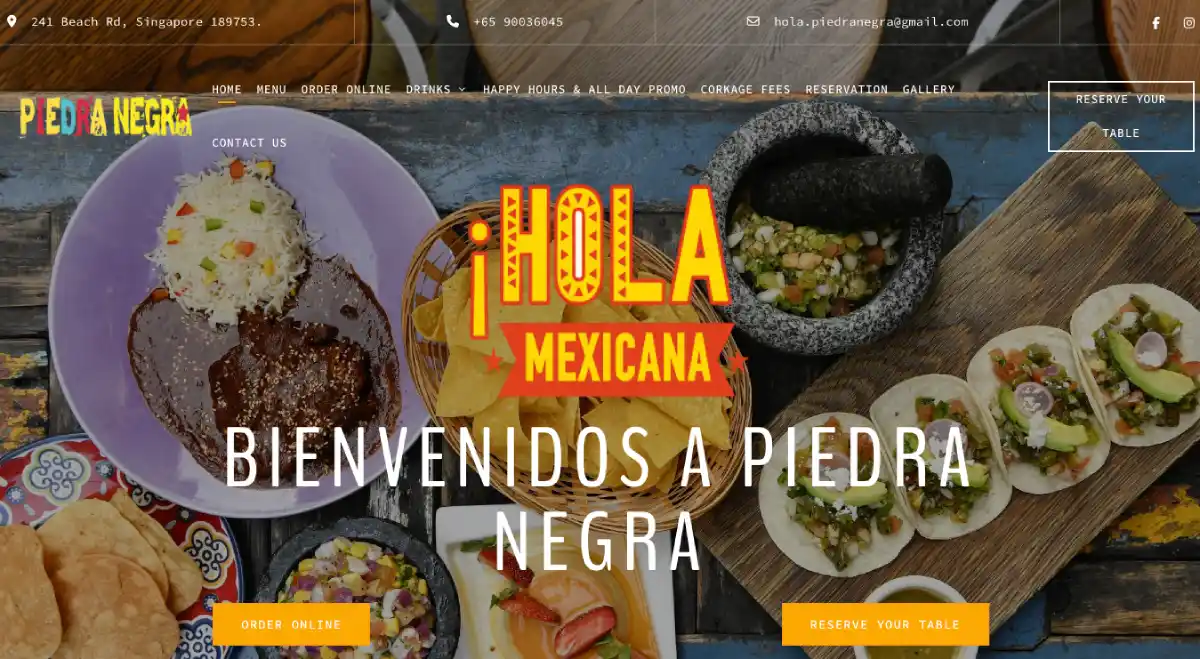
Piedra Negra(One of the WPCafe users), a well-known restaurant in Singapore, was struggling to keep up with customer demand.
Their menu included a wide range of food and drinks, but during peak hours, processing incoming orders became difficult. Staff often mixed up drink and food orders, and private event reservations were difficult to organize without disrupting regular service.
That time, they picked WPCafe and tried to solve their problem!
The result? Piedra Negra reported to us that they are now running their restaurant three times faster than before and making 3x more profit thanks to streamlined order handling and better customer satisfaction.
Ready to handle high-volume orders in your restaurant?
Managing order rush without the right system is stressful and risky.
So, if you want to manage order rush with confidence and give your customers a seamless dining experience, it’s time to try the WPCafe restaurant management plugin to work for your restaurant.