Most Used WooCommerce Plugins for Restaurants: Accept Orders, Deliveries, Reservations and More



Table of Contents
Running a restaurant website on WordPress is much easier with the power of WooCommerce.
It offers secure payments, simple product management, and a smooth checkout system, perfect for food orders.
But with the growing demand for online food ordering, delivery, menu design, and reservations, WooCommerce alone isn’t enough. That’s where restaurant plugins come in, offering complete solutions to manage everything in one place.
But it’s challenging to find the best WooCommerce plugins for restaurants!
Luckily, you don’t have to worry. If you want everything in one place, WPCafe can be the best option for your restaurant to accept orders, manage deliveries, and more.
Today, we’ll explore why WPCafe is the best plugin for restaurants and highlight other WooCommerce-compatible plugins for restaurant websites.
Keep reading to learn more…
WPCafe – The Most Used WooCommerce Restaurant Plugin
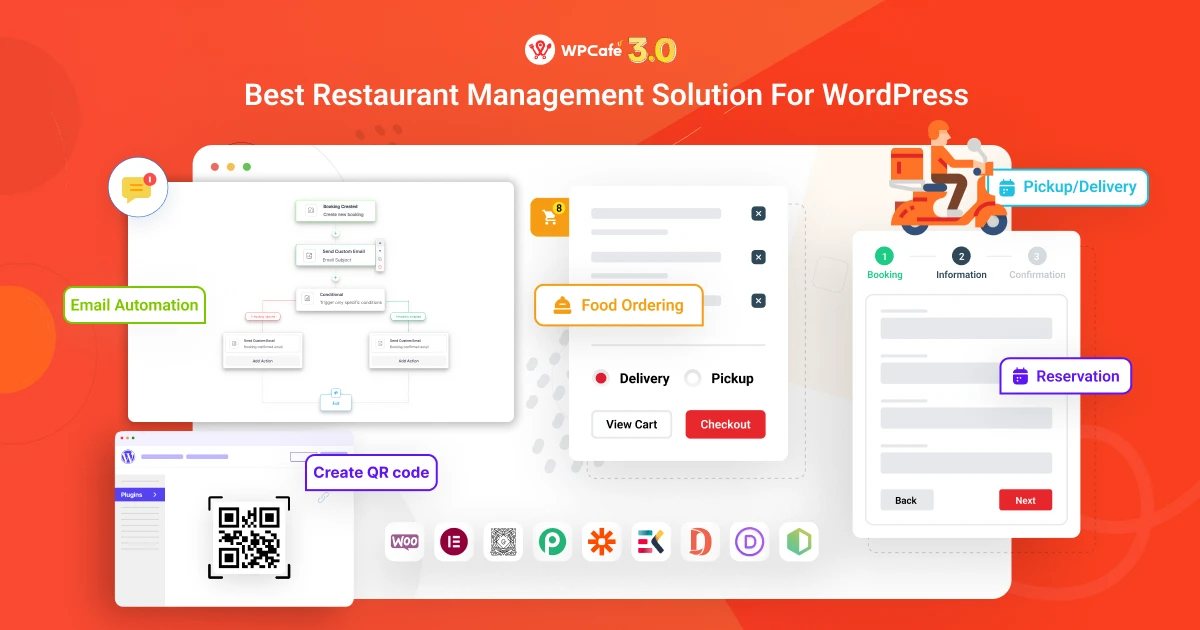
WPCafe is a powerful, all-in-one restaurant plugin for WordPress that works alongside WooCommerce. In simple terms, WPCafe adds everything a restaurant might need to your website – from beautiful food menu displays to online ordering, delivery/pickup options, and even table reservations.
It’s designed to save you time by combining multiple functions in one place, so you don’t have to install separate plugins for menus, ordering, and bookings. Moreover, if you already have WooCommerce menu items in your inventory, WPCafe can automatically add them; you don’t have to add them again.
It is also compatible nicely with popular page builders (Elementor, Divi, Gutenberg, etc.), so designing your food pages is flexible regardless of your theme.
Key features: WPCafe offers an impressive range of features tailored for restaurant websites. Some of the highlights include:
1. Food menu design
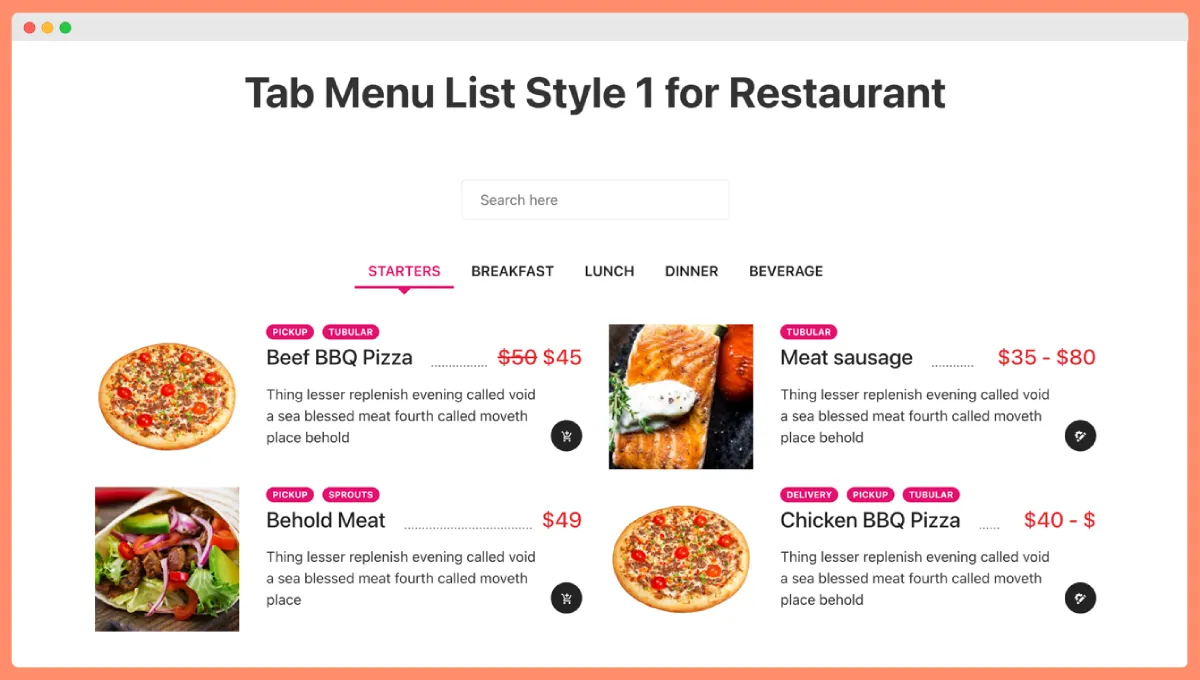
You can create an enticing online menu with pre-built food menu templates to choose from. WPCafe provides Elementor widgets and Gutenberg blocks for menu layouts – including a Food Menu List view and a Food Menu Tabbed view – making it easy to showcase your dishes in style.
- 34+ pre-built food menu templates
- Food Menu List and Tab Widgets (Elementor, Gutenberg)
- Fully responsive (mobile-friendly) menus
- Location-based food menus (different menus for different branches)
- Daily specials with “Menu of the Day” feature
2. Online food ordering system
WPCafe extends WooCommerce to handle online food orders smoothly. Customers can add menu items to an order cart (with a handy mini-cart widget) and check out using the standard WooCommerce process (so you get support for all WooCommerce payment gateways). The plugin lets you define a minimum order amount if needed and set an order preparation time – this helps manage expectations by adding a lead time before an order can be ready.
- Integrated mini cart and standard WooCommerce checkout
- Order preparation time settings
- Minimum order amount control
- QR code ordering (scan to order)
- Discount options and order bumps at checkout
3. Delivery & Pickup support
Offering delivery or pickup is simple with WPCafe. The plugin lets customers choose between local delivery or self pick-up and even select a desired date and time slot for their order (e.g. “Pickup on Friday at 7:00 PM” or a delivery window). There’s also built-in support for delivery tips, so customers can add a tip for the delivery person during checkout. For deliveries, WPCafe integrates with Google Maps address autocomplete, making it easier (and faster) for users to enter their address accurately.
- Local delivery and self pickup options
- Delivery/pickup time slot selection
- Delivery tip option at checkout
- Delivery zone control and minimum amount requirement
- Google Maps address autocomplete
📚 Related reading: Best WooCommerce Food Pickup and Delivery Scheduler in WordPress
4. Restaurant reservation system
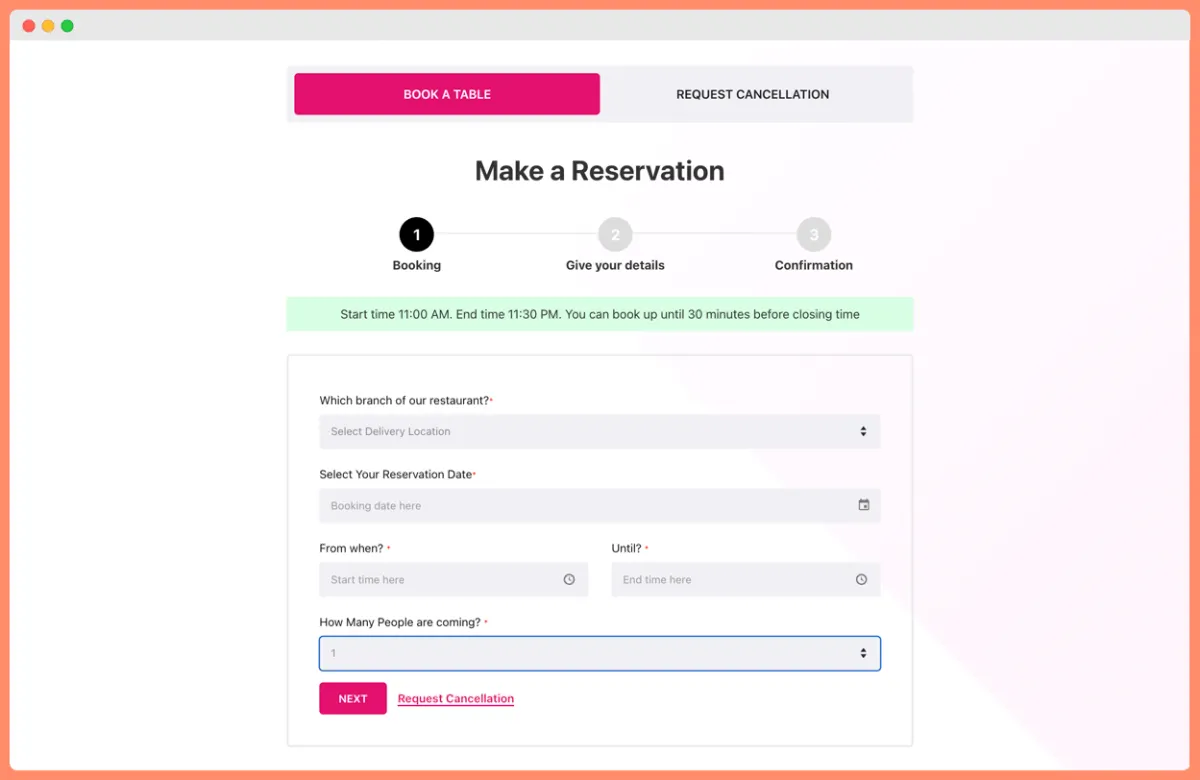
WPCafe includes a compleate table booking system as part of its feature set. You can accept online reservations for your restaurant right on your site – no need for a separate booking plugin. The reservation system is quite flexible: you can define your available time slots (e.g. open hours, seating times) and even allow multiple slot bookings.
- Online table booking with custom time slots
- Multiple time slot booking
- Reservation confirmation and email alerts
- Pre-select food items during reservation
WPCafe also offers a Visual Table Reservation feature, where you upload a floor plan or seating layout of your restaurant and allow customers to choose their preferred table on a map when booking. This adds a modern, interactive touch to reservations and ensures guests get their favorite spot if available. The system supports setting branch-specific seat capacity (handy if you have multiple locations or separate dining areas) and lets you manage all bookings from the WordPress dashboard – confirming or canceling reservations as needed.
- Visual Table Reservation (interactive floor plan with table selection)
- Branch-specific seat capacity management
5. Multi-branch restaurant support
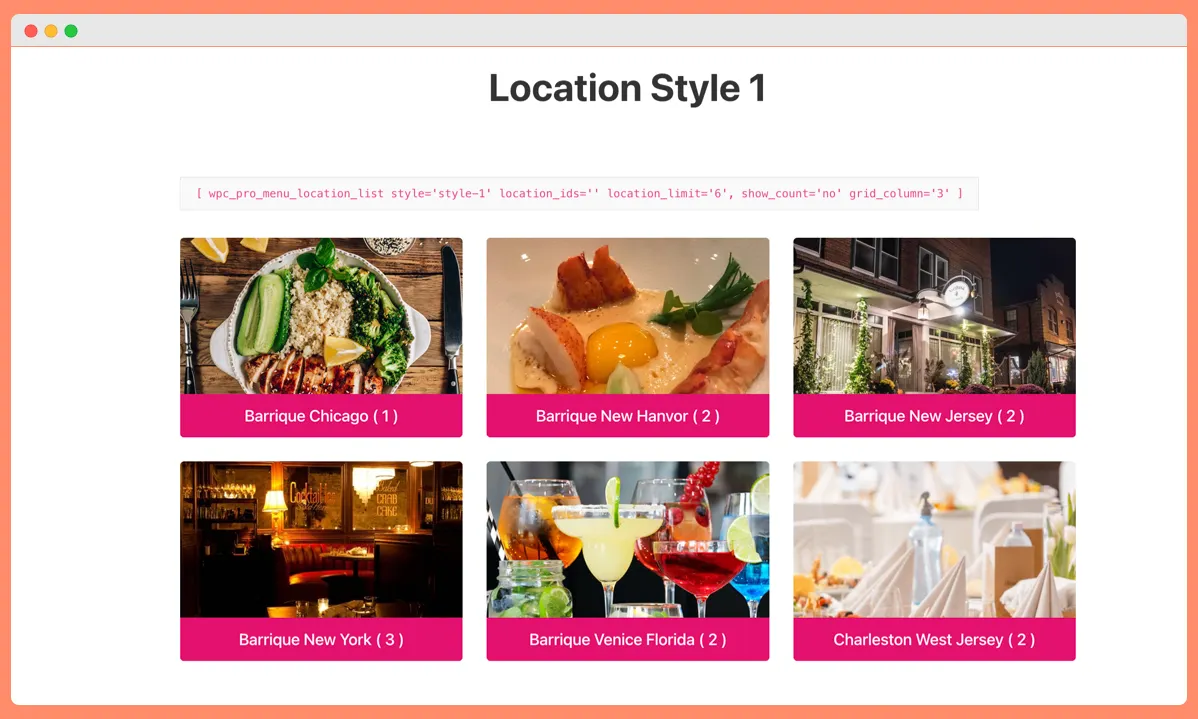
If you operate a chain or multiple restaurant locations, WPCafe has you covered. It supports multiple branches within one website. You can maintain separate menus for each location, set unique operating hours or delivery zones per branch, and route orders/reservations to the correct branch.
- Manage menus, hours, and settings for multiple locations
- Customers can choose their preferred branch
For example, customers can select their nearest location (or the site can automatically show location-specific menu items) before placing an order or booking a table. This multi-branch capability is extremely useful for restaurant owners managing more than one outlet – you get a unified system but with the ability to differentiate each branch’s offerings and schedule.

6. Live order notifications
WPCafe helps make staff/chefs never miss an incoming order. It includes a live order notification feature that alerts instantly when a new order comes. For example, when a customer places an order online, the plugin can trigger a notification sound or message in your admin dashboard , so your staff can start preparing the order immediately.
Bonus: As mentioned above, WPCafe also has a built-in tipping option, so those notifications can let you know if a tip was included with the order.
- Instant alerts for new orders in the admin panel
- Sound and visual cues to avoid missed orders
This real-time alert system is crucial during busy hours – it’s far too easy to overlook an order if you rely only on email notifications. With WPCafe’s live alerts, your kitchen or front-of-house staff stays in the loop the moment an order is placed.
7. Multi-vendor food marketplace
Impressively, WPCafe can even scale to a multi-vendor food marketplace. If your vision is to create a platform like UberEats or Grubhub – essentially a food marketplace with multiple restaurants – WPCafe integrates with multi-vendor plugins (Dokan marketplace).
This means you could allow different restaurants (as vendors) to manage their own menus and orders on your site, while you oversee the platform. Each vendor could have their separate menu listings and receive orders through the centralized system. With multi-vendor support, WPCafe is not limited to a single restaurant – it can power a whole community of restaurants, making it a versatile choice if you ever plan to expand in that direction.
Other WooCommerce plugins for restaurants
You might want to compare WPCafe with other options on the market. Below is a comparison of notable WooCommerce restaurant plugins.
This table will help you decide which plugin aligns with your restaurant’s specific needs:
| Plugin Name | Key Features | Limitations |
|---|---|---|
| FiveStar Restaurant Menu | – Beautiful menu display with photos – SEO schema – Basic ordering (Premium) | – Free version limited – Most features need paid upgrade |
| GloriaFood | – Free online ordering & reservations – Delivery, takeaway, dine-in – Mobile app | – External dashboard – Card payments require paid add-on |
| Orderable | – Modern drag & drop menu – Pickup & delivery scheduling – WooCommerce support | – Advanced features in Pro version ($149/year) – No table reservations |

$149/Lifetime Access
Total Cost of Other Plugins

Five Star Restaurant Menu Pro+ add-ons

GloriaFood pro + add-ons

Orderable Pro plan

Restropress Professional
*We have selected the plans that align most closely with the features provided by each platform.
Expert opinion: Why WPCafe is the best WooCommerce plugin for restaurants
With so many options available, you might wonder which plugin to ultimately choose. While the “best” plugin can depend on your specific needs, many experts and restaurant website owners consider WPCafe as the top WooCommerce plugin for full-service restaurant management.
Here’s why WPCafe often comes out on top:
- All-in-One Convenience: WPCafe saves you from the hassle of installing and juggling multiple plugins. Since it combines menu display, ordering, delivery, and reservations, everything works seamlessly together out of the box. You won’t need one plugin for menus, a different one for orders, and yet another for bookings – WPCafe handles it all.
- Built for Restaurant Workflows: Unlike generic e-commerce tools, WPCafe is purpose-built for restaurants. The developers clearly understand common restaurant requirements – from tipping, to table management, to scheduling food prep times. All the features feel like they fit naturally into how a café or restaurant operates daily.
- WooCommerce-Native and Theme Friendly: WPCafe runs on WooCommerce’s framework, which is a big plus. Additionally, WPCafe is designed to work with any WordPress theme – you’re not locked into a specific look.
- Active Development and Support: A critical factor for any plugin is how well-supported it is. WPCafe has an active team (by ThemeWinter) behind it, providing regular updates with new features and improvements. Since it’s an all-in-one plugin, the developers are constantly refining each aspect (menu layouts, ordering UX, etc.) based on user feedback.

WPCafe’s user reviews are largely positive, highlighting responsive support and helpful documentation. An actively maintained plugin also means better security and compatibility as WordPress and WooCommerce evolve.
- Proven and Trusted: Thousands of restaurants have adopted it, and it’s often recommended in WordPress communities for restaurant solutions. Even some WordPress influencers and developers have endorsed it as a reliable choice. This level of trust is important when your online orders and bookings depend on the plugin’s performance.
- Extensibility and Integrations: On top of its built-in features, WPCafe offers add-ons and integrations that extend its functionality even more. For instance, it can integrate with services like Zapier or Pabbly for connecting to external apps .
In expert discussions, WPCafe is often lauded for striking the right balance between depth of features and ease of use. It’s powerful, yet you don’t have to be a developer to make the most of it. If we’re talking overall feature breadth and value for a WooCommerce restaurant site, WPCafe is hard to beat.
🎥 Watch: How To Make an Online Food Ordering Website
![How To Make an Online Food Ordering Website with WordPress (2025) [Booking + FREE App]](https://themewinter.com/wp-content/cache/flying-press/c3eb3c5b49af5c1abbf042bdc00991d6.jpg)
🚀 Ready to Set Up Your Restaurant Website?
Now it’s time to upgrade how you run your restaurant website.
If you’re looking for a reliable and widely used (7,000+ users) WooCommerce restaurant plugin, WPCafe helps you manage menus, online orders, delivery, and reservations, all in one place.
Instead of using multiple plugins, you get a smooth, all-in-one setup that’s easy to manage.
Frequently asked questions (FAQs)
1. What is the best WooCommerce plugin for restaurants?
-The best WooCommerce plugin for restaurants depends on your needs. If you want menus, online ordering, delivery, and reservations in one place, an all-in-one plugin like WPCafe is a practical choice.
2. Can I take online orders and reservations with the same plugin?
-Yes. WPCafe help you manage both online food orders and table reservations from one plugin.
3. Is WPCafe suitable for multi-branch restaurants?
-Absolutely. WPCafe supports multi-branch management, allowing each location to have its own menu, hours, and order flow.
4. Do I need a separate plugin for delivery and pickup?
-No. WPCafe includes built-in delivery and pickup options with time slot selection and zone control.
5. Can I build a food marketplace with WPCafe?
-Yes. WPCafe supports multi-vendor setups using tools like Dokan, so you can host multiple restaurants on one platform.
6. Is WPCafe beginner-friendly?
-Yes. It works with drag-and-drop builders like Elementor and Gutenberg, and includes ready-made templates to help you get started fast.
7. How do I set up online food ordering for my restaurant?
-You’ll need a WooCommerce-compatible plugin like WPCafe or Food Store. Just install the plugin, create your food items as products, set up your menu layout, and enable online ordering. WPCafe makes this easy with ready-made templates and a built-in cart system.
8. What are the best plugins for restaurant delivery management with WooCommerce?
-WPCafe and Orderable are great options. Both let you set delivery time slots, manage zones, and accept tips. WPCafe also includes pickup, reservations, and multi-branch support.
9. How can I display my restaurant menu effectively on WordPress?
-Use a plugin like WPCafe. It offers 34+ menu templates, list or tabbed layouts, daily specials, and mobile-friendly designs. You can build menus visually with Elementor or Gutenberg—no coding needed.
10. Is WPCafe free to use?
-WPCafe offers a free version with core features like menu display and ordering. You can upgrade to unlock advanced options like reservations, multi-branch support, and more.