Top 6 Best Webinar Plugins for WordPress in 2026


Table of Contents
If you’re looking to host webinars on WordPress, you’re in the right place.
Webinars are a common way to connect with an audience online. Whether you run a business, teach a course, or host virtual events, a webinar can help you reach more people in real time.
There are many WordPress webinar plugins that can help. Some connect with tools like Zoom, while others let you run live sessions without third-party platforms.
Choosing the right one depends on your needs, your audience size, and the features you want.
In this guide, we’ve reviewed the best webinar plugins for WordPress in 2026. These plugins are easy to use and give you control over how you set up and manage your events.

Ready to run smoother events?
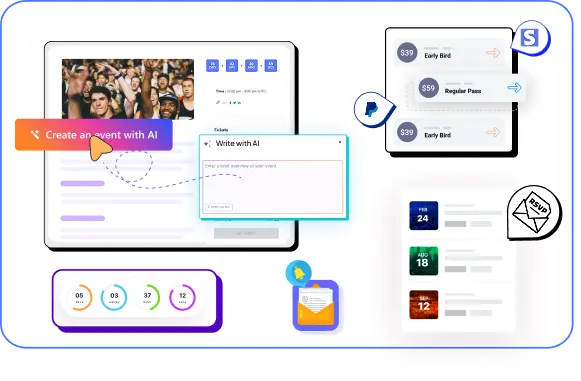
Create & manage events easily with Eventin event manager.
- ✅ Sell tickets
- ✅ Track attendees
- ✅ Automate reminders
Best WordPress webinar plugins: Comparison at a glance
| Plugin Name | Key Features | Ease of Use | Best For |
| Eventin | Webinar support, event scheduling, Zoom support | Easy | Event organizers, small businesses |
| eRoom | Zoom integration, meeting scheduling | Easy | Zoom-based webinars |
| WebinarIgnition | Live & automated webinars, registration tools | Easy | Marketers, course creators |
| Video Conferencing with Zoom | Simple Zoom meeting embed plugin | Moderate | Quick Zoom integration |
| WebinarPress | Live webinars, replays, email reminders | Moderate | Education, training sessions |
| FlexMeeting | Webinar hosting, chat, polls, analytics | Easy | Interactive webinar sessions |
What to look for in a webinar plugin
Not every webinar plugin for WordPress is the same. Some are built for small meetings. Others are better for larger online events. Before you choose one, it helps to know what features matter most for your site and audience.
Here are a few things to look for when choosing the best WordPress webinar plugin:
- Live or automated webinars: First, decide how you plan to run webinars. Some WordPress webinar plugins are built only for live sessions. These are best for workshops, training, and Q&A sessions. Others support automated or recorded webinars. If you want to reuse your content or reach users in different time zones, pre-recorded support can help.
- Video platform support: Most webinar plugins rely on Zoom or Google Meet. Make sure the plugin supports the platform you already use. This avoids extra setup and login issues later.
- Registration and email reminders: Look for plugins that let people register for your webinar. Bonus if they can also send automatic reminder emails. This improves attendance and gives you a list of contacts you can follow up with later.
- Free vs paid version: Not every plugin is free. Some offer limited features unless you upgrade. If you’re starting out, a free webinar plugin WordPress users can trust might be enough. But for advanced features, a premium plan is often worth it.
- Analytics and attendance tracking: Knowing who joined your webinar, how long they stayed, and when they left can help you improve your sessions. Some WordPress webinar plugins come with built-in reports and tracking tools.
- Event and webinar combination: If you host multiple sessions, workshops, or conferences, consider tools that support event management with webinar plugin features. This lets you manage events and webinars from one dashboard.
How we tested these webinar plugins for WordPress
We did not review these plugins by reading feature lists or marketing pages. We tested them the same way most WordPress site owners would use them in real projects.
Our goal was simple. Find out which tools actually help you host webinars on WordPress without extra steps or confusion.
Here is how we tested each webinar plugin for WordPress.
- Setup and installation: We installed each plugin on a fresh WordPress site using the latest version of WordPress. We looked at how easy it was to install, activate, and connect any required third-party tools.
- Ease of use: A good WordPress webinar plugin should be easy to use, even for beginners. We tested how quickly we could set up a webinar, customize it, and publish it on a page or post.
- Integration with Zoom and other tools: We checked whether each plugin supports Zoom or other webinar platforms. For plugins with built-in video hosting, we tested how smooth the live experience was for both the host and attendees.
- Registration and reminder features: We looked at whether users could register for webinars and if reminder emails were sent automatically. This is key to keeping attendance high.
- Live webinar experience: For each live webinar plugin WordPress supports, we hosted test webinars to check for delays, stability, and overall experience. We also tested attendee tools like live chat and polls, if available.
Top webinar plugins for WordPress to consider in 2026
Let’s explore the top webinar plugins for WordPress to consider for hosting webinars, managing sign-ups, and running online events without complexity.
Eventin
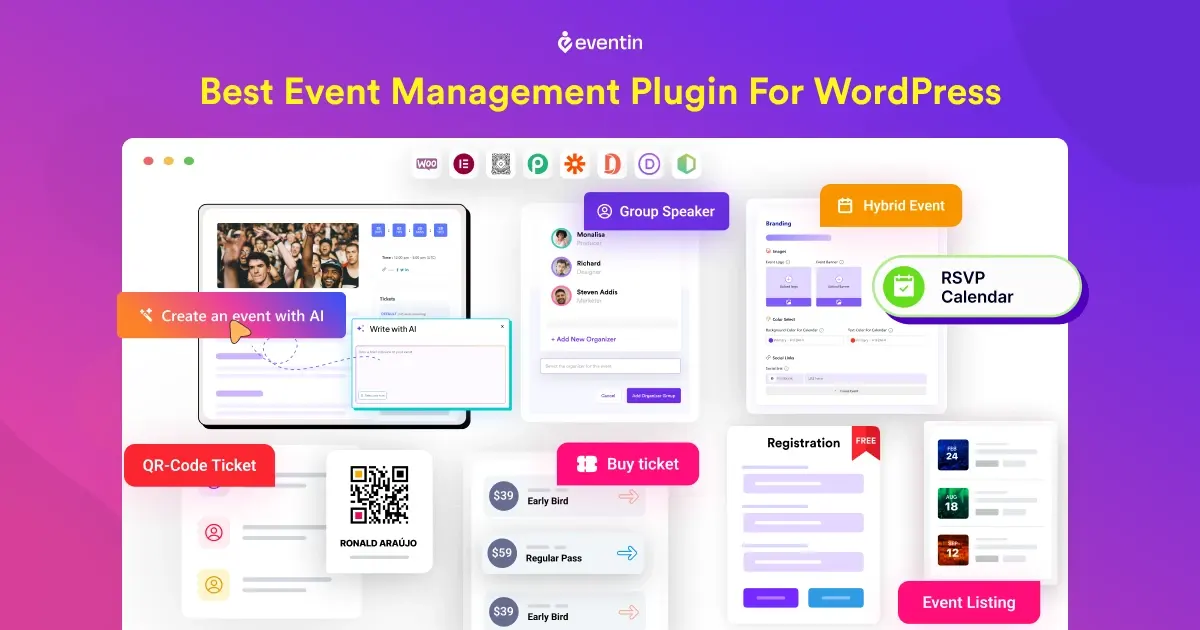
Eventin is an event management plugin for WordPress that also supports webinars. It is a strong option if you want to manage events and run webinars from the same dashboard. Instead of using separate tools, you can handle registration, scheduling, and live sessions in one place.
With built-in support for Zoom and Google Meet, Eventin lets you run live webinars directly from your WordPress site. You can also create single or multi-day webinars, set up schedules, manage speakers, and send automated email reminders.
It’s a good fit for small businesses, educators, and agencies who want a clean setup without using third-party webinar platforms.
Key features
- Live webinar support with Zoom and Google Meet
- Custom registration forms and RSVP tracking
- Email reminders and automated notifications
- Speaker profile and session scheduling
- WooCommerce integration for paid webinars
- Shortcodes and Gutenberg blocks for easy display
- Frontend event submission for multi-speaker setups
- Support for both one-time and recurring events
What we liked most
- Custom link support with no extra tools required
- Clean and beginner-friendly dashboard
- Good option for live webinars, workshops, and conferences
- Built-in email automation
- Works well with Elementor and other page builders
What could be better
- May feel too feature-heavy for users who only need simple webinar tools
- Not built for automated or evergreen webinars
- Requires Pro version to unlock webinar features
Pricing
Pro plans start at around $89 per year
eRoom
eRoom is a lightweight WordPress webinar plugin built specifically for Zoom integration. It allows you to schedule, manage, and host Zoom meetings and webinars directly from your WordPress dashboard. With eRoom, you can display upcoming webinars on your site and let users join or register through a simple interface.
If you’re looking for a direct Zoom connection without too many extra features, eRoom is a straightforward solution. It’s also a good choice for teachers, coaches, or small teams who already use Zoom as their main tool.
Key features
- Direct Zoom integration (meetings & webinars)
- Create and manage Zoom meetings from WordPress
- Add Zoom webinars to WordPress posts or pages
- Show upcoming webinars in a calendar view
- Supports shortcodes and Elementor
- Email notifications with meeting links
- WooCommerce integration available (via addon)
What we liked most
- Very simple and focused setup
- Strong Zoom integration
- Good choice for live sessions without extra features
- Suitable for users who want basic webinar software for WordPress
What could be better
- No built-in registration or ticketing system
- No support for automated or recorded webinars
- Limited features beyond Zoom integration
Pricing
Starts at $59/year
WebinarIgnition
WebinarIgnition is a premium webinar plugin for WordPress that supports both live and automated webinars. It’s designed for marketers, coaches, and course creators who want more control over their webinar funnel.
With built-in landing pages, registration forms, countdown timers, and analytics, it’s more than just a video tool. Unlike simpler plugins, WebinarIgnition works as a complete webinar software for WordPress, helping users manage the full registration-to-replay process.
Key features
- Support for live, automated, and evergreen webinars
- Built-in registration and confirmation pages
- Countdown timers and urgency tools
- Email and SMS reminders
- Live chat and question box during webinars
- Integration with email marketing tools (like Mailchimp and AWeber)
- Analytics for tracking attendance and engagement
What we liked most
- Full control over webinar funnel from start to finish
- Customizable registration and thank-you pages
- Works with YouTube Live, Vimeo, or custom embed
- Built-in chat for viewer interaction
- Good for marketers and product launches
What could be better
- Setup can take longer for first-time users
- Interface feels dated compared to newer plugins
- Not ideal for event-style or multi-session webinars
- No native Zoom integration
Pricing
One-time license starts at $99
Video Conferencing with Zoom
Video Conferencing with Zoom is one of the most widely used Zoom plugins for WordPress. It is a good option if you want a free webinar plugin WordPress users can rely on for basic live sessions.
It allows you to create and manage Zoom meetings and webinars from your WordPress dashboard using Zoom’s API. It’s a good option for schools, teams, or anyone already using Zoom who wants a simple way to manage sessions on WordPress.
Key features
- Connects to Zoom via API
- Display meetings and webinars with shortcodes
- Countdown timer and join links
- Basic attendee access control
- Custom post type for meetings and webinars
- Developer-friendly with hooks and filters
What we liked most
- Quick and easy Zoom integration
- Useful for simple webinar display and links
- Lightweight and doesn’t slow down the site
- Ideal for schools or internal team use
What could be better
- No built-in registration or email reminder features
- No support for Google Meet or other platforms
- No analytics or attendee tracking
- Not suitable for paid or large-scale webinars
Pricing
Free version only.
WebinarPress
WebinarPress is another best WordPress webinar plugins for hosting webinars without needing third-party tools like Zoom. It allows you to run both live and automated webinars directly from your site using video platforms like YouTube Live, Vimeo, or custom embeds.
The plugin includes registration forms, email reminders, and reply options, making it useful for education, training, and content delivery. For users who want to keep everything inside WordPress without needing third-party tools like Zoom, WebinarPress is a great choice.
Key features
- Host live or pre-recorded webinars
- Embed videos from YouTube, Vimeo, or MP4
- Built-in registration and confirmation pages
- Email reminders and follow-ups
- Automated webinar replay
- Custom fields for registration forms
- Multilingual support
What we liked most
- Replays and evergreen webinars are easy to set up
- Good control over form fields and branding
- Works with popular video platforms
- Supports live chat during webinars
What could be better
- Not ideal if you rely on Zoom or external webinar software
- Limited analytics in the basic plan
- More complex setup than some other plugins
Pricing
Starts at $197/year for one site
FlexMeeting
FlexMeeting is a newer WordPress webinar plugin that focuses on hosting interactive webinars directly on your site. It includes features like live chat, screen sharing, polls, and analytics to improve attendee engagement.
Unlike some other plugins, FlexMeeting doesn’t rely on Zoom. It’s a standalone system that lets you run sessions through your own WordPress setup. FlexMeeting works better for internal meetings, small group sessions, or basic webinars rather than large public events.
Key features
- Host sessions without strict duration limits.
- Real-time chat and attendee interaction
- Polls, Q&A, and hand-raising features
- Screen sharing and video support
- Attendee reports and analytics
- GDPR-compliant data handling
- Supports paid or free webinars
What we liked most
- Create a branded meeting URL for your website.
- Record, stream, or auto-transcribe meetings
- Real-time analytics and attendee data
- Clean and modern webinar interface
- Works well for training or team events
What could be better
- Not designed for large webinars or events
- No advanced registration or reminder system
- Limited integrations and customization options
Pricing
Starts at $99/year
Which one is the best solution for your business?
Choosing the best webinar plugin for WordPress depends on your goals, your audience, and the tools you already use. Each plugin listed above offers something different, from basic Zoom integration to full webinar and event management systems.
If you want to host webinars on WordPress as part of full events, training programs, or virtual conferences, Eventin is the most complete option. It combines webinars with event management, registrations, scheduling, and payments in one place.
If your webinars are fully based on Zoom and you want a simple setup, eRoom or Video Conferencing with Zoom can work well. For marketing and sales-focused webinars, WebinarIgnition stands out.
If you need a basic webinar-focused plugin without full event features, WebinarPress offers a clean and simple approach. For internal meetings or small group sessions, FlexMeeting is enough.
If you’re already managing events on your site or plan to, Eventin is one of the most flexible options available today. It combines scheduling, registration, email reminders, and video integration without needing multiple tools.
FAQs
Can I host webinars on WordPress?
Yes. With the right plugin, you can host webinars directly on your WordPress site. Plugins like Eventin, WebinarPress, and eRoom let you manage registration, send reminders, and run live or automated webinars without needing external platforms.
What is the best webinar plugin for WordPress?
It depends on what you need. For full event and webinar management, Eventin is a strong choice. For a simple Zoom connection, eRoom or Video Conferencing with Zoom can work. If you want evergreen webinars, try WebinarIgnition or WebinarPress.
Is there a free webinar plugin for WordPress?
Yes. Both Video Conferencing with Zoom and eRoom offer free versions with basic webinar features. Eventin also has a free version that includes Zoom and Google Meet integration for live sessions.
Can I integrate Zoom or Google Meet with WordPress?
Yes. Plugins like Eventin, eRoom, FlexMeeting, and Video Conferencing with Zoom let you connect Zoom or Google Meet to your WordPress site for live webinars and meetings.
What is the difference between a webinar plugin and a meeting plugin?
A meeting plugin focuses on video calls. A webinar plugin for WordPress adds features like registration forms, reminders, attendee control, and event scheduling. Webinar plugins work better for public sessions and training.
Which one is the best webinar plugin for beginners?
If you are new, start with a simple option like Video Conferencing with Zoom. If you want room to grow later, Eventin is easier to scale without changing tools.