Top 5 Best Restaurant Reservation Plugins for WordPress



Table of Contents
We all prefer to book restaurant tables online using our phones instead of calling the restaurant manager.
If your restaurant’s website does not allow online bookings, you could be missing out on customers. You can fix this by adding a reservation section to your restaurant’s website with WordPress.
There are many WordPress plugins for restaurant reservations. Some are standalone, some cost extra, and some are good for table bookings.
In this guide, we will review the best restaurant reservation plugins for WordPress in 2026. Whether you need a simple table booking plugin, a full restaurant booking system, or a free reservation plugin, this list will help you choose the right one.
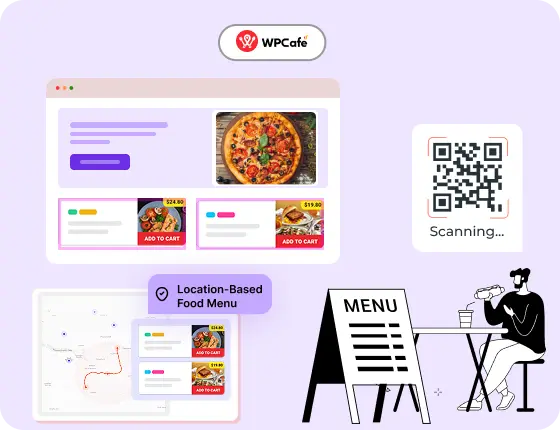
Start Your Restaurant Website in Minutes – Free with WPCafe
WPCafe helps you take food orders, manage reservations, and run your restaurant online, without extra tools.
- 🟣 34+ ready-to-use food menus
- 🟣 Easy table reservations
- 🟣 Accept online payments
- 🟣 Location-based menus & schedules
- 🟣 Multivendor support

Best WordPress Restaurant Reservation Plugins Comparison
| Feature | WPCafe Only $89 | GloriaFood | Five Star Plugins | Orderable |
| Multi-branch setup | ✅ | ✅ | ✅ (Multi-location support via Business Profile plugin, Free) | ✅ |
| Menu for multi-branch | ✅ | ✅ | ✅ | ✅ |
| Single/Multiple Slot Reservation | ✅ | No (Basic reservations, no slots mentioned) | ✅ (Need Reservations plugin, €167/single site) | No |
| Holiday Special Reservation | ✅ | ❌ | ❌ | ❌ |
| Food With Reservation | ✅ | ❌ | ❌ (Separate plugins) | ❌ |
| Seat Capacity and Guest Number | ✅ | ❌ | Yes (Need Ultimate €297/year, 1 site) | ❌ |
| Branch-wise Seat Capacity & Reservation | ✅ | ✅ $0.5 per guest(accepted bookings only) | ❌ (Multi-location but no branch-wise capacity) | ❌ |
| Food Ordering with QR Code | ✅ | ✅ | ❌ | ✅ |
| Payment | ✅ Woo Payment Gateway (Accept PayPal, Stripe+more) | ✅Add-on ($29 per month) | ✅ | Woo Payment Gateway |
| Holiday Availability | ✅ | ❌ | ❌ | ✅ |
| Multi-vendor Marketplace | Yes (Pro, via Dokan integration) | ❌ | ❌ | ❌ |
| Detailed Sales Report | ✅ | ✅ ($9 per month) | ❌ | ✅ |
| Dynamic Email Notification | ✅ | ✅ | ✅ | ✅ |
Benefits of Using a Restaurant Reservation Plugin
Running a restaurant means staying on top of many things at once, taking orders, managing tables, and keeping customers happy. When bookings are handled manually, it’s easy to miss a call or overbook a table. That’s where a WordPress restaurant reservation plugin helps.
Here’s why using one is a smart move:
- Take bookings 24/7: Your customers can book a table anytime, even when your restaurant is closed. You won’t need to be on the phone to confirm reservations.
- Avoid double bookings: Most plugins include time slot control and availability checks. This helps you stay organized and reduce errors.
- Manage everything from your dashboard: You can view upcoming reservations, update settings, and respond to customers all without leaving your WordPress admin.
- Improve customer experience: People expect quick and simple online booking. A plugin lets them choose a date, time, and even a preferred table, if supported.
- Reduce no-shows: Many plugins send email or SMS reminders before the reservation time. This lowers the chance of empty tables.
- Customize to fit your business: Whether you run a small café or a busy multi-location restaurant, you can set custom hours, table limits, and special rules.
📚 Related reading: 10 Best Restaurant Management Plugins for WordPress
What to Look for in a Restaurant Reservation Plugin
Not every plugin will fit your restaurant. Before you install one, it’s important to know what features matter most. A good restaurant booking system for WordPress should save time, reduce errors, and give your customers a smooth booking process.
Here are the key things to look for:
- Real-time availability: The plugin should show only available time slots. When one table is booked, that slot should close automatically. This avoids overbooking and confusion.
- Guest and table limits: A good table reservation plugin for a restaurant lets you control how many guests you can accept per time slot. This helps manage seating and kitchen capacity.
- Email and SMS notifications: A strong WordPress table booking plugin should send automatic booking confirmations and reminders. This helps reduce no-shows and keeps both staff and customers updated.
- Customizable booking form: Look for a plugin that lets you change the fields in your reservation form. For example, you might want to collect phone numbers, special requests, or preferred seating.
- Integration with menus and ordering: Some tools combine table booking with food menus and ordering. This is helpful if you want customers to view the menu while booking.
- Multi-location support: If your business runs in more than one location, you’ll need a plugin that allows location-specific settings, such as hours and staff.
- WooCommerce compatibility: If you accept payments for reservations or sell items online, check if the plugin works with WooCommerce.
- Easy setup and support: It should be simple to install and manage. Good documentation and customer support also make a big difference, especially for non-technical users.
How We Tested These Restaurant Reservation Plugins
We did not rely on feature lists or marketing pages. Each plugin was tested in a real WordPress setup to see how it works in day-to-day restaurant use.
Here is how we tested them.
- Installation and setup: We installed each plugin on a fresh WordPress site. We checked how long setup took and whether clear steps were provided. A good restaurant booking plugin for WordPress should be easy to set up without technical help.
- Booking flow from a customer view: We tested the booking form like a real customer. This included selecting a date, time, and number of guests. We checked if the process felt smooth and clear, especially on mobile.
- Admin experience: We reviewed how reservations appear in the dashboard. We looked at booking details, status updates, and how easy it is to manage upcoming reservations. A proper restaurant management system for WordPress should keep things organized.
- Availability and control: We tested how each plugin handles busy hours, booking limits, and availability updates. This is important for avoiding double bookings.
- Pricing and limits: We reviewed free and paid plans. We checked what features are available in a free restaurant reservation plugin WordPress version and what require an upgrade.
📚 Related reading: Table Ordering vs. Online Ordering vs. QR Ordering, Which Should Restaurants Use in 2026
Top Restaurant Reservation Plugins to Consider in 2026
Below are the top reservation plugins for restaurants. Each one is carefully selected based on features, ease of use, and value to help you choose the right solution for your business.
1. WPCafe 3.0 Restaurant Manager

WPCafe is built for restaurants that want more than just table bookings. It works as a complete restaurant solution. You can manage reservations, menus, and ordering from one place.
As a WordPress restaurant reservation plugin, WPCafe focuses on real restaurant workflows. Customers book tables online. You control guest limits, time slots, and availability. Bookings update in real time, so overbooking is avoided.
WPCafe also fits well with growing restaurants. You can start with reservations and later add menu display or online ordering if needed. This makes it a strong choice among the best WordPress plugins for restaurants.
Key features
- Advanced table reservation system with time slot control
- Food menu builder with multiple layout styles
- Location-based scheduling and table management
- Custom reservation form builder
- Email and SMS booking notifications
- Elementor and Gutenberg compatibility
- WooCommerce integration for paid bookings or ordering
- Supports multiple locations with different hours
- Lightweight and mobile-responsive
What we liked most
- Easy to create and customize time slots for reservations
- Works smoothly with both Elementor and Gutenberg
- Allows you to display food menus alongside reservation forms
- Supports multi-location settings with different opening hours
- Combines reservations, menu, and ordering in one plugin
- Offers strong integration with WooCommerce
What could be better
- Some advanced features are only available in the premium version
- The number of settings may feel overwhelming for first-time users
Pricing
Free version available on WordPress.org. Premium version starts at $89/year
2. Restaurant Menu by Gloriafood
Restaurant Menu by GloriaFood is a simple option for restaurants that want basic online reservations. It is often used by small restaurants that need a quick setup without many controls.
As a WordPress table booking plugin, it allows customers to request a reservation from your website. The booking process is easy for customers and does not require much configuration from the admin side.
However, this plugin focuses more on reservation requests than full booking control. It works best when staff manually confirm bookings.
Key features
- Online food menu with ordering and booking support
- Simple reservation form with table booking features
- Works on both desktop and mobile
- Free menu builder with category and item control
- Supports takeaway and delivery orders
- Booking and order notifications via email
- Easy setup through the GloriaFood platform
What we liked most
- Completely free to use, including reservation features
- Menu and booking system are easy to manage
- Great for small restaurants or takeout shops
- Quick setup and no coding required
- Lightweight and mobile-friendly
What could be better
- Bookings are handled through an external system (GloriaFood), not fully in WordPress
- Limited customization options for the reservation form
- No direct WooCommerce integration
- May not suit restaurants needing advanced features or multi-location support
Pricing
100% Free + $165 add-ons/month.
3. Five-Star Restaurant Menu

Five Star Restaurant Menu is mainly known for menu display. It also includes a basic reservation feature for restaurants that want a simple setup.
As a restaurant booking plugin for WordPress, this plugin focuses on collecting reservation requests rather than managing full bookings. Customers can submit booking details, and staff handle confirmation manually.
This approach works for small cafés or restaurants with low reservation volume.
Key features
- Customizable reservation form
- Set booking times, limits, and date restrictions
- Email confirmations and admin notifications
- Shortcode and block support for form placement
- Reservation approval system
- Spam protection and GDPR settings
- Add-on support for extra features (paid version)
What we liked most
- Focused only on restaurant bookings
- Easy to customize booking times and form fields
- Works well with shortcodes and block editors
- Includes a reservation approval system to control bookings
- Clean, user-friendly admin interface
What could be better
- Menu or ordering features are not included
- Some useful features, like email templates and styling options, are locked behind the paid plan
- No built-in support for payments
- May need extra plugins to expand functionality
Pricing
Free version available on WordPress.org. Premium version starts at $67/year (only menu design)
4. Food Menu

Food Menu by RadiusTheme is built mainly for displaying restaurant menus. It includes a light reservation option, but bookings are not its core focus.
As a WordPress restaurant reservation plugin, it works more like a contact-style booking form. Customers can send reservation details, and staff can confirm them manually.
This plugin fits restaurants that already handle bookings offline and only want a simple request form on their site.
Key features
- Food menu builder with grid, list, and tab layouts
- Works with Elementor and Gutenberg
- Support for multiple food categories and items
- Basic reservation form support (with manual setup or integration)
- Shortcode-based display for menus
- Fully responsive on mobile
- Lightweight and beginner-friendly
What we liked most
- Great menu display options for showcasing food visually
- Easy to use with drag-and-drop builders like Elementor
- Clean layouts that work well on mobile
- Suitable for cafés, bakeries, or small restaurants with limited booking needs
What could be better
- Focus is more on menus, not reservations
- Lacks built-in features like time slot control or notifications
- Not ideal for restaurants needing a complete restaurant booking system for WordPress
Pricing
Free version available on WordPress.org. Pro version starts at $29/year(limited features)
5. ReDi Restaurant Reservation

ReDi Restaurant Reservation is a WordPress restaurant reservation plugin built for businesses that want fast, automated table bookings with instant availability checks. It focuses on simplicity and speed, helping restaurants convert website visitors into confirmed guests without manual confirmation.
The plugin allows customers to view available seats at a specific time and make reservations with instant confirmation. Restaurant owners can control capacity, working hours, and booking rules, while the system handles confirmations automatically.
Key features
- Availability check and confirmation
- Automated online table reservations
- Capacity control based on day and time
- Flexible working hours with multiple open and close times per day
- Reservation form optimized for mobile, tablet, and desktop
- Customizable and multilingual email confirmation templates
- Blocked time settings to stop late bookings
- Waiting list and custom fields
- Optional reminder emails and feedback collection
What we liked most
- Instant confirmation without manual approval
- Simple setup with minimal configuration
- Fully automated reservation handling
- Works well for small to mid-sized restaurants
What could be better
- Advanced features require paid plans or add-ons
- Less flexibility for complex restaurant workflows
Pricing
Free version available on WordPress.org (with limited features). Premium version starts at $228/year
📚 Related reading: How to Build a Multi-Location Restaurant Website in WordPress
Which One is the Best Solution for Your Business?
Choosing the right plugin depends on your restaurant’s size, setup, and what features you need. Some plugins focus on bookings only, while others also include menus and ordering. Here’s a quick guide to help you decide:
- Choose WPCafe if you want one plugin that handles reservations, food menus, and online ordering. It’s flexible, works well with WooCommerce, and is built specifically for restaurants. This is the best option if you need a complete solution in one place.
- Try Restaurant Menu by GloriaFood if you want a free, simple solution for both menu display and basic table bookings. It’s best for single-location or takeout-focused restaurants.
- Go with Five Star Restaurant Reservations if you only need a clean, focused reservation form with full control over bookings, approval, and schedule settings.
- Use the Food Menu by RadiusTheme if your main goal is to display your food items in a clean and modern layout, and you plan to handle reservations separately.
- Choose ReDi Restaurant Reservation if your priority is fast and automated table bookings with instant availability and confirmation.
Each of these plugins can help improve your online restaurant reservation system so that your WordPress site visitors can interact with it. The best fit comes down to your specific workflow.
If you want a reliable plugin built for real food businesses, WPCafe offers a balance of features, flexibility, and ease of use. It’s a strong choice whether you’re running a single café or managing bookings across multiple locations.
FAQs
1. What is the best restaurant reservation plugin for WordPress?
The best plugin depends on your needs. If you’re looking for a full solution that combines reservations, food menus, and WooCommerce support, WPCafe is a strong choice. For a simple reservation system, Five Star Restaurant Reservations or Amelia are also popular.
2. Can I take online table bookings using a free plugin?
Yes, there are several free restaurant reservation plugin WordPress, like Restaurant Menu by GloriaFood and Five Star Restaurant Reservations. These offer basic booking features, but for advanced settings like SMS reminders or multi-location support, you may need a premium version.
3. Do these plugins work with mobile devices?
Yes. All the plugins listed here are mobile-responsive. This means your customers can book a table from their phones or tablets without issues. A good WordPress table booking plugin should always work well on mobile.
4. Can I use these plugins with WooCommerce?
Some plugins, like WPCafe and Amelia, support WooCommerce. This allows you to accept payments for reservations or link bookings with your online store. Check plugin documentation to confirm integration before installing.
5. Which plugin is best for multi-location restaurants?
WPCafe supports multiple locations and lets you set different hours and rules for each one. Amelia also supports multiple staff and locations, making both great options for growing businesses.