How Small Restaurants Can Compete Without Paying OpenTable Fees


Table of Contents
Running a small restaurant or cafe these days is tough. Food costs are rising. Staff is expensive. Marketing takes time.
Many owners use ‘OpenTable‘ to take reservations. But the monthly fees and per-cover charges can add up fast. That’s why many small restaurants are now asking:
- Is OpenTable actually worth the cost for independent restaurants?
- Does OpenTable take a commission on every reservation?
- Is there a restaurant reservation system without commission?
OpenTable’s current pricing (as of early 2026) starts at $149 per month for the Basic plan. On top of that, you often pay $1.50 per cover for reservations, plus $0.25 per cover (or a flat fee) for bookings made directly on your own website.
Restaurant owners lose a cut on every online booking, don’t fully control customer data, and are locked into their system.
The good news? You don’t have to pay those fees to stay competitive.
In this guide, we will show you the best OpenTable alternatives for small restaurants in 2026. We will discuss realistic and cost-effective methods for small restaurants to manage online reservations, fill tables, and build better relationships with customers.
Ready to take back control? Let’s dive in.

How Commission-Based Reservation Platforms Hurt Small Restaurants
If you’re running a small independent restaurant or cafe, every dollar counts. Thin profit margins mean that even small extra costs can add up quickly and eat into what you actually take home.
Commission-based platforms like OpenTable charge restaurants in ways that hit small businesses especially hard. Here’s why many owners are rethinking these systems:
1. High and Unpredictable Costs: If you get just 200–300 network covers a month (very realistic for busy independents), those $1.50 fees alone can add $300–$450+ extra. Total monthly cost easily hits $500–$800 or more.
2. You Pay Even for Your Own Customers: A big frustration many owners share: OpenTable often charges the higher per-cover fee for diners who were already searching for your restaurant.
3. Less Control Over Your Data and Relationships: When bookings go through a third-party platform, you don’t always get full customer contact details right away. You miss building direct relationships. The platform owns part of the connection to your guests.
So to avoid all these extra fees, most of the restaurant owners now switch to commission-free options (direct website bookings, flat-fee tools like WPCafe) to keep 100% revenue and control.
How Small Restaurants Can Avoid OpenTable Fees
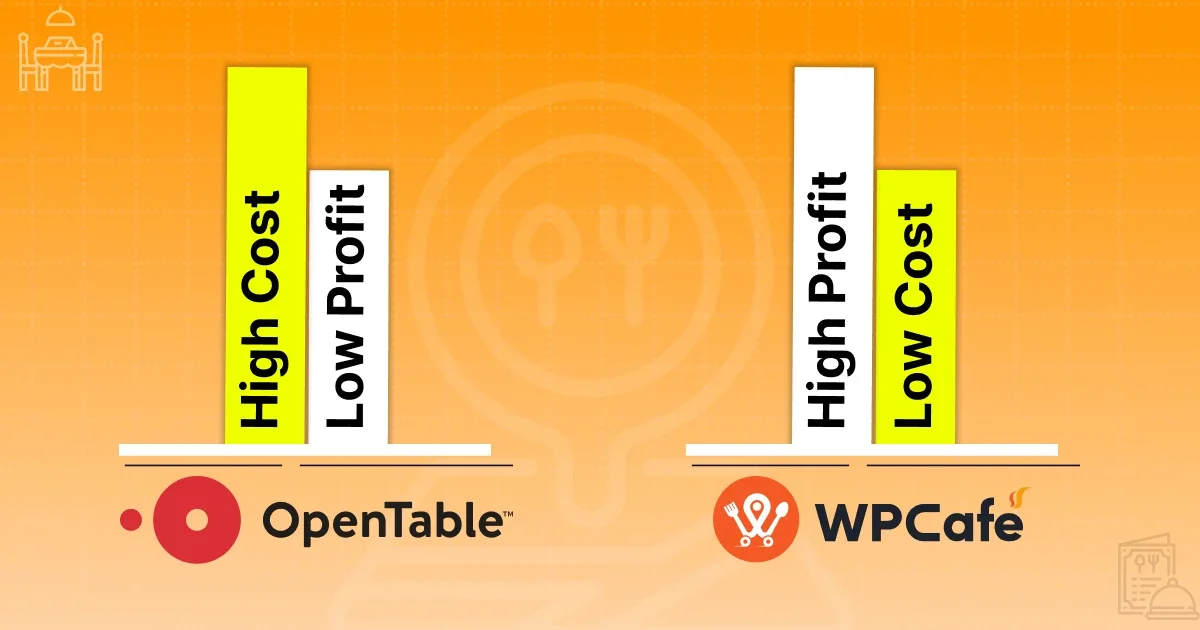
Restaurants that want to avoid OpenTable fees can run their own reservation system directly on their website with WPCafe. It gives full control over bookings, customer data, and payments, without paying any per-reservation or commission fees.
WPCafe is an online restaurant management plugin for WordPress restaurants. If you’re already running your restaurant website on WordPress, you don’t need to do anything extra – just install and activate the plugin, then start taking reservations and orders right away.
There are no commission fees, no per-cover charges, and no hidden costs on reservations or orders. You keep 100% of your revenue (only standard payment gateway fees apply if you accept online payments).
Big Cost Savings Compared to OpenTable
- OpenTable charges $149+/month plus $1–$1.50 per person on many bookings — costs add up fast for small spots.
- With WordPress + WPCafe: If you already have a domain and hosting, it’s basically free for core features. Even if building a new simple site, you might spend just $50–$100 one-time on hosting/domain setup — then operate reservations and online ordering totally free forever with the free version.
Note: If you need advanced features (like multi-branch support, multivendor marketplace where you can earn commissions from other vendors, better analytics, or premium templates), you can upgrade to a Pro plan anytime – options include affordable annual plans or lifetime deals (pay once).
Extra Benefits with WPCafe Restaurant Plugin
- Full ownership: All data (customer info, bookings) stays with you — build loyalty directly.
- Run multiple branches: Manage different locations easily from one dashboard.
- Multivendor marketplace (Pro): Let other food vendors sell through your site — you earn commission on their sales.
- More tools: Beautiful food menus, online ordering, pickup/delivery scheduling, QR code menus, and table reservations — all in one plugin.
For small restaurants in anywhere, switching to WordPress + WPCafe is a smart long-term move. It saves money every month, gives you more control, and helps you compete without middleman fees.
If you’re not on WordPress yet, consider moving your site there (or starting fresh) – in the long term, it saves you money and offers free powerful tools like this.
Ready to try? Grab the free WPCafe plugin from WordPress.org and set it up in minutes. Many small owners already use it to cut costs and grow easier.
WPCafe, the Best Alternatives to OpenTable for Independent Restaurants
OpenTable charges high monthly fees plus per-cover commissions, with no ownership of your data or full control. On the other hand, WPCafe gives you a complete restaurant setup even in its free version. You can design beautiful food menus, offer pickup or delivery, accept table reservations, and take secure payments, all without paying any commissions or per-booking fees.
If you look closely, the biggest difference is the ownership model and free restaurant operations.
OpenTable runs on ongoing subscriptions and commissions (with no lifetime option and you lose control).
WPCafe gives you a choice: affordable annual plans (starting around $89/year for 2 sites) or lifetime ownership (around $149 one-time for 1 site).
How to Set Up a Free Reservation System with WPCafe in a WordPress Website
Setting up a free online reservation system for your small restaurant is simple with WPCafe. It helps customers book tables directly on your own website, with no commission fees or per-booking charges. You stay in full control of bookings, customer info, and profits.
The free version supports essential features like single-slot or multiple-slot reservations, plus limits on seat capacity and guest numbers per booking. This helps prevent overbooking and keeps things organized.
Step-by-Step: How to Get Started (Free Version)
Install and Activate WPCafe
Go to your WordPress dashboard → Plugins → Add New.
- Search for “WPCafe” (official plugin by Themewinter).
- Install and activate it. (It’s 100% free for core reservation tools.)
Add the Reservation Form to Your Site
- Create a new page (or edit your existing “Reservations” or “Book a Table” page).
- Use the shortcode [wpcafe-reservation] to insert the booking form. Or use the block/widget if you’re on Gutenberg — search for “WPCafe Reservation” block.
- Publish the page, now customers can see and use your form!
Configure Basic Reservation Settings
Go to WordPress dashboard → WPCafe → Settings → Reservation.
Under Reservation Rules or similar tabs:
- Set seat capacity (total seats available per time slot or overall — e.g., 40 seats max).
- Set guest number limits (min/max people per booking — e.g., 2–10 guests).
Choose single-slot (one fixed time window, like lunch 12–3 PM) or multiple-slot (customers pick from available times, like every 30/60 minutes).
- Adjust time intervals (e.g., bookings every 30 minutes).
- Set advance booking rules (how early customers must book) and max future days.
- Save changes — your form now respects these limits automatically.
Customize for Your Restaurant
- Add your restaurant hours and available days in the schedule settings.
- Enable email notifications so you (and the customer) get confirmations.
- Test the form yourself — make a dummy booking to ensure seat/guest limits work.
This basic setup is completely free and works great for single-location small cafes or restaurants. Customers book easily, you get real-time control, and no middleman takes a cut.
For Extra Needs (Often Pro Features)
- Branch-wise seat capacity & reservations: If you have multiple locations, set different capacities, hours, and slots per branch (available in Pro for multi-branch management from one dashboard).
- Holiday/special reservation rules: Block or customize availability on holidays, events, or special days (Pro adds advanced scheduling like this for more flexibility).
With the free version, lots of restaurant owners already handle steady bookings without paying OpenTable-style fees.
Start simple, test it live, and upgrade only if you grow and need those advanced branch or holiday tools. Ready to try?
Wrapping Up
Small/Medium independent restaurants don’t need to pay high OpenTable fees to get online bookings. With WPCafe, you can set up a professional reservation system right on your own WordPress website, for free in the core version.
Start with the free plugin today: install it, configure basic settings, and start taking direct bookings.
If your restaurant grows, upgrade anytime for extras like multi-branch support or a multivendor marketplace, but you never have to.
Switch to WPCafe and keep more money in your pocket while making it simple for customers to reserve a table with you.
Your restaurant, your rules, zero middleman fees.
Thanks for reading – go fill those tables! 🚀
Frequently Asked Questions
1. What are the main OpenTable fees for small restaurants in 2026?
-OpenTable’s Basic plan costs about $149/month, plus $1.50 per cover for network bookings and often $0.25 per cover (or $49/month flat) for your own website bookings. These add up fast for independents with 200–300 monthly covers.
2. Is OpenTable worth it for small independent restaurants?
-No, the monthly fee plus per-cover charges eat into thin margins. You pay even for your own customers sometimes, and lose full control over data. Commission-free options like direct website bookings save thousands yearly.
3. What is the best free restaurant reservation system for small businesses?
-WPCafe (free WordPress plugin) is a top choice. It offers table reservations, seat limits, guest numbers, pickup/delivery, and menus, all free with no commissions. Install on your site and start taking direct bookings instantly.
4. How can small restaurants avoid OpenTable fees completely?
-Switch to a self-hosted restaurant system. Run reservations directly on your website with zero per-booking or commission fees. You keep 100% revenue and customer data.
5. Can I set up online table bookings on my own website without fees?
-Yes, use WPCafe’s free version. Add the shortcode to a page, set seat capacity, guest limits, and single/multiple time slots. Customers book directly with you, no middleman charges.
6. What are the best OpenTable alternatives for small restaurants in 2026?
-WPCafe is the best OpenTable alternative for restaurant owners. Free core features, no commissions, full ownership. It supports reservations and ordering.
7. Does WPCafe have any hidden costs or commissions?
-No hidden fees or commissions on reservations/orders. Free version covers essentials; upgrade to Pro (annual ~$89 or lifetime ~$149, both for 2 sites) only for advanced restaurant tools.