5 Best Alternatives to Costly Event Management Software


Table of Contents
Managing events sounds exciting until the software costs start piling up.
Many event management tools come with monthly subscriptions, ticket fees, and hidden charges that slowly eat into your revenue. For small businesses, organizers, or anyone just getting started, this can quickly turn into a problem.
That’s why more people are now looking for alternatives to costly event management software solutions that are affordable, flexible, and still powerful enough to handle everything from event creation to ticket sales.
The good news? There are plenty of affordable event management software options that give you full control without ongoing costs.
In this guide, we’ll break down the best budget event planning software, compare your options, and help you find the right solution for your needs.

Ready to run smoother events?
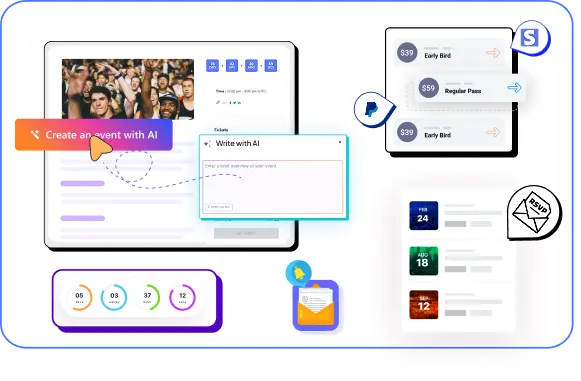
Create & manage events easily with Eventin event manager.
- ✅ Sell tickets
- ✅ Track attendees
- ✅ Automate reminders
WordPress vs SaaS Event Platforms
When you start looking for alternatives to costly event management software, you’ll usually end up choosing between two paths: SaaS platforms or WordPress-based solutions.
At first, SaaS tools feel easier. You sign up, create an event, and everything works out of the box. But that convenience comes with a cost that keeps growing over time. Most SaaS event platforms charge monthly fees, and many also take a percentage from every ticket you sell. As your events grow, so does your cost.
WordPress works differently. Instead of renting the platform, you own it. You install a plugin, set up your event system, and run everything on your own website. There might be a small upfront cost, but you avoid ongoing platform fees and revenue cuts. Over time, this often becomes much more cost-effective, especially if you run events regularly.
Another big difference is control. SaaS platforms limit how much you can customize your event pages, pricing models, or integrations. With WordPress, you can build exactly what you need. You’re not locked into a system, and you don’t lose your data if you decide to switch tools later.
This is why many event organizers start with SaaS tools but eventually move to WordPress. At the beginning, SaaS looks cheaper and faster. But once you factor in monthly subscriptions, ticket fees, and scaling costs, WordPress becomes the smarter long-term choice.
Here’s a quick comparison
| Feature | SaaS Platforms | WordPress (Self-Hosted) |
|---|---|---|
| Pricing | Monthly + per-ticket fees | One-time or low recurring cost |
| Ownership | Platform controls data | You own everything |
| Customization | Limited | Full flexibility |
| Scalability | Gets expensive | More cost-efficient long-term |
| Branding | Restricted | Fully customizable |
If you want to see how this works in practice, check this guide on selling event tickets online . It shows how you can set up your own event system and sell tickets without relying on expensive third-party platforms.
Best Alternatives to Costly Event Management Software
Event management software can be a great tool, but it definitely comes with a price tag. During the past few years, the events industry has experienced exponential growth, growing to a multi-billion-dollar industry. With more and more people attending events and conferences, event management has become a crucial aspect of the industry.
So, if you are planning an event, be it a conference, seminar, or workshop, you can leverage these Event management solutions to streamline your event management process and make it hassle-free.
Let’s explore now.
Option 1: DIY (Do-It-Yourself) Event Management

DIY (Do-It-Yourself) Event Management refers to organizing and managing events independently, without relying on professional event management services. One key advantage of opting for DIY event management is the significant cost savings it offers compared to traditional event management services.
- DIY event management allows you to save money by avoiding the fees charged by professional event planners or agencies.
- You have control over budget allocation, choosing cost-effective vendors, and negotiating directly with suppliers.
- You’re not limited by pre-defined packages or templates, which allows for greater creativity and personalization.
- DIY events give you the flexibility to make last-minute changes or adjustments without bureaucratic delays.
- Organizing your event provides valuable learning opportunities.
- You gain insights into logistics, marketing, and problem-solving, which can be beneficial for future endeavors.
- When you manage the event yourself, you directly communicate with vendors, sponsors, and attendees. This fosters better relationships and ensures clear communication.
Embracing the DIY trend in event management not only reduces financial burdens but also fosters creativity and a sense of accomplishment among those involved in the planning process.
Option 2: Utilizing Free Event Management Software

With the rise of virtual and hybrid events, having an efficient event management system in place is more important than ever. By taking advantage of a free event management tool, organizers have the opportunity to enhance the overall event experience for both attendees and stakeholders.
Among these WordPress Event Management Solutions, you can choose from paid and free services. While free tools offer a variety of features, such as registration management, ticketing, attendee engagement tools, and post-event analytics. However, if you require advanced features, you should upgrade to the premium version.
Option 3: Hiring a Freelance Event Manager

With a freelance manager, you can directly negotiate a fee that fits your budget. Freelancers often have more flexible work arrangements, allowing for cost savings compared to hiring a full-time employee. By outsourcing event management, you can avoid the overhead costs associated with adding a permanent staff member.
- Freelancers typically charge hourly rates, which can be more affordable.
- Freelancers don’t have the same overhead costs as an agency, such as office space and salaries for multiple staff members. This can translate to lower fees for you.
- Working directly with a freelance event manager ensures clear communication.
- You can discuss details, preferences, and adjustments directly.
- When unexpected situations arise, freelancers are able to adapt quickly.
Option 4: Using Social Media and Online Platforms

Another alternative way to costly event management software is harnessing the power of social media and online platforms. Platforms like Facebook, Twitter, Trello, Zoom, and LinkedIn offer robust event management features such as creating event pages, promoting through targeted ads, and engaging with attendees in real time. By strategically utilizing these free tools, event organizers can reach a wide audience
Utilizing Social Media for Promotion and Communication:
- Event Page Creation: Most social media platforms like Facebook and Instagram allow you to create dedicated event pages. Use these to share details like date, time, location, schedule, speaker information, and ticketing options.
- Targeted Invitations: Leverage social media groups relevant to your event’s theme and invite interested individuals.
- Engagement and Updates: Keep your audience engaged by posting teasers, polls, and updates leading up to the event. Utilize features like Facebook Live or Instagram Stories for interactive announcements.
Free Online Tools for Organization and Management:
- Project Management Platforms: Tools like Trello, Asana, or Monday.com offer free plans with features perfect for event planning. Create boards or tasks for different aspects of the event, assign deadlines, and collaborate with team members.
- Online Ticketing and Registration: Platforms like Eventbrite or SignUpGenius offer free basic plans for creating event registrations and managing tickets.
- Cloud Storage and Collaboration: Utilize free cloud storage services like Google Drive or Dropbox to share documents, images, and presentations with your team.
- Communication Tools: Free video conferencing platforms like Zoom or Google Meet can help plan meetings and coordinate with remote team members or vendors.
Option 5: Collaborating with Local Event Management Organizations
With local event management organizations or a multivendor event marketplace, businesses can benefit from the expertise and resources of experienced professionals without the high costs associated with event management software. However, local event management companies would be a good choice if you only need to plan a single event. Keep in mind that if you continuously hire local event management companies, it can lead to a high expenditure.
Why Eventin Is the Best Alternative to Costly Event Management Software
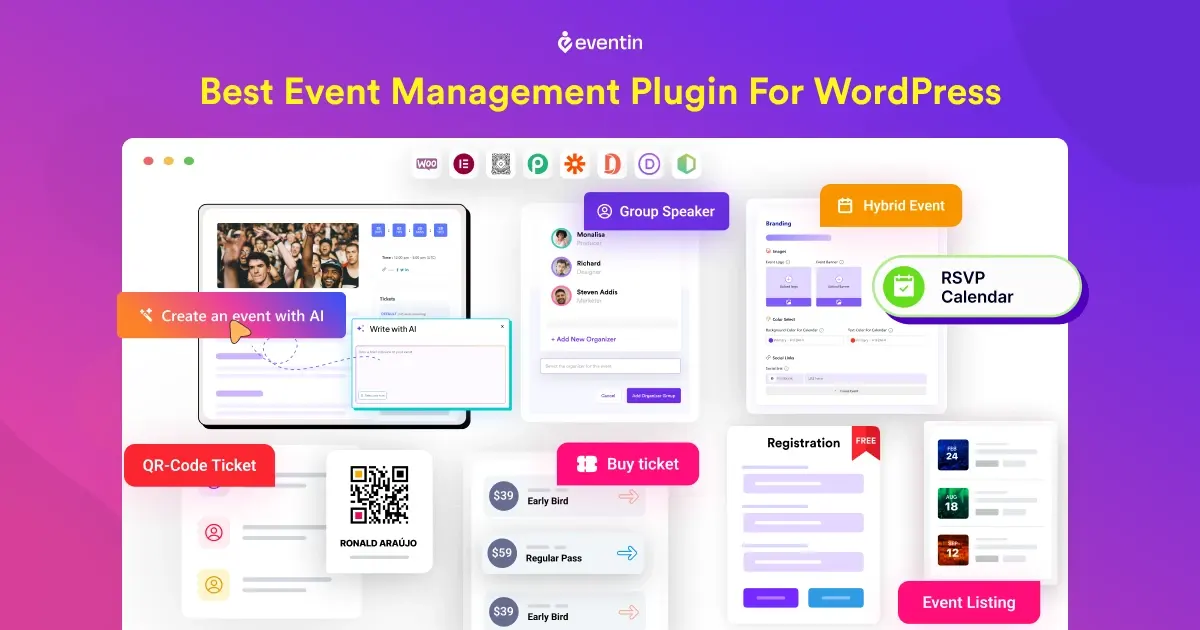
After comparing the five options, the real question is simple: which tool actually gives you control without increasing your cost over time?
That’s where Eventin stands out. Instead of paying monthly subscriptions or losing a percentage of every ticket sale, Eventin lets you run everything directly on your own website. You own your system, your data, and your revenue.
Here’s what makes it a better alternative:
- No platform fees: Sell tickets without giving a cut to third-party platforms
- One-time cost setup: No recurring monthly charges eating into your profit
- All-in-one system: Create events, manage schedules, registrations, and tickets in one place
- WooCommerce integration: Accept payments easily using your preferred payment methods
- Flexible event setup: Run online, offline, or recurring events without limitations
- Full control: Customize your event pages, pricing, and workflows your way
Unlike most SaaS tools, you’re not locked into someone else’s platform. As your events grow, your cost stays predictable while your revenue increases.
Stop paying monthly for event software
Switch to a smarter alternative. Create events, sell tickets, and manage everything from your own website—without platform fees or revenue cuts.
Additional Tips for Managing Event Costs

Managing event costs requires a strategic approach to ensure the event is successful and sustainable in the long run. To achieve this, it’s important to identify all the potential expenses involved in the event and estimate their costs accurately. This includes venue rental, catering, decorations, equipment rentals, and staffing. Once you have a clear understanding of these costs, you can create a budget and allocate funds accordingly.
- Streamline processes and eliminate unnecessary steps.
- Negotiate better pricing with vendors and suppliers.
- Utilize technology and automation tools to reduce manual work and save time.
- Prioritize event expenses to focus on areas that provide the most value.
- Implement effective budgeting strategies and stick to them.
- Consider alternative venues or locations that offer cost savings.
- Encourage early registration and ticket sales to secure revenue ahead of time.
- Explore sponsorship opportunities to offset event costs.
- Optimize marketing and promotional efforts to target the right audience.
- Track your event expenses regularly to identify areas where you can further reduce costs.
FAQs About Alternatives to Costly Event Management Software
What is the best alternative to costly event management software?
If you want lower long-term costs and full control over your website, a WordPress-based tool like Eventin can be a strong alternative. It lets you create events, manage registrations, and sell tickets without relying on expensive third-party platforms.
Is there affordable event management software for small businesses?
Yes, there are many affordable event management software options for small businesses. Some tools offer lower monthly plans, while WordPress-based event plugins can reduce costs even more by letting you run events directly from your own website.
Is WordPress better than SaaS for event management?
WordPress can be a better option if you want full control, flexible customization, and lower ongoing costs. SaaS platforms may be easier to start with, but WordPress often gives better value over time for businesses that run events regularly.
Can I sell tickets online without using expensive event software?
Yes, you can sell tickets online without using expensive event software. Many WordPress event plugins let you manage ticket sales, registrations, and event details directly from your website, which can help you avoid ongoing platform fees.
What is the best low-cost event management software for WordPress?
The best low-cost event management software for WordPress is usually the one that matches your event type, budget, and setup needs. A tool like Eventin is useful if you want ticket selling, event management, and WordPress control in one place.
Stop Paying Monthly for Event Software
If your goal is to run events without losing money to monthly fees or ticket commissions, the choice becomes pretty clear.
SaaS event platforms are easy to start with, but they become expensive as your events grow. You keep paying every month, and in many cases, you also lose a portion of your ticket sales. DIY methods may seem cost-saving at first, but they often require more time, effort, and technical work than expected.
Hiring a freelance event manager gives you flexibility, but costs can vary and increase depending on your event scale. Agencies provide full-service solutions, but they are often the most expensive option and may not be suitable for small or growing businesses.
On the other hand, using WordPress with a ent management tool like Eventin gives you a much more stable and cost-effective setup. You manage everything on your own website, avoid ongoing platform fees, and keep full control over your revenue.
In simple terms, if you want lower costs, more control, and better long-term value, Eventin is the practical alternative to costly event management software.
Ready to run professional events with Eventin?
Create events, sell tickets, manage attendees, and run virtual or hybrid events directly from your WordPress site using Eventin.