---
title: Slug Change
url: "https://themewinter.com/docs/plugin-docs/troubleshooting-wp-cafe/general-settings-2/"
updated: "2026-08-04"
category: Troubleshooting
---

# Slug Change

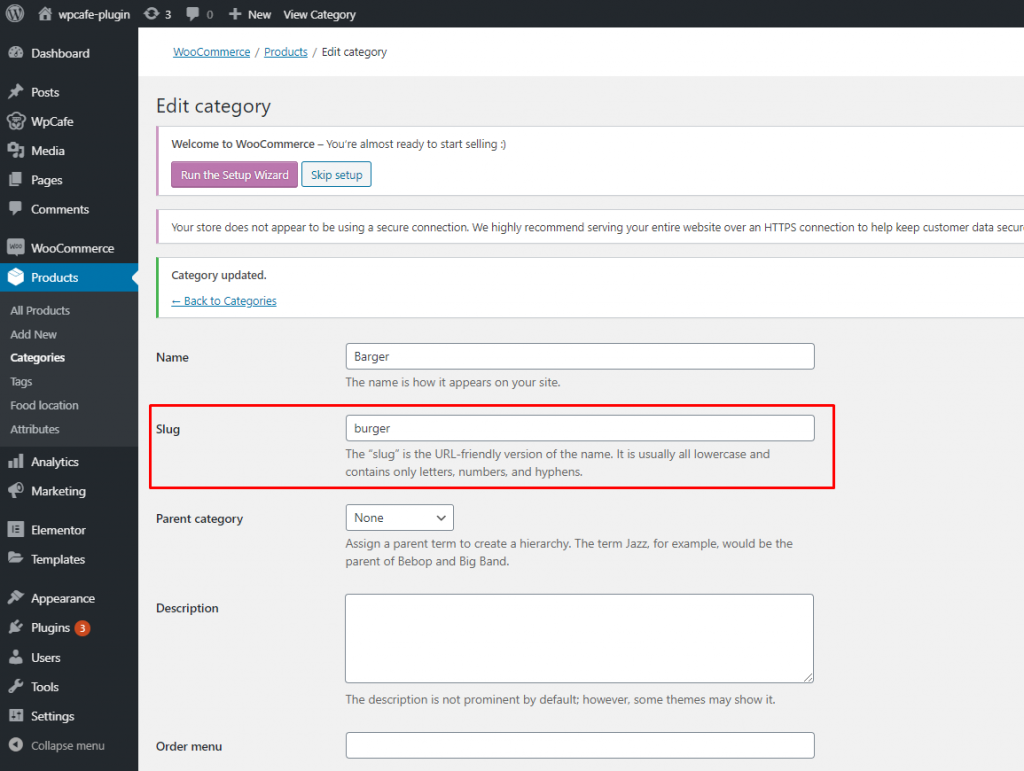
When you change the slug of your product or product categories, the page might not be working properly sometimes.
 ![](https://themewinter.com/docs/plugins/wp-content/uploads/sites/3/2020/05/slug-2-1024x771.png)

You can face this error “**Page not found error**“

 ![](https://themewinter.com/docs/plugins/wp-content/uploads/sites/3/2020/05/slug-1.png)

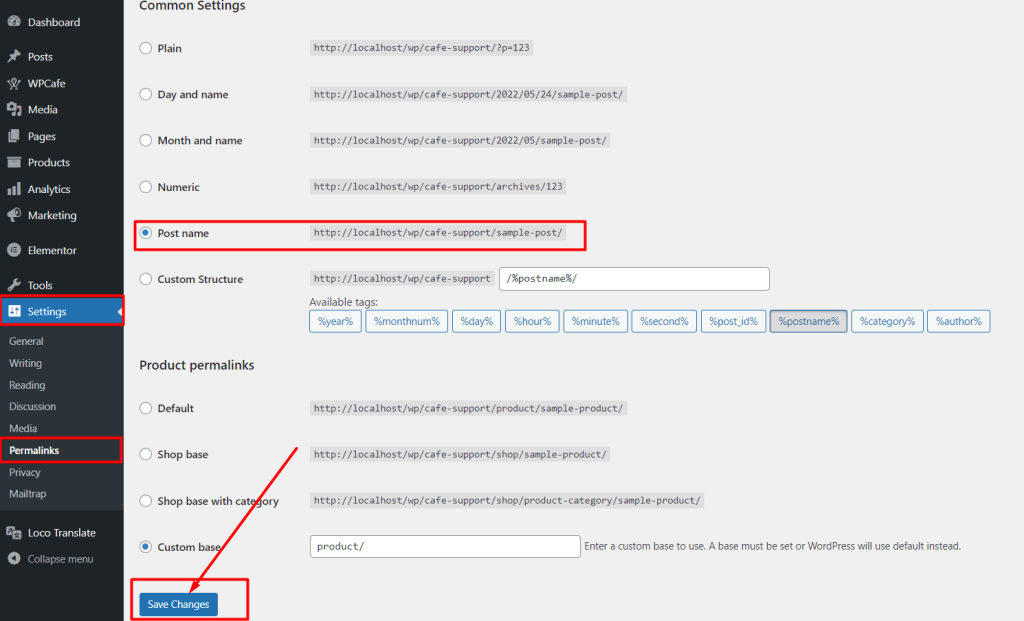
For solving the “page not found” error, navigate to ***Dashboard -> Settings -> Permalinks*** -> ***Select Post name*** and just save settings. If you have already selected the post name option, then only click on save changes.
 ![](https://themewinter.com/docs/plugins/wp-content/uploads/sites/3/2022/05/permalink_change-1024x621.png)